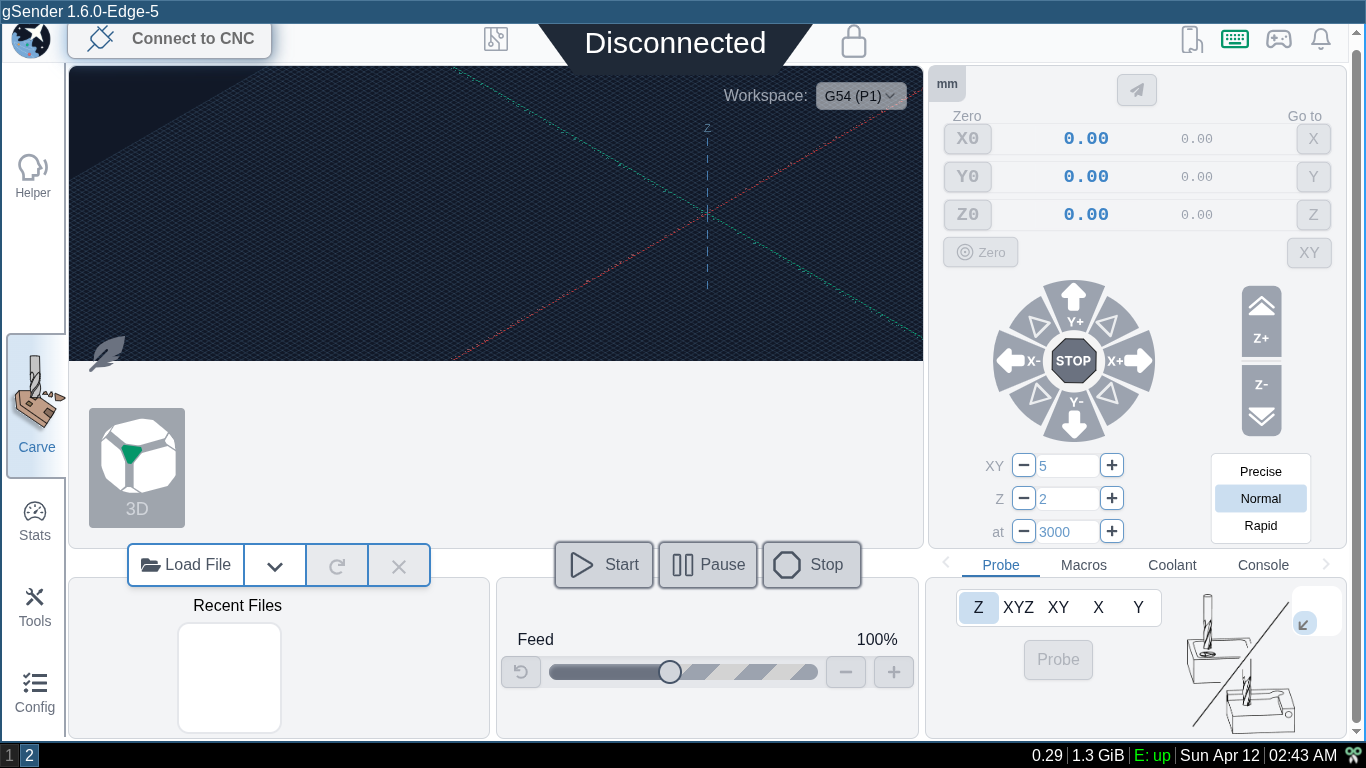
First off I have a fresh installation of Kubuntu for my LongMill PC. It has an Intel Skylake cpu so I’m using the Intel-64 bit deb files. My monitor resolution is 1366x768.
Here is gSender 1.5.7
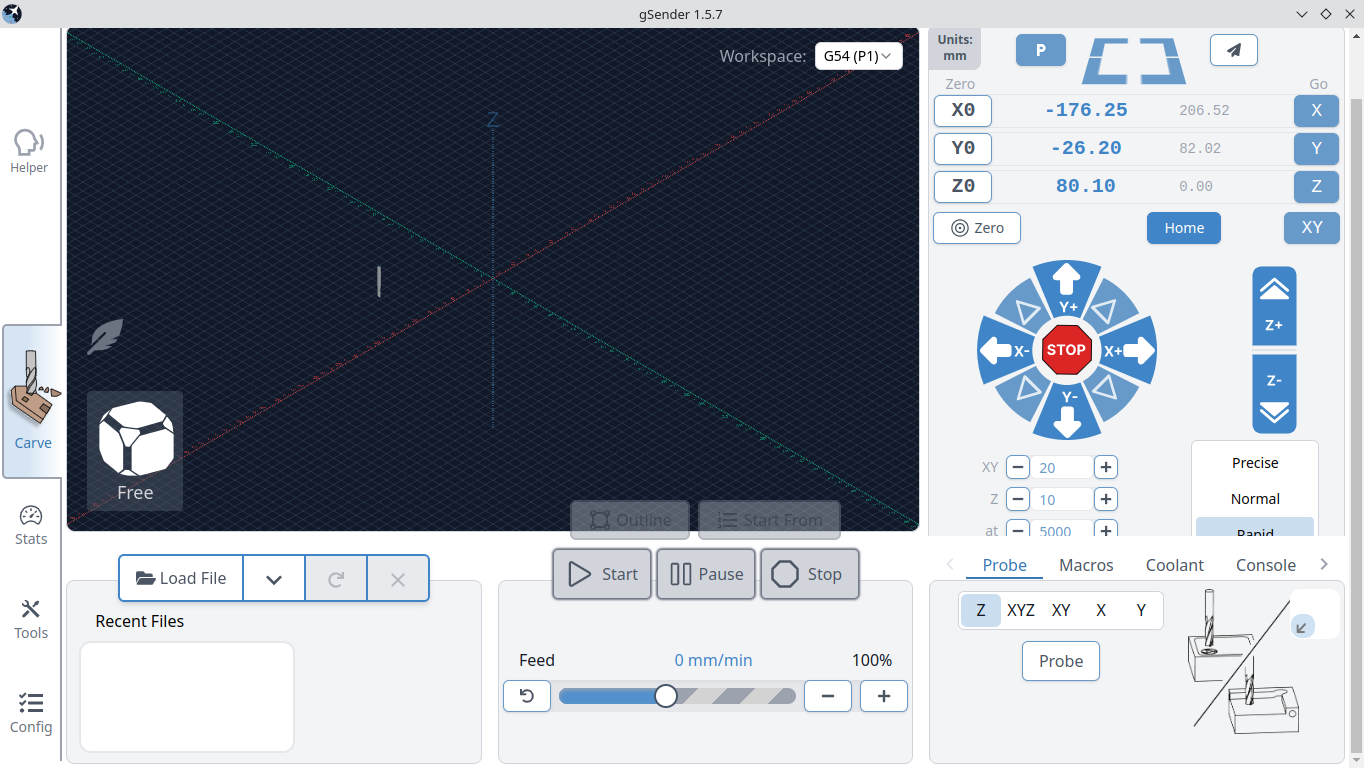
It’s usable but you can see how the Rapid button is cut of in the jogging section.
Here is 1.6.0 Edge 5
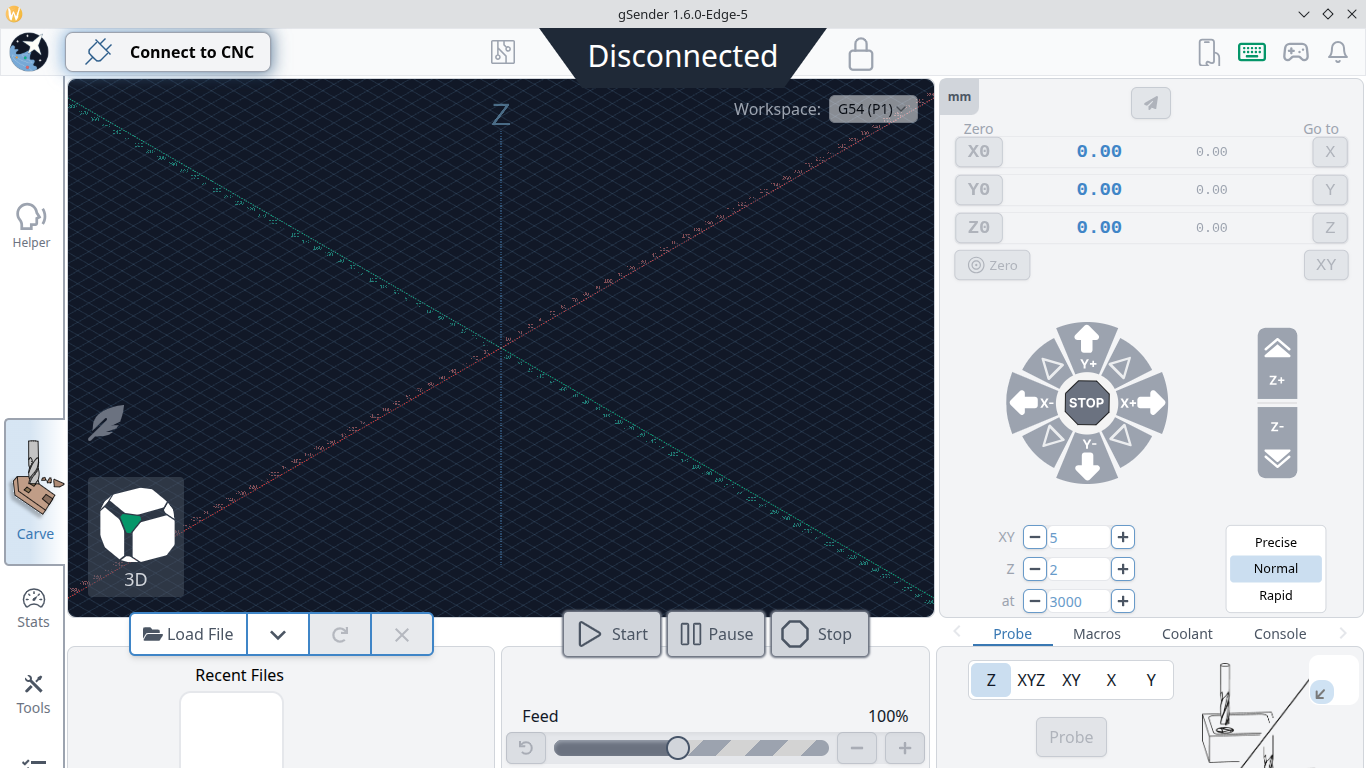
The jogging section is better but now the whole bottom is cut off without any scroll bar.
I can only get the AppImages to run if I use the --appimage-extract option. I get this error which doesn’t seem to redirect to a file…

It’s entirely possible that I just don’t know what I’m doing, I don’t play in sandboxes, but that file isn’t even present. Any way after extracting the image and changing the owner of chrome-sandbox to root and setting file permissions 4755 I was able to run the edge 1.6.0 Edge 5 and the UI is the same.
EDIT: I seems to me if only the visualizer was resizable there would be all kinds of room. I thought maybe light weight mode would help but it just turns the visualizer black and still wastes 3/4’s of the screen. I know you can’t please everyone but I’d like the visualizer in a separate tab or resizable. Anything that doesn’t waste most of my screen for something I only use during job setup. Sorry if this comes off as a rant…
EDIT2: I think I should clarify my use of the visualizer because the whole UI is basically job setup. I open a file and look at the visualizer, yup its the correct file, size and origin look okay, done with visualizer until the next file load. So most of the screen for a 5 second look with each file. Maybe others have more interesting use cases IDK.