Hi, I’ve been having problems with the LongMill cutting dadoes ~0.016" smaller than what’s in the G Code. Let me say that Steph and everyone at Sience has been amazing! I ask for help and I get it, with speed and details. I replaced the 12 V-wheels and tuned it as best I could, but still have the problem. I have anti-lashback bolts on order and hope that fixes it.
I was also told my gsender code was very old at 1.0.0. I decided to reinstall the also old Linux on my Intel PC. I chose Ubuntu Desktop 25.05 which just came out. I cloned the git repo with “git clone GitHub - Sienci-Labs/gsender: Connect to and control grbl and grblHAL-based CNCs with ease”. It turns out I didn’t really need that after finding the .deb file on the Internet. Then sudo dpkg -i gSender-1.4.10-Linux-Intel-64Bit.deb installed it. I brought up gsender, but could not enable the machine. I saw an error on the console and sudo chmod 666 /dev/ttyACM0 fixed it. I also changed the permissions of shared memory with sudo chmod 1777 /dev/shm. I created a desktop launch icon by creating this file:
But after reboot I again cannot connect getting “Error opening port /dev/ttyACM0”. Has anyone seen this? Guess I could write a script such as /usr/local/sbin/gsender that does the two chmod’s then calls /usr/bin/gsender.
@mike99mac Welcome back, Mike. I have no idea how to address your issue linux, but I have moved your question to the gSender category. It will get more notice here.
WRT dadoes being too small, have you verified that the end mill you are using is in spec? I’ve run into this especially with 1/8" end mills. They turn out to be smaller than spec. Just a thought.
Also, what CAM/CAD application are you using?
I’ve not tried gsender in linux, but from Amatuer Radio hardware, experience it often came down to adding USER to some group. “dialup” was often the culprit for ttyUSB devices.
I got the new anti-lashback bolts, and installed them today. The good news is the machine sounds much happier. The bad news is the dados are still being cut too small (maybe about 0.005" larger than with the old bolts, but still 8 to 15 thousandths short )):
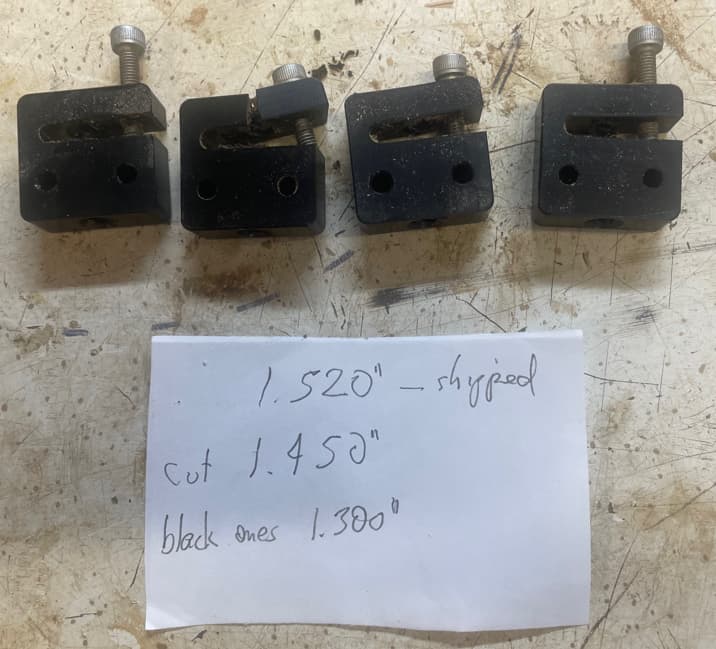
Here are the old bolts - note the one nearly split in half - guess I got that one WAY too tight.
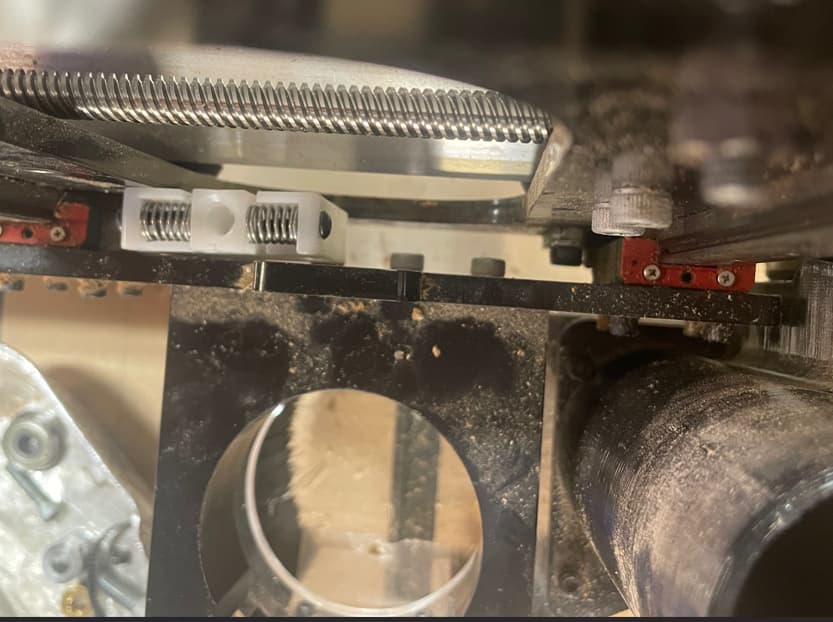
Ran into an issue getting the one for the z-axis installed: the original bolts were 1.3" tall. The new ones are 1.52". This picture is looking down the z-axis - note the small bolts to the right of the anti-lashback bolt. They are high enough, that because of the new bolt size, you cannot get the thread holes lined up. I had to cut the 4th one down, only by 0.070", but still, it was a pain. Sienci guys - you may want to make one of the four a bit smaller. Just my two cents…
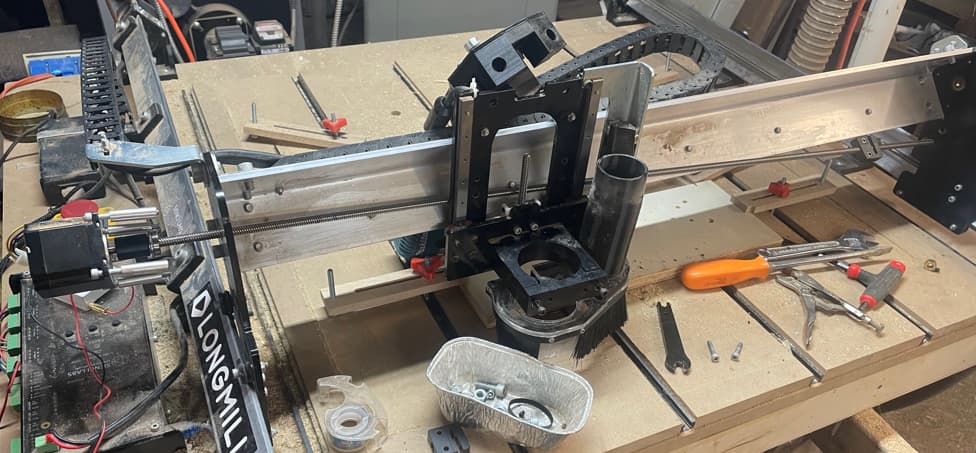
Also, I was on the verge of taking the whole right size y axis apart to get the old bolt off the x-axis lead screw. But it was much easier to take the four bolts off the motor on the left side, then the lead screw just comes out. Here’s a pic:
OK, I ran the calibration in the X and Y directions where you make a mark, the unit travels 100mm, then you measure the distance. I do now have a dial caliper that will measure in mm. So in the X direction, the distance was closer to 101 mm than 102, so I typed in 101. In the Y direction, it was closer to 101 and to 100, so I also again typed in 101.
The math shown for both $100 and $101 EEPROMs were 200 x (100/101) = 198.02
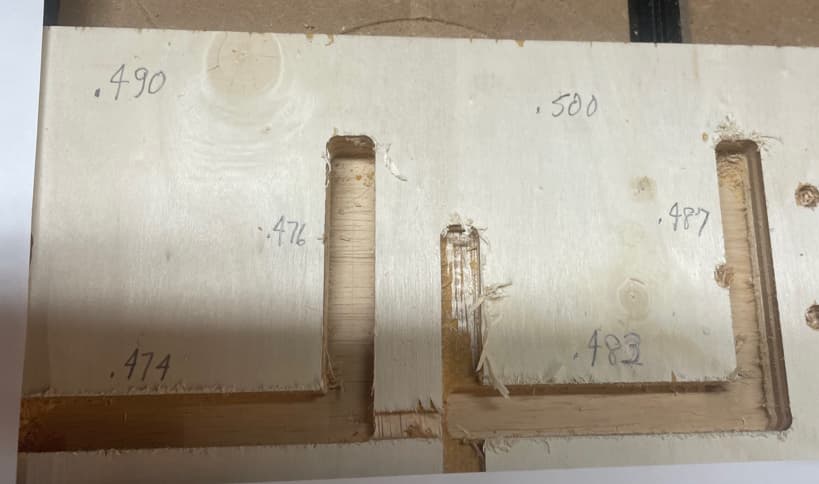
I ran a job where 2 dados in the X and Y directions were 0.49" and 0.50". Unfortunately, the Y cuts were 13 and 14 thousandths of an inch short and the X cuts were 16 and 17 thousandths short.
============== about 2 hours later =====================
I’ll just edit this post because I tried a couple more changes. Rather than actually measuring the 100mm of travel, I just used numbers based on the size of the dado cuts. I tried using 102 for the second change, but the dado cuts were even smaller. So I way overcompensated the third time, and now the cuts are very close to what was specified in the G code:
1: 200.00 * 100 / 101 = 198.02 => still too small
2: 198.02 * 100 / 102 = 194.14 => even smaller!
3: 194.14 * 100 / 94 = 206.53 => just about right :))
So I’ve learned a lot about EEPROM variables $100 and $101. Can I change them directly?
@mike99mac because you didn’t hear back about this, yes you can definitely change them directly you can do this by either typing directly into the Console tab on the main page, for example “$102=206.53” or you can go to the Config tab (if you’re in the newer version of gSender) or Firmware tool (older version) and finding ‘$102’ for example then changing the value and saving the changes.
Sounds like between the updated hardware and the $ value changes you’ll be able to get to the level of accuracy you’re hoping for! Also, if you’re still having install issues, perhaps this might help?
 you can do this by either typing directly into the Console tab on the main page, for example “$102=206.53” or you can go to the Config tab (if you’re in the newer version of gSender) or Firmware tool (older version) and finding ‘$102’ for example then changing the value and saving the changes.