probe material outside macro.gcode (5.7 KB)
i wanted to probe a roughly defined stock and probe for center instead of using a corner, and so i played a bit with some examples i could find on github and ended up with the code in the file.
it might be a bit confusing at first since there are some variables to compensate some movements but so far i’ve tested it on multiple size stock and it works. feel free to make any suggestions to improve and/or simplify the code .
also it should work with an endmill (there’s no need to define the size of the endmil) and a 3d probe . i’ve tested it with a 3d probe
1 Like
@iuliancalin Thanks for posting this. What probe are you using with this?
im using the small chinese 3d probe , but an endmill can work too
also any feedback? maybe it can be introduce in GSender? any sugestions or any changes that could be or should be made?
edit: this one
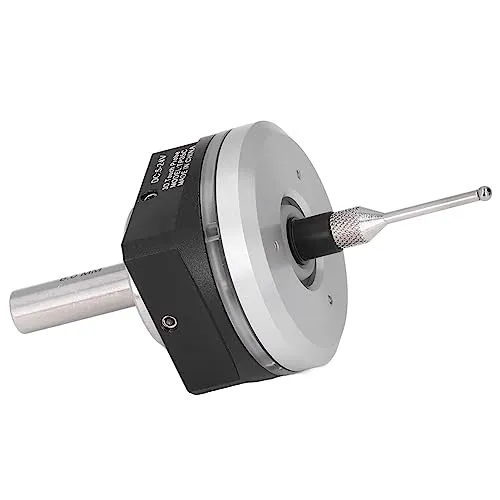
@iuliancalin Thanks, Julian. I don’t understand how an end mill can work. What would send the signal that the mill has touched the outer edge of the material?
nevermind, i was about to say somethin really stupid, but i wont, now that you mentioned that endmill and i was thinking about it and the probing process.
let’s leave it at, please don’t use an endmill, it wont work anyways , so a 3d probe is required for this macro 
1 Like
@iuliancalin I didn’t mean any offence, Julian. I read your macro and believed that it needed the switch function of a 3D probe to work. I also believed that it was entirely likely that I simply did not understand the macro’s functionality. Tks for clearing it up.
My cheap cheat alert went off with a what if. It might be preposterous but..
Whatif I wrap an irregular shape with aluminum foil, drop a connected touchplate on top, connect the magnet to the spindle/router and start the macro with an endmill indeed.
Would I be able to get any results using this probe “cheapcheat” besides maybe risking an endmill?
No offense taken, actually you pointing that out made me think about it and realized it wouldn’t work. Normally when someone uses a z probe with a magnet or alligator clamp on the endmill those are isolated, or it’s used to probe no Ferris material.
What I’m doing is mostly aluminium.
Also, I will try to implement this into GSender. Just hold my chips
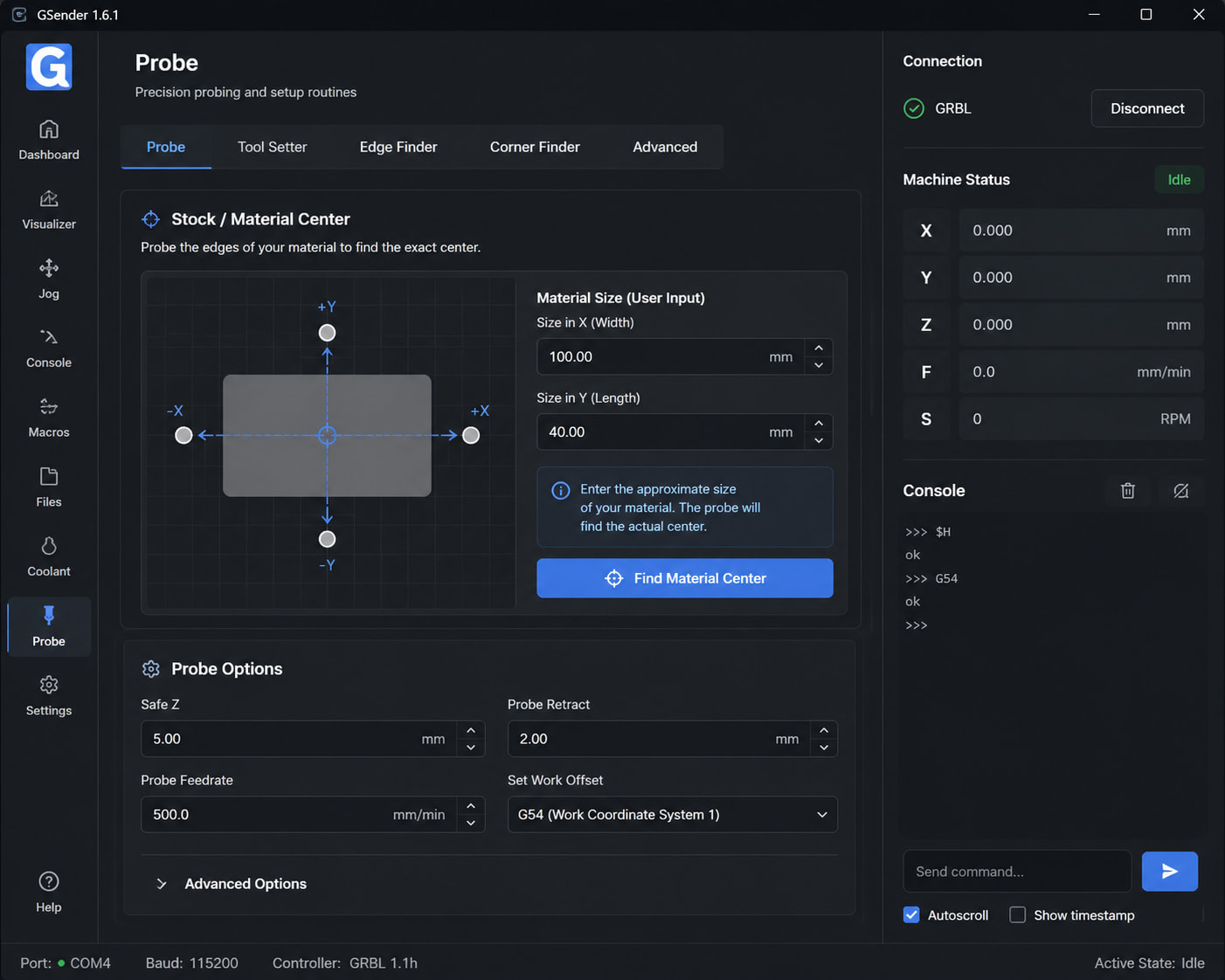
i asked chatgpt to genarate an image for this and ended up with this idea, and the crazy thing is i really like this approach 
@iuliancalin Fascinating. For my work, which is pretty much entirely in wood or acrylic, and frequently in odd-sized off offcuts, I can find an accurate enough centre much more quickly using a ruler, a square and dividers.
can you link to it please? was looking to get it
1 Like
Given the discussion, this might be of interest. This is not my application, just something I encoutered on Reddit.
Video: I Built a Free App to Make My CNC Smarter
Application: CNC Grid
I imagine it would be relatively easy to recreate your own, local, version without much effort.
sorry. meant for the probe you used
Actually I can’t, but you can search all over the Internet for “3d probe” it’s all over the Internet, give it a try, it’s not hard
1 Like
added some changes, instead of editing the entire code to change the work spaces coordinates, possibly making the code a mess, we just change the number 1-6 in %WCS_P = 1
; Change WCS_P to switch Work Coordinate System:
; 1 = G54, 2 = G55, 3 = G56, 4 = G57, 5 = G58, 6 = G59
%WCS_P = 1
G10 L20 P[WCS_P] Z[PROBE_RETRACT]
G10 L20 P[WCS_P] X0
G10 L20 P[WCS_P] Y0
You could probably simplify that by using P0 which sets the offset in the current workspace - no need to edit at all. If you’re not setting the offset in a workspace other than the current one.
G10 L20 P0 Z[PROBE_RETRACT]
G10 L20 P0 X0
G10 L20 P0 Y0
1 Like
oh that’s a good point, i did tried something but couldn’t figure out. i have to try now 