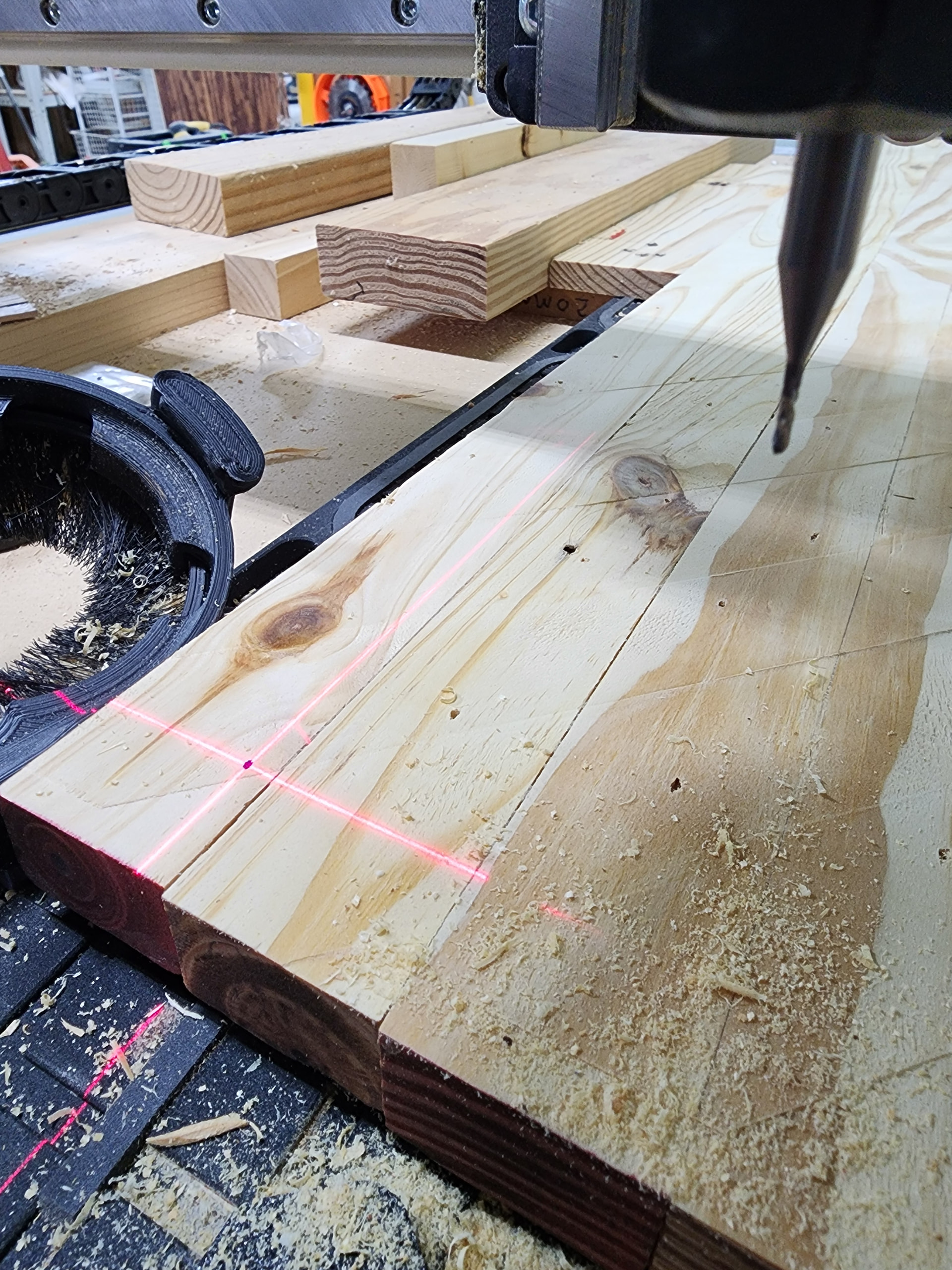
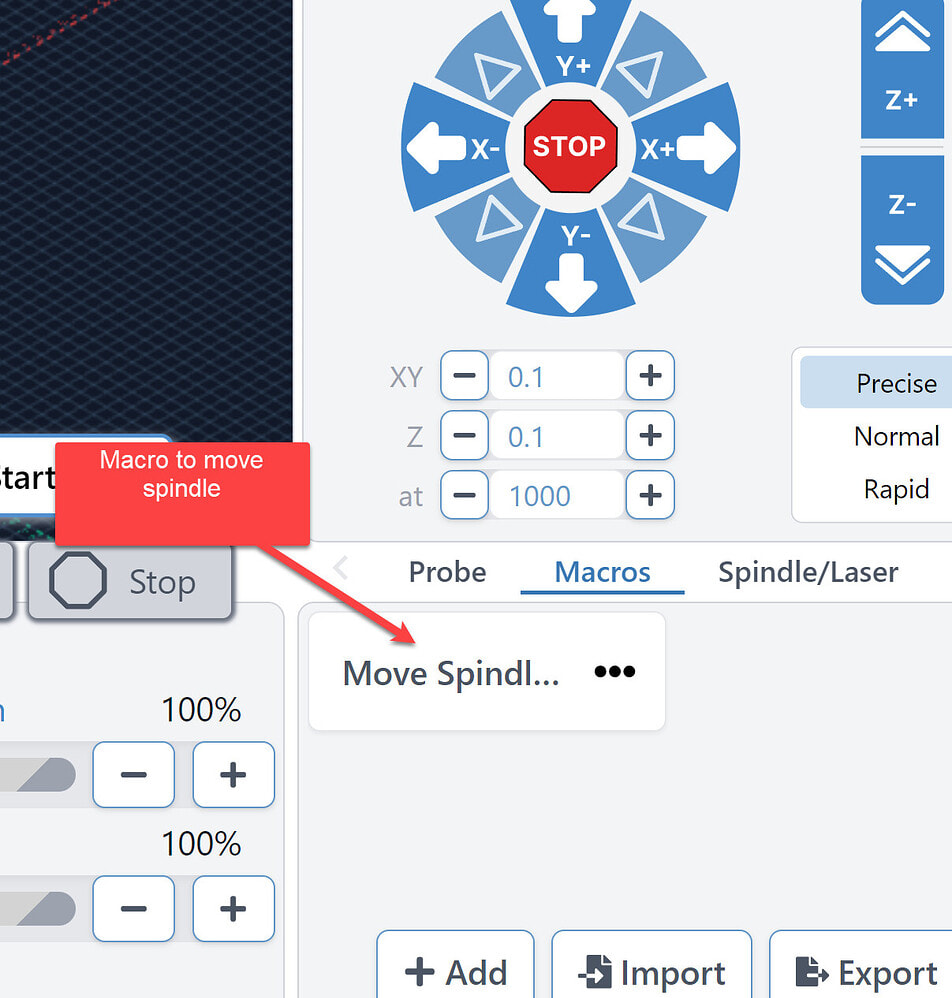
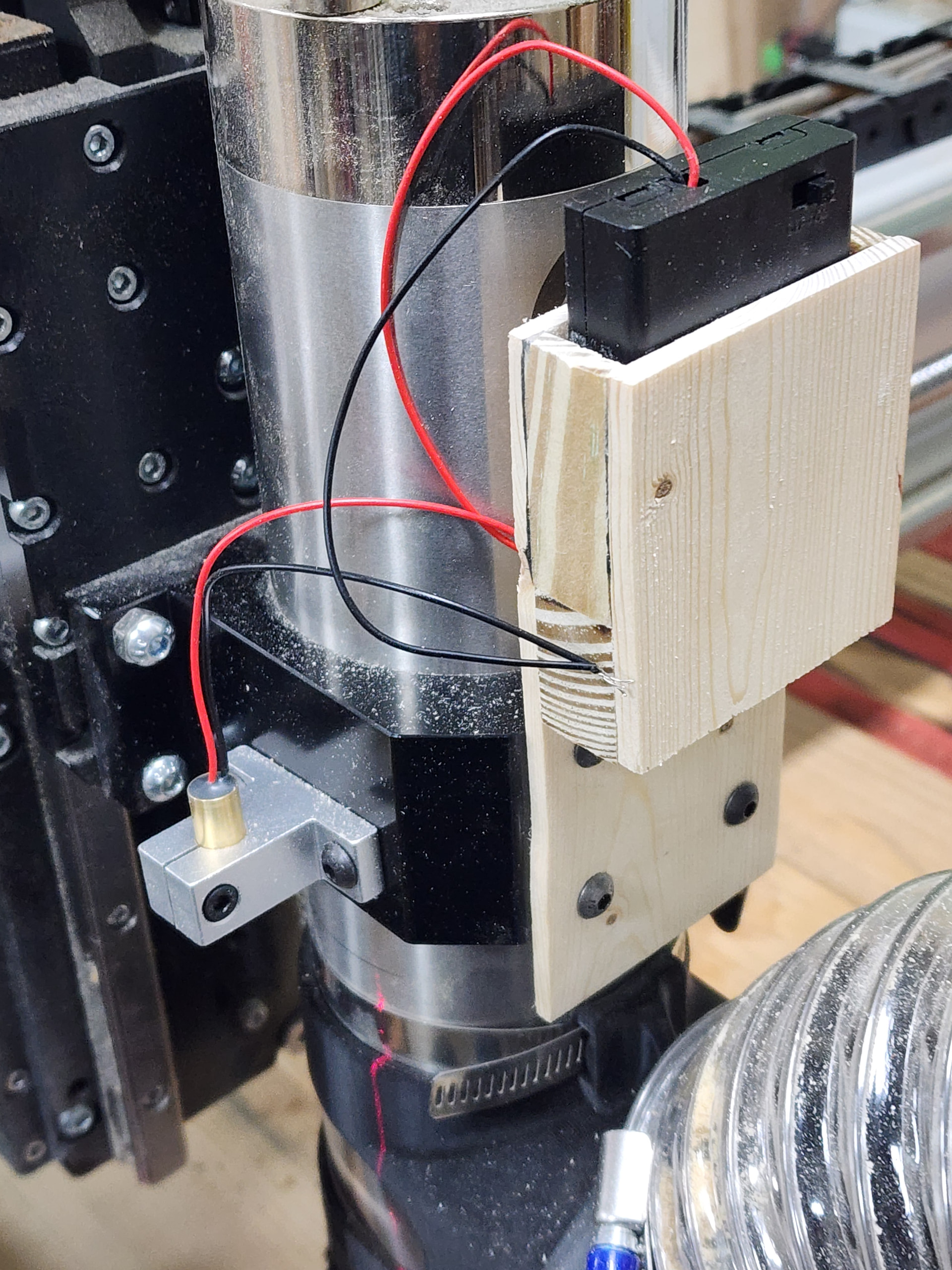
@gwilki@Jens OK I have no idea what I did to unlock in gSender, but it is now unlocked. My son helped me adjust the XY mounting laser bracket. Now, when I raise/lower the spindle for the Z axis the center of the laser cursor stays fixed on the reference dot on the board.
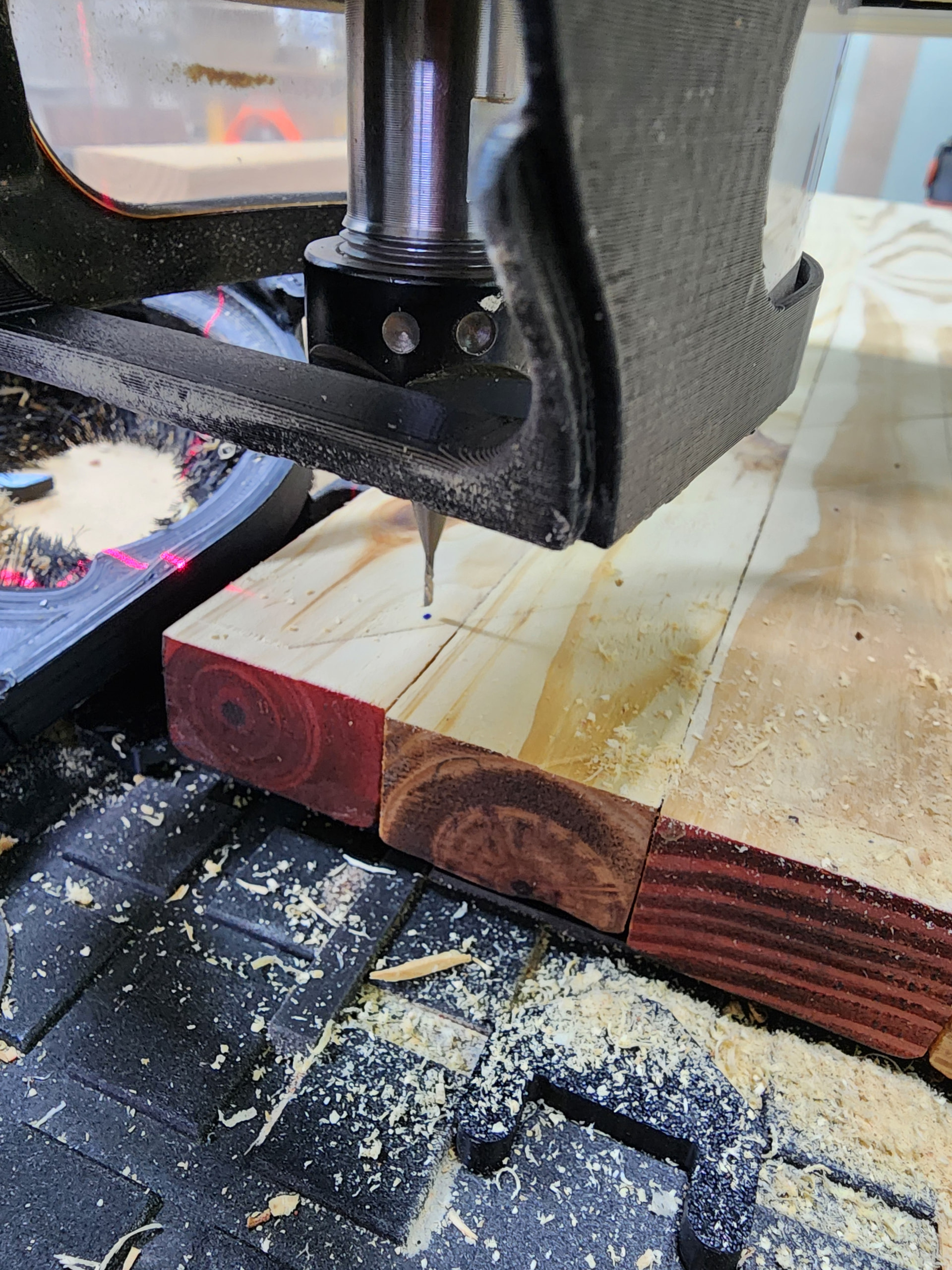
I then set the XY values in gSender to zero and lowered the bit (I used a 0.015 Rad x 10 degree tapered ballnose endmill, but you could use any similar sharp pointed bit) until it made a mark on the board.
I then rasied the bit so it was just a couple of MM above the board and moved the laser crosshair to the mark I created in the previous step. Now the X & Y values are X = 70.73, and Y = 6.97 (both are positive).
@Jens it is critical that you can move the Z +/- and the crosshair remains on the dot, otherwise the bit will not be cutting in the desired locations.
@gwilki After you create the macro(?) with the correct values, I can then implement the macro. I don’t know the how at this time.
I positioned the XY lines of the crosshair line so they were aligned with the XY lines of the spoilboard. This gives me a good reference point to ensure the XY lines of my project are in correct alignment. This is not necessary, but it gives me more comfort.
BTW I get a LOT of “Port Disconnected” ingSender after I start cutting. Any suggestions?
BTW I also have the Altmill AutoZero Touch Plate but I have not learned how to use it. On the Siench website ( AutoZero Touch Plate - AltMill CNC ) I see the section “AutoZero Touch Plate”. I assume that after I learn how to use the touch plate, the laser crosshair will not be necessary.
I just looked at YouTube and see a few videos and shorts regarding the touch plate.
I feel like this has been a huge step forward for me! Thanks!!!
@Jens Since I centre in the middle of the material most of the time, the cross hair laser makes things much simpler. I mark the centre of the material, jog until the cross hair is precisely on that mark, then run a macro using a keystroke shortcut to move the machine in X and Y the offset amount. For me, with old eyes, it is much simpler and more accurate than trying to eyeball the centre of a 1/4" endmill for example to be precisely centered on the mark. Each to his own.
@Jgt1942 I can send you my macro tomorrow, if you like. You will need to change the X and Y values to reflect your offsets.
I have the Sienci touchplate - not the autozero - just the plain one. Since I set XY0 to the centre of the material most of the time, I use the cross hair laser most of the time. I use the touchplate for Z0 only.
When I do want to set XY0 to a corner, I use the touchplate for all 3 axes.
As to “Port disconnect” make sure the you have turned off ALL windows power saving settings for USB ports.
Yes, old eyes make things difficult. I would never try to set zero with a 1/4" endmill - I seem to be incapable of getting an accurate result. I use something small and pointed.
@Jens Fair enough. I wouldn’t use an end mill either. I was trying - and clearly failing - to make a point. You choose to put a vbit into your router and use it to set XY0 in the centre. Then remove that bit and replace it with whatever you will use to carve your toolpath.
I don’t need to change bits. I turn on the crosshair laser, centre precisely using it, run my macro to accommodate the offset, then run my toolpath.
Each method achieves its objective. You say that my method “is a lot of effort” and that it “doesn’t simplify things by much”. I prefer it to changing bits. As I’ve said before: each to his own.
Yeah … but then I don’t have a laser so what do I know. I think I only set the center of the workpiece as zero on a couple of projects. 99% is zeroed on the front left corner of the work piece and if it is important I use the auto touch probe. More often than not, I get close enough using the eyeball method (my stock is usually over sized and the mill cuts it out so absolute position is irrelevant)
I think our projects are fundamentally different … hence the different Z zero methods.
@Jgt1942 I sent you a private message 5 days ago, posing some questions.
Maybe I was not clear enough in my private post. The ball is in your court. Since no one else has provided the macro you have asked for, and since you have not replied to my message, I’ll close this thread.
We have SUCCESS! As you stated, it was very easy. It took me more time to determine what I wanted to do than actually do it. For now, I just created a macro.
In the following image, I turned the laser crosshair on and positioned it on a random spot on the project board. I then marked the board, the dot on the crosshair.
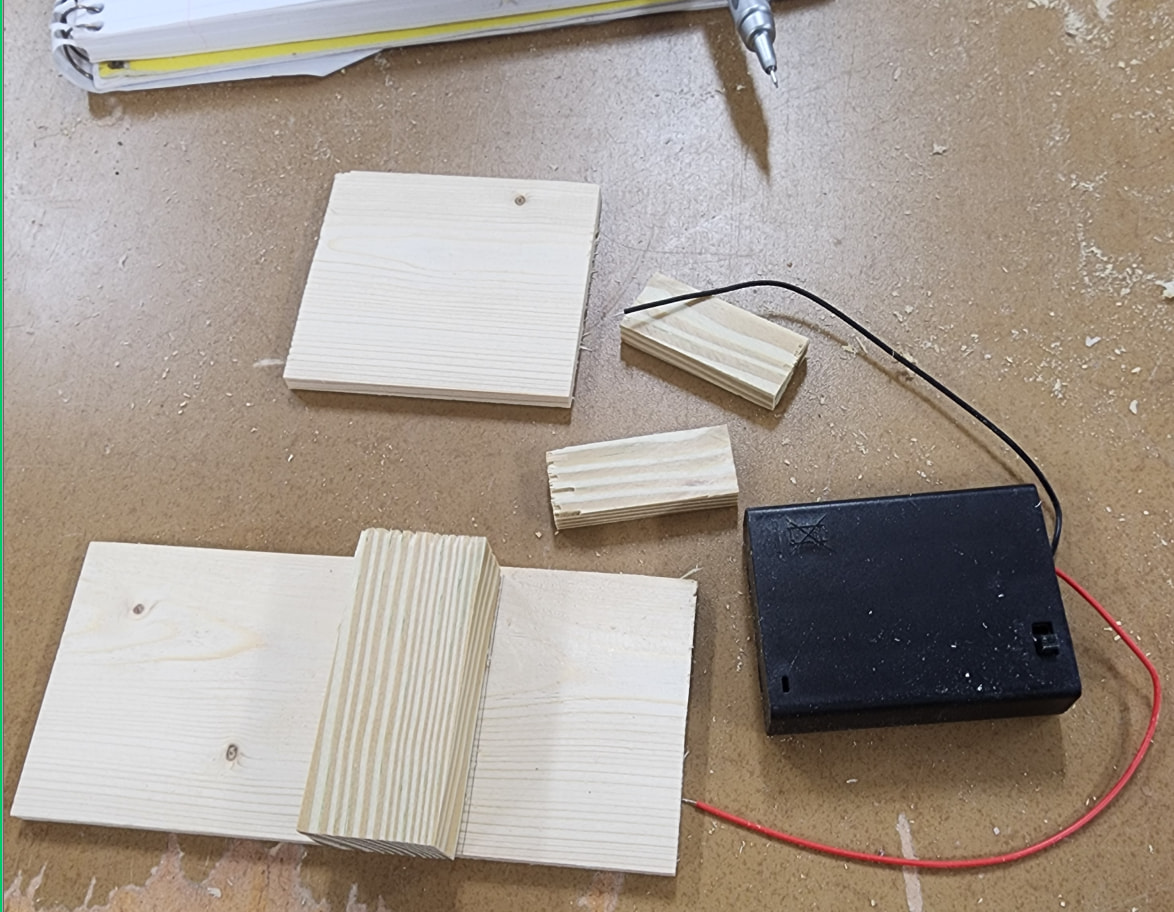
Here’s a bit more on the crosshair laser light. Following is an image of the holder parts. Other than the width of the back I did not pre-measure much.
With the macro it is very easy to use. I do have the AutoZero touch plate but this gives me the option to establish XY zero position with accuracy when the project shape is unusable. Also, I did a big no-no when setting the XYZ zero reference on a project and left the magnet attached to the spindle after setting zero XYZ. Until I get a new cable I cannot use the AutoZero touch plate.
 (my stock is usually over sized and the mill cuts it out so absolute position is irrelevant)