Just ordered the kit myself for my MK2. Already upgraded to the spindle and better mount/dust collection earlier this year and that was a huge improvement! I am excited to not have to worry about skipped steps anymore.
1 Like
That’s awesome to hear! I would love to hear what you think about it. I’m convinced it’s my next Sienci upgrade, and interested in how the MK2 holds up under the increased speed/power.
1 Like
I will be sure to post about it once everything arrives and is hooked up. I was thinking of upgrading to the AltMill a while back, but I was happy they came out with the Closed Motor Kit. I believe I will be set up for a long time with my machine.
I’m currently in the process of installing the kit and am disappointed that the SLB-EXT’s orientation is not the same as the SLB. This means the e-stop, probe, and USB-C port, SD card now face the back of the machine, and the unit has an upside-down logo and text. The fact that the power cord now goes to the front with the Ethernet makes no sense. Have you ever seen a computer with those items facing you? Of course not – they’re always in the back, with the bulk of the cables. I’m unclear on the reasoning behind this design choice, but it makes the SLB-EXT less of a direct replacement than expected.
1 Like
Odd.. can you snap a picture and share?
@dfrechette Looking at the pics of both the SLB and the SLB-ext on the Sienci page, both have the ports for usb, pendant, SD, probe and estop on one end of the controller, with the remaining ports on the other end. Is the picture inaccurate?
Sure, here you go… Pictures of my old SLB vs. the new SLB-EXT:
SLB-EXT top
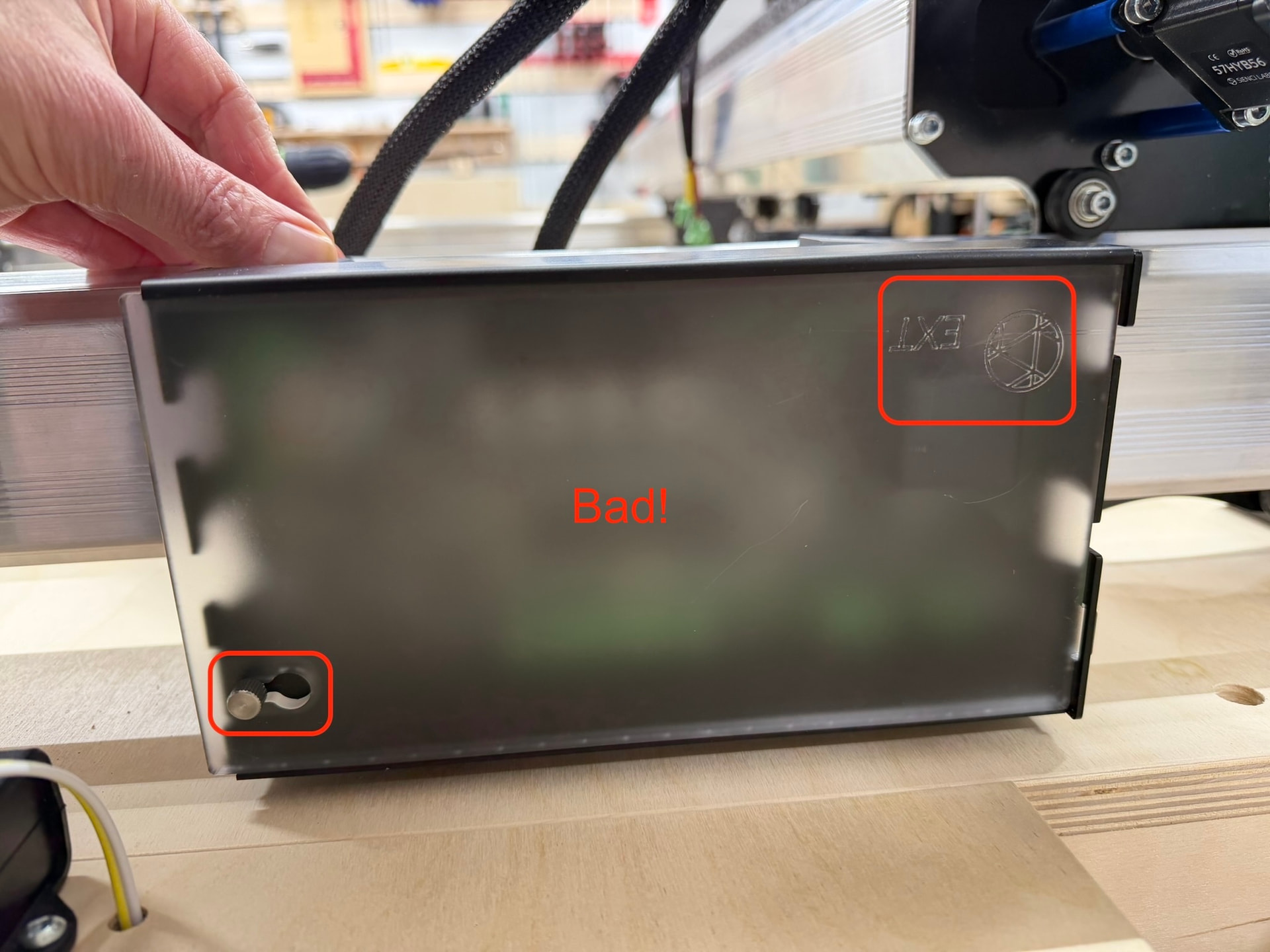
SLB-EXT front side: What should be at the back is now at the front!
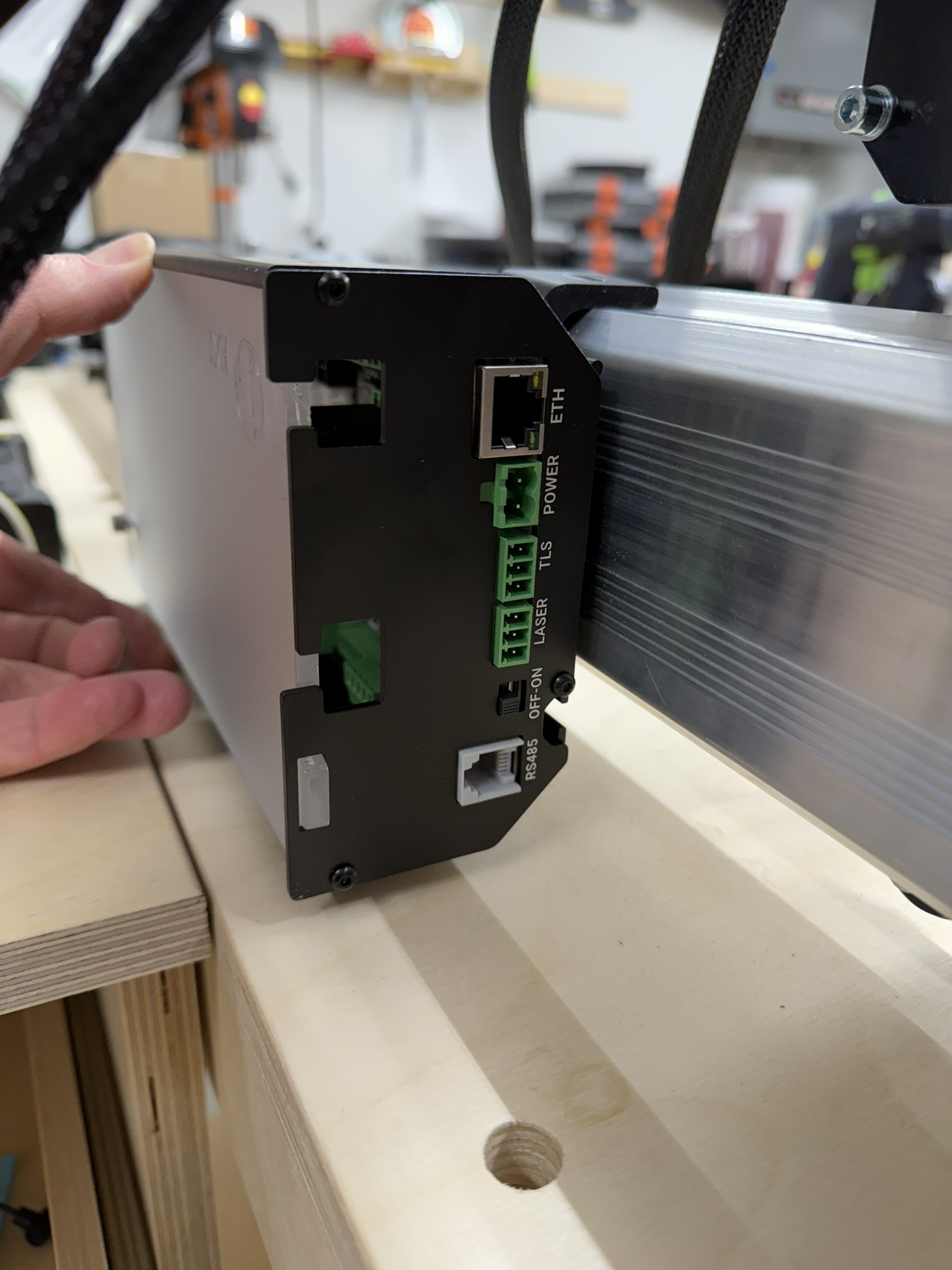
SLB-EXT back side: The large openings are for the bigger cables.
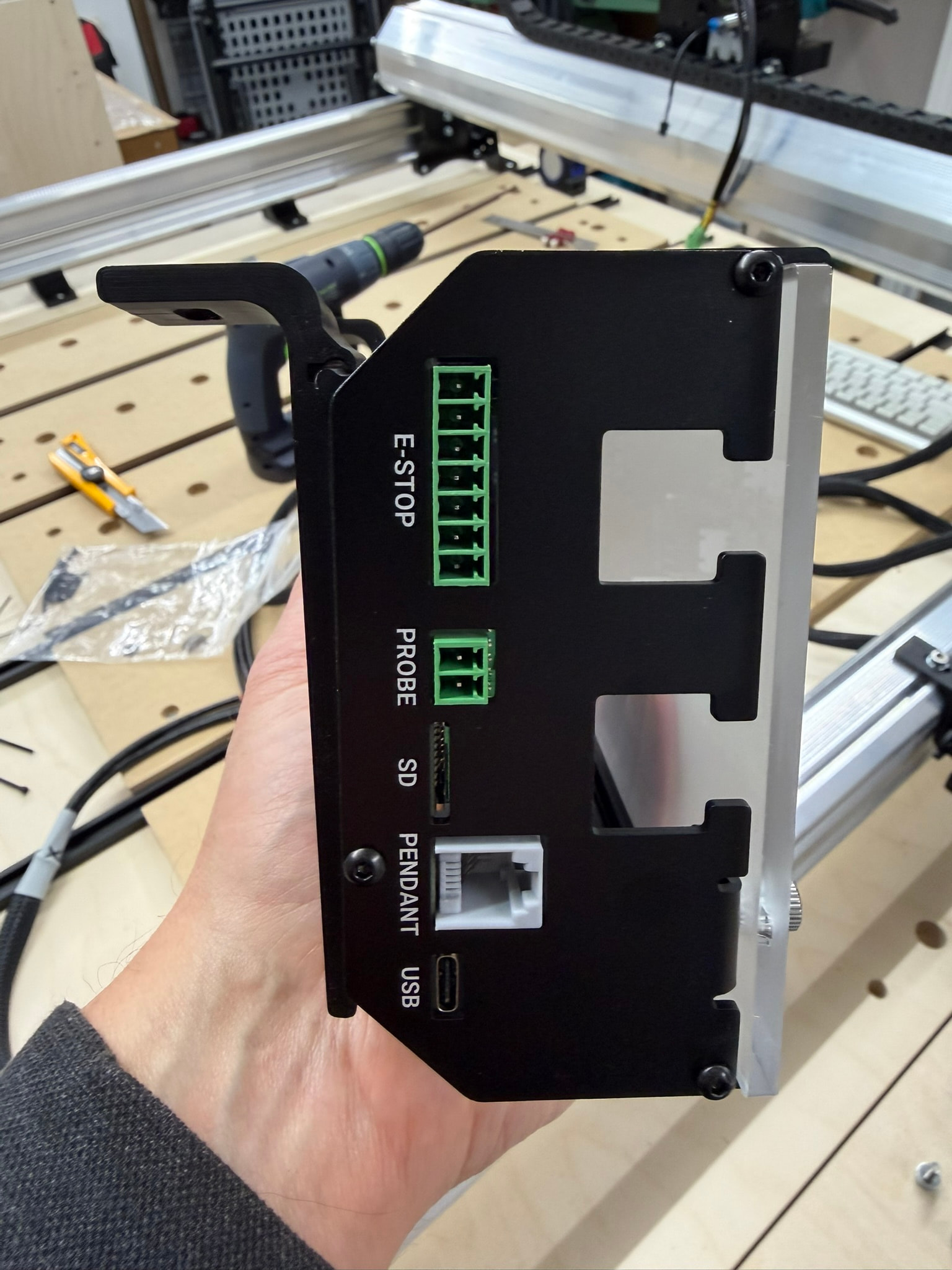
SLB front side: This gives you access to the devices that are normally located at the front of the CNC.
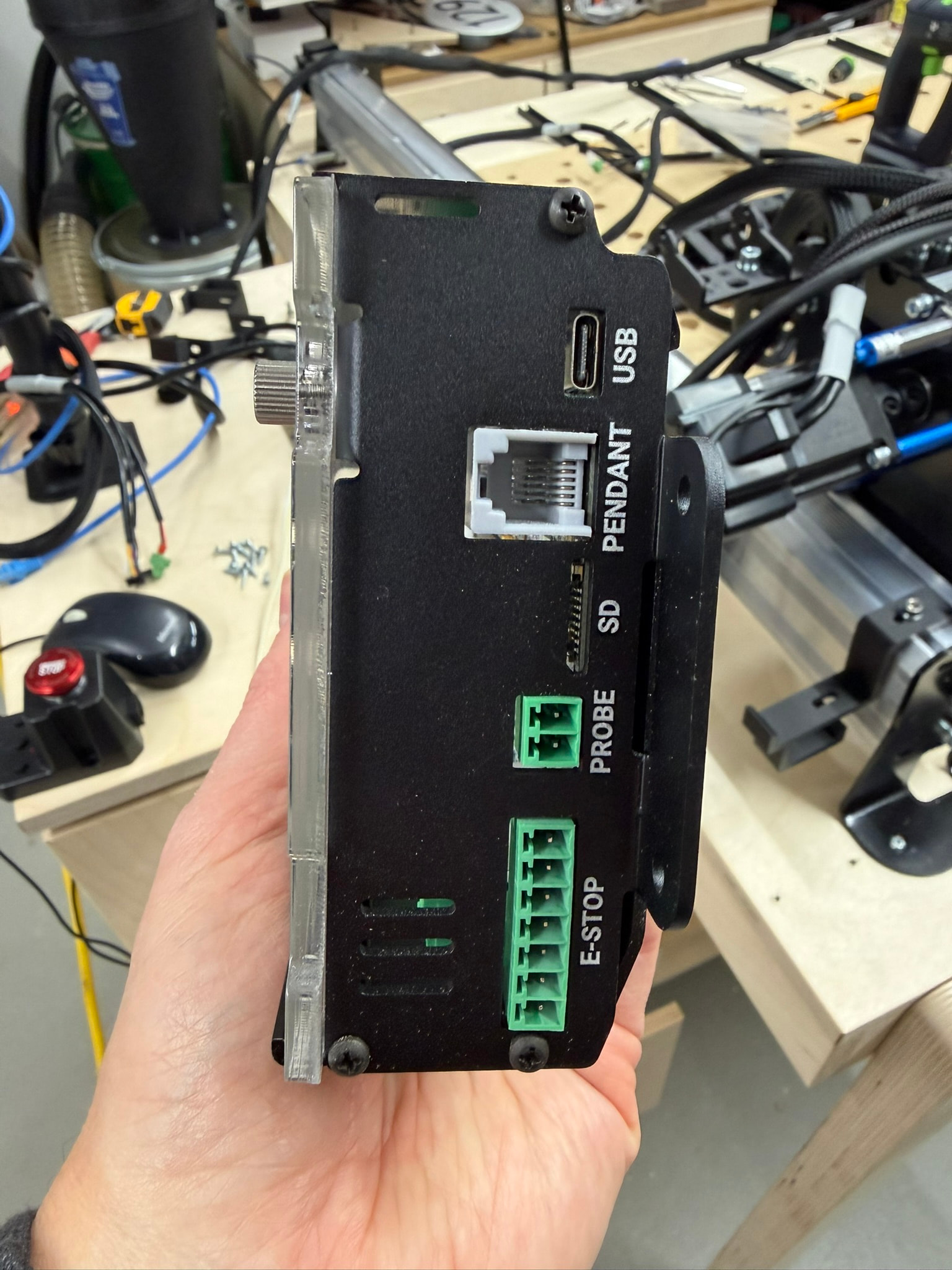
SLB top
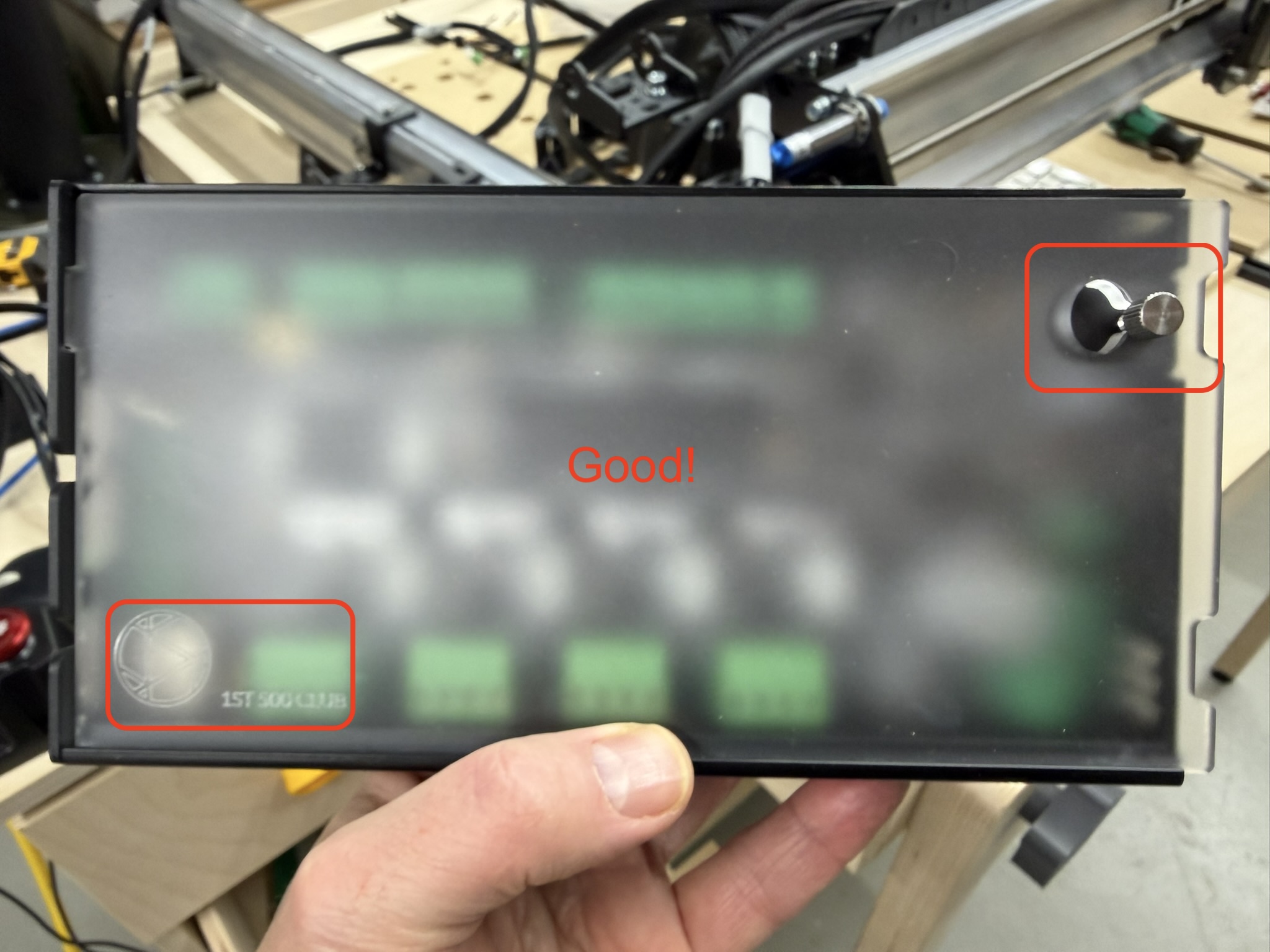
SLB back side: Where all the cables need to be.
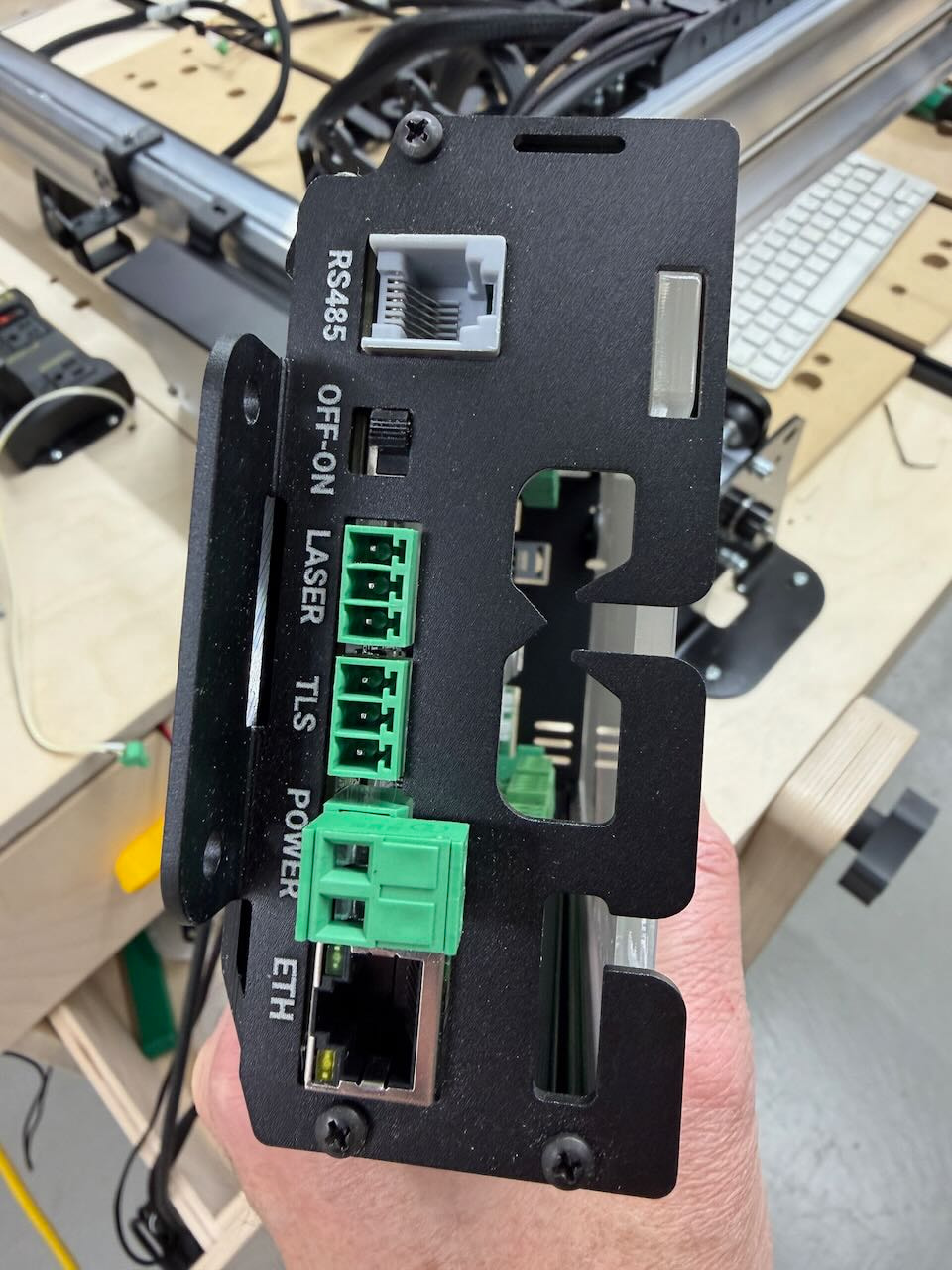
Hi @gwilki , please look at my pictures. They are fresh from 30 minutes ago.
I’ve created a new back cover for the SLB-EXT. I’m now working on modifying the brackets that hold the unit to the CNC. I will also be making small covers to close the holes (or at least reduce them) on the front of the unit. I will share the STL or 3MF files once done.
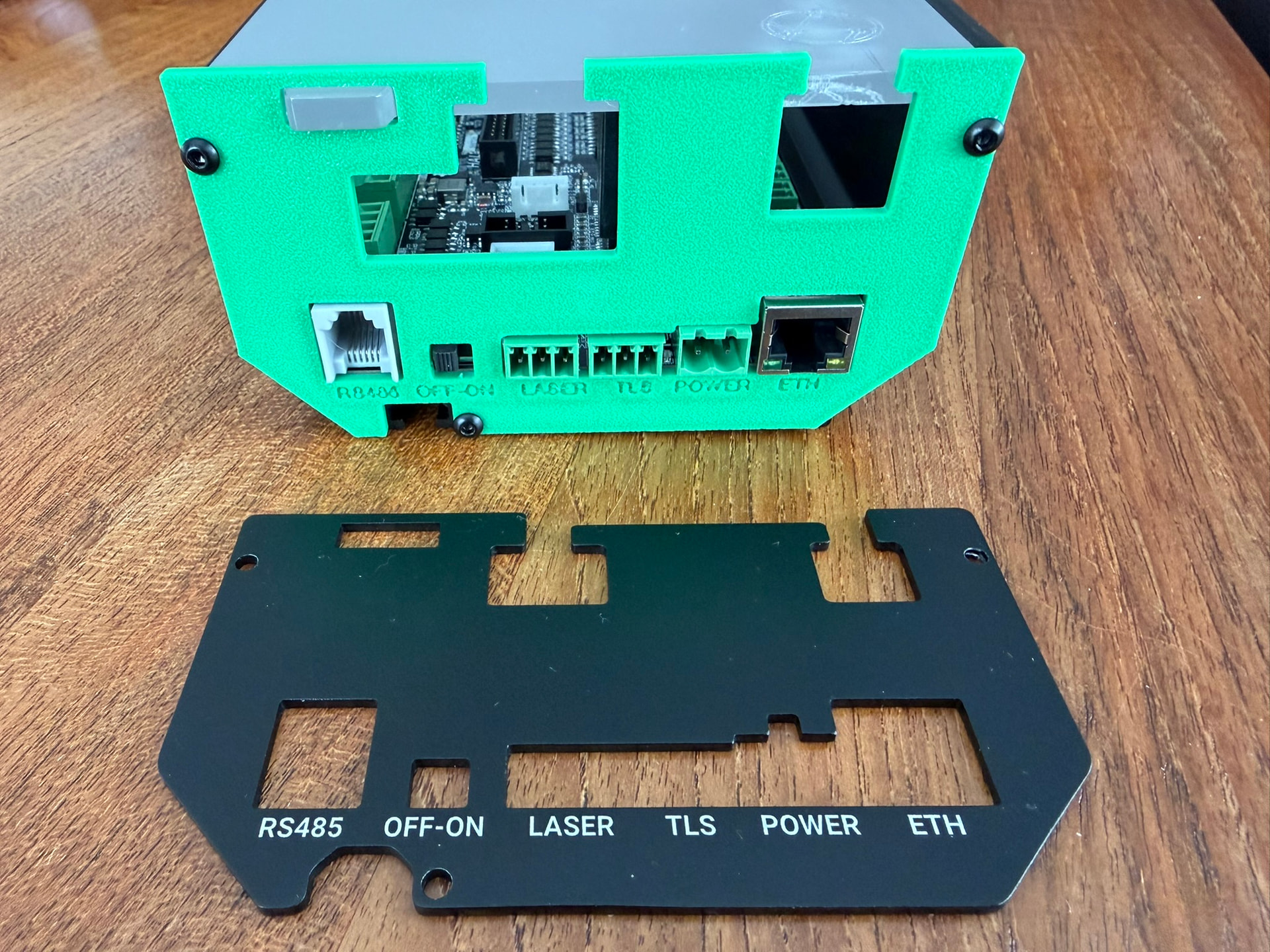
Thanks for sharing! My frame of reference is unfortunately from a Long Board perspective (don’t yet have a super long board). Is this really a miss design wise for those upgrading from a Long board?
Yeah I don’t understand why the board now is upside down either. Strange that they would change that around. I mount my board on the side of my table anyway but upside down tickles my anxiety lol.
I am definitely missing a piece for the drag chain, as I have no way to connect the 2 chains. I am using a bolt and nut for now.
@dehoutwinkel , I’m also missing a connector for the large drag chain. I posted a support request for it last Sunday and haven’t heard anything since. Slow reaction from customer support!
1 Like
Hi @AdamChin , I have all 3, but when I placed my order for 2 MK2’s, I also ordered the newly released SLBs to go along with them. I never installed the original LB that came with the machine, so I created my work table based on the SLB design instead.
It’s set it up so all the stepper motor cables come into the back of the unit, while the e-stop, probe, SD card slot, etc. face me at the front of the table – which is where these devices are located anyway.
When I got the new SLB-EXT, I was surprised they had switched this around. It would force me to reconfigure my workbench for no valid reason. I don’t want to do that, so I set out to fix it myself since customer support has been slow to respond to my request.
I figured I was not the only one! Also no clear instructions on what that little black plate is for that was with the E-Stop that came with the kit…any idea?
@dehoutwinkel , I asked… It’s for the AltMill.
2 Likes
I take back my comment about Sienci’s customer support team being slow. I just got a reply.
Jason’s reply:
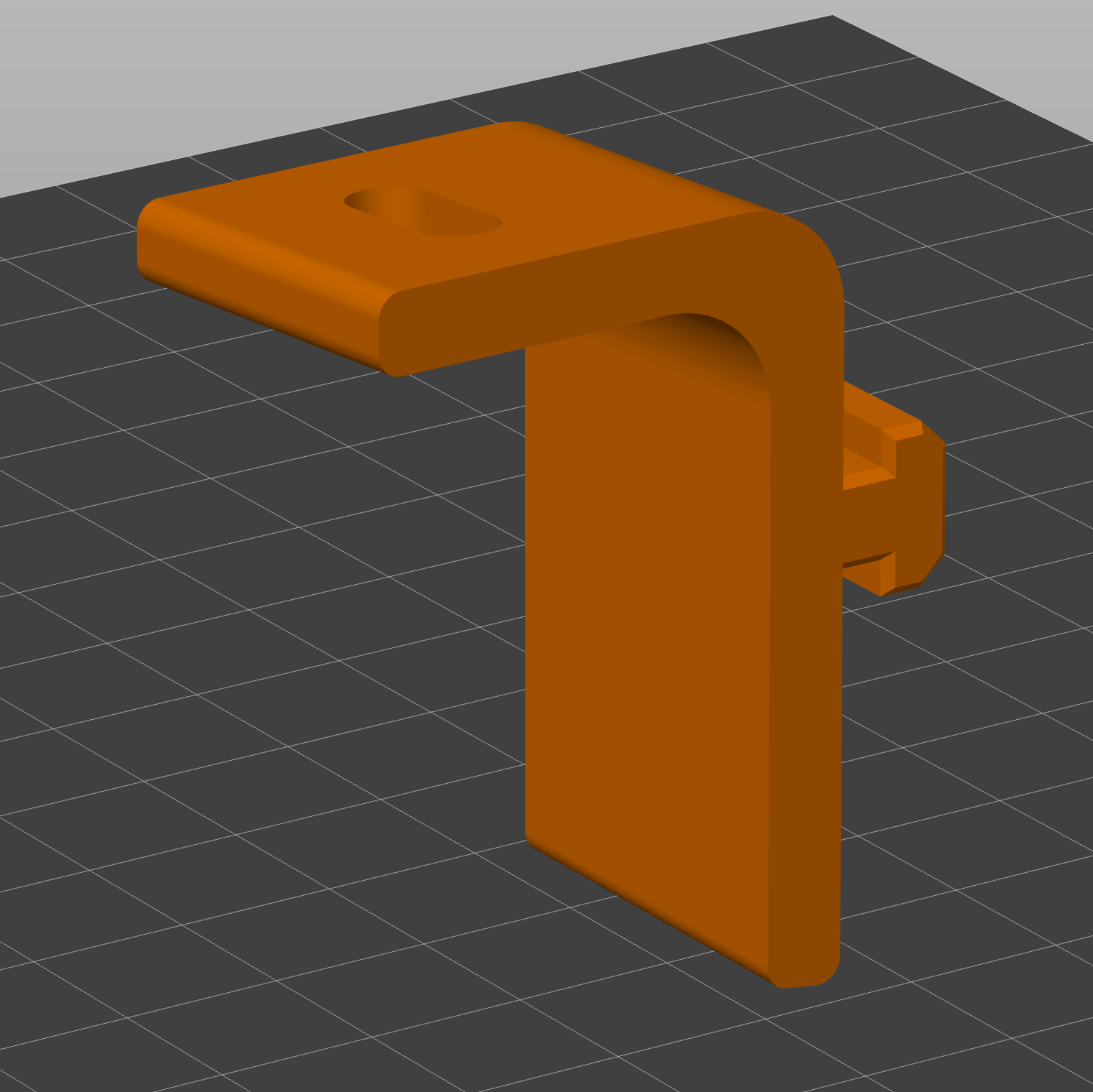
Thanks for the photos, this helps to clear up the issues. I apologize for the same type of drag chains and […]. I’ve issued replacements for you. You will receive an email shortly for the parts. I’ve attached an STL bracket that has been modified to install the controller in the original position.
I will be sharing the files shortly, once I’ve completed the covers for the larger holes in the front of the unit.
1 Like
I got my setup done today in between helping my student work on his guitar. So far I am impressed by the speed of the machine. I did have to reset all of my work offsets and my machine footprint. Tomorrow I will start cutting some fretboards to see how it does.
Have you had a chance to run with your new setup up yet? Curious on your thoughts.
1 Like
Hi everyone, I’ve made the necessary corrections to position the SLB-EXT in the upper right. I’ll be posting the 3MF files on the MakerWorld site later today and will share the link here right after.
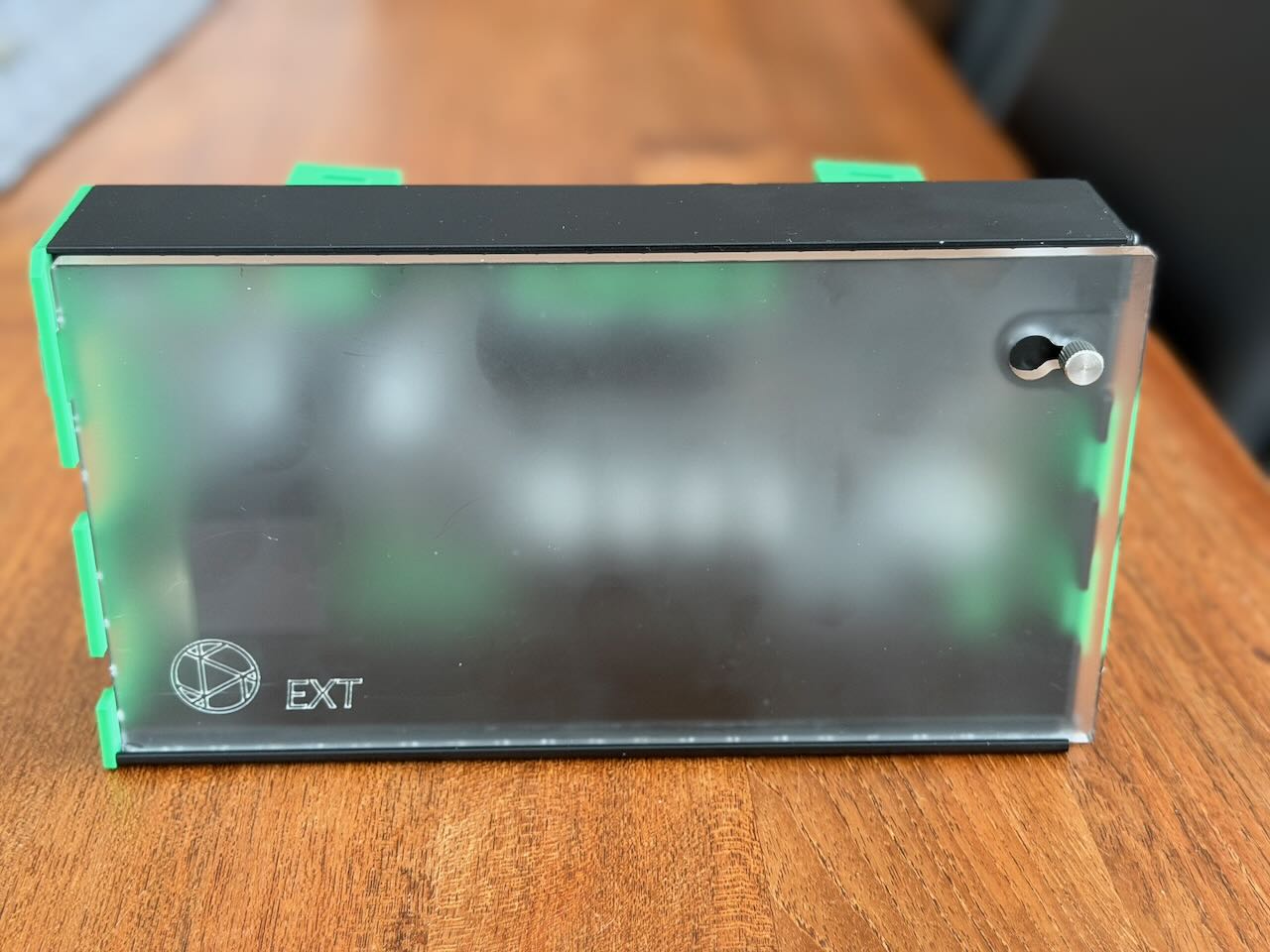
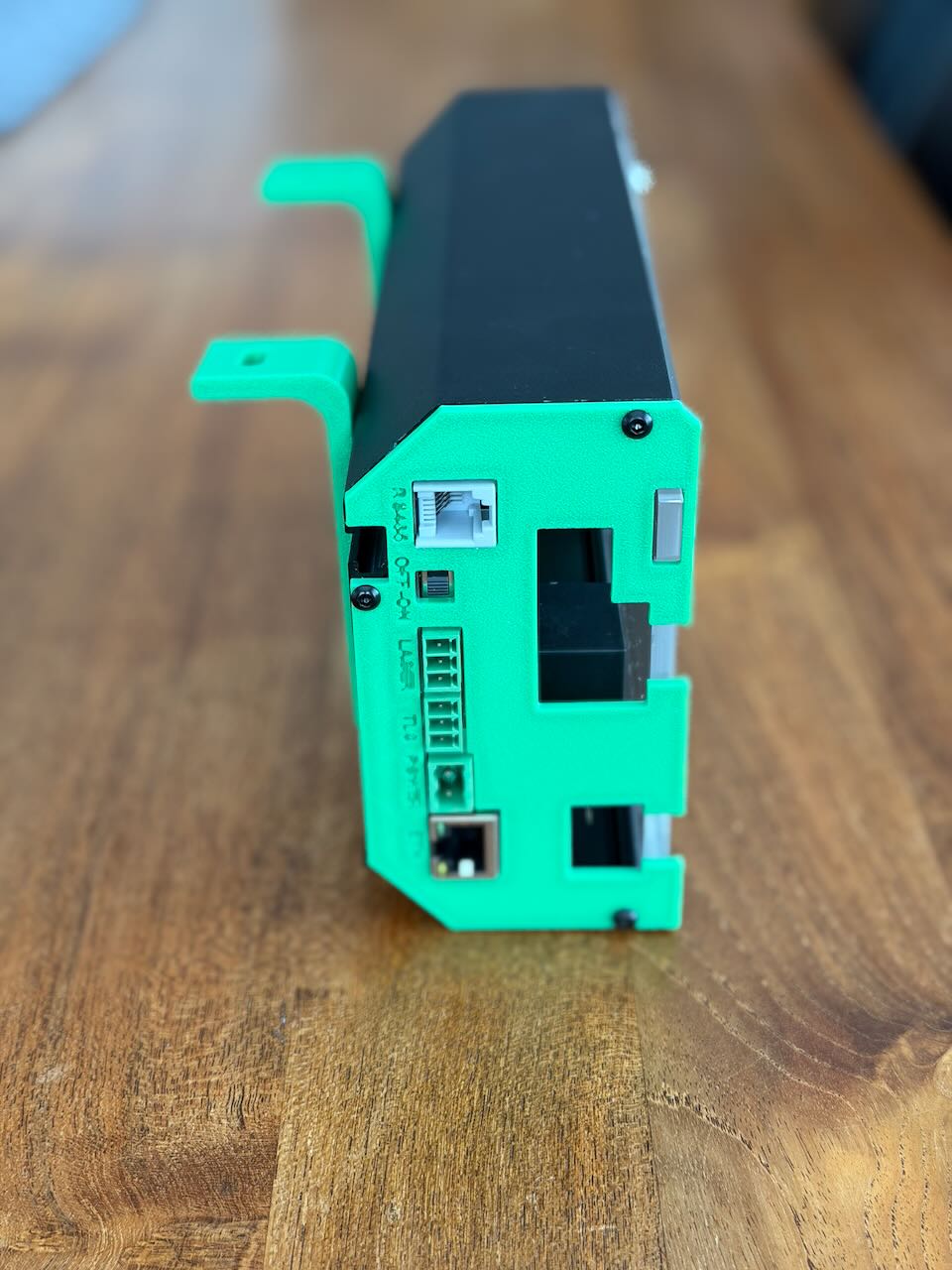
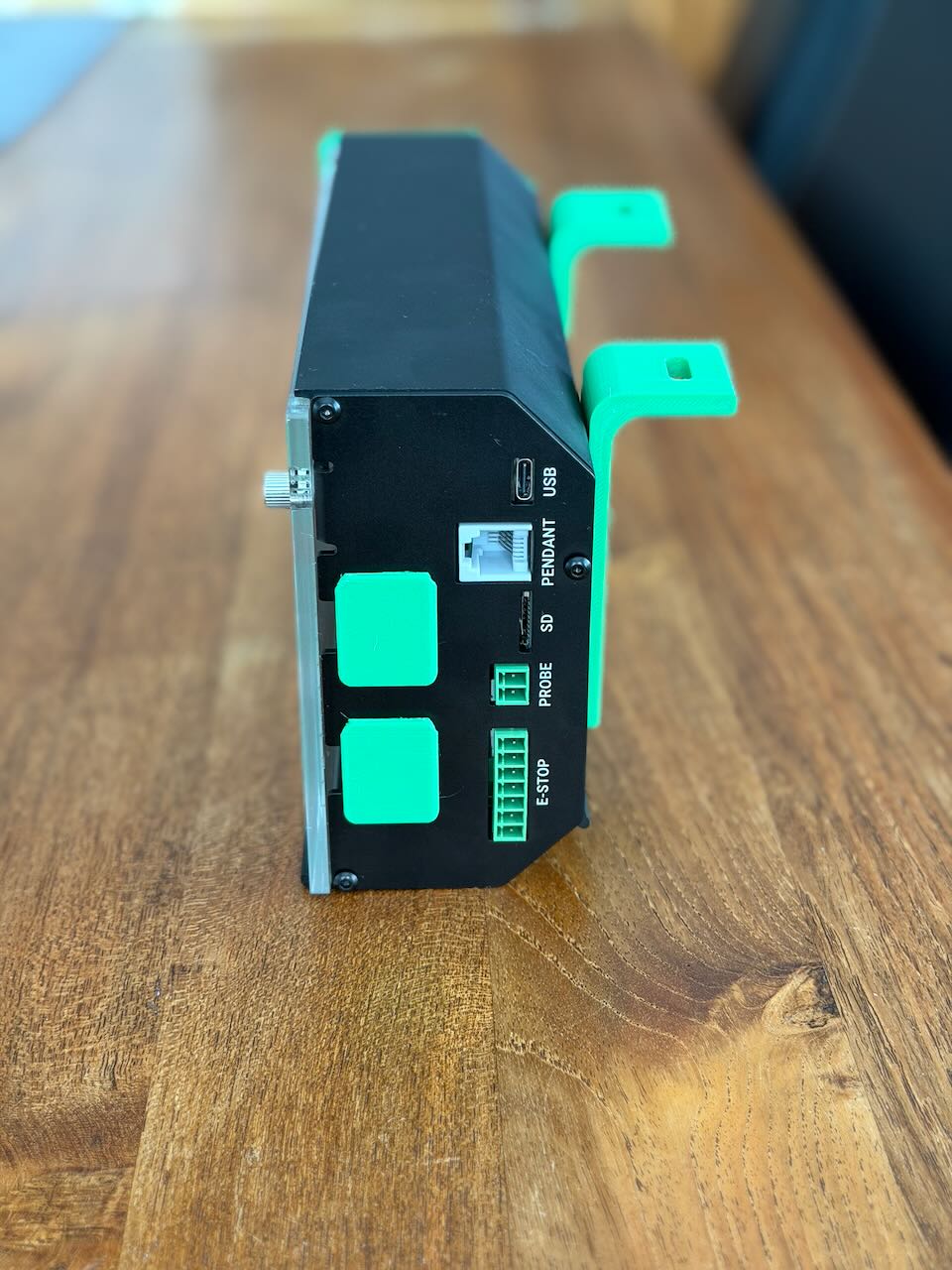
Here’s the link to the 3D print files: https://makerworld.com/en/models/2250589-sienci-slb-ext-inverted-mounting-longmill-mk2
No, I’m still waiting for the missing bracket for the wide drag chain to complete the setup.