Has anyone successfully set up left-front-top configuration on the SLB controller upgrade for a legacy 1000x1000 X-Carve cnc?
If so, which $23 setting did you use?
Has anyone successfully set up left-front-top configuration on the SLB controller upgrade for a legacy 1000x1000 X-Carve cnc?
If so, which $23 setting did you use?
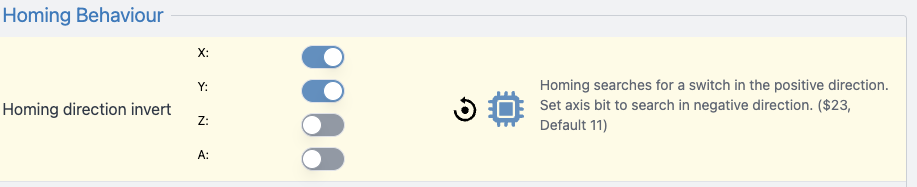
Homing Direction Invert ($23) should be 3 for a front-left setup.
Homing by default searches in a positive direction on all axes (X+, Y+, Z+) which would correspond to the back-right.
If you want to swap it to front-left, you’d need to invert X (X moves negative, AKA left) and Y (Y moves negative, AKA front)
Z stays the same (Z+ is your top).
The bitwise representation is then 0011, or 3.
Thanks for taking the time to reply to my query.
I had tried $23=3 and homing stalled at the upward movement of the x axis before contacting the z limit switch. I suspect that my homing switches may be defective after getting inconsistent ohmmeter readings when testing the switches and have ordered new switches and wiring
. After I’ve installed and wired the new switches properly, I’ll let you know if the homing problems are solved.
Just curious - do the $23=3 setting and the SLB config settings shown in your screen shot achieve the same result or are both settings required for proper homing?
WG