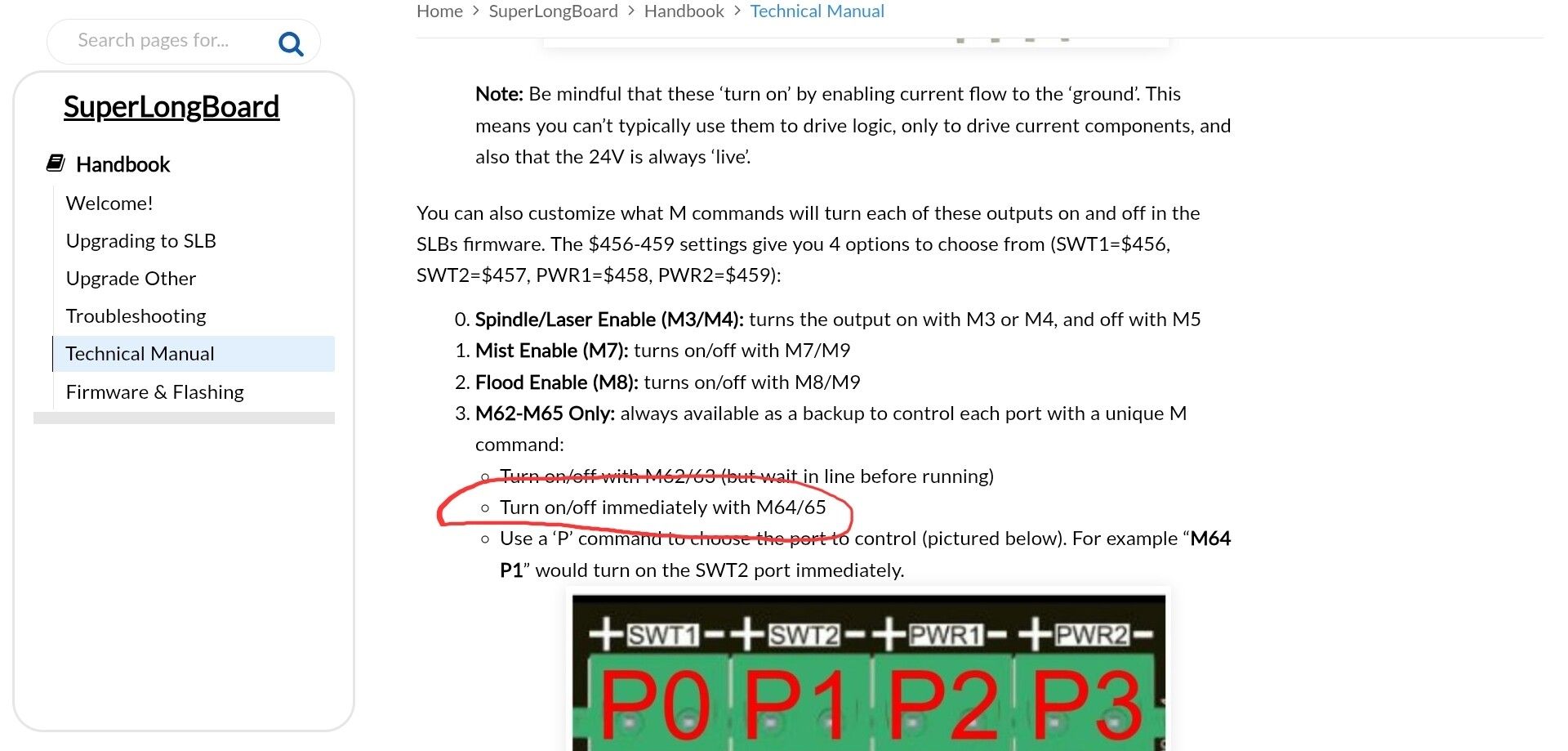
OK so I’m tryng to add a 5V laser pointer for use during laser operations. Running and AltMill 4x4 with SLB EXT and gSender 1.5.7. I am trying to configure the laser pointer so I can turn it on and off from a macro (e.g., M64 P0). As per the Tech Manual I have it wired so the + output from the 5V power supply runs through the SWT1 port while the - power output runs direct to the pointer. When the 5V power is applied the laser pointer turns on and I am seemingly unable to turn it off via the SWT1 (or SWT2) controls. I tried both SWT1 and SWT2 ports and configured $456 and $457 to 3 which I think should enable use of the M64 P0 gcode to toggle the pointer off and on. So far no joy as the pointer turns on when the connector is plugged into the SWT1 or SWT2 ports and I cannot turn it off.
I’m clearly missing something but not sure what? Insights?
Right but the problem is the M64 P0 and M65 P0 commands don’t do anything. When the pointer is plugged into the SWT1 port it turns on and I’m unable to turn it off using the gcode commands.
I tried setting it to 1 which I think should have caused the M7 to turn the light on and to 3 which I think should have caused the M64/65 codes to toggle it off and on. Set it within the Config page and also via the console to make sure I was doing what I thought I was. Did the same things with $457 and using SWT2 port. Unfortunately, I have not yet been able to even turn it off much less toggle it back and forth.
@martindg I would have thought that setting $456=3 would allow M64/65 codes to turn it on and off. Obvious question: you did power cycle the SLB-ext after all these setting changes, yes?
Like you, I am missing something.
I suggest that you open a support ticket with Sienci. Please report back here with the solution.
Yeah I thought it should have worked also. I did power cycle the SLB and no dice. I’m going to fire it all up again tomorrow morning and I half expect that it will all work fine. If not then I will get a support ticket opened. Thanks Grant. I appreciate you input.
@gwilki I don’t think its a polarity thing but at this point not sure. Going to give a bit of time later this morning to futzing around with all that kind of stuff to see if I can stumble onto an answer.
@martindg OK. Well, Doug, you made me curious, so here is what I just did. I took a 12V battery and connected it to a volt meter through SW1 on my SLB. Specifically, I followed the diagram on the SLB tech manual page. So, I ran a lead from the + terminal of the battery to one lead on the SW1 connector. Then I ran a lead from the other SW1 connector to the + lead on the volt meter. Finally, I ran a lead directly from the negative terminal on the battery to the negative lead on the volt meter. With the SLB off - no power to it at all - the meter registered 4.1 V. When I put power to the SLB, the reading was the same.
So, it seems to me that there is an issue with the SLB. I can see why your laser would light up. If you have a similar “leakage” on your board, the 4V is likely enough to light up the laser.
Thanks Grant. That is interesting. I would think a 4v leakage current would easily be enough to light the pointer. I was planning on getting the meter out this morning and doing some measurements. Assuming I can recreate your findings I suspect I will have amy answer and a support ticket will be on its way.
OK, so seemingly got it to work. It was a polarity(ish) issue but not at the laser. To get it to work I had to make sure that the + output from the power supply was connected to the left-most slot on the connector for SWT1 with the right-most slot feeding to the laser pointer. I had inadvertently reversed that in my initial wiring. What has worked for me is, in fact, exactly as the graphic shows in the Tech Manual. So, definitely user error. I can now get it to toggle off and on using the M64P0/M65P0 gcode.
@martindg That’s interesting, Doug. I thought that I had connected it according to the manual. I just went down to my machine and it was connected properly. It still reads +/- 4v. For giggles, I reversed the leads. Then it read 9+ V.
I believe that I will open a support ticket. I have no plans for it just yet, but I may in the future.
@gwilki Yeah it seems like something isn’t quite right about it. I am still having some issues in that I can toggle the light off and on via a macro (M64P0/M65P0) but I can’t reliably toggle it off and on using keyboard shortcuts to trigger the macros - but I’m also kind of tired fighting with it so I’ve moved onto something different for a while