Been a while since I’ve tried to use the vortex, pulled it out to engrave some glasses but the rotation is way off. I’ve triple checked the closed loop stepper motor pin configuration, motor resolution value, 4th axis selection but I still get more than four times the revolutions than I should get. If I enter 90 in the gsender box and click the a-axis button it moves more than 400 degrees. I’ve had this issue before and solved it by reverting back to a earlier version of gsender (back to the 1.3xx series). I am currently using 1.56 with an alt-mill mk2. Is anyone able to get their vortex closed loop working with 1.5.6 on an alt-mill 4th axis configuration?
@jpnharris What’s your A resolution value?
I’m using 79.012345679. In the motor tuning area they only allow for X,Y,&Z. A is not an option.
@jpnharris The AltMill SLB-ext must be different from the SLB. I have the SLB on a Longmill and there are 3 firmware values for the A axis. $103, $113 and $123. Are you saying that the SLB-ext has none of these?
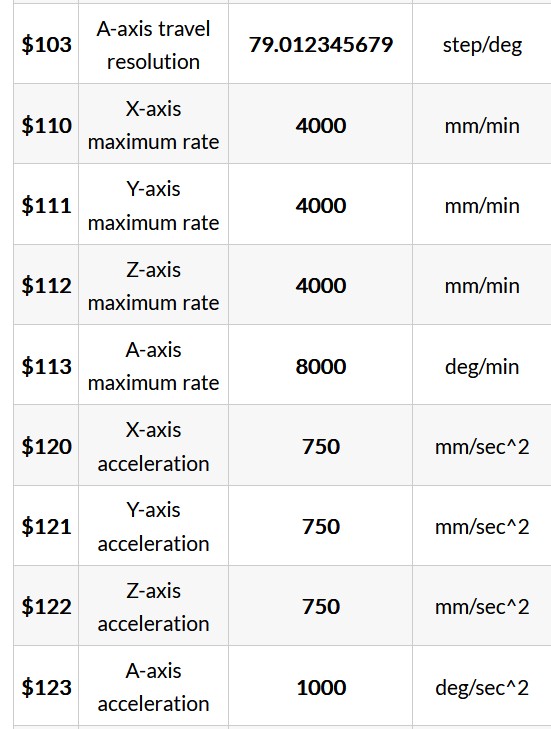
No, they are there but you have to dig for them in the old firmware section of the tools tab in the new releases of gsender. Under the same tools tab there is an option for movement tuning which allows for adjustments for the X,Y, and Z axis but not the A axis.
@jpnharris Understood, I think.,  The key is what is $103 set to? Is it set to 79.012345679?
In Config there is a Rotary section. $103 and $113 are in there.
For what it’s worth I find having gSender and grbl settings all intertwined a bit confusing as well.
My $103 shows 79.012 although when I enter it into the console command I use the entire 79.012345679. However when I enter it into the console I just get an OK response, no confirmation like I see in the instructions.
@jpnharris In console, you do not get a confirmation. Just enter $$ in console and hit enter. Check to see that $103 is set to.
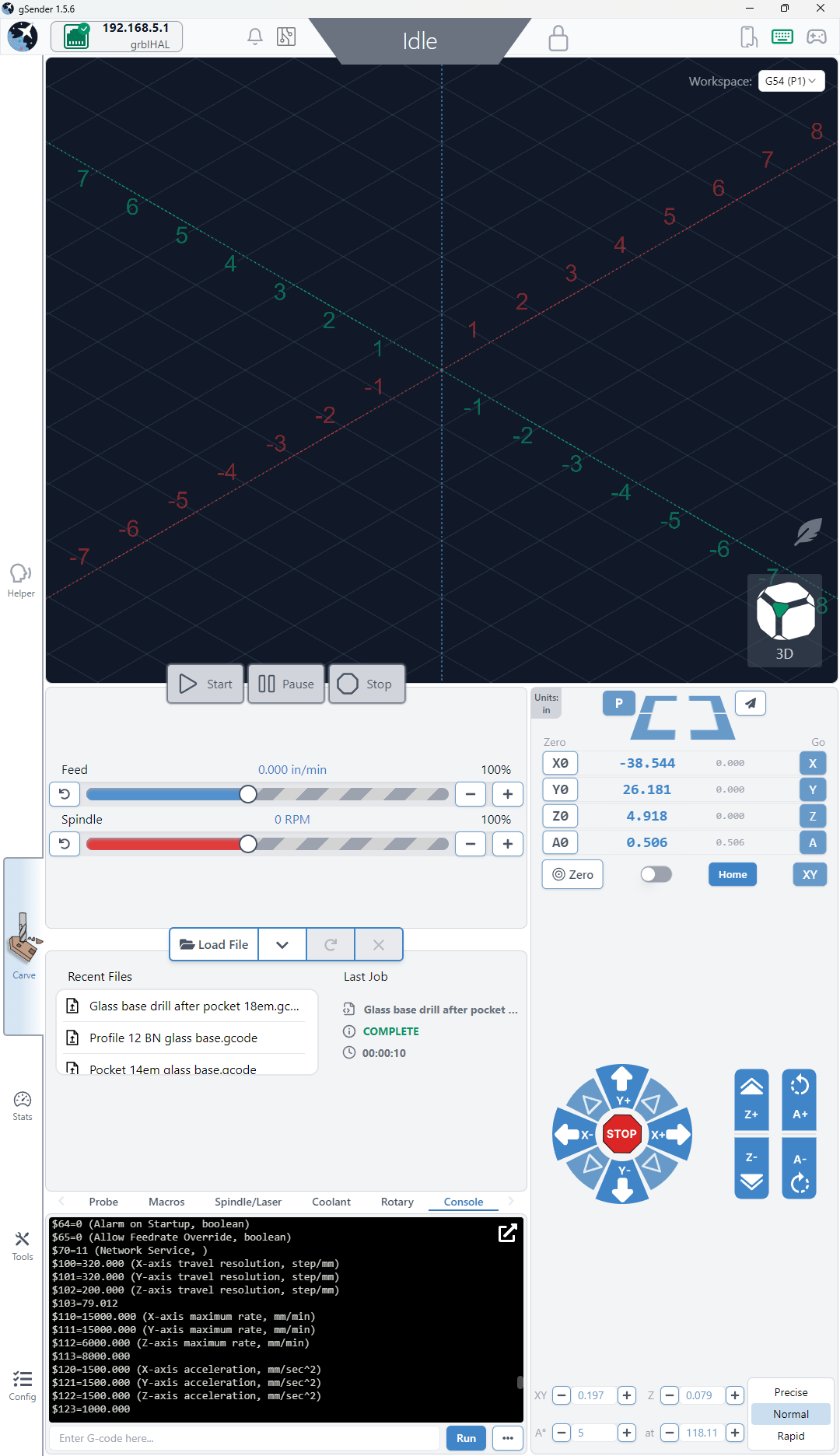
@jpnharris I can see the $103 value. So, if I understand what you are doing, you are setting A0. Then you are entering A90 to have it turn 90° and it is turning 400°. Correct? Is the GUI showing 400 or 90?
GUI is showing 90 degrees
@jpnharris I’m stumped, Jim. I suggest that you open a support ticket with Sienci. Please report back on what the solution was. This is the first time that I’ve seen this one.
In short term, since it worked for you in previous versions of gSender, you could revert to one of those. I’m running 1.4.12 with an SLB on a Long Mill Mk1 and the closed loop Vorted behaves properly.
1 Like
I ended up replacing the closed loop stepper motor which did solve the issue.