My 11 year old is seeking a 3d printer, possibly for xmas. Is there a 3d printer and cad/cam that can work with his Google Chromebook? Budget is only $250. He has zero experience with design and I only know the cnc world. Thx
@Clt49er Look at the Bambu A1 mini. This is my first 3D printer and it is excellent right out of the box. It’s within your budget. It can print up to 7" x 7" x 7", so nothing too big. I don’t know if Bambu Studio, it’s native application can run on a google chromebook. You would have to check that out.
1 Like
Agree on the Bambu stuff, I’ve had three printers now, starting with the Prusa’s and then the latest is a Bambu X1C with the Bambu if you use their filament it comes close to the hobby being making stuff on the printer and not the printer itself. Checkout TinkerCAD for a pretty friendly intro to modeling software.
I know that CostCo is carrying a model of printer that looks like a Bambu knockoff at a lot less money but not sure how good they are.
1 Like
I very much agree with the choice of the Bambu A1 Mini. Then once your child gets into the Bambu world there is a lot of room to work up as they get older. I personally love my Bambu H2C. They have some of the most stable filaments out there which can be a problem when starting out and buying cheap filaments that get all gooey and stringy with the slightest bit of humidity. If you get into a filament drying problem I highly recommend Alumina Desiccant in a closed cereal plastic box container. (also works if your iphone gets wet lol)
Even though I like my Prusa the best I agree with what’s been said about Bambu. I think the Bambu is more like an appliance. You get one and start using it instead of tinkering with the machine itself.
Bambu Labs also sells project kits. Not sure what or if there is an official term for them but a kit would have the non-printable parts to combine with what you print to make some project. I think those are a really neat idea.
1 Like
I have a QIDI Plus 4 and its been rock solid. It has a huge print bed, heated enclosure, and I’ve printed TPU and engineered filaments with no issues. Might be a bit out of your budget (start at $350) but something to think about as he progresses in the hobby.
1 Like
Thanks all!
Looks like I have to install Linux on his chromebook. Never done that either. Gonna need a commitment from my son this isnt just one of those seasonal ideas he thinks will be fun and quit it.
This might be worth a look for using Linux while keeping ChromeOS if it’s supported on your device.
Actually this is probably better and you’ve probably already found this stuff. I only looked because I’ve been dual booting Windows and Linux for years and thought it might be way more complicated than it appears to be nowadays.
1 Like
@Clt49er Ah yes, “flavour of the day” is we call it in our household. One of our daughters is famous for that. Every request from her has a two-week waiting period and we wait if she asks for it again.
1 Like
Oh man, I could talk about this subject all day. I have owned 4 different brands of printers over the last 10+ years. When I first started, the machines were less than reliable and you seemed to spend more time tinkering with the machine than you did actually printing.
For someone starting out, Bambu is absolutely the best route. The machines don’t break the bank but especially important is parts and accessories are cheap compared to the competition. Their filament profiles are dialed into their machines and they have a robust ecosystem with many free tools for printing things like vases, key chains and many other items in their MakerLab. There is also MakerWorld where users post projects for others to download and print. There is plenty of free design software that is easy for a beginner to use like TinkerCad and Layerling.
I can almost guarantee he will stick with this when he sees all the things he can print. If I were you, I’d be more worried about where you are going to store all the filament he will want you to buy for him! You will be amazed at what 3D printing will open up for him and all the things you can build with one. I bought each of my kids one for Christmas a few years back and am constantly amazed at what they make. Now is a great time to buy too, they have their Black Friday sale going on.
Good luck and have fun
1 Like
Looks like my budget is gonna double.  After considering the potential need for multi-color and definite need for an enclosure with a carbon filter, I am leaning to the Bambu P1S for $480 USD.
My son did a powerpoint presentation on why he wants one. I didnt even prompt him to do that. Very proud dad moment.
As far as his pc, he can use my laptop to use Bambu Studio. Didnt realize you could print via wifi or sd card.
2 Likes
I have a P1S. It’s really good machine and I think it’s pretty amazing that you can get one at that price. Things have changed so much in the 7 or 8 years I’ve been printing.
Your son sounds like a smart kid! IMHO, a P1S is an investment in his future that could pay off big time.
“I’m proud of you, son.”
Never married, no children, just a damaged son here saying I really hope you told him. I would have sold my soul to hear those words. I think I still would.
2 Likes
I’m eyeballing 3D printers for pretty much before getting my longmill (5yrs) and I can attest that the 3d printing world took off like wild. I choose to not go into printing next to milling to prevent me getting split between two learning curves. I figured, I needed my full attention at my core machine and leave side quests for later.
This very topic has me back looking at these machines again and boy, is it calling out to me now. Looking at Prusa, mainly because it’s EU based so it’s the easy road for me without vat and tarrifs to worry about.
My main thing I am looking at is size before anything else, like I was when shopping for a cnc mill. I am guessing I will use the 3d mainly for toolings, multi head/clour.. though attractive, isnt’t something I want to poor much funding into.
Then again, I can research something for a loooong time before I get everything mentally sorted and end up with something else entirely. Prusa XL with 360x360x360 volume is what I am drewling over at the moment, but that might be a totaly different machine in about a year.
Budget (About €2k) is growing, so I might shift focus soon and drewl over other things.
@Spamming_Eddie I was just looking at what Prusa’s current offerings are after my All3DP news letter got me looking at Bambu Lab’s new H3C which looks amazing by the way. I think the Core One L+ looks interesting. It’s almost as big as the XL+ which runs about 4000 USD with 5 tools. The L+ is about 3000 USD with the INDX tool changer with 8 tools.
Sometimes, watching the print is a bit like watching a campfire  You don’t really know why you are doing it but there you are.
Nozzle clogging usually is related to user error. Something like running a new material through a nozzle that previously printed with a different material. Separate nozzles for different materials is sound practice. On the A1 for instance, you don’t need tools to swap them out and they are cheap enough you can afford to have extras on hand.
The tinkering I was referring to happened well before the kids were involved. But of course, the child’s age will determine the amount of supervision required, especially when dealing with high temperatures etc.
You will be amazed at how fast a kid grabs onto this and what they make. I find myself printing functional designs all the time. If you are just getting started Bambu even has a free academy to get you going.
1 Like
I want to expand on what I said about a printer being an investment in your son’s future. While being being able to select from millions of premade objects to print is amazing it’s not what I was thinking of. It was the ability to turn imagination into something you can hold that’s the important thing for me.
My most recent project was a case for my new Android tablet. My old one was from 2019 and the battery was swelling. I was about to just ditch mobile devices altogether until I changed the WIFI password and remembered I need a Bluetooth device with Bambu Handy to update the password for my P1S. Being locked into their ecosystem, unless you want to lose functionality, is my only Bambu complaint.
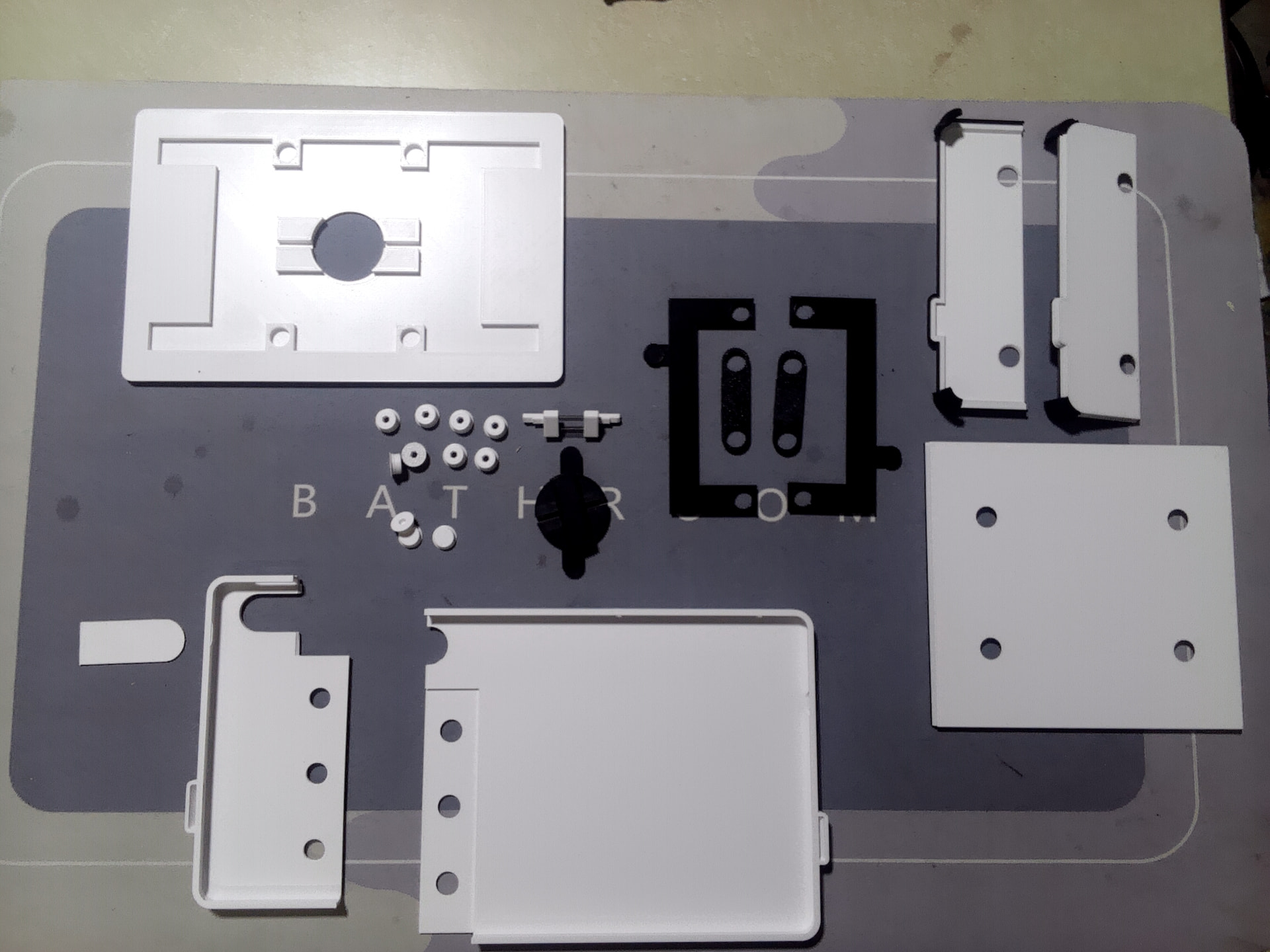
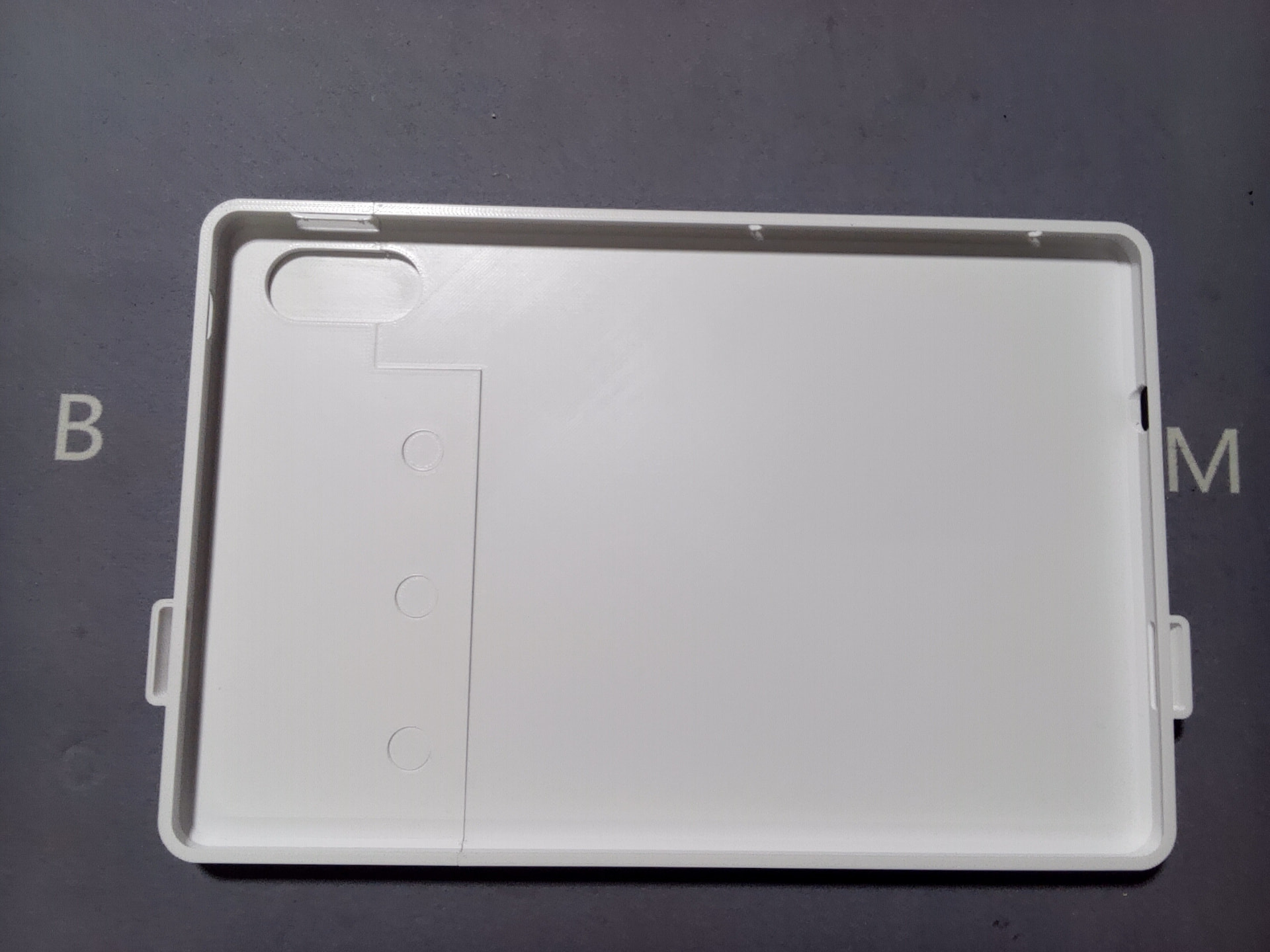
With two printers I wasn’t about to buy a case when I could design and print one. The tablet is 11" so it’s too big for me to print in one piece but that led me to what I think is an interesting design. Here are pictures of the first version I finished yesterday. I already have some ideas on how to make it better.
A bunch of parts!
The case with removable camera cover sans tablet because it was taking the photos. The little ‘ears’ are to redirect the sound.
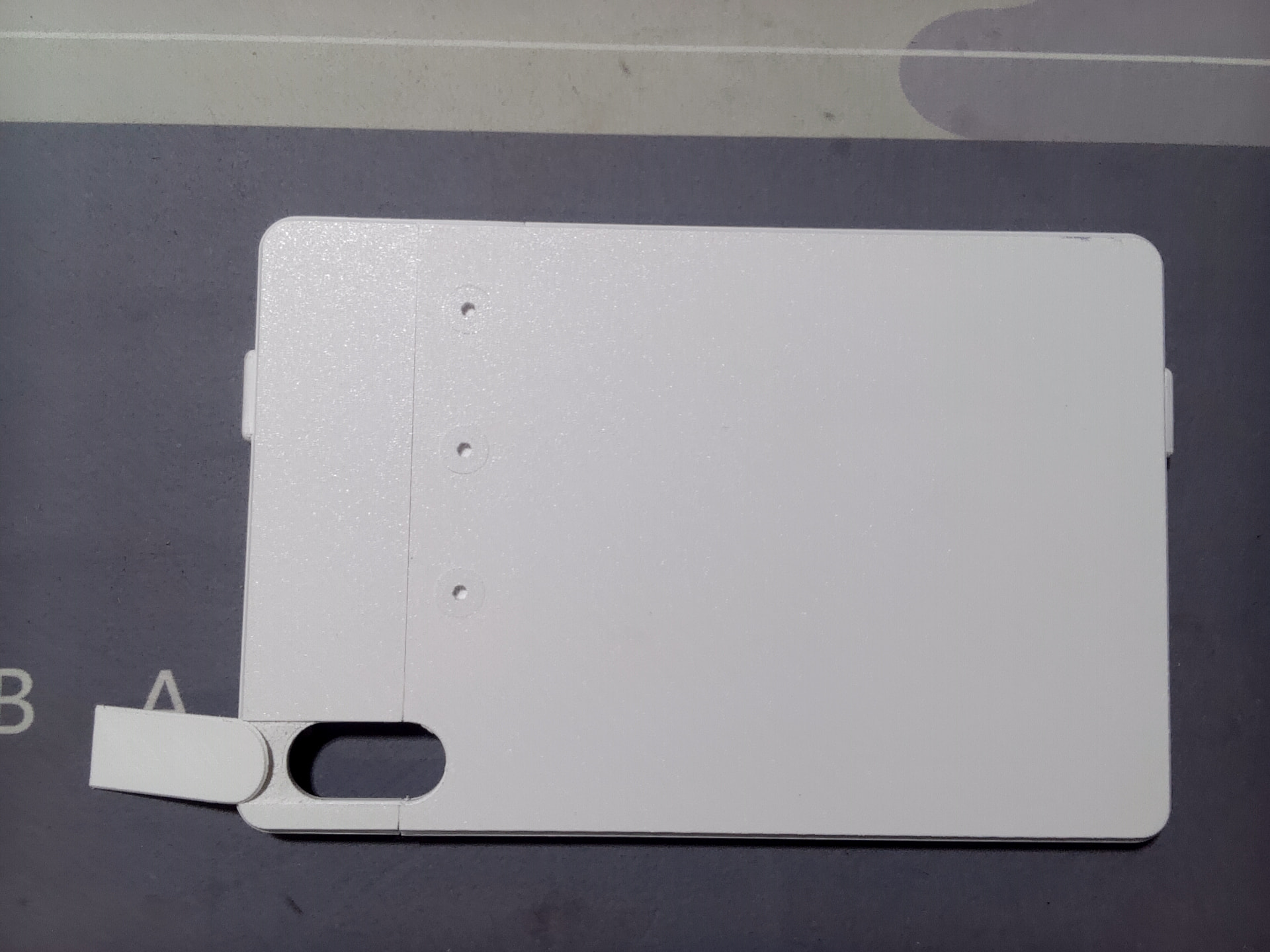
The cover mechanical assembly.
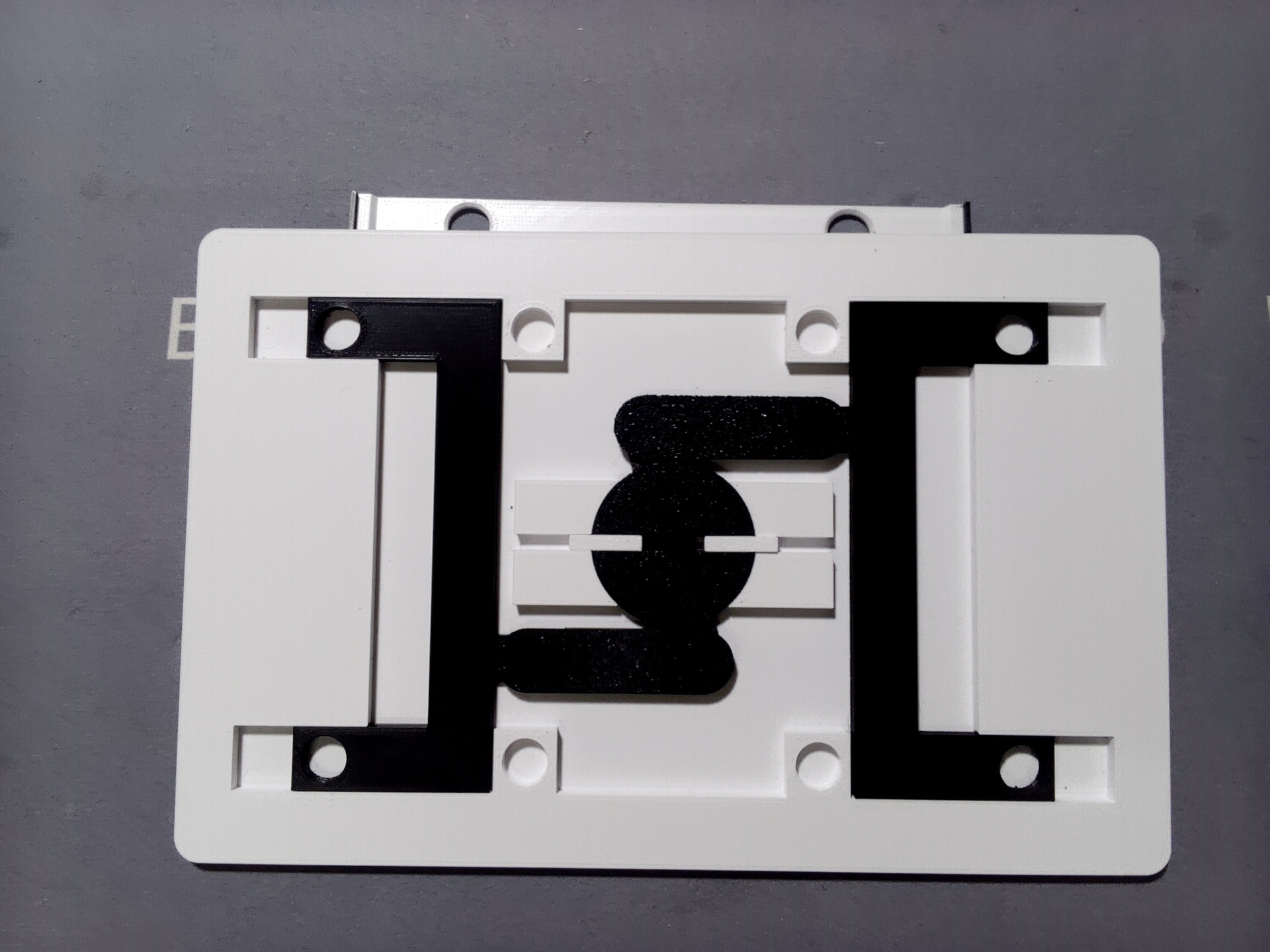
Unlocked.
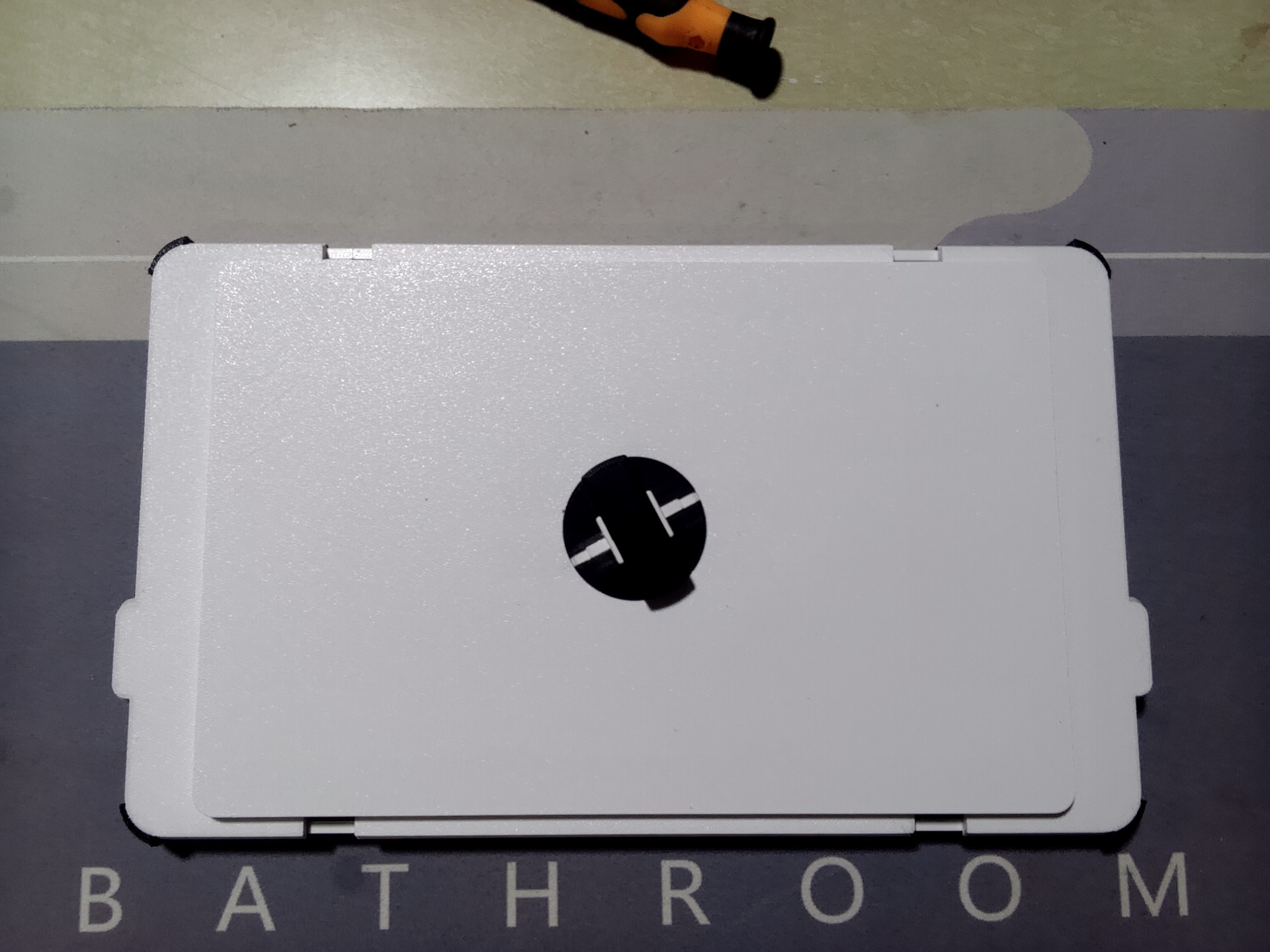
Locked
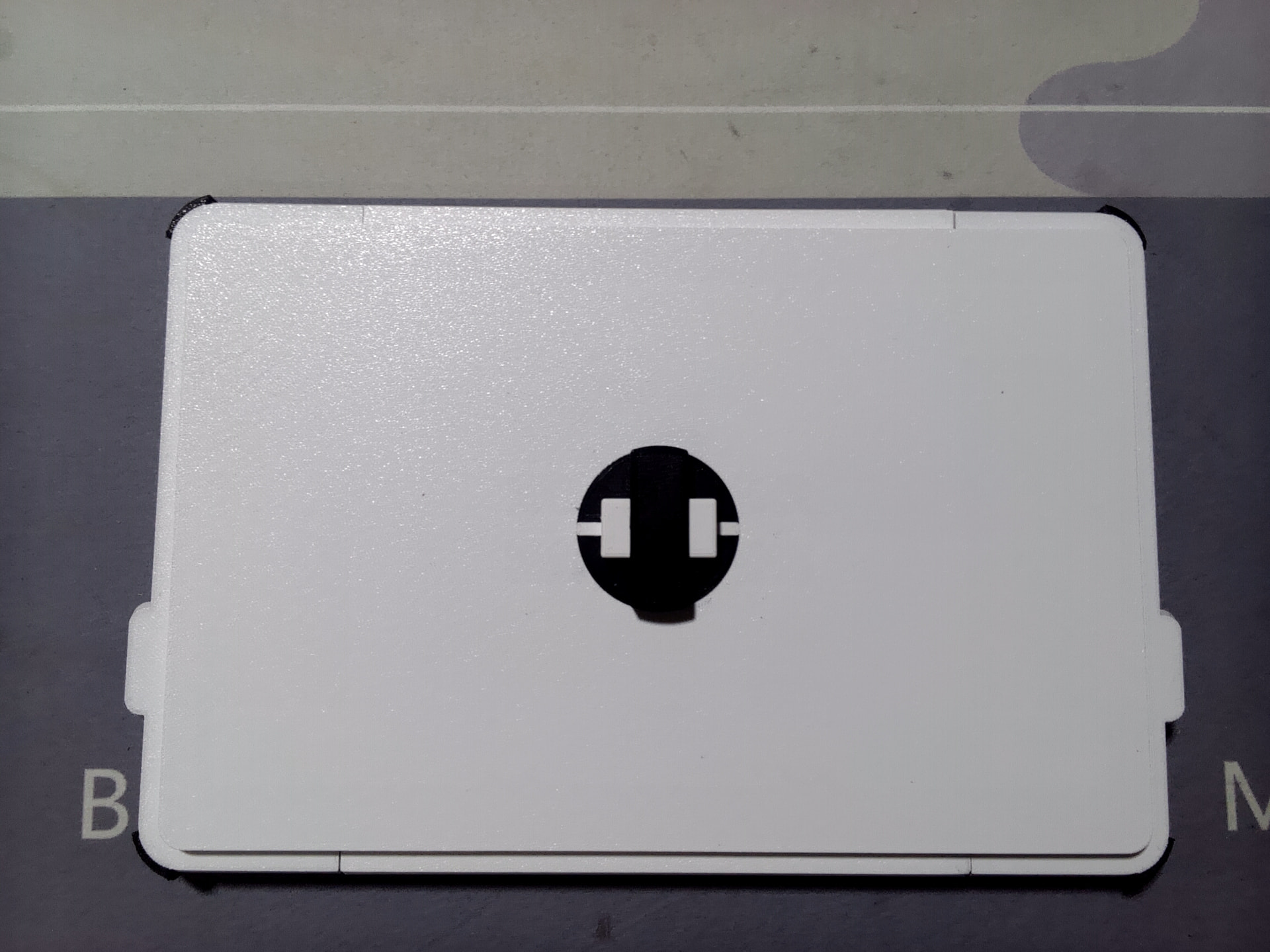
All parts were designed in PythonSCAD which is my go to program for most of my designs. You mentioned Power Point so it sounds like your son know his way around a computer. It’s not for everyone but I can’t think of a way of learning to program that would be more fun than designing things to print. Python programming is a good transferable skill used in many fields.
2 Likes
@mpo881 I agree with your advice on children and printers. Thankfully the days of spraying flammables on a hot glass build plate are well behind us.
1 Like
Impressive work!
Using ready to print designs can take out the frustration of the learning curve. If you are new to 3D printing, understanding things like overhangs can be daunting. But kids grab onto this stuff a lot quicker than we sometimes give them credit for.
As for being locked in, I use Orca for my slicer and only use Bambu handy to monitor prints remotely. There are plenty of filaments that print just fine with Bambu printers and I use them when needed. I have found the their products to be reliable and pretty much plug and print. However, there are obviously many, many brands I have never owned and do not know a single thing about them.
1 Like
Thanks!
I have a Prusa that started as a i3 Mk3 S, it’s upgraded to a i3 Mk3.5 with a E3D Revo hotend and Prusa’s MMU3. I also have the P1S with the original AMS.
They are both solid dependable machines. Prusa is more open source and tinker friendly IMO. Some people just want something that works out of the box and that’s fine. I really enjoyed building my Prusa from a kit though. I know every nut and bolt on the machine.
I’ve thought about switching to Orca because I could use one slicer for both machines. I’m just more familiar with PrusaSlicer and Prusa in general so I use it more often.
I should add that I’m not familiar with the newer Prusa printers. I don’t know if they still use a ton of parts that you can print yourself for instance. It’s fun to just give my Prusa a new look from time to time by changing colors!
I don’t know how it panned out in the end but I remember when a bunch of people had Panda Touch screen that didn’t work after a firmware update for an example of my Bambu problem. There was also them threatening to sue a developer that modified Orca Slicer to get it to work with Bambu Connect etc.
1 Like
I went out and got the Bambu Lab A1 yesterday.
At dinner time, my wife told me that her sister had mentioned earlier in the day that Costco was selling 3D printers. The sister mentioned it because my interest had come up in prior conversations. My wife told her “don’t give him any ideas”. Tee hee, little does she know. 
4 Likes