@DavidB I’m not sure but there’s a grid in the Fusion sketches. I’m guessing the location of the XYZ0 will be the location of the zero for your g-code. Do you have a screen shot from Fusion showing that grid?
@DavidB And the machine home position is at the rear-left. Did you mean your zero position, which can be anywhere but might be somewhere at the front left? You did specify where your zero is located so I’m just guessing
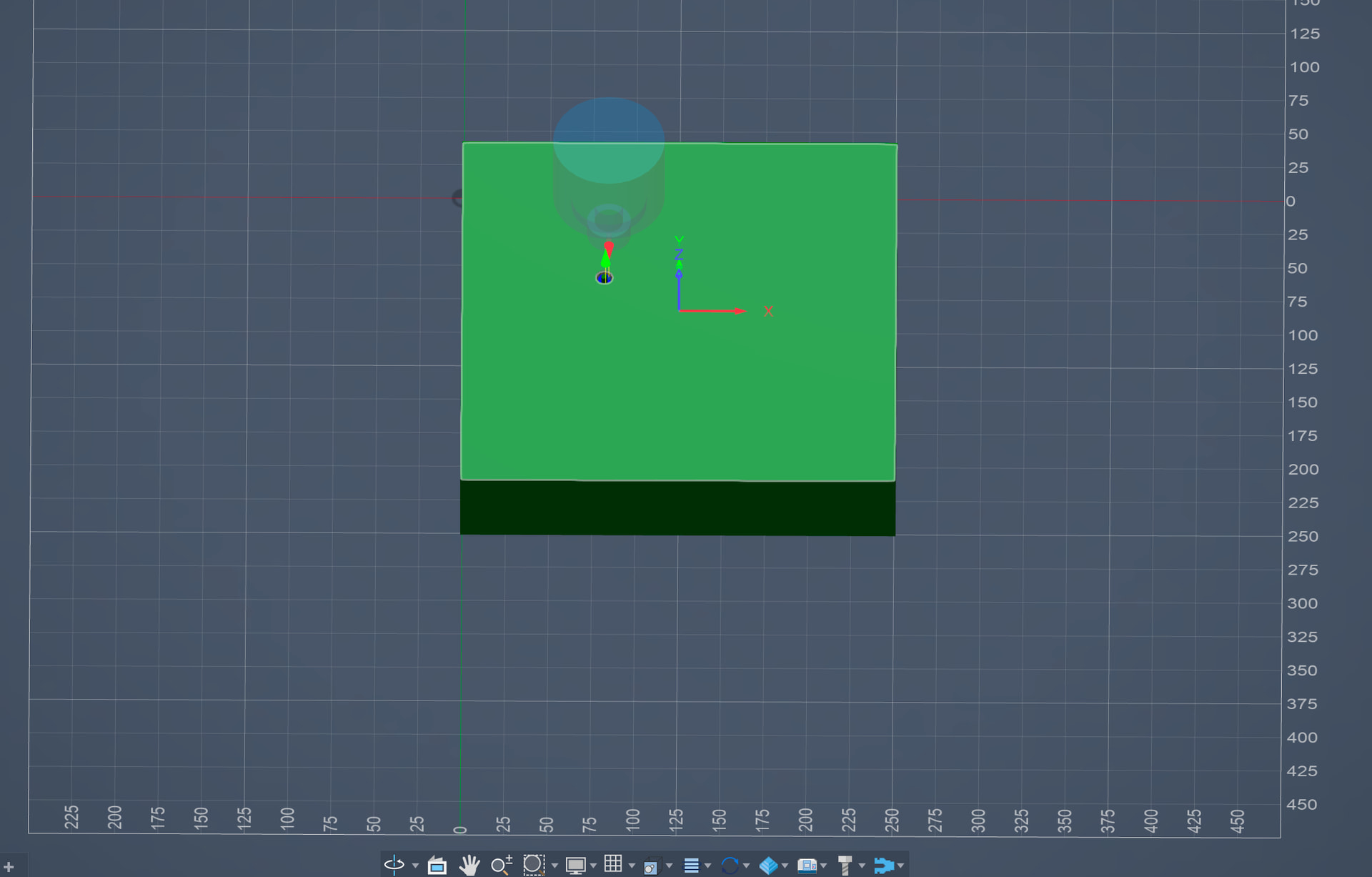
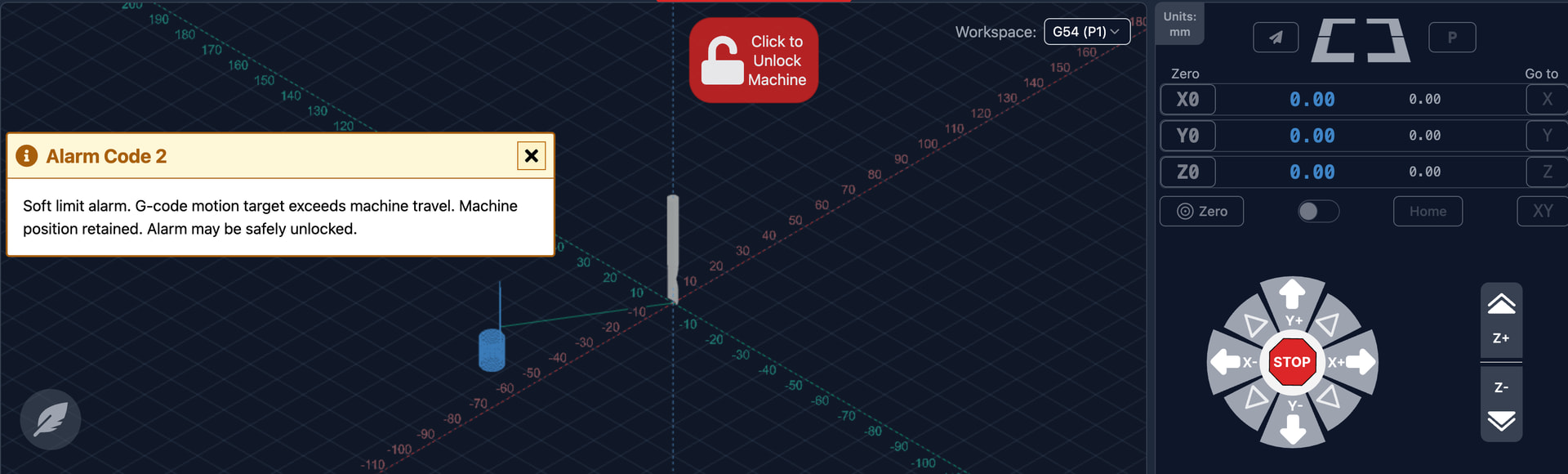
@DavidB Ok, based on your gSender screenshot, your workspace zero is at the rear left. You don’t have enough room to move the 46mm to the left and 535mm to the rear that your g-code shows. Your workspace zero needs to be closer to the center of your bed (and your work piece positioned accordingly).
Also, does that Fusion screenshot refer to the g-code in file 1001.nc ? The file shows a dimension of 93.33mm x 1069.75mm but the Fusion screenshot appears to show an object that’s 250 x 250
@DavidB You can always visualize your g-code in https://ncviewer.com/ It will clearly show your model’s zero position. You can upload your g-code here if you want and I can take a looksie
I’ve been trying multiple combinations to see what I am doing wrong so probably mixed screenshots up.
Don’t actually see how to share it after I upload it? But in any case I clearly see the -X values in the gcode when I really want part to start at the origin and have positive X values since this is the spoil board that is at the origin (of the machine).
@DavidB Alright, so I fired up Fusion and did a quick test. Like you, the zero of my g-code did not correspond to the zero of my model. To make it the same, I had to go in Fusion and change it.
If your model origin is at the rear-left, go in milling setup and change the WCS Origin to be the Model Origin,
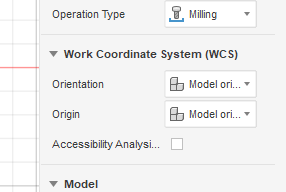
If your model origin is not the rear-left, you can use “selected point” and then select the rear-left.
 That was the ticket. Need to learn the meaning of all those. Setting that Origin to Model origin changed it to what I was expecting. Now the only thing is the Z coordinates are all positive instead of negative
Okay.. I’m very big noob and was just telling gSender to go to home and then trying to run the program which I now realize I have to properly set the spindle height (Z) before running the program. 
@DavidB What are your long term plans in terms of CAM software? Fusion is quite capable but not the easiest.
Since my main computer is a Mac there didn’t seem like a lot of options without going the windows route. I looked a Parallels to run Windows on top of macOS but you either have to pay subscription or $200+ and then on top of that cost of Windows.. If I recall the video from Sienci going over the different software options mentioned Vectric was working on a macOS version.
So unless I buy a windows portable I guess I’m using Fusion for now unless I am missing something.