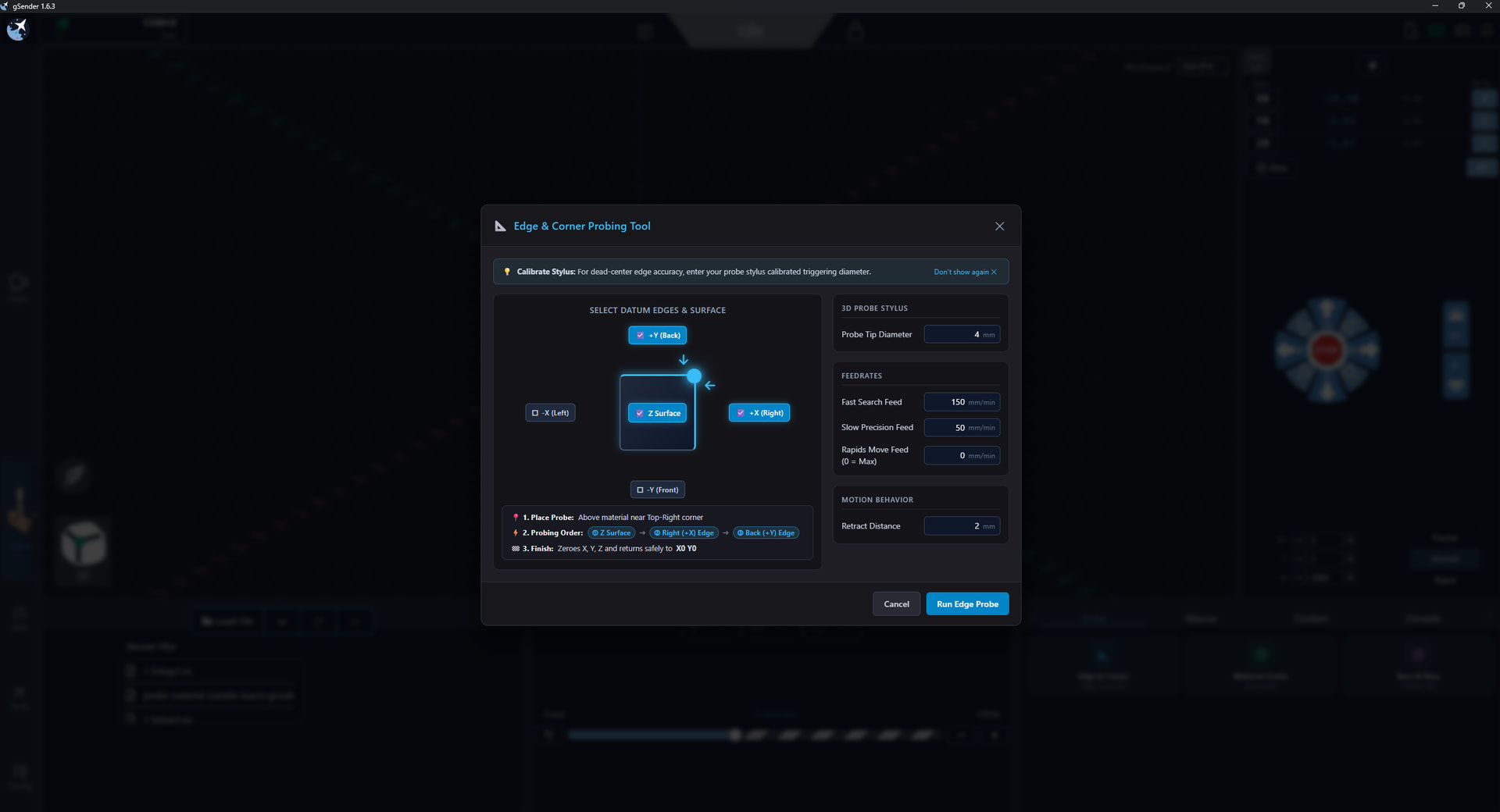
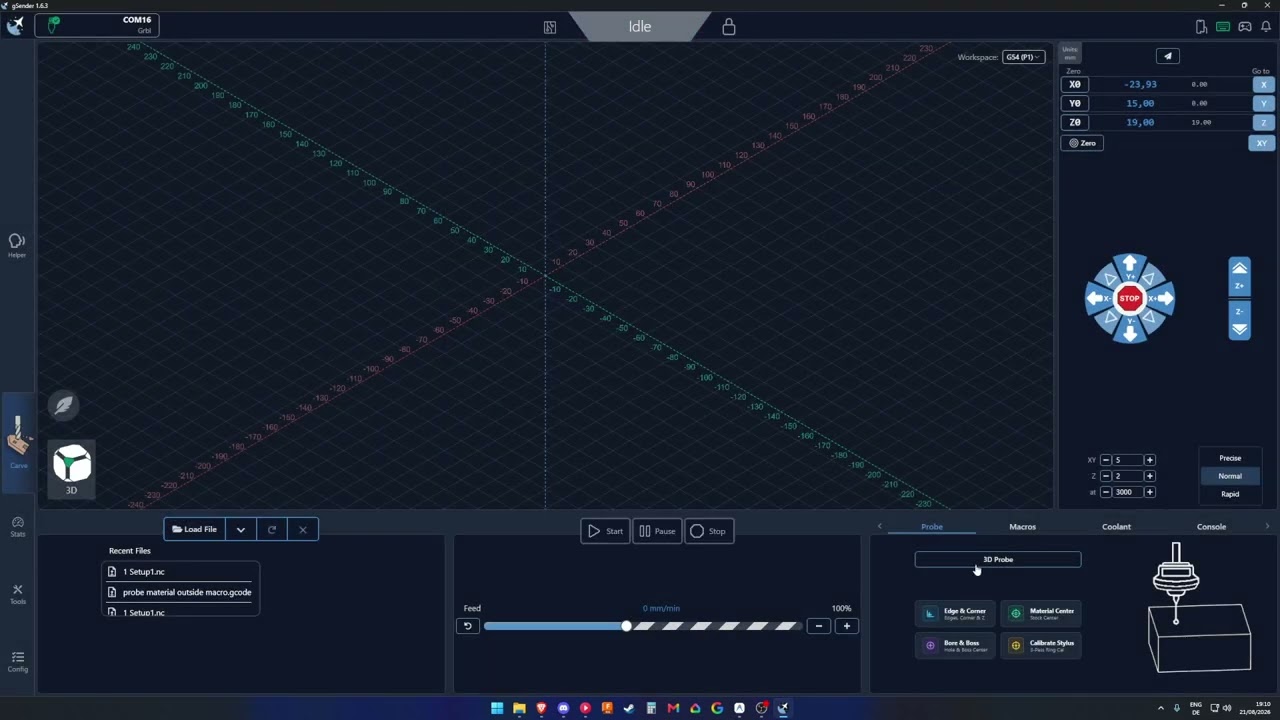
[!IMPORTANT] Hardware Requirement: The probing features below (Material Center & Bore Finder) are designed specifically for use with a 3D Touch Probe (electronic/kinematic probe capable of omnidirectional X, Y, and Z contact triggering).
What’s New & Custom Features:
Material Center Finder:
Interactive 5-point touch probing wizard to automatically find and zero the center of rectangular stock.
Real-time diagram, input validation, and safe controller abort handling.
Bore / Hole Center Finder:
Interactive 4-point internal touch probing tool to automatically find and zero the center of cylindrical bores/holes (+X, -X, +Y, -Y).
Fast & slow dual-stage probing with automatic chord calculation.
Dynamic Metric & Imperial Unit Awareness:
Both probing tools seamlessly adapt to the active workspace units (mm / mm/min or in / in/min).
Automatic high-precision background unit conversion ensuring flawless, sub-millimeter machine execution regardless of input units.
Configurable M7 / M8 Accessory Output Labels:
Added customizable dropdown presets and custom text labels in Settings Accessory Outputs (Mist, Flood, Air, Vacuum, Dust Collector, Coolant, Laser Air Assist, Custom, etc.).
Dynamic button labels, contextual icons, and live tooltips in the main interface.
Upstream Sync:
Cleanly synchronized with the latest Sienci-Labs/gsender:master updates and telemetry hooks.
you guys have removed the ability to chose what corner i want to probe and only left as default front-left, so i made my own probing logic, with clear visuals on what corner or edge will be probed and instructions
my only hope is that you like my approach and accept my pull request
video demonstrating this in the next days.
also added feed field for rapids
this idea was made based on posts on this forum
this update will be pushed on git after i have tested everything
@iuliancalin too bad they removed that option. Instead, it would have been nice to keep it but just make it more obvious which corner you are probing and prompt when you are changing the corner. I understand their logic but…
I did took a look at the new plug-in feature, but I don’t really understand how that works right now. I am pretty sure it can be build and installed as a package, but I just wanted a fool proof probing method and to be easily accessible. And also if it’s build in, can be trusted more then a plug-in?
I don’t know. From here on its on the guys from the master branch to take a look at what I e build and decide if they want it in or not. I took my knowledge of using a CNC, build something that is useful for me and for others. The way it’s build is by reading this forum and tried to implement those ideas in.
oh a very good point, so i updated the probing button to only be active and can be clicked after connectivity/function of the probe is confirmed, unless the probe is set to NC , of course this will be only necessary if the connectivity test is checked in the settings
also, make sure you set the video to 1080p
give me more feedback
also, i did a test and made a plugin for the 1.7 edge, but, probing should be an integrated feature in the software, so no, i do not consider making a plugin for it, its not safe
forgot to mention, it is made intentional for the probing window to not be closed while the probing is running, the start button turns into a stop button.
the reason for that is that i had that, oh fuck moment and couldn’t find the stop button fast enough. and since you already clicked start probing you are already on the mouse and have the pointer right there to quickly react. bend stylus is tragic
Hardware Requirement: The probing features below (Material Center & Bore Finder) are designed specifically for use with a 3D Touch Probe (electronic/kinematic probe capable of omnidirectional X, Y, and Z contact triggering).
 Material Center Finder:
 Bore / Hole Center Finder:
 Dynamic Metric & Imperial Unit Awareness:
 Configurable M7 / M8 Accessory Output Labels:
 Upstream Sync: