Hey everyone,
I’ve been building an open-source, 100% local AI tool designed specifically for CNC woodcarvers who want to turn text prompts or 2D artwork into clean, production-ready watertight 3D STL meshes and 16-bit grayscale heightmaps—with zero cloud subscriptions or ongoing fees.
I just published a full write-up and demo video on my site detailing how it works, the hardware behind it, and why I built it.
 Read the full blog post & watch the demo video here: McKeand Consulting, LLC - What I've Been Up To
What It Does
Instead of wrestling with complicated node trees or getting stair-stepped 8-bit heightmaps that leave chatter on your workpiece, the Local AI 2.5D Relief Engine runs a local web dashboard right in your browser and handles:
- AI Art + True 3D Depth Estimation: Type in a simple carving subject (like “a bugling elk”), and a local LLM expands it into a bas-relief prompt while Marigold estimates real 3D spatial contours (so eyes and noses dome outward instead of sinking inward).
- 12-Stage 16-Bit CNC Preprocessing: Gives you 65,536 elevation levels plus woodworking-specific controls like Background Clamp & Corner Flood-Fill (for flat pocket floors), Shadow Lift (to prevent steep tool plunges), Cavity Infill, and Apex Crowning.
- CAD/CAM Ready Exports: Outputs unitless watertight .STL blocks (300mm x 300mm with a 3mm base buffer and 19mm max carve depth reference) and lossless 16-bit .PNG heightmaps ready to scale and carve in the CAD/CAM of your choice.
(Note on licensing: My code is MIT-licensed, and you are 100% free to sell physical carvings you make on your machine, though the underlying Marigold AI weights carry a non-commercial license that prohibits selling the raw digital STL/heightmap files.)
Looking for Beta Testers (No GitHub Account Needed!)
I have been developting and testing on three systems here at my office: a Linux AI Workstation with a NVIDIA RTX 5060 Ti with 16GB VRAM, a Windows PC using WSL and natively on another Windows PC. Neither of the Windows PCs have a modern GPU, so they ran on the CPU only (slow as all get out). Before I open the repository up publicly, I’m looking for a handful of fellow makers to test the setup instructions, run it on different Windows/Mac/Linux GPU setups (or CPU-only via Direct Luminance mode), and try to break things.
To keep things simple, I’m hosting the private beta on my own self-hosted Gitea (Git with a cup of tea) server—so you don’t need a GitHub account to join.
If you’d like to test it out:
- Reply to this thread (or send me a direct message) with your basic system specs (OS, CPU, RAM and GPU/VRAM).
- I’ll set up a private tester login for you on my server so you can get to the repository and installation instructions, try some test carves, and report any bugs or feedback.
Would love to hear what you think and see what you carve with it!
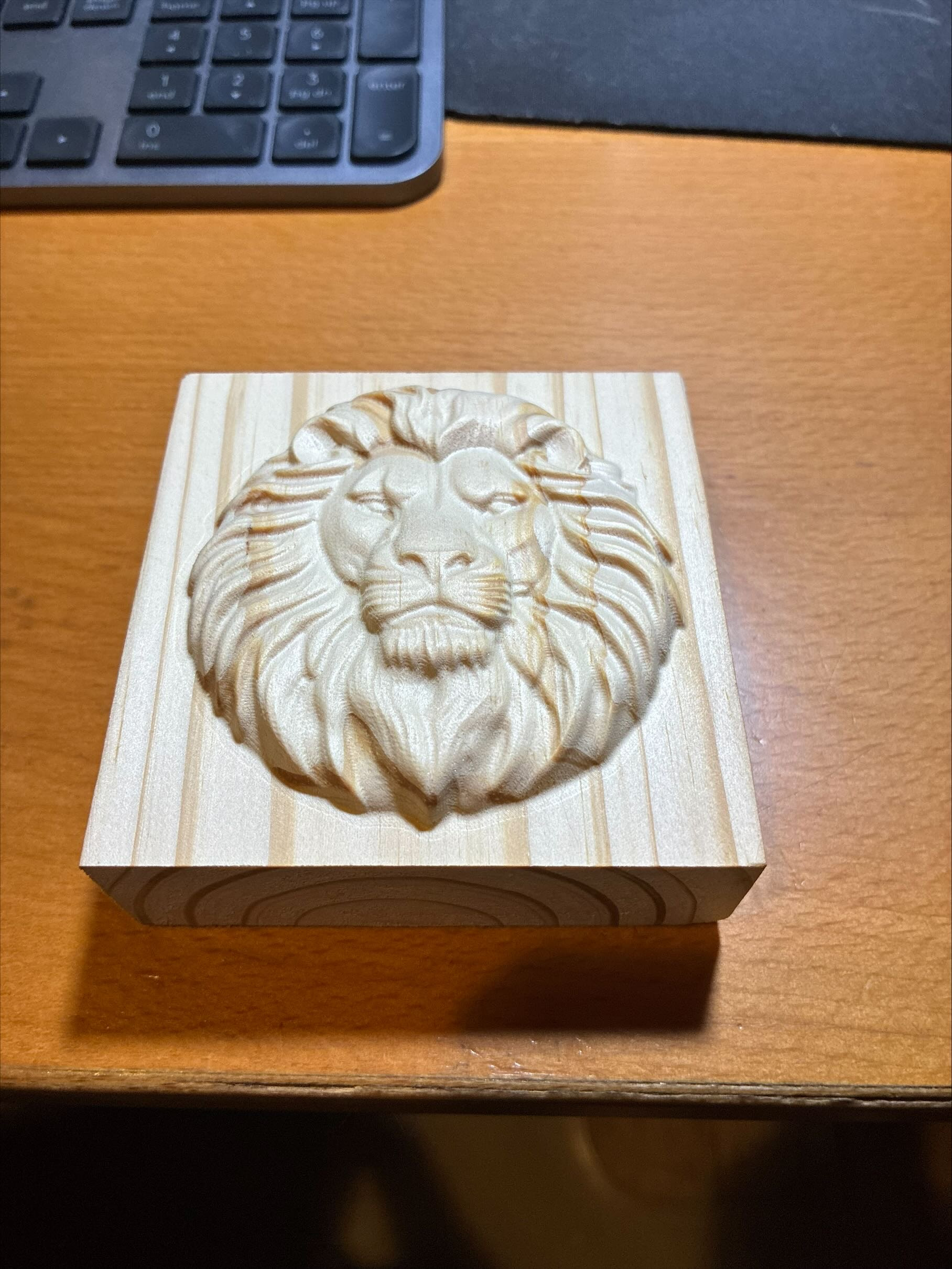
Here is a picture of the carve from the demo video from my website:
— James