The assembly documentation of the Altmill covers a Spindle break-in cycle. However, I saw Garrett from IDC Woodcraft advice a break in cycle for the full range of motion of the Altmill as well in this video: https://youtu.be/W0f_tNwaTaw?is=PNyseRadlAlvCvgb
He offers a break-in cycle file for the 4x4 Altmill. However I bought a 2x4 machine.
Would you advice me to run such a cycle as well?
How can I best set up a break in cycle file myself for the 2x4, or would you be able to provide one?
Also, the assembly documentation advices using two layers mdf, one baseboard and a wasteboard on top of that. In the surfacing instruction video however it shows surfacing an Altmill with just one sheet of mdf: https://youtu.be/hZ8ltb0w3Ao?is=QZFSyxzJ2XN1o9aRWhy
Which made me wonder, why exactly do you recommend a two board setup? Just for ease of changing out later for a new spoilboard?
@CuttingTheCrapAlex I know your question is addressed to Sienci but I’ll provide my comments whether you like it or not
For a break-in cycle, you could just run a surfacing job in gSender. Don’t install an end mill but configure the job to run the full x and y
Two sheets is convenient. The base is permanent. While the top one can be easily replaced. Alternatively, you can use MDF slats for the top sheet, with t-tracks in between. The base made of Baltic Birch plywood might be more durable for multiple MDF spoilboard changes.
Agree with what Chucky said. We haven’t tested out Garrett’s test g-code, the main thing with our spindle break-in code is to redistribute the lubrication in the bearings. The motors don’t really need to “warm up”, you can just jog the machine around to the extents of travel to see if everything’s working as expected. I would message Garrett to see if he can provide a 2x4 g-code file.
Yes it’s easier to put two MDF boards so you can easily change out the top one but you can get away with one, and mount it onto a sturdy flat surface.
I’ll definitely do the spindle break-in. And the surface cycle is a real good idea @Chucky_ott . That might be the easiest to at least let it run the x and y a fair amount of times and check of all still is properly fastened. Probably over complicating things more then necessary but I like to take good care of my tools.
Edit:
Just came across this older video of Garrett as well, where he just teaches how to write the proper gcode. This might be helpful to others wanting to do the same as well. Will probably set up my own file, a nice little gcode learning experience as well.
After a great little learning experience I was able to make a very complete break-in cylce file in my humble own opinion Learned a nice bit of Gcode and grew some confidence in reading and programming it. I thought it might be nice to share it back here for others to find. Or tell this newby how I could’ve made it better or how much I’ve overcomplicated this part
It basically lets you test if all runs smoothly, at different speeds, and lets the machine smoothly break-in all the parts and redistribute oil/grease.
Runtime
The program takes about 15min (at an Altmill 2x4, on 4x4 it’s probably a tat longer) but you can run it multiple times if you wish to run a longer break-in cycle.
What it does
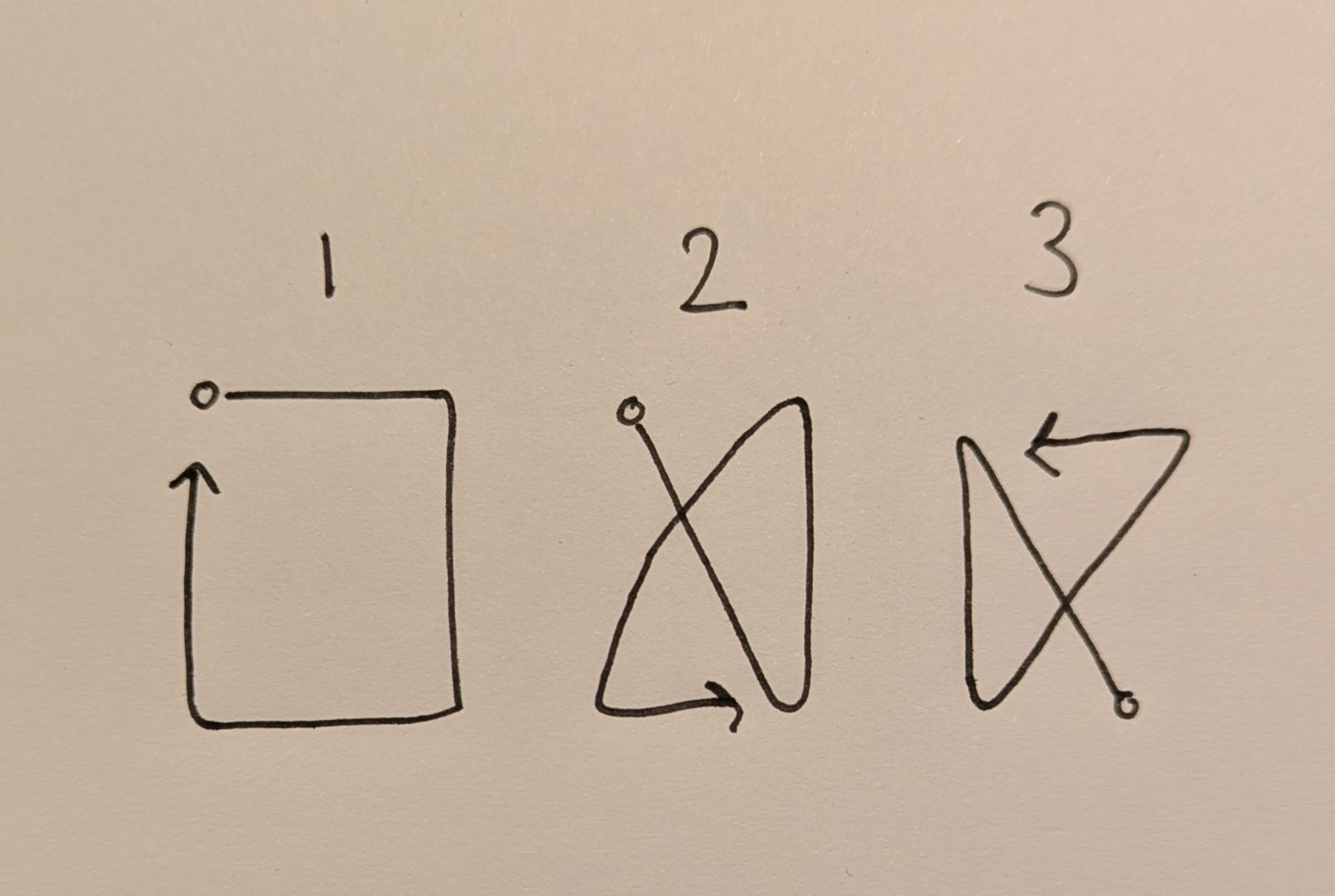
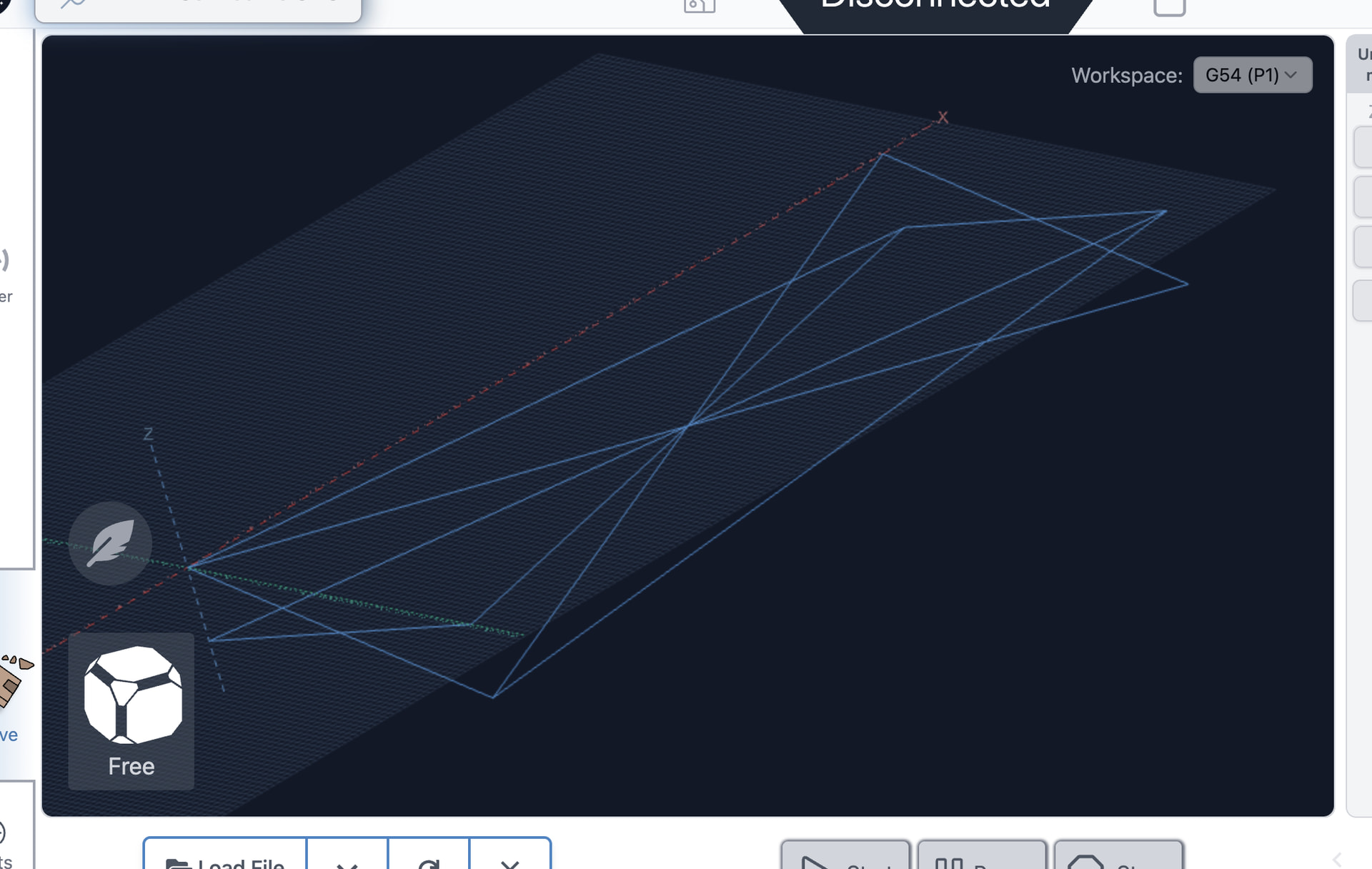
The machine travels through it’s (almost) full range of motion
It does so by following a pattern of linear and diagonal lines
It travels in almost any possible directional combination of motions of the axis
On each line it has traveled both ways and with the spindle moving up to down and the other way around
It does 3 cycles of this pattern at 3 different speeds, building up from slow to fast(er)
For visual reference, this is the pattern it runs through twice at each different speed:
It has quite some margin in the program, but if you want to be sure you’re not going to run into the frame or spoilboard (I tested this with a 18mm baseboard plus an 18mm spoilboard on top of that on the machine), travel the following distance from the above mentioned zero position to check if it stays within a save distance from the frame/limit switches and spoilboard:
X: 1160mm
Y: -545mm (Altmill 2x4), -1160mm(Altmill 4x4)
Z: -100mm
The files
So I set this up and tested it for my 2x4 but figured I can just as easily convert it into a 4x4 version as well. But you’d have to do the check above to make sure that the Y travel actually is correct.
When you open up the files you find that there is a good bit of commenting in the file. Perhaps a bit (..a lot) more then necessary, but I forced myself to do it for all the lines as to teach myself to understand what I was actually telling the machine to do with each line of code. This also makes it easy to adjust the file might you find that necessary.


 Learned a nice bit of Gcode and grew some confidence in reading and programming it. I thought it might be nice to share it back here for others to find. Or tell this newby how I could’ve made it better or how much I’ve overcomplicated this part