Yes. Before 1.4.2 1.4.1, when a job finishes, it prompt for me to turn off the router, I turn off the spindle, hit resume, and it moves to the back position of the machine so that I can handle my stock piece.
With 1.4.2 1.4.1, when a job finishes, the Job End window pop ups (The M0 prompt for turning off the router does not pop up), and hitting the Resume button will start the job again from the beginning, unless I click Stop again, then it will pause for me to turn off the router and it moves back.
If I remove the M0 command from the Program End event, it will just move to the back while my spindle is still spinning.
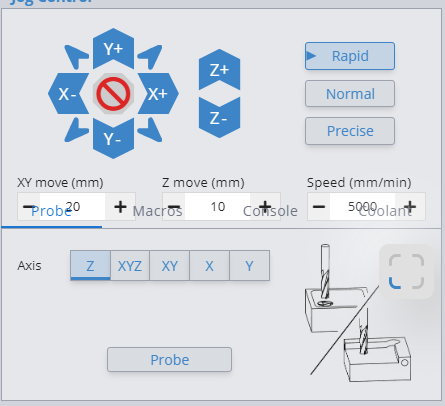
I have a couple issues with 1_4_3. First, I find the shortcuts for PAUSE (!) and JOG STOP (added my own) do not work for me, nor in earlier versions. Also new is the gui is overlapping the jog control window and the probe/macro window such that I cannot click on the bottom most jog control fields. I can’t seem to find a way to readjust the windows. Hope the capture is uploaded below lol. Other than that, things seem great.
gSender 1.4.4 has been released with a number of fixes to both grbl and grblHAL.
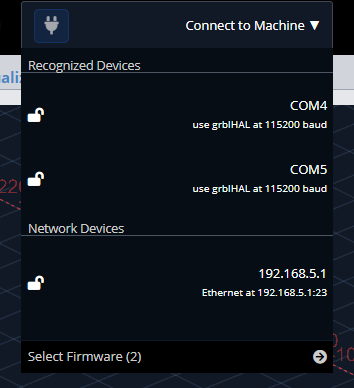
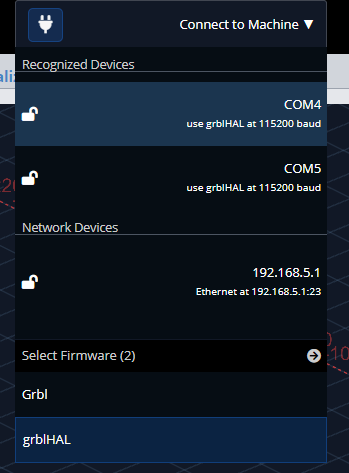
One of the only visual changes is that the firmware selector has been hidden by default to prevent accidentally switching flavours without meaning to. On top of this, we’ve hard reset everyones selected firmware back to Grbl on update. We hope this will reduce instances of users having the wrong controller selected.
Installed 1.4.6 on my permanent 4-axis (XYZA) hybrid-OKO machine, and find that the rotary controls tab now controls ‘Y’ if in ‘4 Axis’ mode, and swaps Y for A in ‘Rotary’ mode. In a previous version (1.4.4 I think) the behaviour was to control A all the time, performing the A for Y trick only if placed in LongMill/Vortex Rotary mode. If I manually send ‘$HA’ through the console, to home only ‘A’, it works correctly.
Am I correct in my observation, and if so, is this an intentional change (to suite LongMill/AltMill machines with Vortex), or is this an unintended change?
Yes, this is the expected behavior moving forward. 4th axis mode assumes that your machine can utilize all 4 axes (X, Y, Z, and A). While in rotary mode, we assume your machine cannot handle 4 axes or can’t interpret the A-axis at all, that’s why we translate A to Y.
There was a bug recently where sometimes if you toggled into 4th axis mode when you were in rotary mode previously, it would not apply correctly and your A-axis movements would still be changed to Y-axis movements, that has been fixed on the latest version (v1.4.6).
OK, thank you. I need to look into this logic, as my observation is that with 1.4.6 the behaviour is in 4th Axis mode that jogging ‘A’ resulted in Y physically moving - more like the ‘bug’ you described that has been fixed in 1.4.6.
I haven’t toggled between 4th and Rotary at all (I don’t need to, I have permanent 4 axis). I will experiment a little and feed back what I learn.
Are notifications about updates going to come back? I don’t remember the last notification I received, but it has been a while. I read on the resource page some systems are not supported. What systems are?
Or am I not seeing the option to turn update notifications on in gSender?
Not sure this has been addressed or if its something I’m doing wrong…using 1.4.6 and when I change the custom settings for th Visualizer (in particular the Background color) and click the Save button the changes go into effect for that session. But when reopening gSender the custom settings seem to revert to the default. I looked at the Settings export file and I think the changes are being written to the settings export file but don’t seem to be reloaded when the program is restarted.
I just want to say that I like the improvements that have been made to the visualizer. Awhile back I complained about the colors and not finding the visualizer useful. I’m not sure when exactly the changes happened, was away from my machine for awhile, but I like them. Thank you very much!