1.6.0-Edge-4
Hi folks, happy to officially release our next Edge version, containing a number of features that will be coming to gSender in the coming months.
We’ve put in a lot of work so far to continue to build off the functionality and capabilities of the SLB and SLB-EXT and we’re happy to start to support these capabilities in gSender.

As the above shows, it’s been a huge effort so far and I think we’ve managed to tick off some long asked-for functionalities.
We plan to continue to iterate on Edge over the coming months with an official release into main during the new year. That said, as always we are excited to make some of these functionalities available to those brave few.
Features
Edge is up to date with (and actually slightly ahead) of gSender 1.5.6. On top of that:
grblHAL update support
We’ve had a firmware freeze on what firmware has shipped with the SLB and EXT since release of those boards. That said, internally we’re making strides for compatibility between sienciHAL and core grblHAL with the plan to release a new firmware version for both that’s up to date.
A large part of this update is plumbing related to supporting the new firmware version - where reports have changed, EEPROM values have shifted, and numerous new functionalities are added.
We’re using the reported version on connection to determine which actions to take where things have diverged.
There’s still work to be done, but the lions share of support work is implemented in this EDGE release and we’ve been using it extensively throughout development of the 4X8 and ATC addons. We hope it’s a seamless experience using gSender regardless of which grblHAL version you’re running.
- Config will remap to new EEPROM values where applicable
- Connection sends the correct $spindles vs $spindlesh command depending on firmware version
- Numerous new response parsers and updates
ATC and TC Support
With the official release of the ATC coming today, Edge contains most of the software features we’ve built out to support it, from better toolchange visualization, tool remapping, tool change timelines, and more.
I have personally been very involved in the ATC project, so I’m super excited for people to get to see how smooth this process is.
-
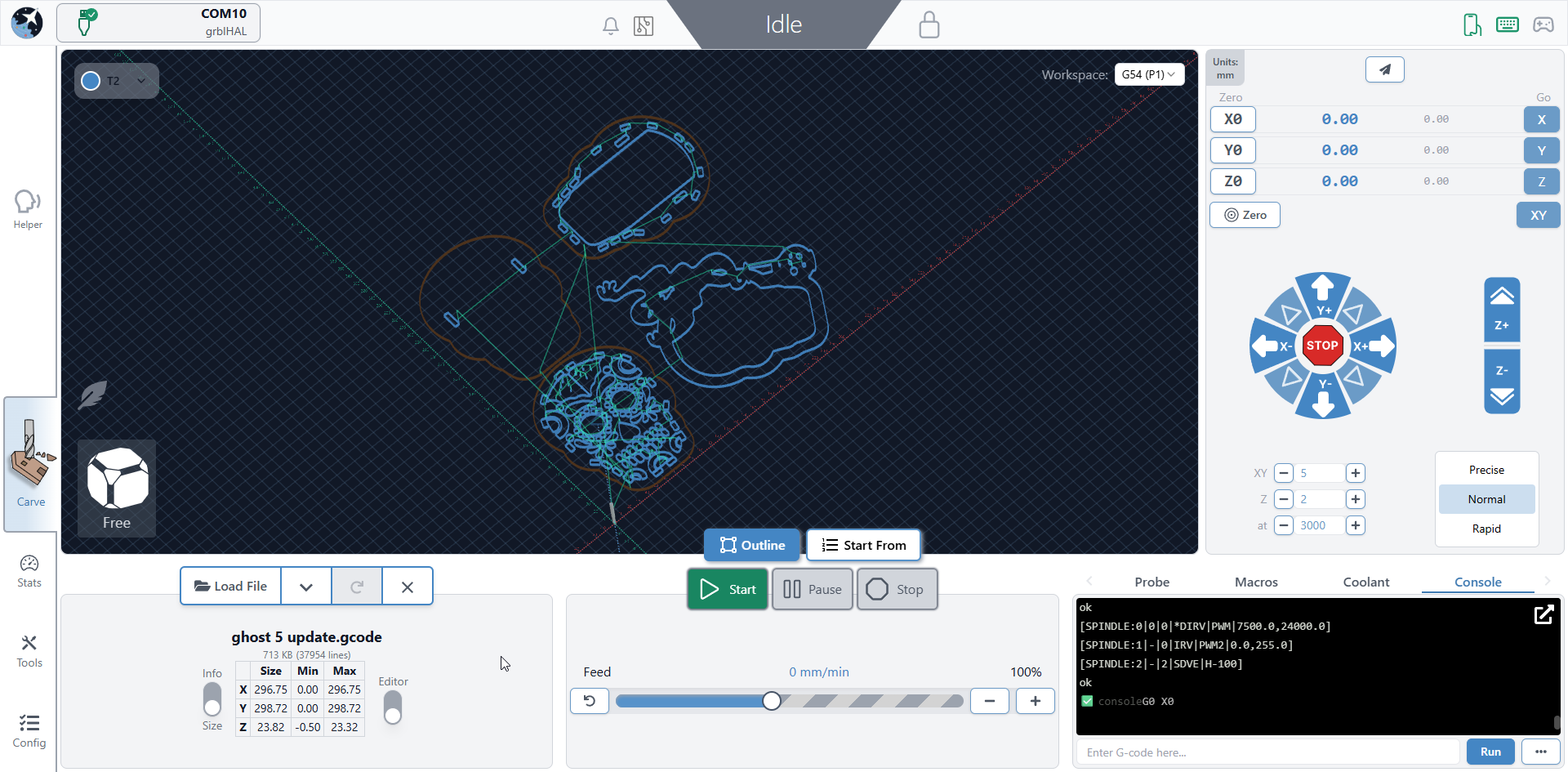
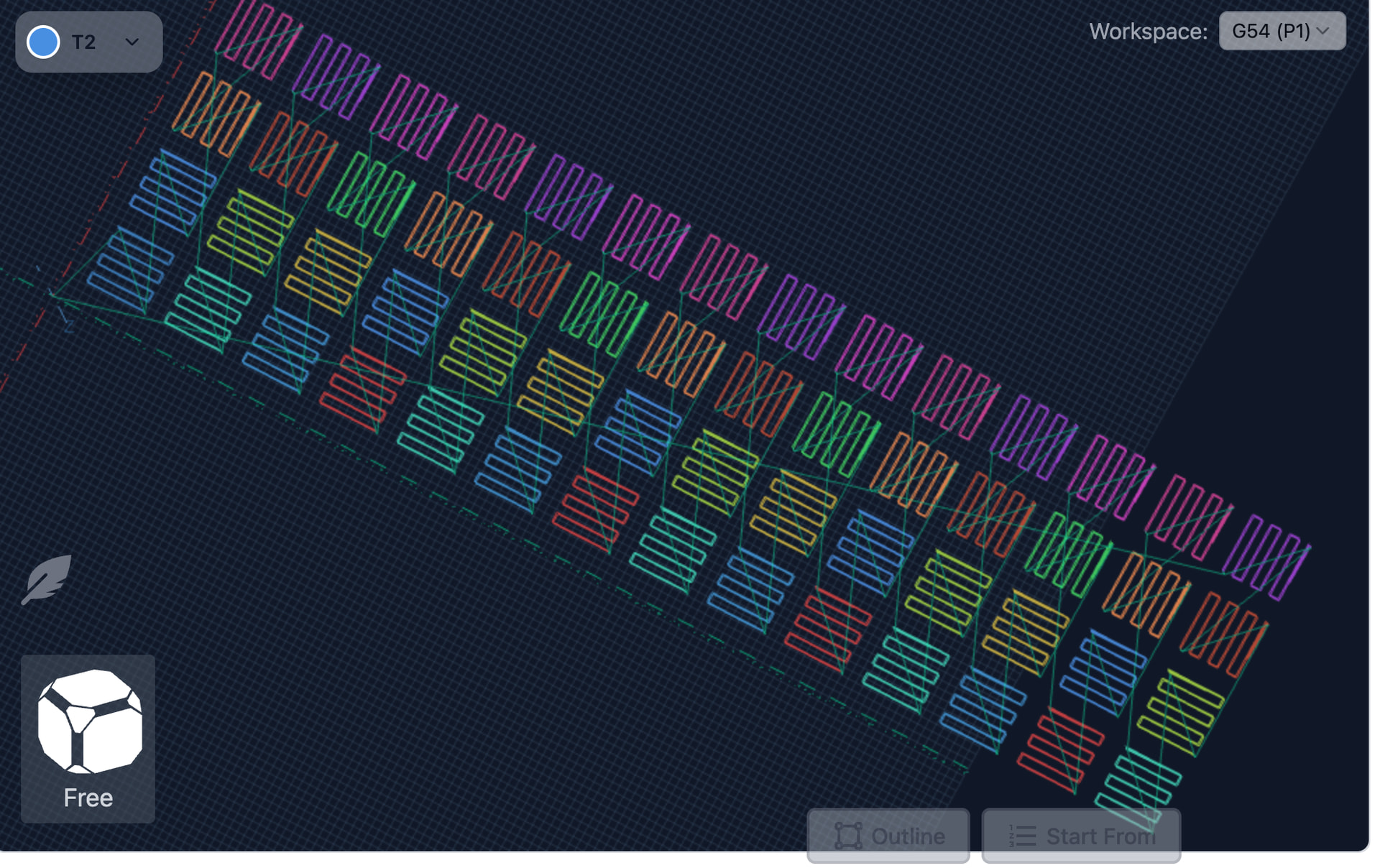
Every new toolchange is now visualized in a separate colour for clearer distinction
-
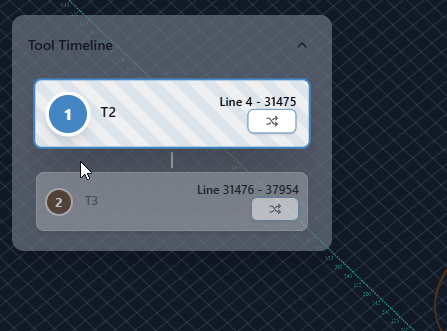
Tool timeline - view when toolchanges are happening and any other information. Indicates which tool you are currently using
-
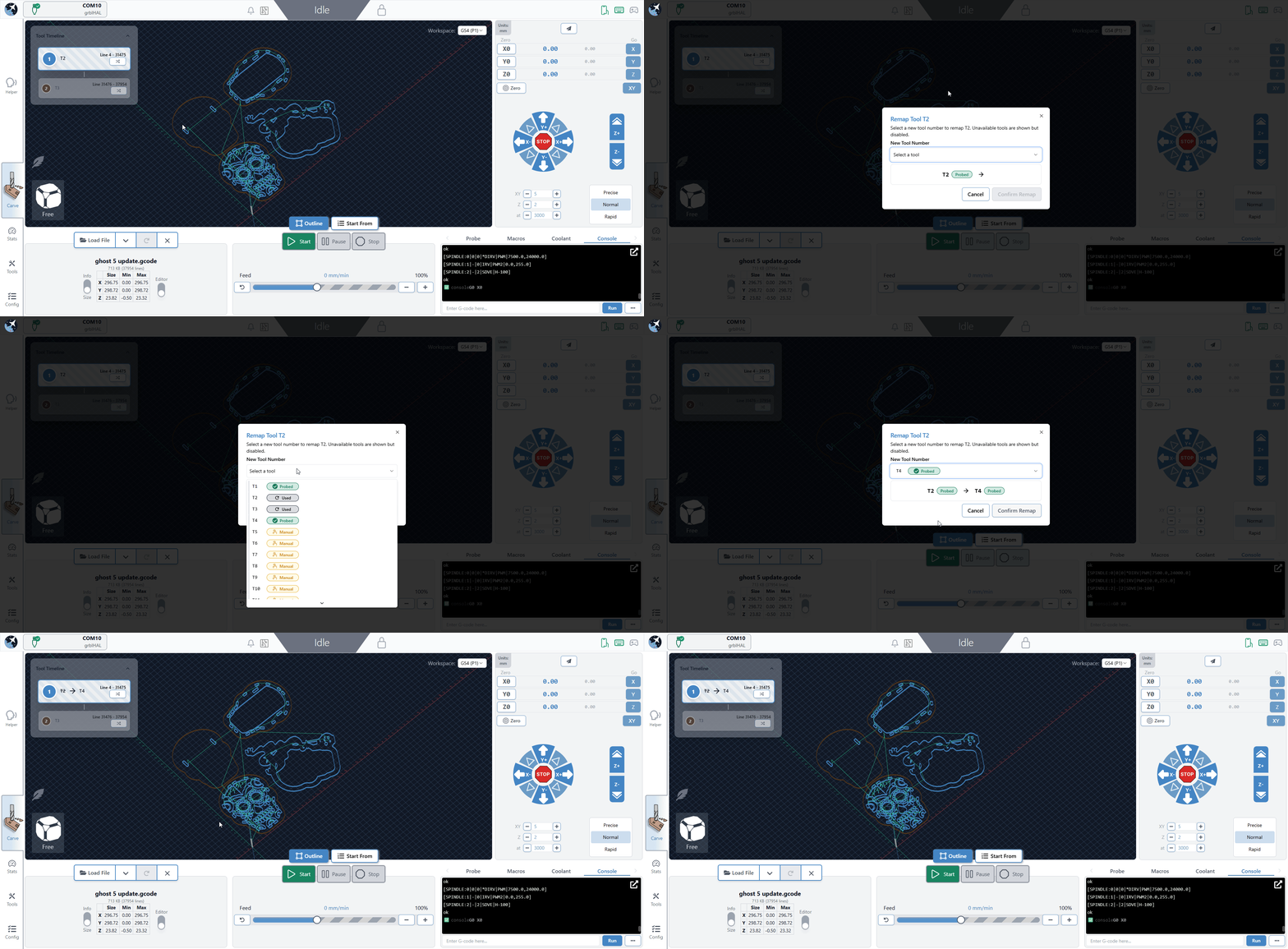
Tool remapping - closing the gap between CAM and sending, you can easily swap what tool number is sent for each tool before running.
-
Tool table - view and probe, set offsets and nickname tool slots.
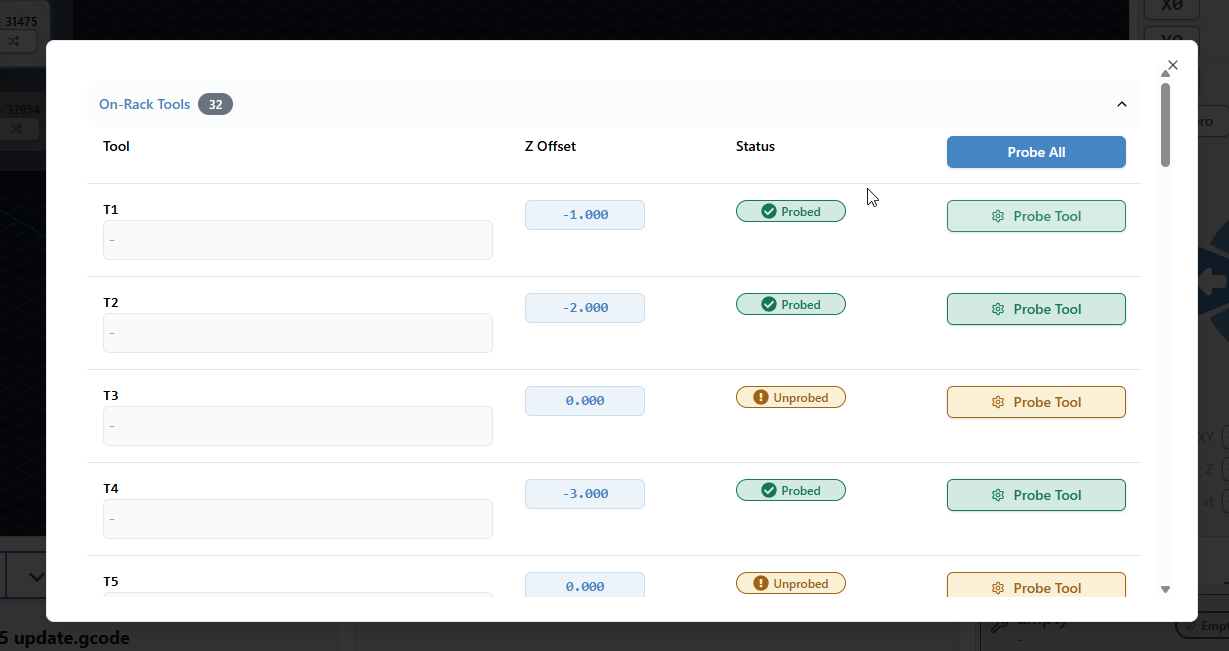
ATC specific:
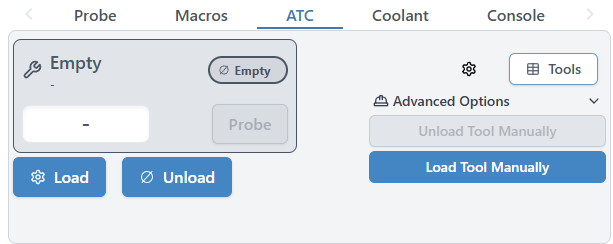
- Load, unload, and save tools to slots using our ATCi specific macros
- Easily see what tool is currently loaded and its status (loaded, offrack, unprobed). Tool state persists between power cycles.
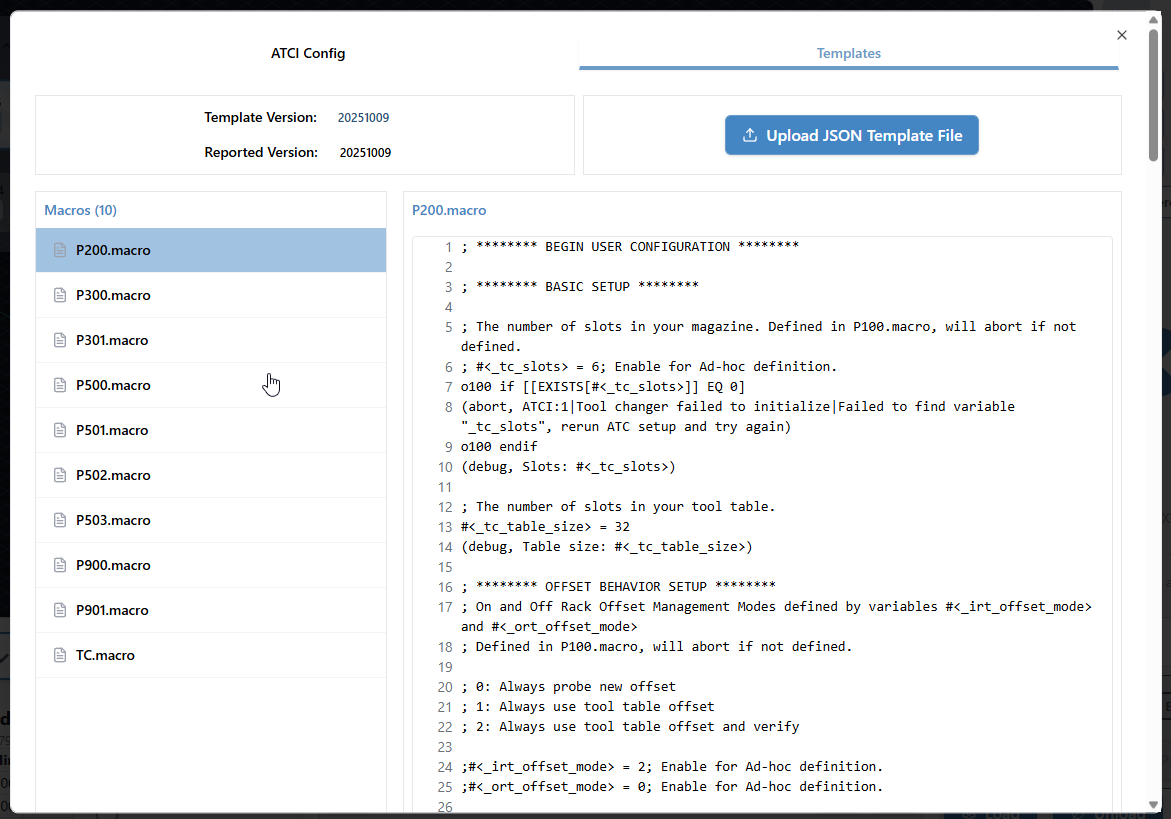
- Setup and configure your ATCi setup in gSender and apply it to your SD card at the click of a button
- Easily update ATCi macros with the template import tool, and see when you’re out of date in-app.
SD Card support
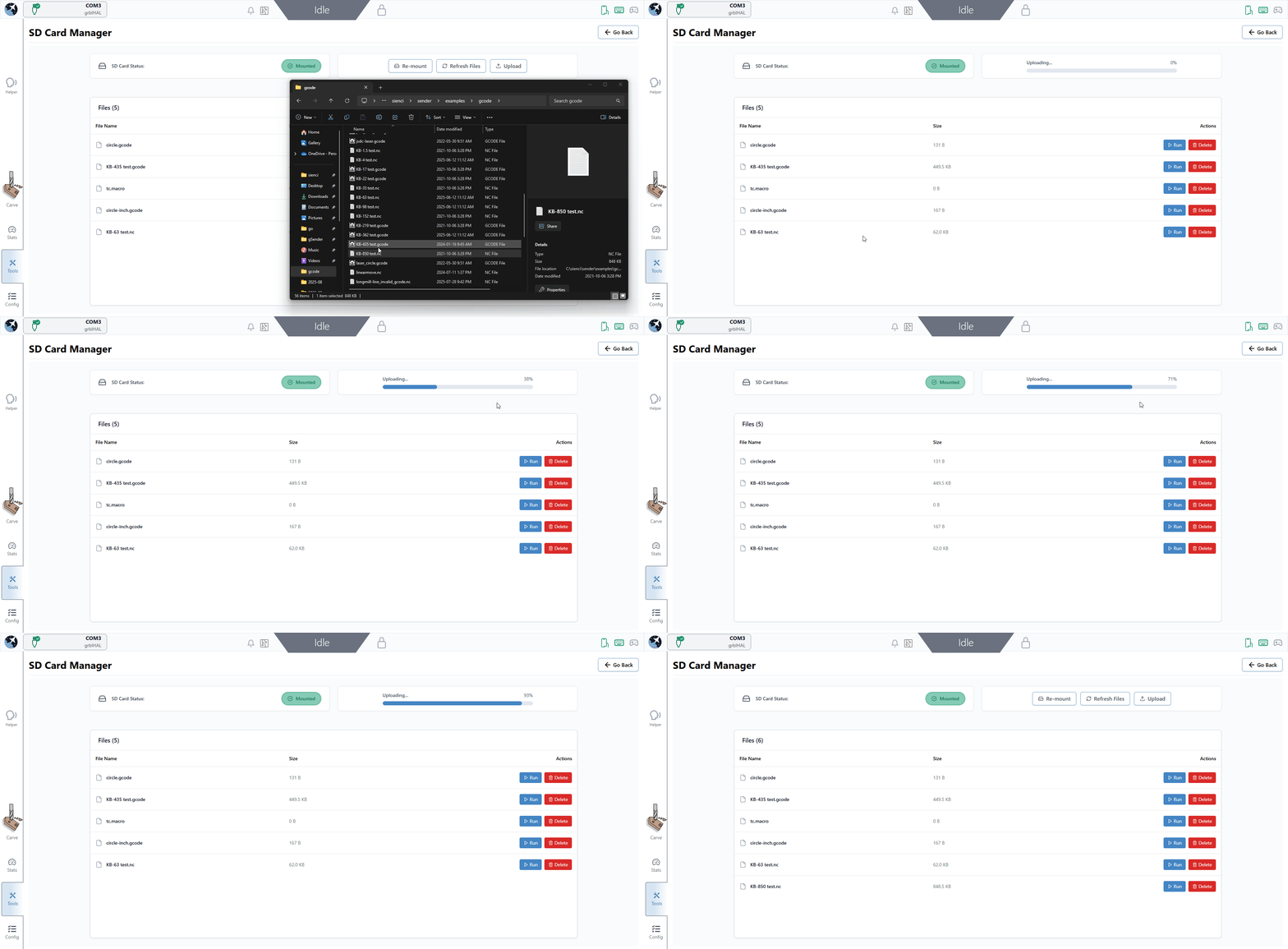
Both SLB variants have always technically supported SD card, but it’s been relatively undocumented. Edge contains a new SD card tool, letting the user interact with it over USB (FTP to come). Uploading is as easy as drag-and-drop, while running a file takes a single click. If the firmware reports SD card functionality, it’s mounted and the contents loaded on connection.
- Added parsers for $F and $F+ queries
- Mount SD card on connection if reported as available
- List files on connection if available
- Upload, run and delete files with a single click.
- Supports drag-and-drop and explorer upload
- USB only for now, FTP to come.
- Progress bar when running SD files to come
EEPROM tool
A new tab in config, EEPROM lets power users quickly find and change specific EEPROM values without having to sift through gSender specific settings. With this, we’re happy with the dual combo of Config and EEPROM, and have removed the deprecated legacy firmware tool from the application.
G-code Editor and Viewer
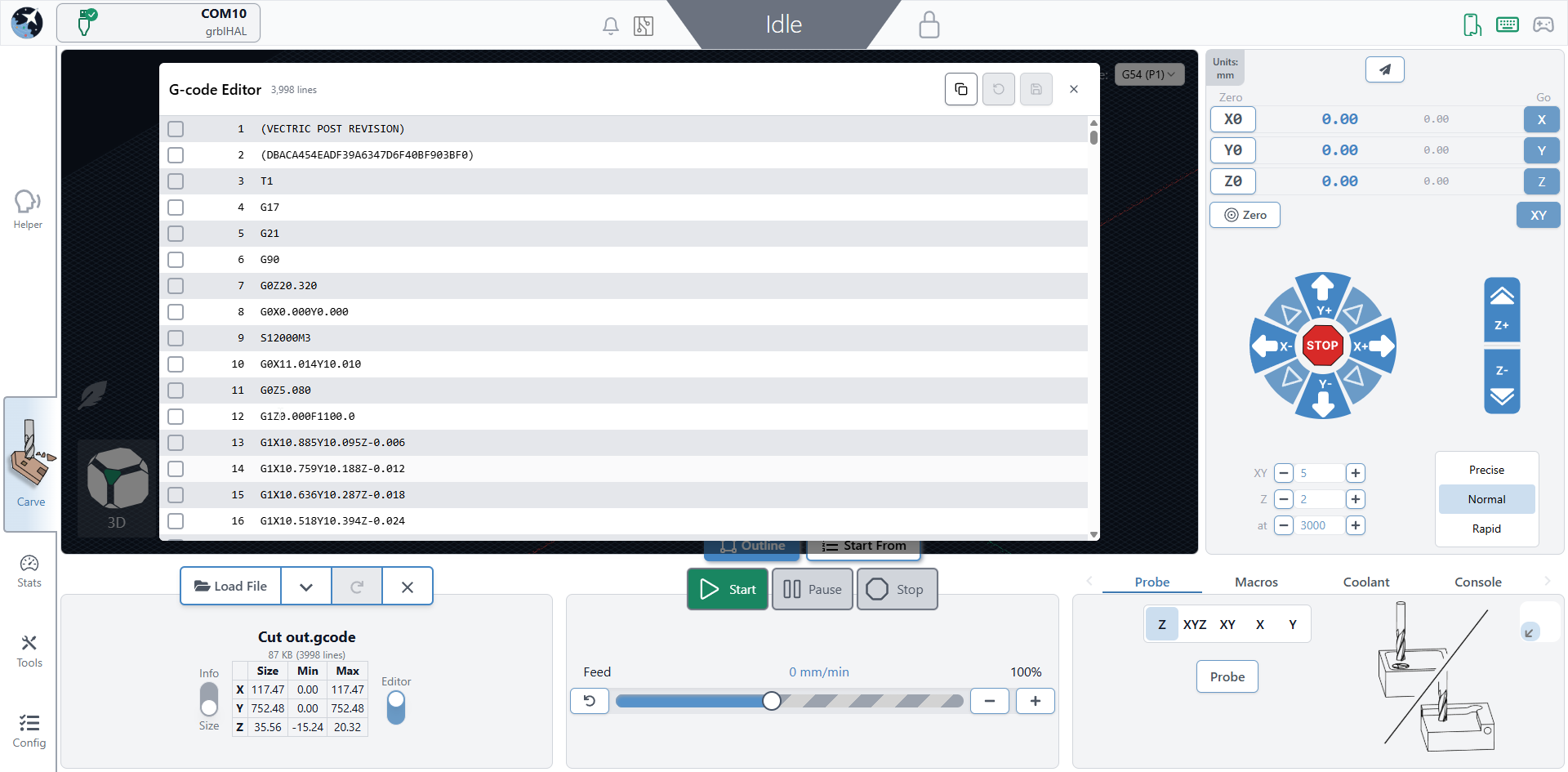
Long asked for, gSender Edge lets users view, edit and save loaded g-code files. It will also serve as a secondary indicator of job progress, showing which lines have been sent and received.
The editor is openable from the file information area. Syntax highlighting and other look/feel changes and functionality to come.
Better Rotary Visualization
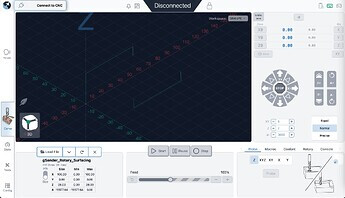
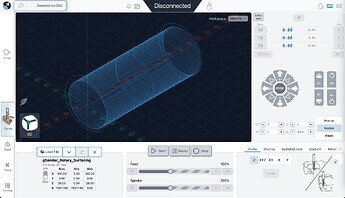
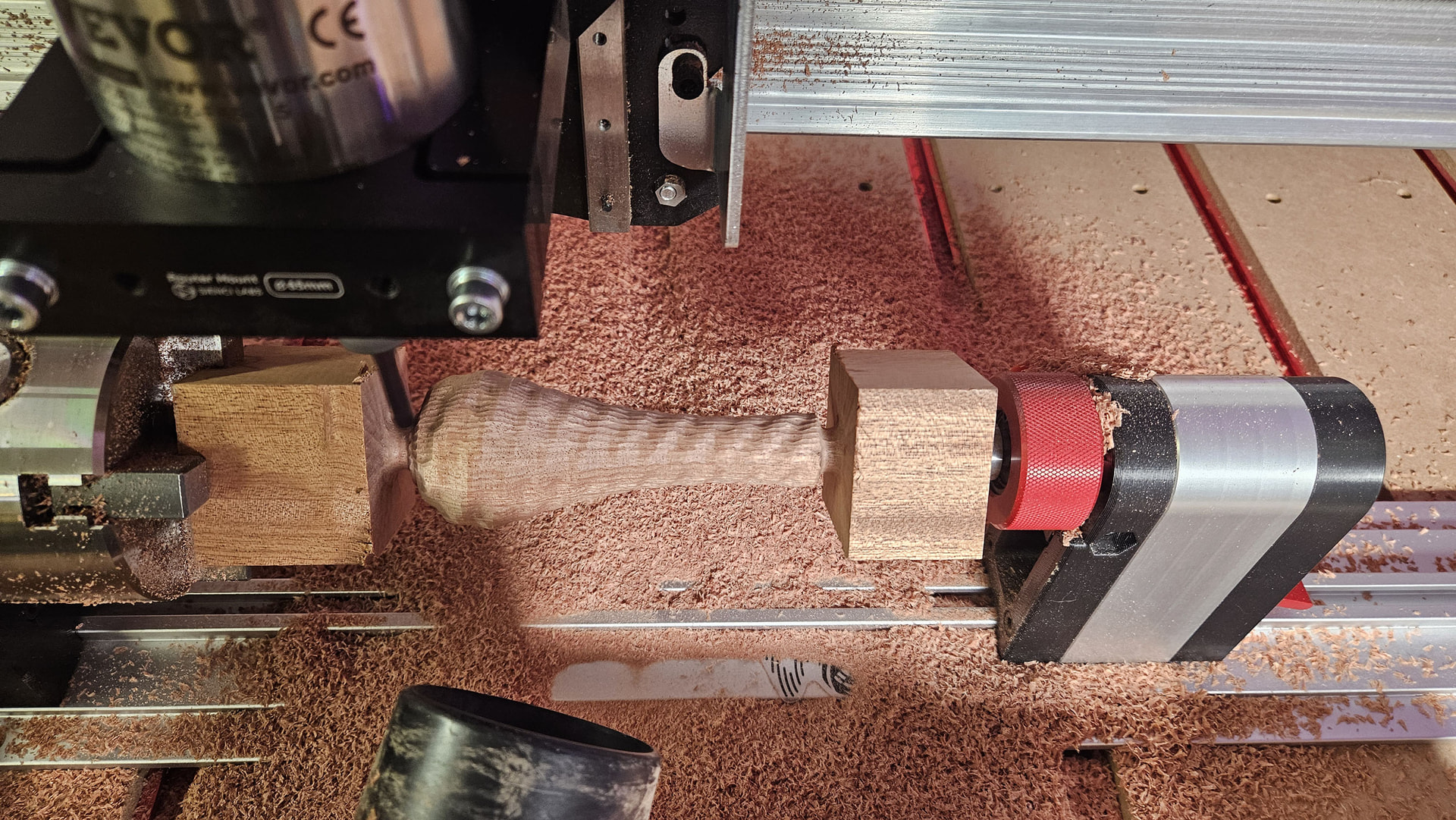
We’ve fixed a number of visualization quirks on rotary files, making what’s shown much closer to the final product.
Before:
After:
Various
- M0/M1 will once again show comments related to the pause (also in 1.5.7)
- Keepout plugin support and related toggle.
- Config is now available in remote mode using the drop down menu.
- More accurate time estimation when overrides are used
- Console look/feel updates
- Auto reconnect over ethernet works again (also in 1.5.7)
- Various look/feel updates
- Various library updates
- Various bug fixes
Still to Come
- Updates to file loading and parsing to reduce memory usage
- SD card file running progress bars and visualization
- Other tools availability in remote mode
- Rotary file estimation tweaks
- New packaging system using ASAR to speed up load times
- More

gSender 1.6.0 - Edge-2
Plumbing
- Numerous support updates for newer grblHAL core
- Entirely new build system resulting in quicker builds, quicker dev work, and smaller bundles
- Various default updates for newer grblHAL versions
Updates to G-code Editor
- Added syntax highlighting
- Added search and the ability to jump to/back to specific terms
- Various look/feel updates and reorganization
Visualizer Updates
- Added new config option to hide processed lines, which entirely removes lines instead of greying them out.
- This is available in the visualizer section of config
- This should be seamless with the new toolpath colour differentiation.
Check mode Option
- Added new safety option to run check mode automatically when a file is loaded
- It turns on check mode, runs the file, and reports any errors.
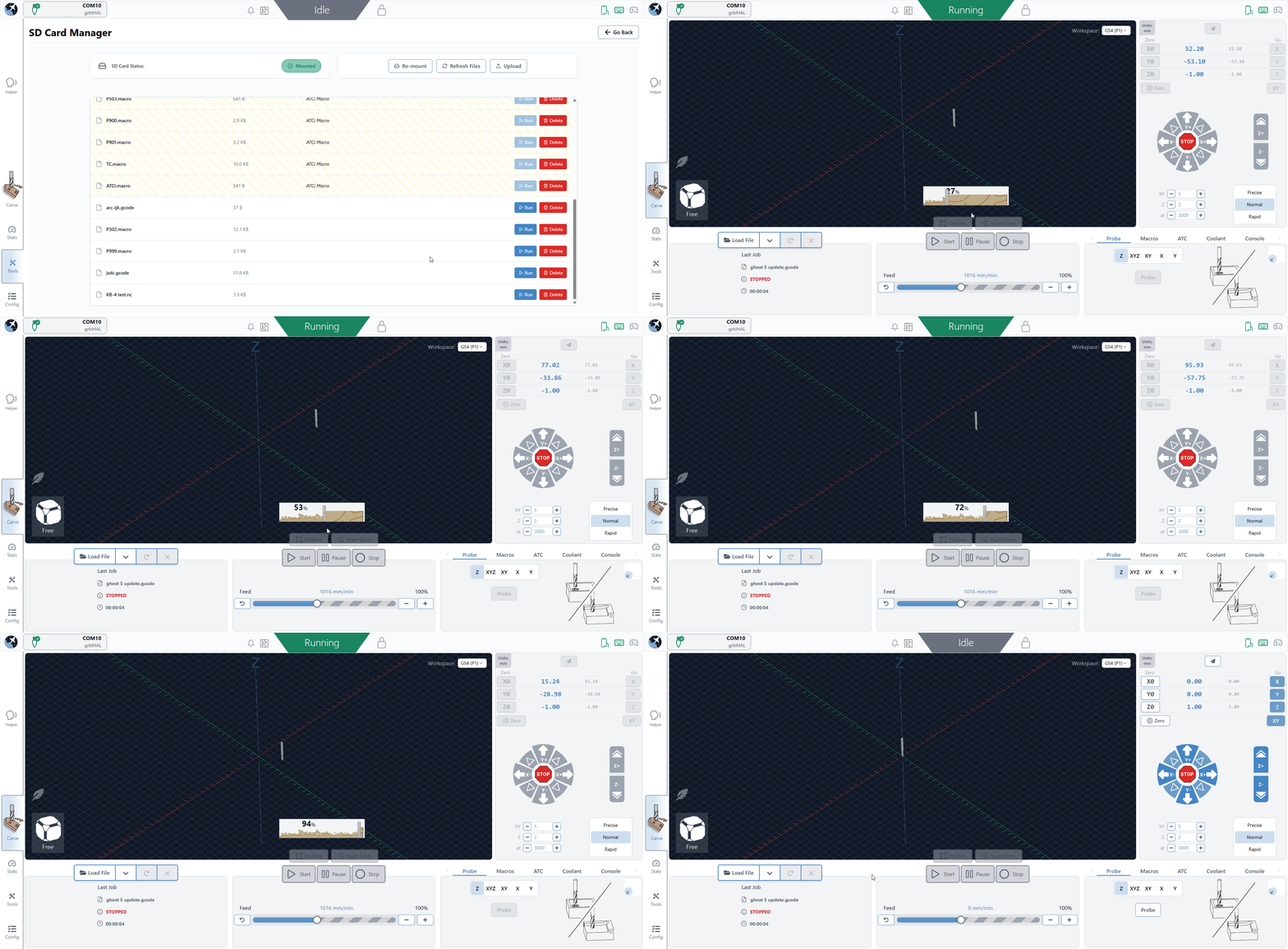
SD Card Progress indicator
- Running files from SD card now shows the progress bar, and should be a similar experience to running a file directly from gSender.
ATC functionality updates
- Various safety updates (warn if not homed, warn on no tool, etc.)
- Look/feel cohesion
- Base macros updated
- P100 and P200 are now run on update
- Keepout plugin support
Other fixes and changes
Some of these are fixes that are coming to main in the new year, but are merged in here ahead of time.
- Can now specify custom ethernet port if connecting to ethernet over something other than port 23
- Small unlock button now has the same behaviour as the large alarm unlock button for alarms 10 and 17, in that it resets and unlocks.
- Fix for start shortcut issues
- Removed fancy console logging, to revisit later
- Error line mismatch fixes
- Stopping a start event M0 will now stop the job from running
- Fix for intermittent error when loading file
- Comments shown in M0 dialogs again

gSender 1.6.0-Edge-3
gSender 1.6.0-Edge-3 is rolling out with a solid set of improvements and long requested fixes.
We are approaching the feature freeze for 1.6.0, so most remaining work before the March release will focus on stability, polish, and small behaviour adjustments. It’s likely we have one more Edge release that’ll prioritize various bugs and remaining improvements. If you have been waiting to try Edge, this is a good moment to jump in. As always, reports from early testers are extremely valuable.
This update includes several notable enhancements, including major gains in load time and improvements to remote mode.
Faster load and install times
Significant changes to the packing system and build process have produced much faster startup across all tested devices.
A load time of roughly 25 seconds has been reduced to about 4. Similar improvements appear on every device, including gControl.
This has been one of the most common complaints about gSender, so we are pleased with the progress and expect further gains.
Check out the load time comparisons below:
1.5.7 on PC (25 seconds)
Edge on PC (~5 seconds)
Edge on gControl (~7 seconds)
Installation is also noticeably faster.
Silicon Mac builds, Mac Signing, and new Electron version
We’ve updated the Electron version for packaging to the latest release, which means dropping support for earlier macOS versions. The minimum OS requirements are now as follows:
- macOS: Monterey (v12, released 2021) and up
- Windows: Windows 10
- Linux:
- Ubuntu 18.04 and newer
- Fedora 32 and newer
- Debian 10 and newer
- We are building and providing both an Intel (universal) build and now a Silicon (ARM64) version of gSender for macOS. Silicon users should notice a performance improvement.
- We are now also signing our macOS builds, so hooray! Coming soon to an app store near you!
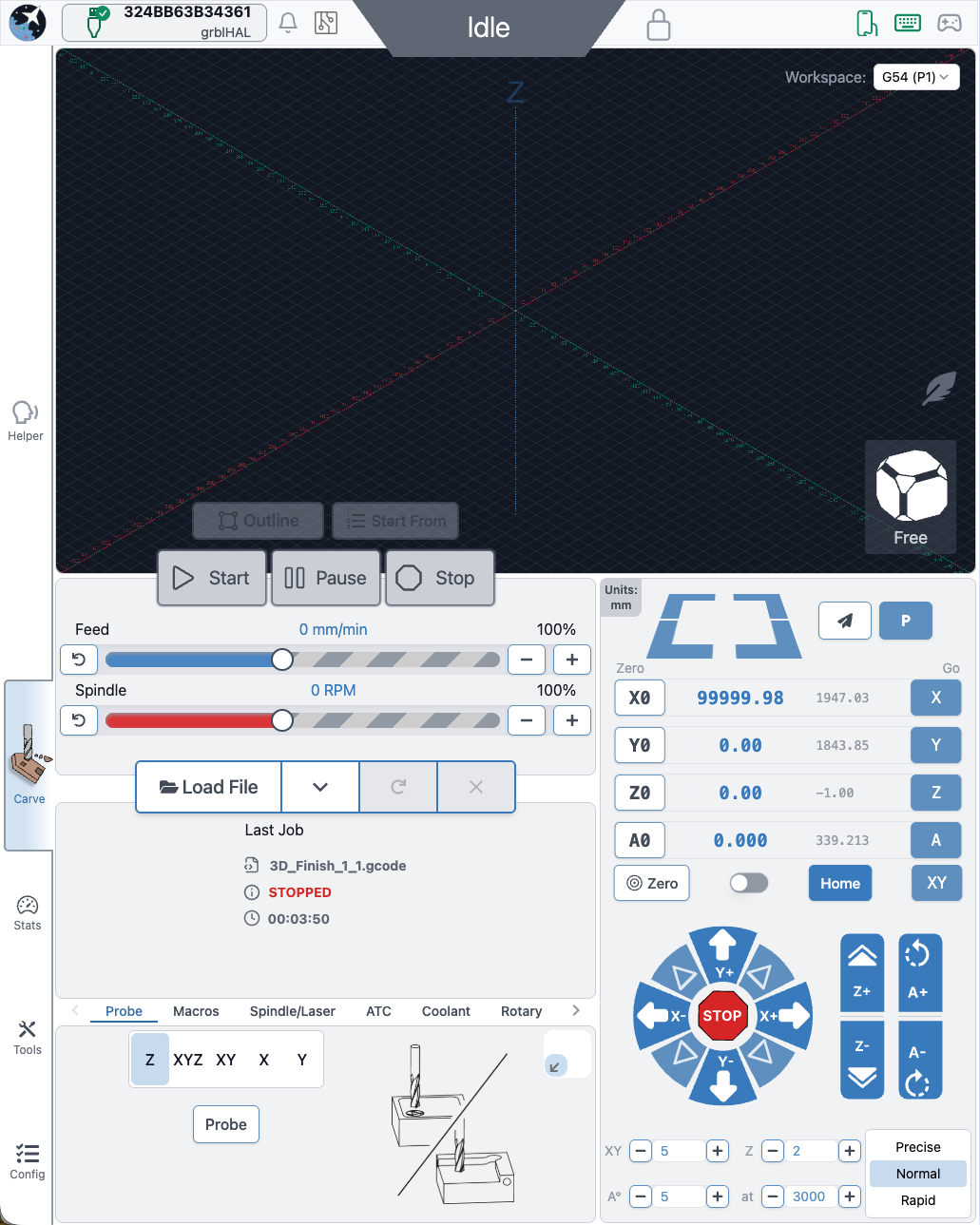
Better portrait mode
We continue refining layout behaviour to make better use of space across different display configurations.
- Larger, clearer buttons in portrait mode and elsewhere
- Improved spacing and alignment
- More adjustments planned throughout the Edge cycle
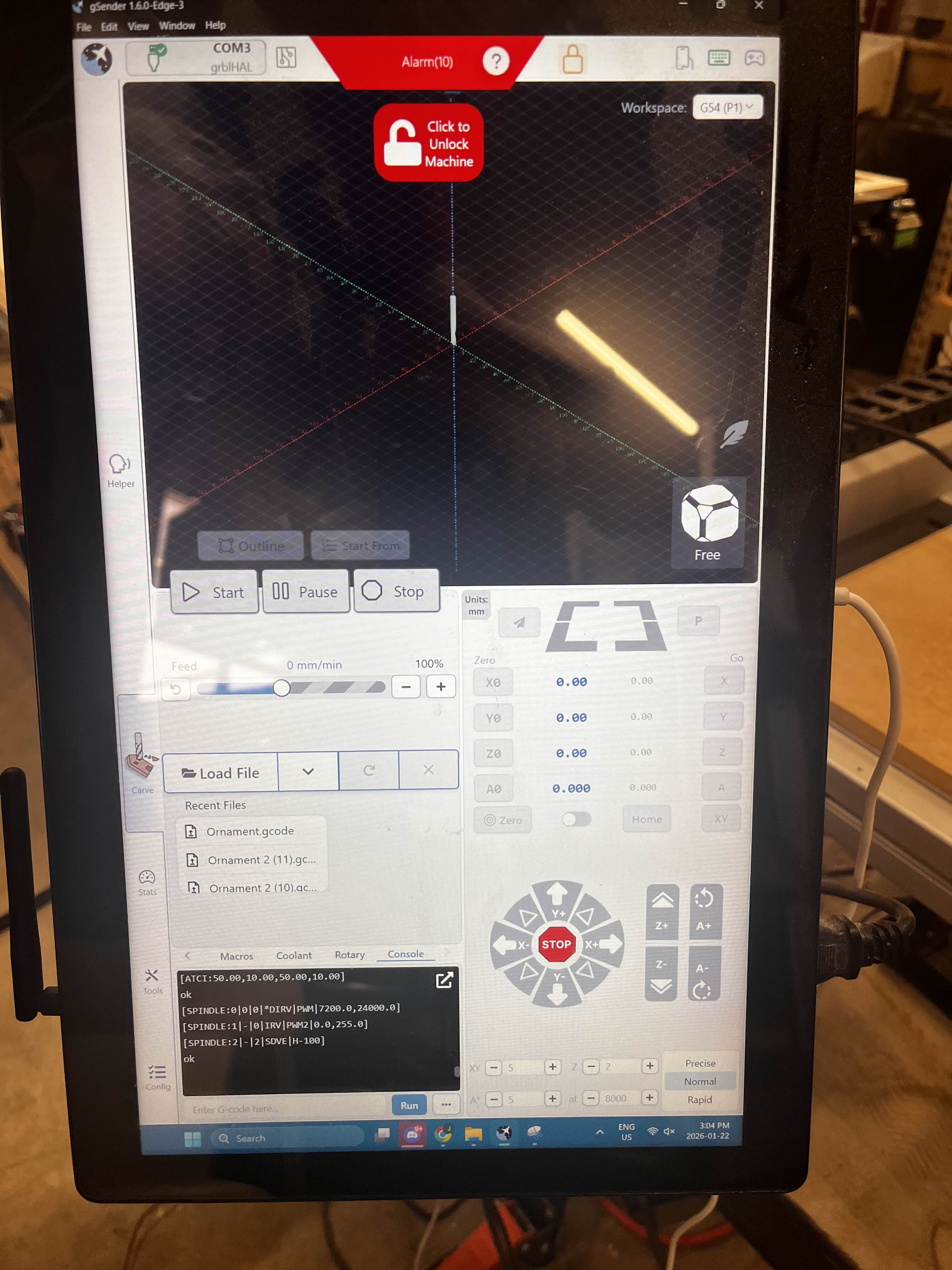
ATC installation tool / Accessory Installation Tool
A new guided installation tool walks users through setting up supported CNC accessories.
- First supported workflow is ATC setup
- Future plans include spindle, laser, and first time CNC setup guides
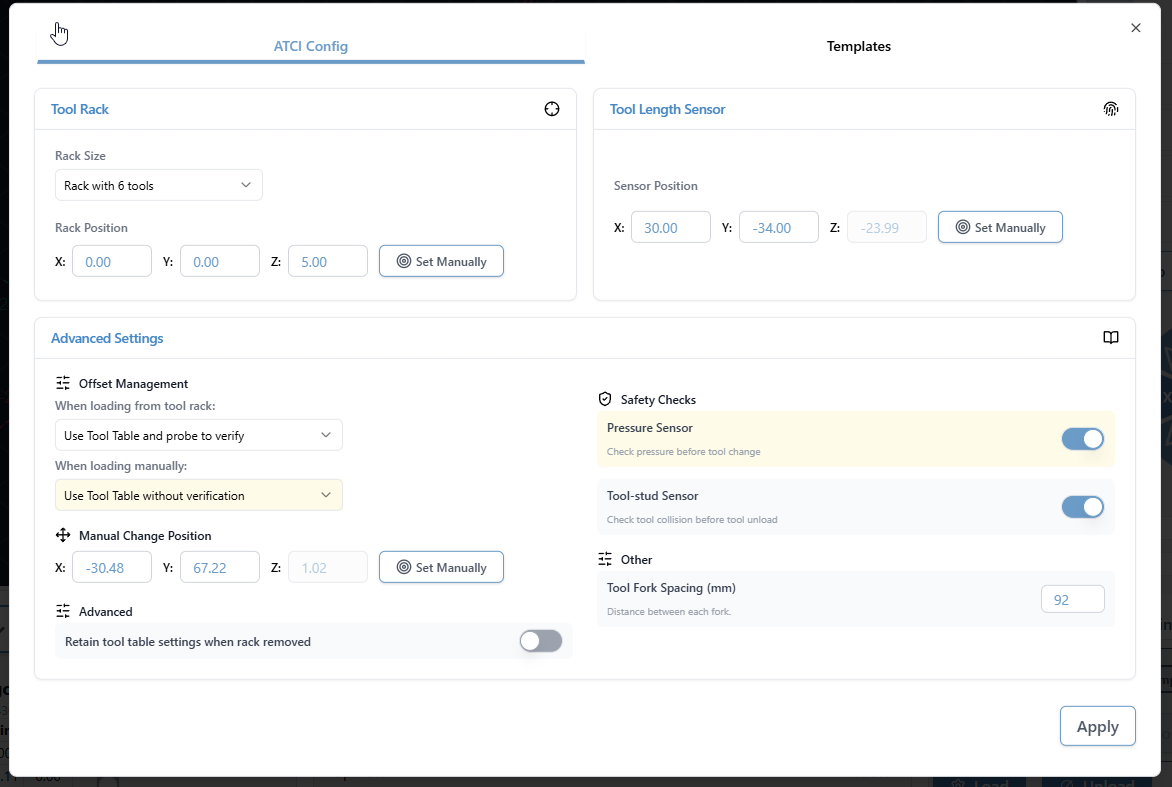
ATC configuration
The ATC configuration tool has been streamlined.
- Combined and reorganized options
- Improved flow and clarity
- Updated interface for a smoother configuration experience
ATC Visualization and Tool Table
- Updated colours to a designated set of 12 for better toolpath distinction. It’s now funky fresh.
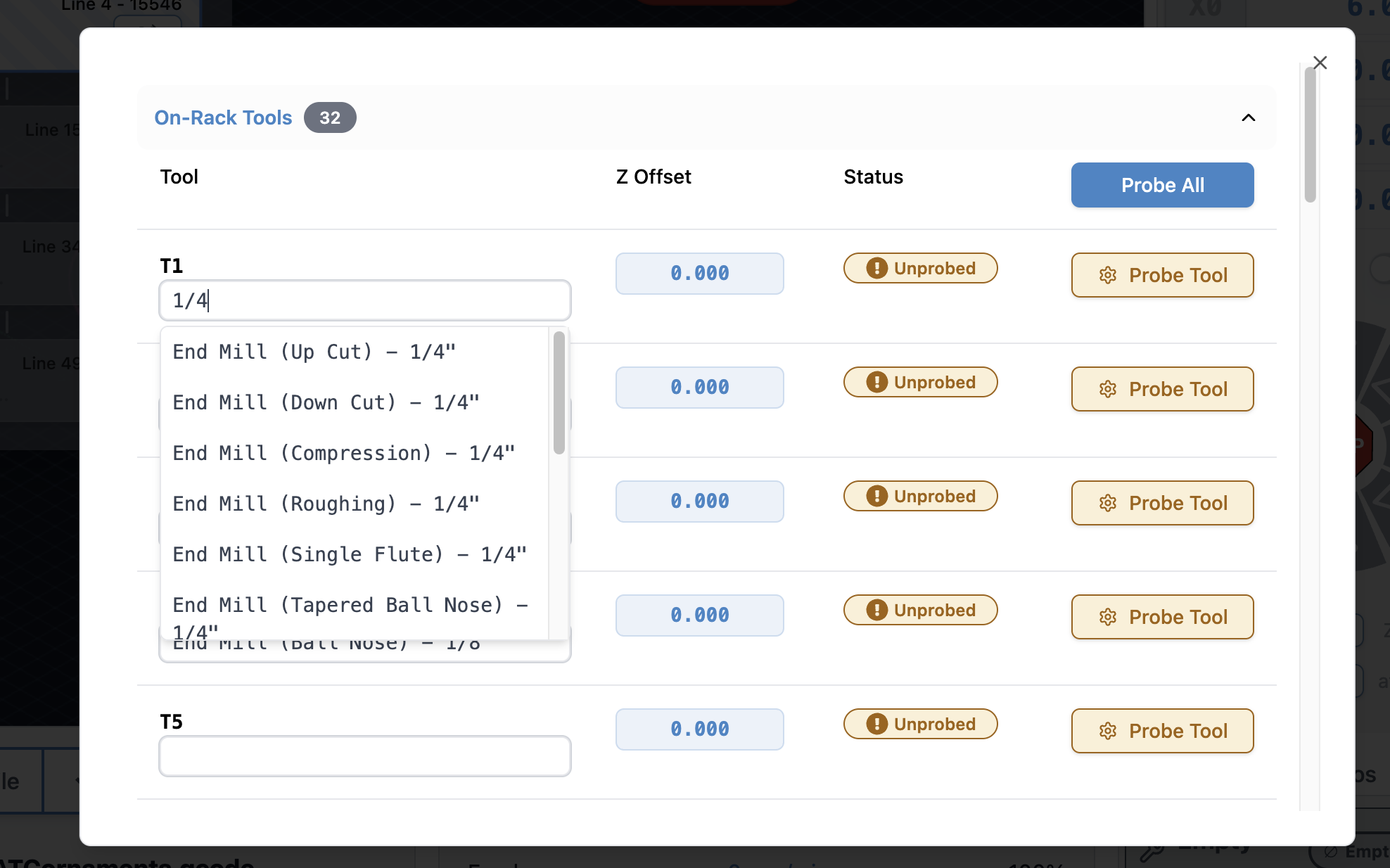
- Tool table tool nicknames are now selectable from a database of common bits, which includes search and still the ability to type in a custom note for a specific T command.
SD and FTP support
- FTP support added, allowing uploads over Ethernet instead of USB only
- Simplified workflow with a single refresh/list button
- Automatic SD mount attempts when the tool opens
- Dark mode and portrait mode updates
- Progress bar improvements
- Safety checks to disable the tool when connected to grbl or grblHAL devices without Ymodem or FTP support
EEPROM and configuration improvements
- Added support for new settings in the upcoming grblCore release
- EEPROM tool now handles all reported EEPROM settings, not only those surfaced in Config
Rotary time estimation
Time estimation for rotary jobs is now more accurate. Travel distance calculations now correctly account for A axis rotation, bringing estimates closer to real world results. Accuracy is approaching within 10 percent, with more refinement planned.
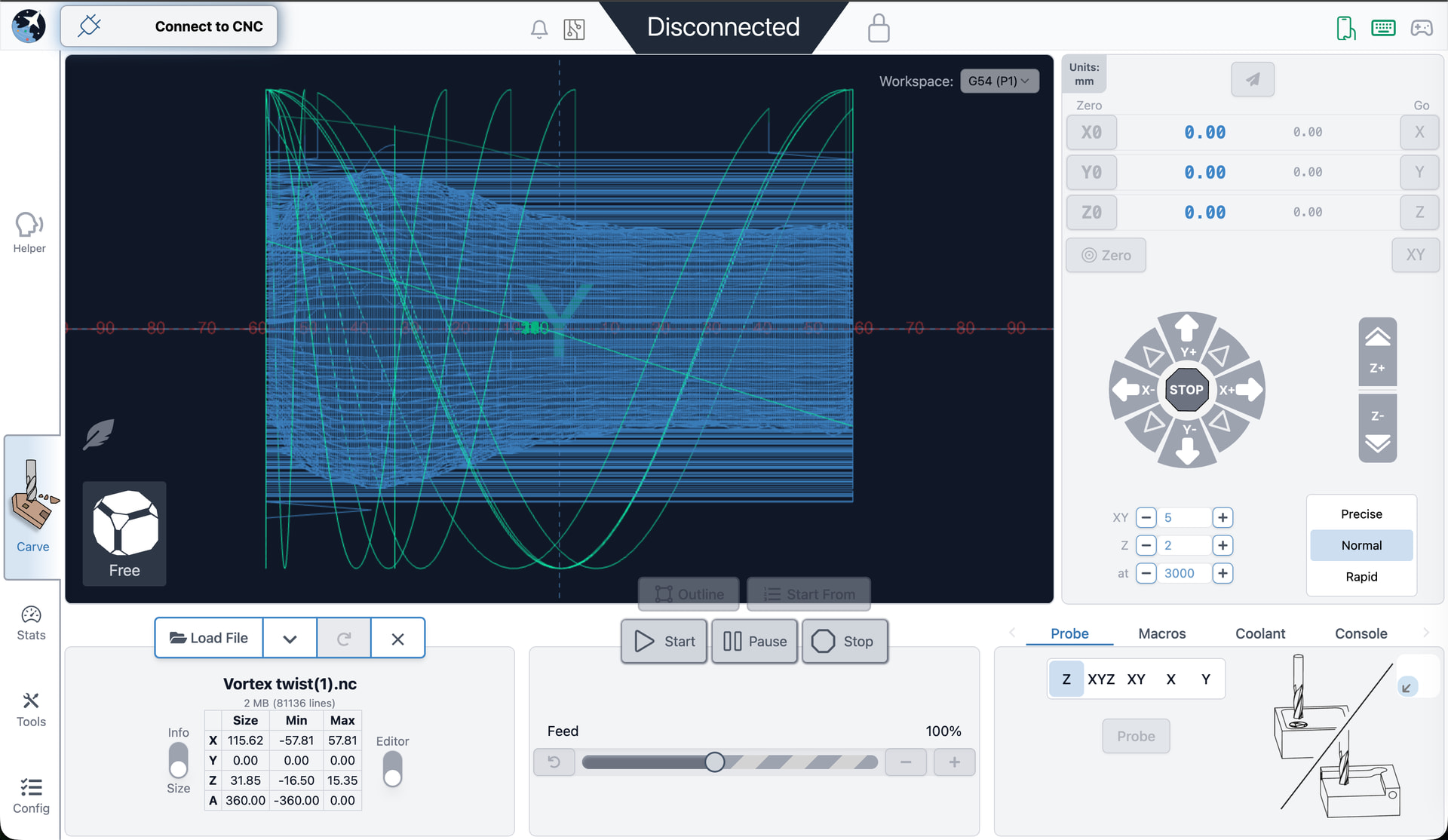
Visualization for rotary files has also improved. DeskProto typically sets Z to the surface and stores workpiece diameter in comments. gSender now uses that information to produce correct visualizations. Most gcode viewers cannot do this without explicit diameter data, so this is a meaningful improvement.
Remote mode
- Updated look and feel
- Settings now sync between desktop and remote clients, ensuring consistent preferences such as jog speeds, probe type, and units
Gamepad Updates
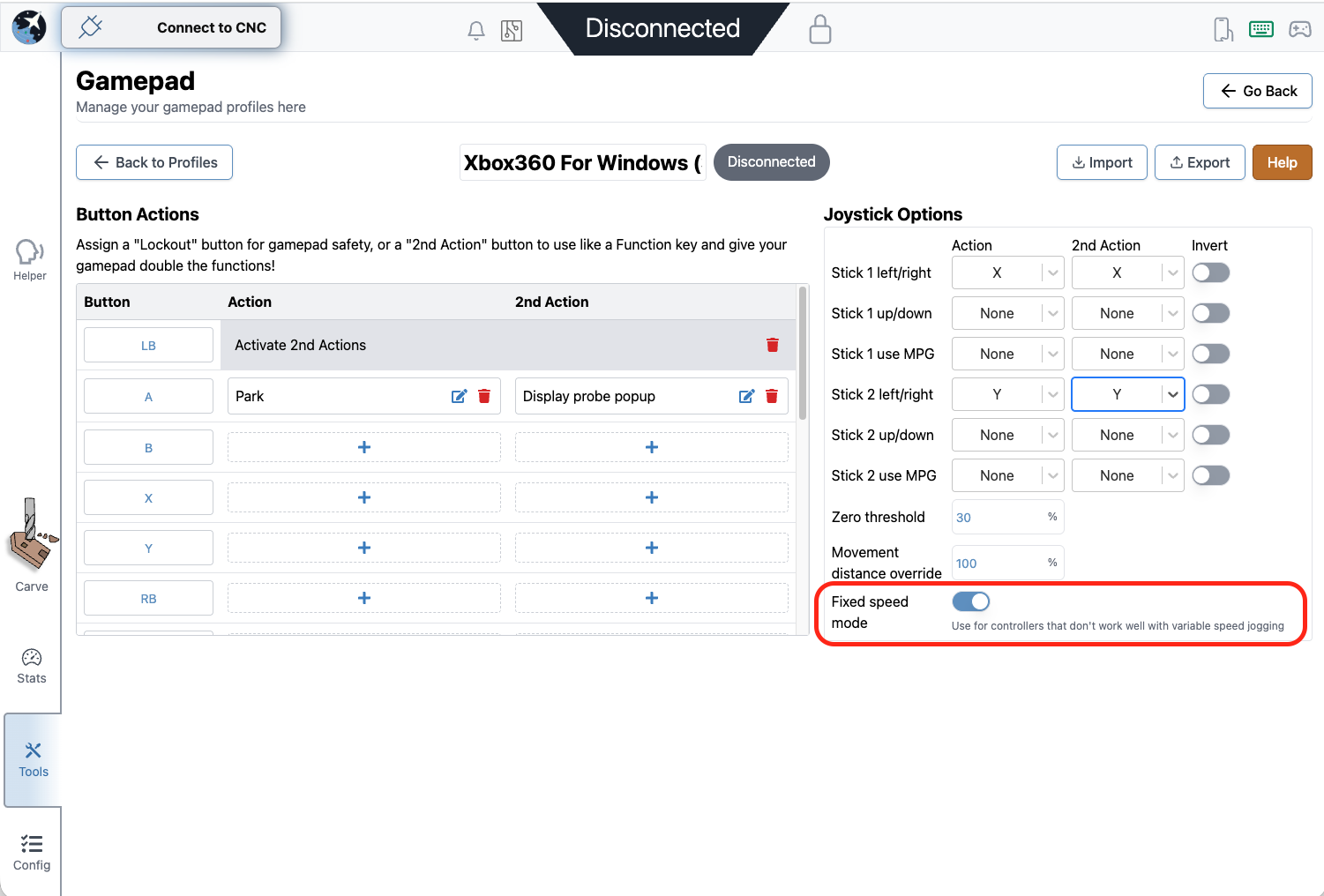
- Fixes to certain shortcuts on gamepad firing twice, specifically the park button and probe popup
- Added a new feature to disable dynamic speed and use a fixed value for thumbstick jogging
- All these changes were done by a community member. Thank you for your contribution Kesmit13!
Various fixes and improvements
- ATC functionality updates
- Fixed issues where tool offset was being incorrectly zeroed out on board reset
- $SpindleESH now sent correctly on spindle select for core firmware
- Gamepad jogging improvements, including fixed speed jogging
- TLO probe offsets captured mid toolpath to keep UI elements current
- Error and Alarm descriptions populated by grblHAL firmware
- Helper accessible across all gSender tools, not only the carve page
- Optional prompt on program close to prevent accidental exits
- AltMill 4X8 machine profile added
- AltMill ZxY plus Spindle configurations removed
- Added probe profile for BitZero 2 probe block (thanks Krudoy)
gSender 1.6.0 Edge-4 is now out, bringing a solid round of improvements, fixes, and general polish.
We’re officially in the part of the Edge cycle where the focus shifts away from big new features and toward testing, optimization, and cleanup. A lot of this release is about making things faster, smoother, and more reliable based on feedback from everyone testing Edge so far.
If you’ve been waiting to try Edge, this is a really good time to jump in. As always, reports from early testers are extremely valuable.
Visualizer parsing improvements
This release includes a major rewrite of the file parsing and visualization worker used when loading G-code files.
Performance gains:
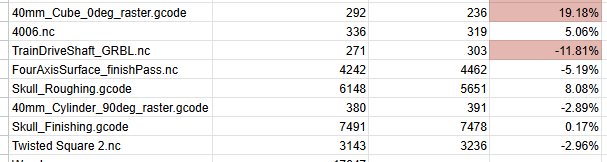
- ~55% faster visualization time for most files
- ~75% faster visualization for rotary files
- ~35% less memory usage for typical files
- ~86% less memory usage for rotary files
What this means in practice:
- Bigger files load faster
- Less RAM usage while previewing
- Much better handling of large jobs
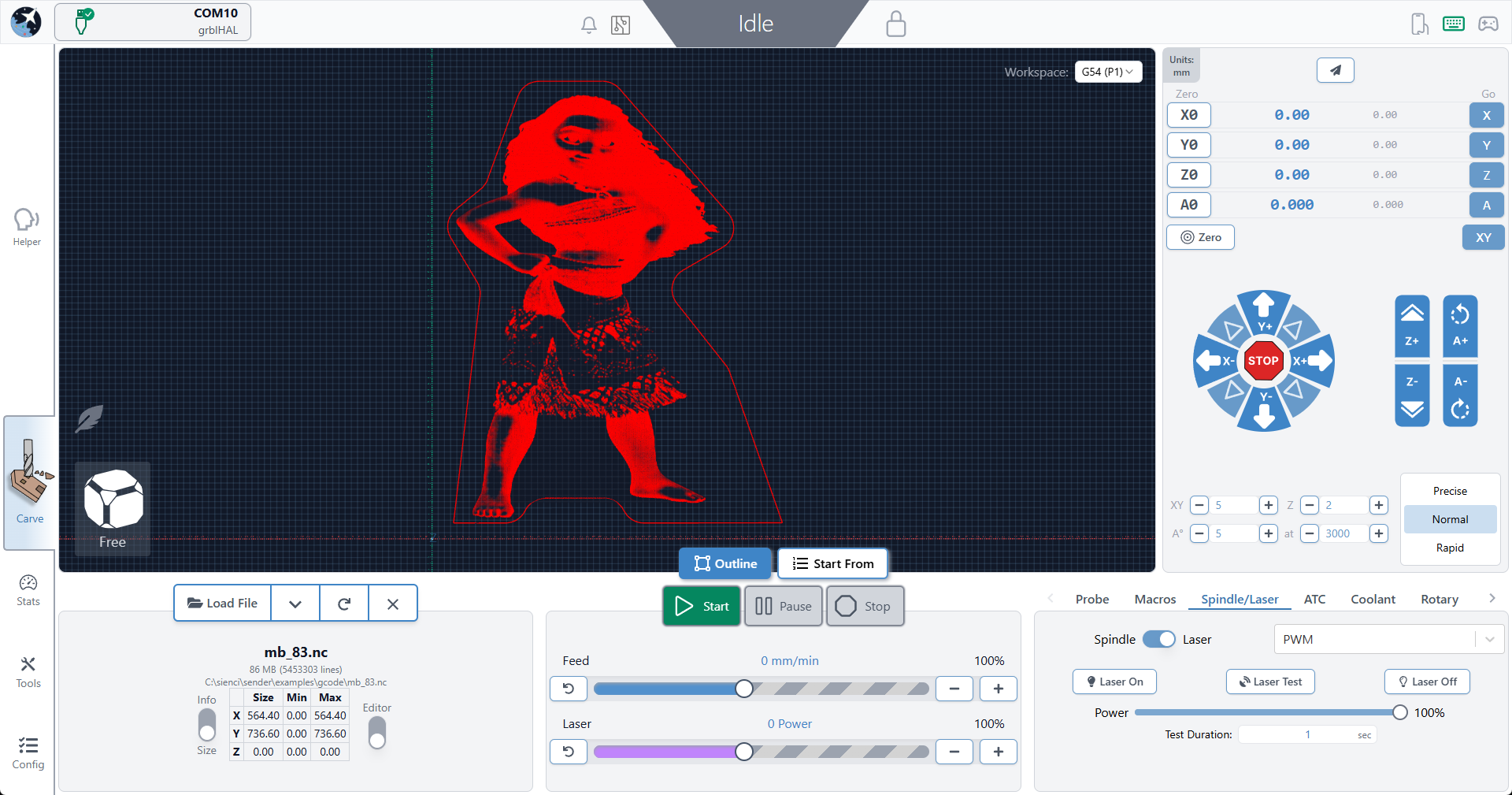
For reference, we successfully loaded an 85 MB / 5.5 million line file, which wasn’t possible in previous versions.
If you want the full breakdown of what changed:
Connection and Alarm handling flow improvements
- Connection process is generally smoother and more reliable
- Better handling of reconnect scenarios
- No resets in the connection workflow
- Should reduce Alarm 14 and error 1s on connection and clearing alarms
- We no longer assume ethernet is always grblHAL, so fluidNC/non-vanilla grbl users connecting over ethernet should properly fallback to grbl if configured as such
Responsiveness
- Better support for smaller screens
- Wide-but-short resolutions (like ~13xx × 7xx) should no longer cut off UI elements
- Fixed some Remote Mode responsiveness regressions
- Cleaner spacing in the top bar on smaller displays
Packaging
- Fixed slow startup on AppImage builds caused by ASAR compression
- Continued build pipeline cleanup
- Smaller installs overall
- Example: Mac .app size reduced from ~550 MB → <400 MB
ATC - status updates and other
- Probed, unprobed, and off-rack/manual states are now separate statuses
- You can always see both offset status and manual/off-rack state when applicable
- Tool Timeline received a visual refresh for better clarity and information layout
- Tool nicknames are now included anywhere a tool number is shown in the UI
- Config and Templates moves into Accessory Installation Wizard
- Extremely professional placeholder images added to ATC Installation wizard while we wait for marketing
New machine profiles & grblHAL Core support
- Updated AltMill 4×8 machine profile
- Added support for new/remapped firmware values and keys for grblHAL Core
- Config automatically adapts based on firmware version
- Affects EEPROM-related areas including:
- Restore Defaults
- Config Tool
Outline improvements
- Outline process improved - should be faster, should work better for all types of files. Travel direction is always consistent.
- Added new option - Rapidless Square - which computes a bounding box of only the cutting movements (G1/G2/G3) and ignores G0.
- Can now configure outline to use custom feed rates and G1 rather than G0 (Thanks, kieraneglin)
- Inner islands no longer considered when generating hulls for details outline - so file outline should be more consistent overall
Config updates
- Various logic changes to config area to improve performance
- You should notice the population of entries and search to be more performative
Various improvements & fixes
- Selecting the current jog preset now resets values back to configured defaults
- Config imports are validated before being applied
- Diagnostic PDF now clearly shows when disconnected data isn’t available
- Improved Run Check on Load workflow:
- Prompts before enabling check mode and running the file
- Probe corner can now be changed directly in the Run Probe dialog
- Warning shown when using a non-default corner (no more probing the wrong spot)
- Improved grblHAL flashing UX
- Spindle selection now updates correctly when configurations change
- Fixed connection widget interaction issues when dropdown menus are open
- Alarm descriptions now pulled directly from grblHAL firmware
- Various Dark Mode polish improvements
- Fixed diameter parsing for DeskProto rotary files (for real this time). This must be toggled on inside the config section
- grbl Rotary - can now pass A through natively rather than always hijack Y when rotary mode switched off. This is mostly for compatibility with fluidNC/non-standard grbl variations that natively support A axis commands.
- Camera cube added to visualizer in surfacing and rotary surfacing tools
Download
gSender Edge is beta software, so expect the occasional rough edge. You can safely install gSender and gSender Edge side-by-side.
Huge thanks to everyone testing Edge and sending feedback — it directly helps shape the final 1.6.0 release.
You can find our Edge releases on GitHub: