gSender 1.7.0-Edge-1 is now publicly available for testing.
We’ve covered a number of these functions in our recent blog post, and we’re excited to let people use them! You will find a number of new features, improvement to features, and fixes that we’re excited to get your opinion on.
As always, gSender Edge is beta software - if you are afraid of something going wrong, do not opt into using it. That said, we’re always grateful for anyone who does use it and reports issues or improvements they want to see.
gSender Edge is able to be installed alongside gSender 1.6.x so feel free to use both and compare.
Plugin System
One of the hardest parts of developing software such as gSender is determining which features we want to add next. Sometimes, functionality is so commonly requested that working on adding it just makes sense. Other times, it’s determined by engineering projects in-house, such as the ATC, which lead to a host of features in gSender. The hard part is determining how and when to tackle the lesser requested features – because not every feature is useful to every user and we don’t want to stray too far from the core value of gSender as an easy-to-use sending software.
Plugins are a new feature coming to gSender, allowing both Sienci and our user base to make new features outside the boundaries of major or minor releases.
The sky is the limit - make some simple CAM, a dashboard, add a webcam - you’re only limited by time and your skills as a developer.
Installing plugins is as easy as importing a folder - gSender handles the rest once you’ve pointed it to the plugin you want to add.
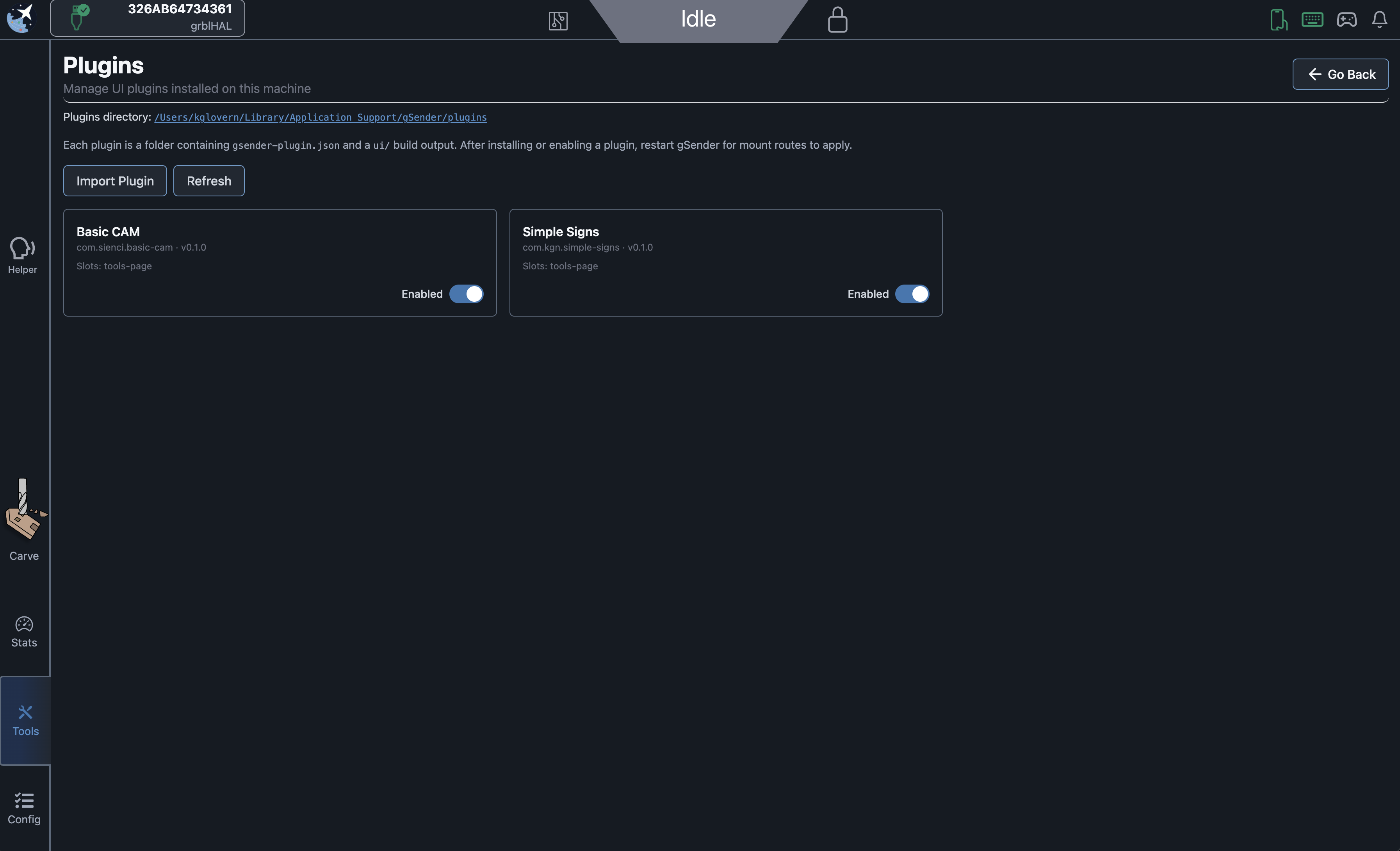
For this build, we’re mostly interested in your feedback on importing, using, any nitpicks with the UX for plugins. We’re also somewhat interested in the developer experience, and have some resources for how to start writing a gSender plugin.
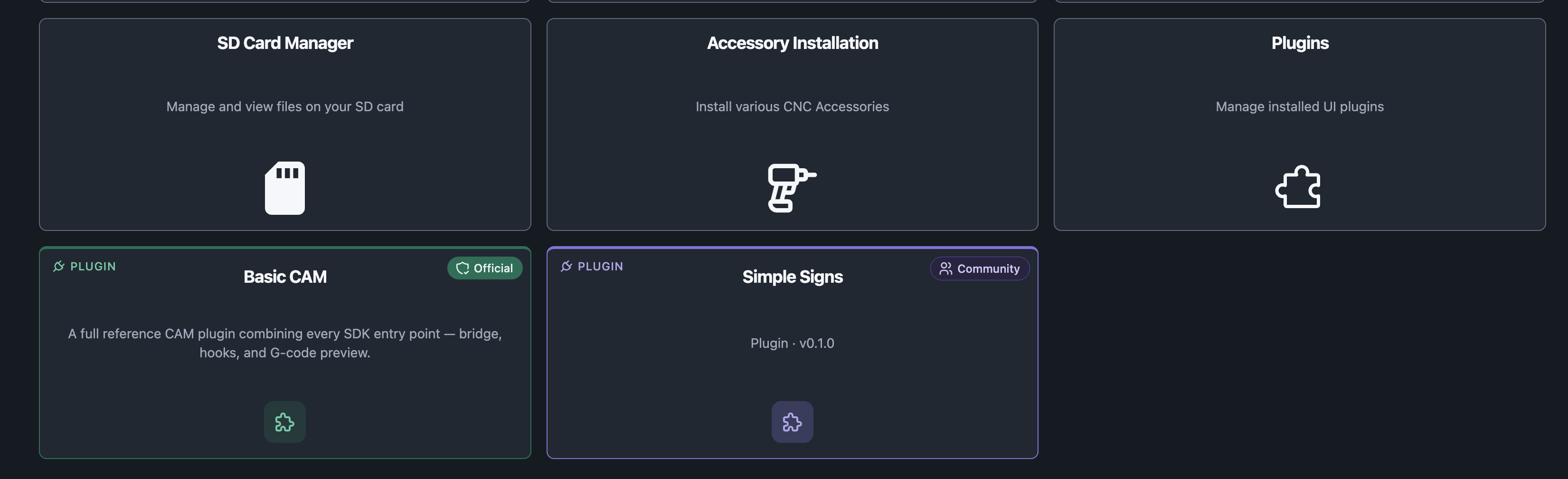
We ship with 1 plugin by default, but have a second available for users to install.
We’re very interested in seeing what people come up with.
Notes
- Added plugin tool to Tools page to allow managing and adding plugins
- Installed plugins appear on tool page
- Added Plugin SDK to simplify access between gSender features and plugins
- Added theming
- Added plugin bridge with permissions gate to prevent calls of unauthorized functions and inform the user of what a plugin has permission to do ahead of time
- gSender 1.7.0-Edge-1 ships with Basic Cam by default as an example plugin
- Simple-signs is an external plugin that can be installed to test that process and is a bit more involved/feature complete
Remaining features to come:
We have a design doc of some more advanced features related to plugins we’d like to add. These will be coming in later iterations of the plugin system.
- Improved installation (install zip or folder)
- Shared component library for consolidated UX library
- Plugin-specific store access/memory to save settings
- Consistent theming
- Update notification
- Dock on visualizer for quick access
- Dock on visualizer to add plugin-specific UI buttons
- Registered message queue to subscribe to events on gSender startup
Visualizer
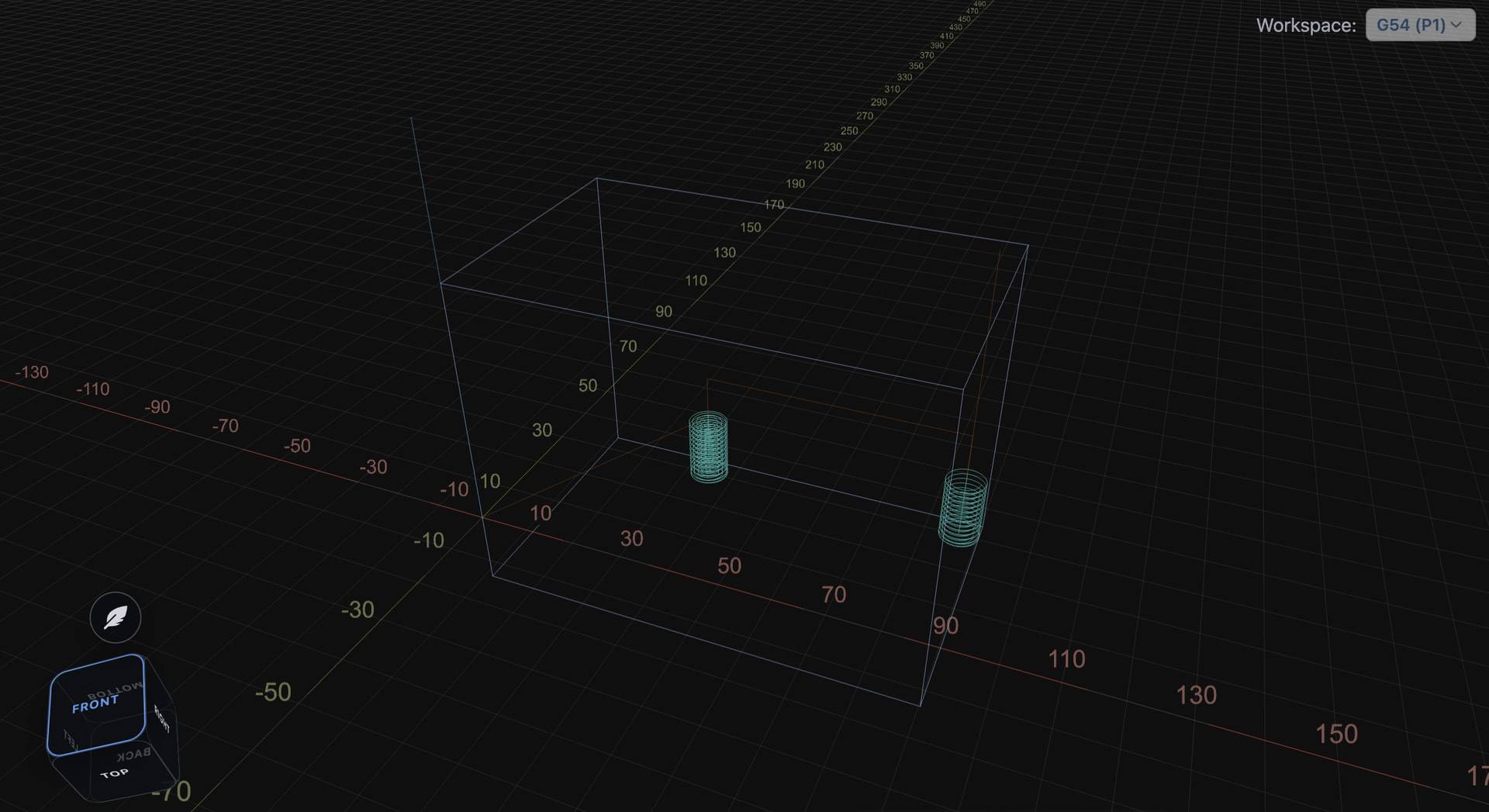
The visualizer has long been the centrepiece of the gSender UI and helps inform how the user interacts with the machine. We’ve completely re-written the visualizer into a shared library with a number of improvements and options and we’re excited to hear the feedback.
Notes
- New visualizer with updated camera controls, animations, materials and improved performance
- Camera cube is now fully 3D and still allows snapping to faces
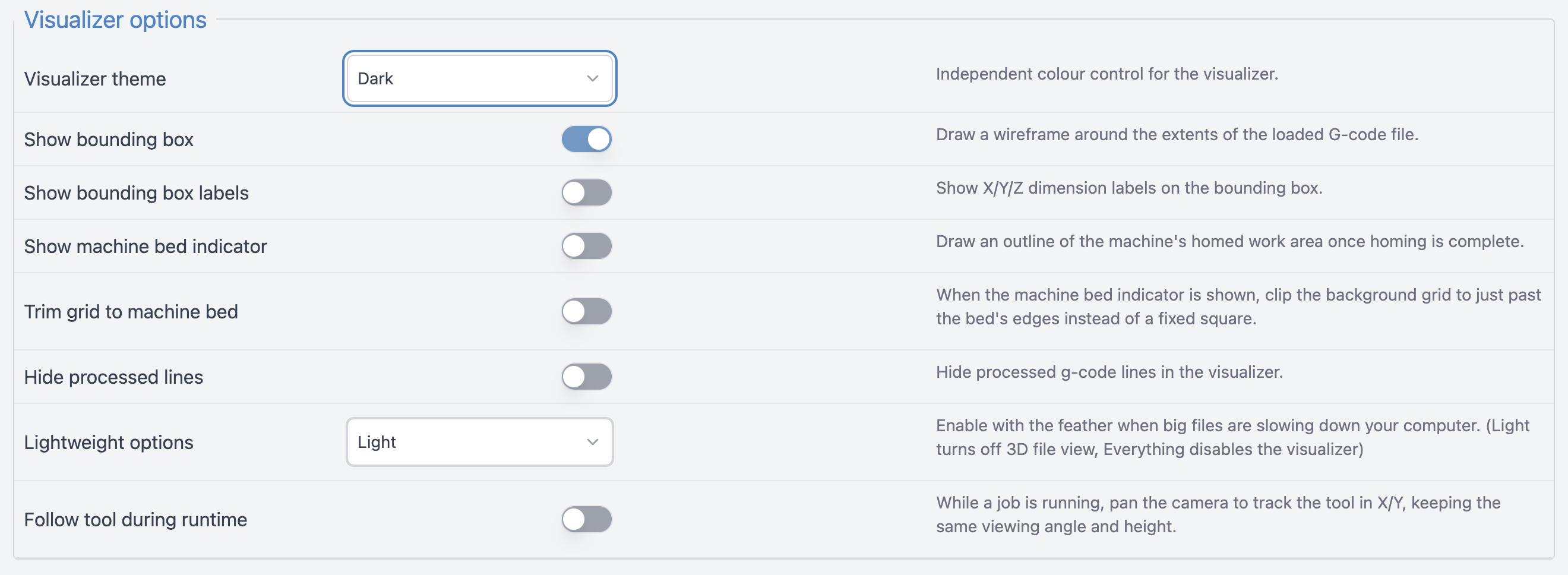
- Improved SVG visualization in light mode, including basic positioning and toolpath origin/zero position
- Added optional bounding box and dimension labels
- Added several new colour themes, available in Config
- Added follow tool during runtime option to update camera position when a job is running
- Added several config options related to machine bed and limit switches.
- Trim grid to machine bed limits the WCS grid to the bounds of the machine size configured
- Show Machine bed indicator outlines the machine bed size - use these two together for a very close represenation of your physical machine inside gSender
Remaining Features to come
- Planning lines (yellow)
- Custom/more themes
- 3D mesh stepthrough
Pendant/Touch UI
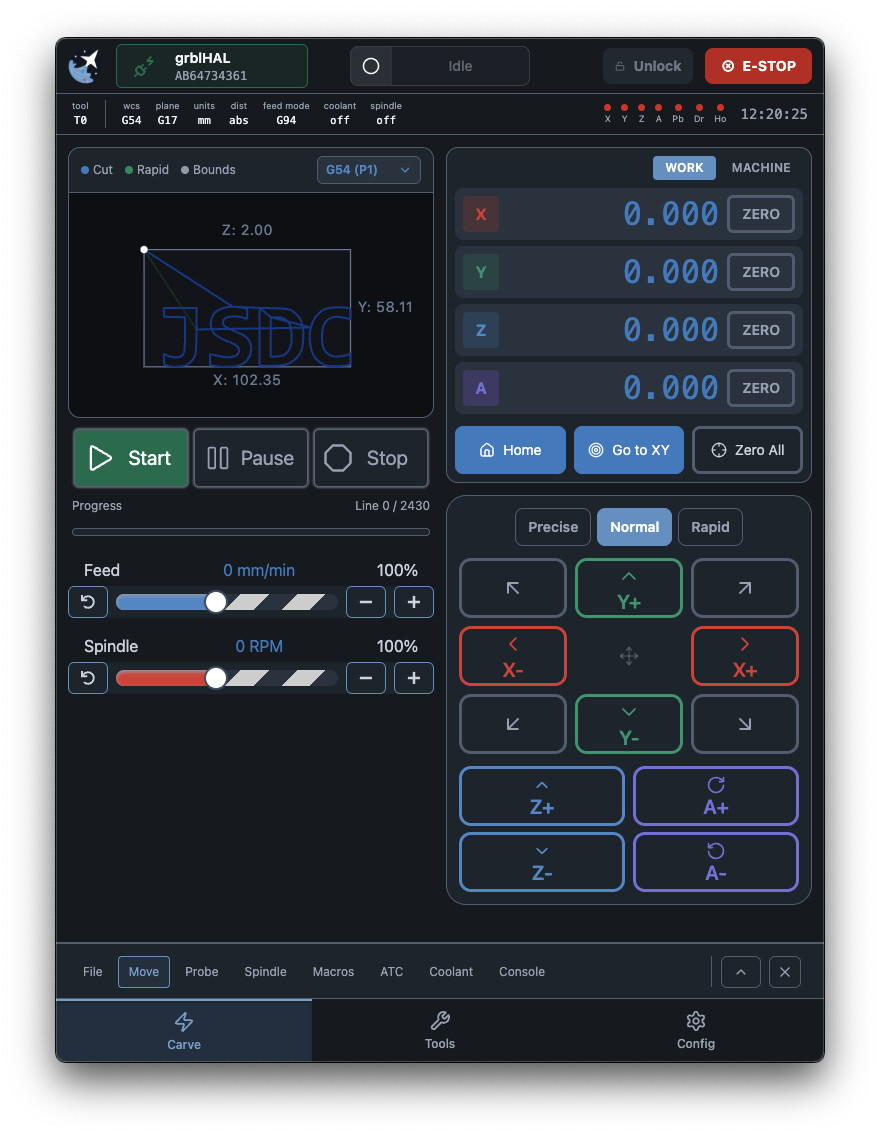
gSender has been a Raspberry Pi-friendly application since inception. That said, it’s primarily a desktop application, and has historically required a fair amount of processing power to run well.
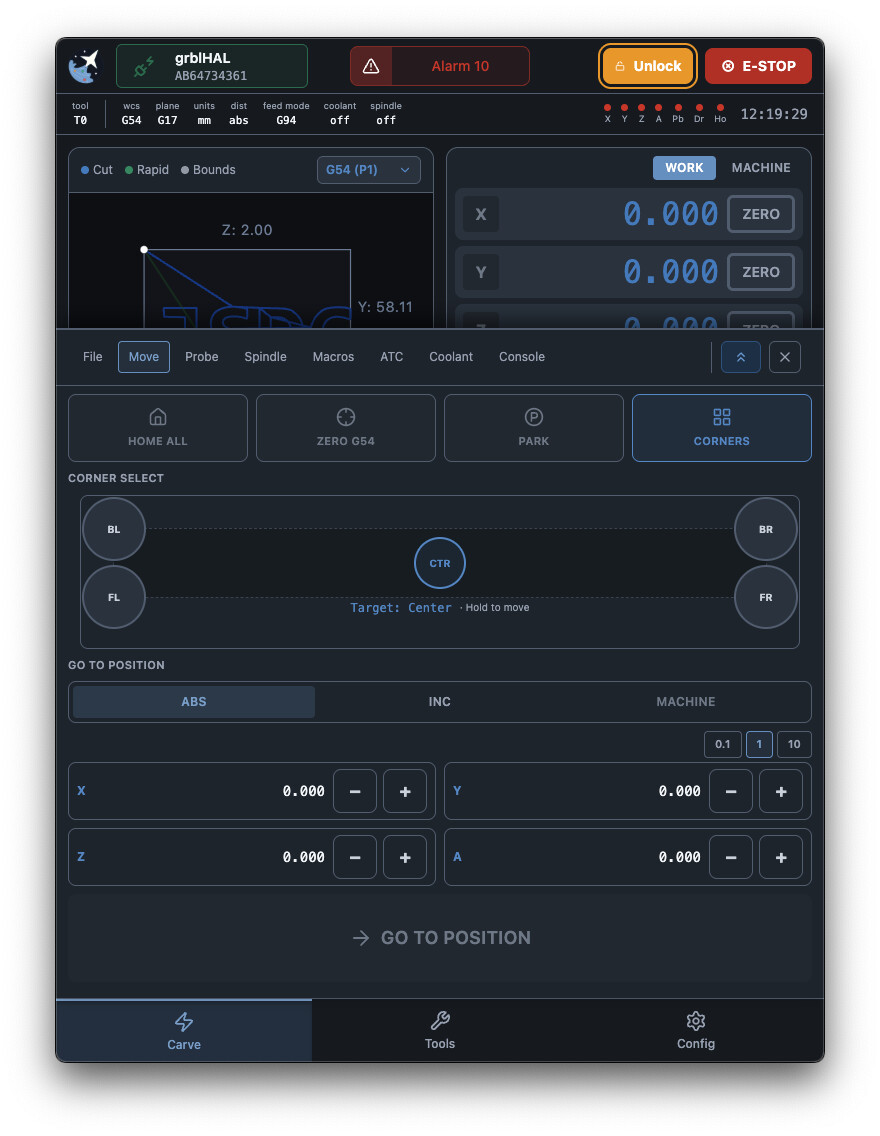
With recent optimizations, we’re looking at exploring alternative ways to interact with gSender, and are working on a pendant-style view. Designed from the ground up with touch focus in mind, this new pendant view is an entirely new user experience that runs well on integrated CM4 modules.
Featuring noticeably larger buttons, a SVG visualizer, and newly reorganized tools in expandable drawers, it’s the same old gSender in an all new responsive, and touch-forward view.
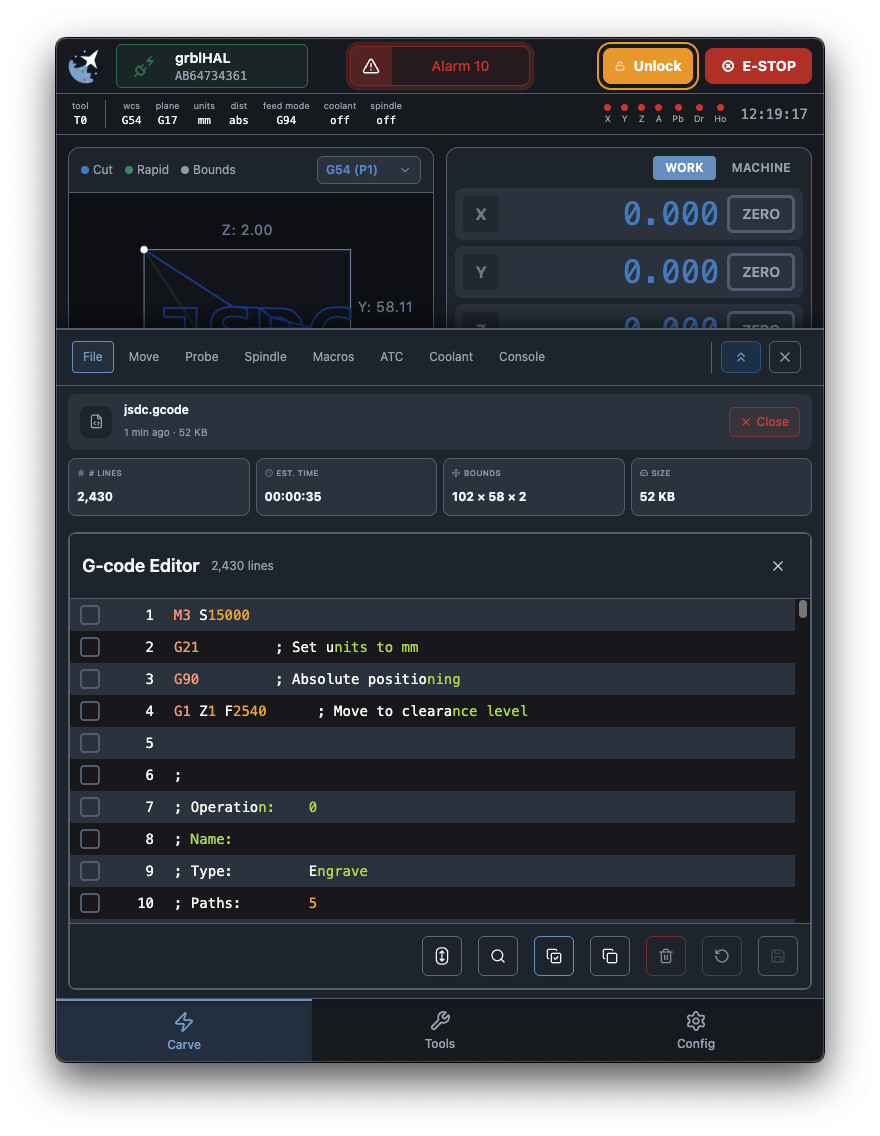
We are internally exploring providing a bespoke CM4/touchscreen offering as a more affordable alternative to the gControl panel computer in the future using this specific application. That said, the application itself will always be free – and installable/usable on the gControl if you already own one and prefer this form factor. One day the gPender will be real.
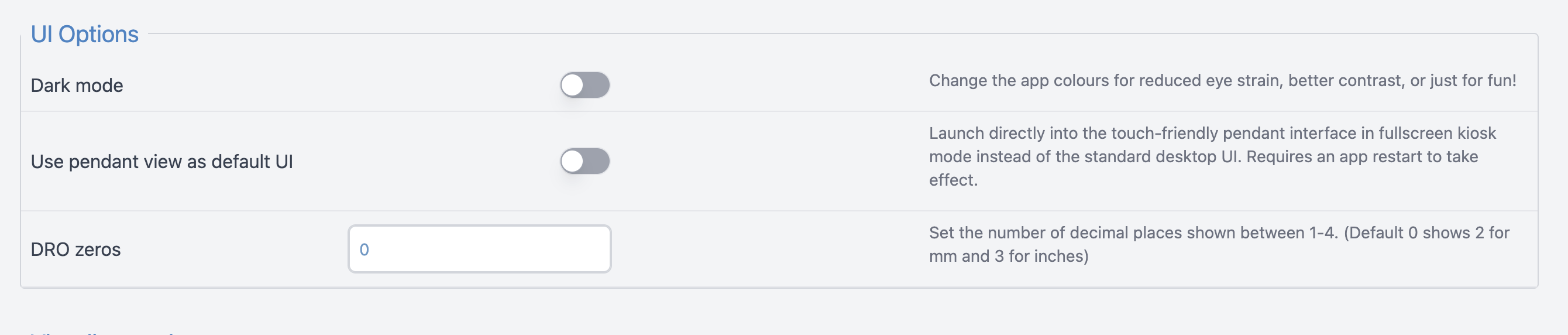
The pendant UI will likely ship as a separate application at some point - but for now can be accessed by enabling it in Config under the general section and restarting the application.
Notes
- Added opt-in pendant UI available in Config
- The pendant view is also available over remote mode at
[configured address]:[port]/pendant - All new responsive layout and structure with a touch focus
- Tools are now located in expandable drawers with quick actions available in the partially expanded state and more functionality in the fully expanded state
- Some reorganization of functions into new drawer tools (like Move for rapid position and go to)
- New touch friendly connection widgets removes need for hover, hold to disconnect
- Updated machine status indicator
- New rapid position corner selector
- SVG-based visualizer using our new library
- a pendant-view only version of the application is also available for Mac, Windows, and Pi
Remaining features
- Tool access
- Helper and notifications
- UX improvements
- Standalone application
UI Updates
- Updates to dark mode for better visibility in dusty conditions or glare.
- This is mostly a feedback test - we have the capability to revert to the old theme but feel this is a vast improvement for the gControl and other devices with respect to readability and usability
- Removed corner probe selector
- This is technically a loss of functionality but we have our reasons. Primarily, it causes a significant amount of support tickets where users select the incorrect corner despite the warning banners when on a non-default corner. Also, metrics show that 99% of probes are sent using the left corner so the impact should be small.
- Helper - new look and feel and capability to share links/QR codes for resource links
- Updated toast theming and branding
- Pass-through of UI for consistency in colours/branding and sizing/text contrast
- Colour coded and synchronized some elements (like workspace)
Behaviour updates and Small features
gSender is up to date (and even further beyond!) with gSender 1.6.3 with respect to features and fixes.
- Click to move added to visualizer - clicking the target button to enter click-to-move mode and hold on your location to move there.
- Helper - more integrations, look and feel updates, better integration with Sienci resources
- Split job stats into separate file and API to improve application load time
- Remote mode - now better syncs connection state across desktop and any remote clients so you no longer need to manually connect to a device when visiting remote on phone or desktop if it’s already connected to a machine
- Added “Jump to line” in the g-code editor
- Fixed tool changes pausing job progress in UI
- Added Custom jog preset to jog controls
- Consolidated wizard controls to be consistent across Accessory Install and main page wizards
What’s coming:
This list is just what’s available for the current Edge version, but we have more in the works. A subset of things we’re actively working on and just couldn’t make into this first beta includes:
- Accessory recognition and auto-config on new accessory installation
- Complete configuration tools for all Sienci accessories
- File step-through and 3D mesh visualization
- Integrated and updatable tool database
- Expanded 3D probe functionality
- Fixes and UX improvements
- Much more!
Download
gSender Edge is available on Github:
We’re looking forward to your feedback and any bug reports, and to continue to share other upcoming features.