After update of g sender I turned on machine and start homing cycle as it gets to home moving to the front left it doesn’t stop had to stop immediately so I tried acouple switches like inverting pins and so on now when I start homing my z just goes down without stopping very frustrating thx in advance
@Kmedasjr26 Which machine do you have? I’m guessing Longmill with limit switches since you’re homing to front left. Altmill would be rear left by default.
If you search this forum, you’ll find a few recent posts on Z plunging down.
1 Like
@Kmedasjr26 And autocorrect seems to change homing to coming all the time. Looks like it did the same for you 
1 Like
Thx for the response yes it frustrating and I don’t know what to select unelected on the eeprom settings
@Kmedasjr26 Which machine ?
To sort out homing issues, I usually tell people to home each axis separately. To do that, enable the toggle below the coordinates so that X0, Y0, and Z0, change to HX, HY, and HZ.
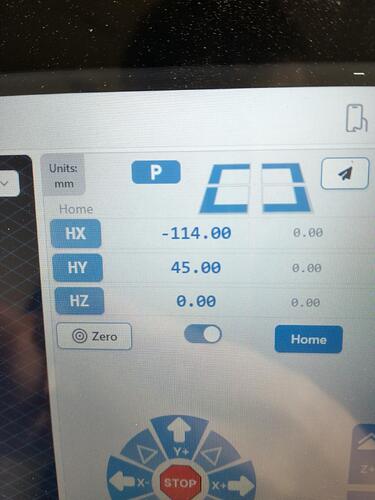
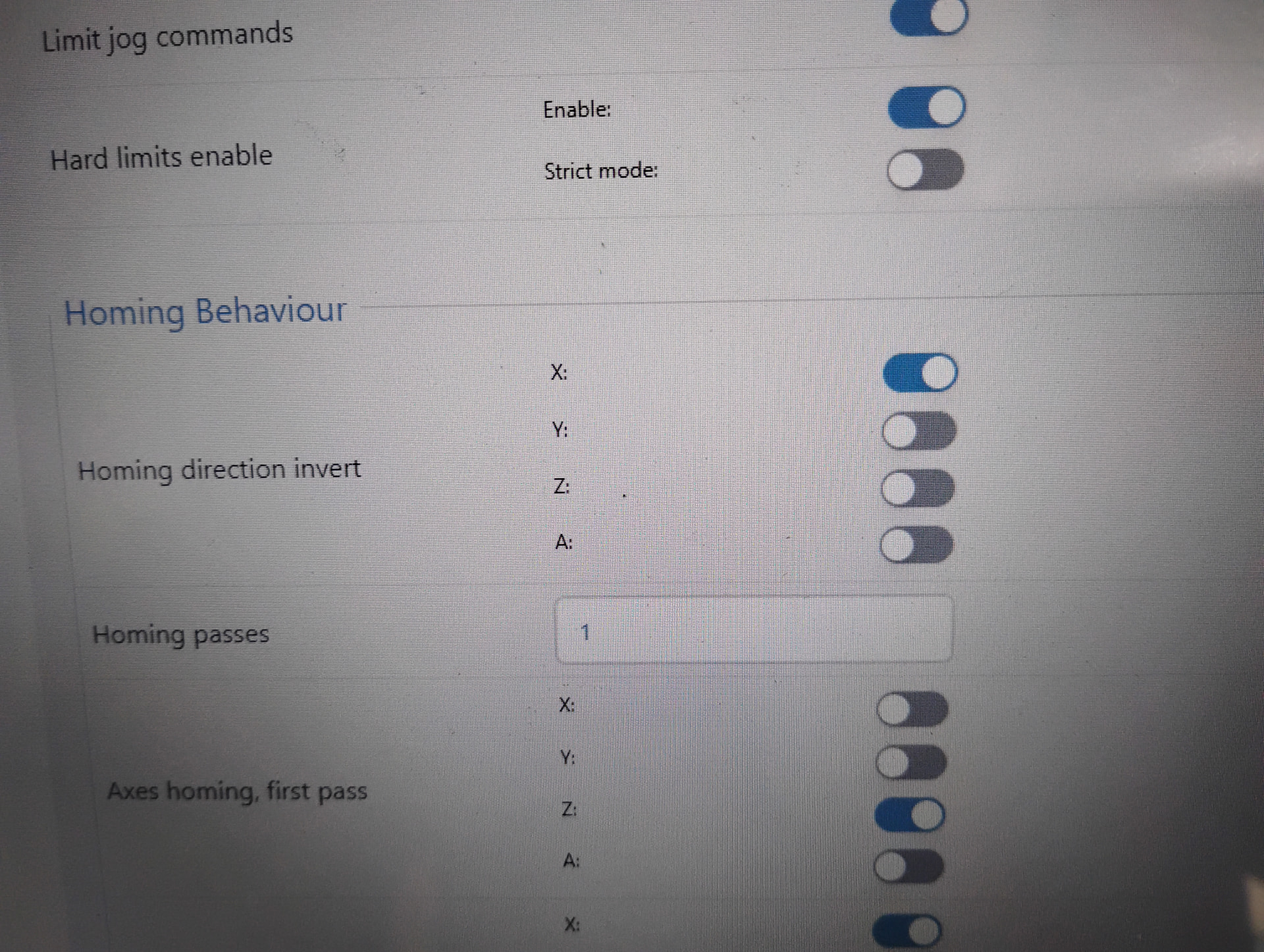
Then home the axes separately. When you try to home Z, does it raise or lower the spindle? If it goes down instead of up, check the homing direction in gSender. This is the default for the Altmill.
2 Likes
@Kmedasjr26 Since your original problem was not with Z axis movement, I would suggest that you first undo your “couple switches like inverting pins and so on” action before trying to solve the XY issue.
2 Likes
@Kmedasjr26 I didn’t identify my post as the solution to your issue, Keith. Did youi?