Hello and Happy New Year to all CNC’er! Can anyone guide me to a site that shows me how to set up the settings and wire hookup for a fourth axis on my Long Mill CNC? Ther is a lot of the Vortex Sienci Lab setup online, but nothing for an aftermarket (Amazon) rotary setup that I can find. I have the 30x30" Longmill, and I am working with Aspire and gSender. Any help would be appreciated.
@franazzo You will need to supply much more information before anyone will be able to advise you.
- Are you controlling your Long Mill with the standard controller or the SLB?
- Is the stepper motor on the rotary that you have open-loop or closed-loop?
- Can you post a link to the rotary that you bought?
- If you are using the standard controller and an open loop stepper, what sort of Y/A switch did you buy with your rotary?
- I said Y/A, but are you going to set up your rotary parallel to the X gantry or the Y gantry on your Long Mill?
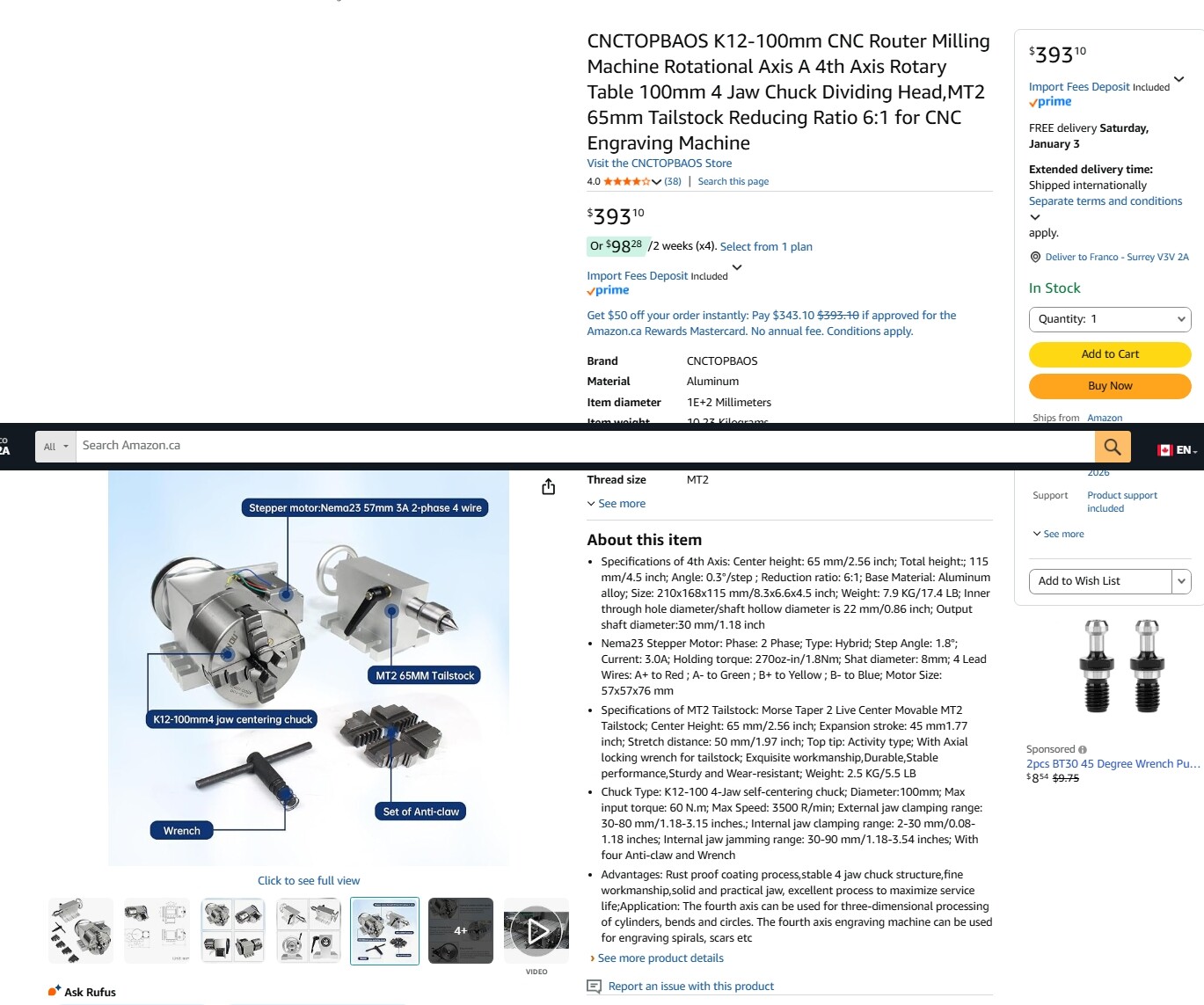
@franazzo Unless there is someone here who bought the same unit and figured out how to wire it and run it on the LM controller, I believe that you will need to contact the seller for help.
The LM controller has no accommodation for a 4th axis. That is, there is not a dedicated driver for a 4th axis. Sienci overcame this by offering a Y/A switch with the Vortex. Using it, the Y motor driver drives the A/rotary axis. Without that switch, you will need to uplug your Y motors and plug one of the cables into the rotary. Once you have done that, you should be able to use the Vortex firmware settings to run the rotary. You will likely need to experiment to find the correct resolution for the A axis, but that’s not difficult to do.
There is nothing the Amazon ad that says that the motor is closed-loop so it’s likely a safe assumption that it is open. Again, not real issue.
Hi, I just cannot quit, getting my rotary set up to work! I am thinking of spending the money and getting the SLB! After reading the Sienci webpage, I am not quite understanding if there is more wiring to be changed or not, after all connecters are hooked up on the SLB? The instructions on the webpage are very good, I just have problems sometimes understanding all the technical explanations!
@franazzo As I suggested before, you really should contact the seller to see if they can advise on how to set up their rotary attachment. I appreciate, though, that may not be possible or easy given that you purchased it from Amazon.
The advantage of the SLB over the “standard” controller is that the SLB has a dedicated motor driver for the rotary/A axis. You do not need a Y/A switch.
The wiring is quite simple. However, once again, not knowing how your rotary gets its power and its movement signals, it is not possible to give precise details on how to wire it. I assume that there were installation instructions with your unit. If not, you will simply have to work on trial and error.
Thank you again for your time. I am just too stubborn to give up!! As you said, “trial and error.”  Tried to get in touch with the seller, no luck.
@franazzo I can relate to stubborn. You will have a better shot at getting your rotary to work with the SLB since it eliminates the Y/A switch requirement. That’s not to say that you will be successful though. Good luck.