I’m using a gControl panel PC with gSender and frequently access the remote UI from Safari on my iPhone and iPad (e.g. http://gcontrol.local:8000/). I’ve been experimenting with “Add to Home Screen” to turn that into an app‑like launcher on iOS.
Right now, when I add the gSender remote page to my iPhone home screen, iOS shows the generic gray tile with the first letter instead of a meaningful gSender icon. From what I can tell, this is because the remote UI isn’t providing an iOS touch icon in the usual way.
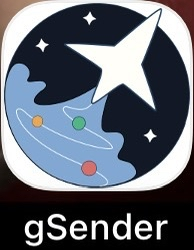
Adding to Apple laptop works find and displays the informative gSender (Rocket Ship icon).
Feature request
Please add proper iOS metadata and assets so that Safari “Add to Home Screen” uses a branded gSender icon. Concretely, that would mean:
-
Serving an icon at the root of the remote web app, e.g.:
/apple-touch-icon.png(ideally 180×180 PNG), and optionally other sizes if you want to be thorough.
-
Referencing it in the HTML
<head>of the remote UI, something like:xml<link rel="apple-touch-icon" sizes="180x180" href="/apple-touch-icon.png">
<link rel="apple-touch-icon" href="/apple-touch-icon.png">
iOS Safari looks for these when saving a site to the Home Screen and falls back to the generic gray tile if none are present.
Why this helps
-
Makes the gSender remote interface feel like a first‑class “app” on iPhone/iPad, instead of a generic bookmark.
-
Easier to recognize and tap quickly when you have multiple CNC‑related icons on your device.
-
No impact on existing Windows/Linux desktop users; this is purely a small UX improvement for those using the remote UI from iOS.
I’m not looking to hack the shipped image or build my own gSender binary just for this; it would be great to have an official icon wired into the remote UI out of the box.
Thanks for considering it, and thanks for all the work on gSender/gControl.