@Gerry1 Since the extension shown in your post is .crv3D, I downloaded it and changed the extension to .crv. When I tried to open it in VCarvePro, it returned the message that only Aspire could open it.
Sorry my file says it’s a crv file. I changed some of the settings on the too paths to not be as fast and aggressive hopefully that will work will find out tomorrow.
@Gerry1 No worries. Aspire by default writes out crv3d files, not crv.
I may be able to help if I knew our roughing settings and your finishing settings. Keep in mind that the finishing toolpath is always only one pass. It overrides the pass depth settings of your tool. So, if you are leaving a lot of material after your roughing pass, it may be overtaxing the machine and causing your problem.
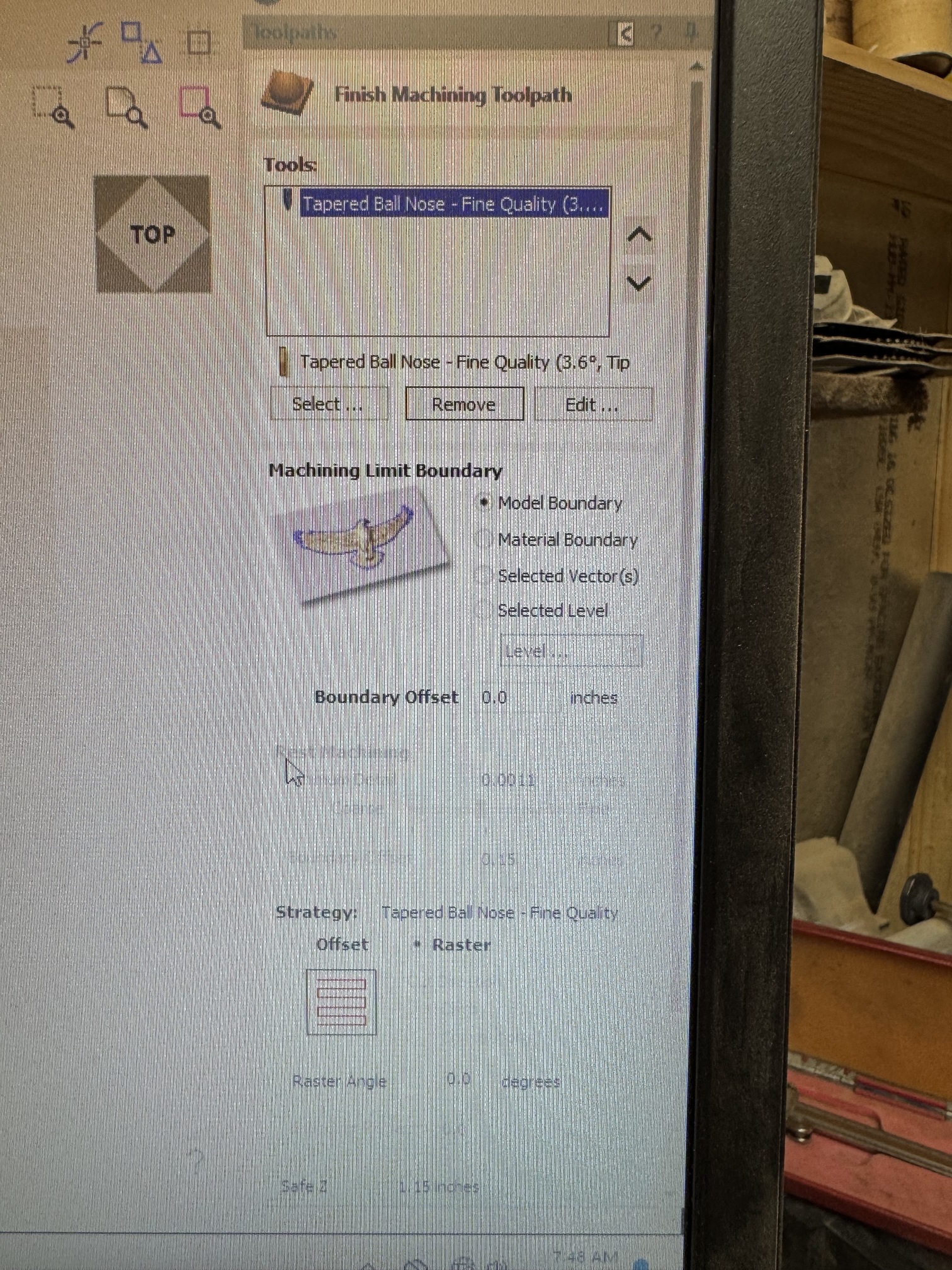
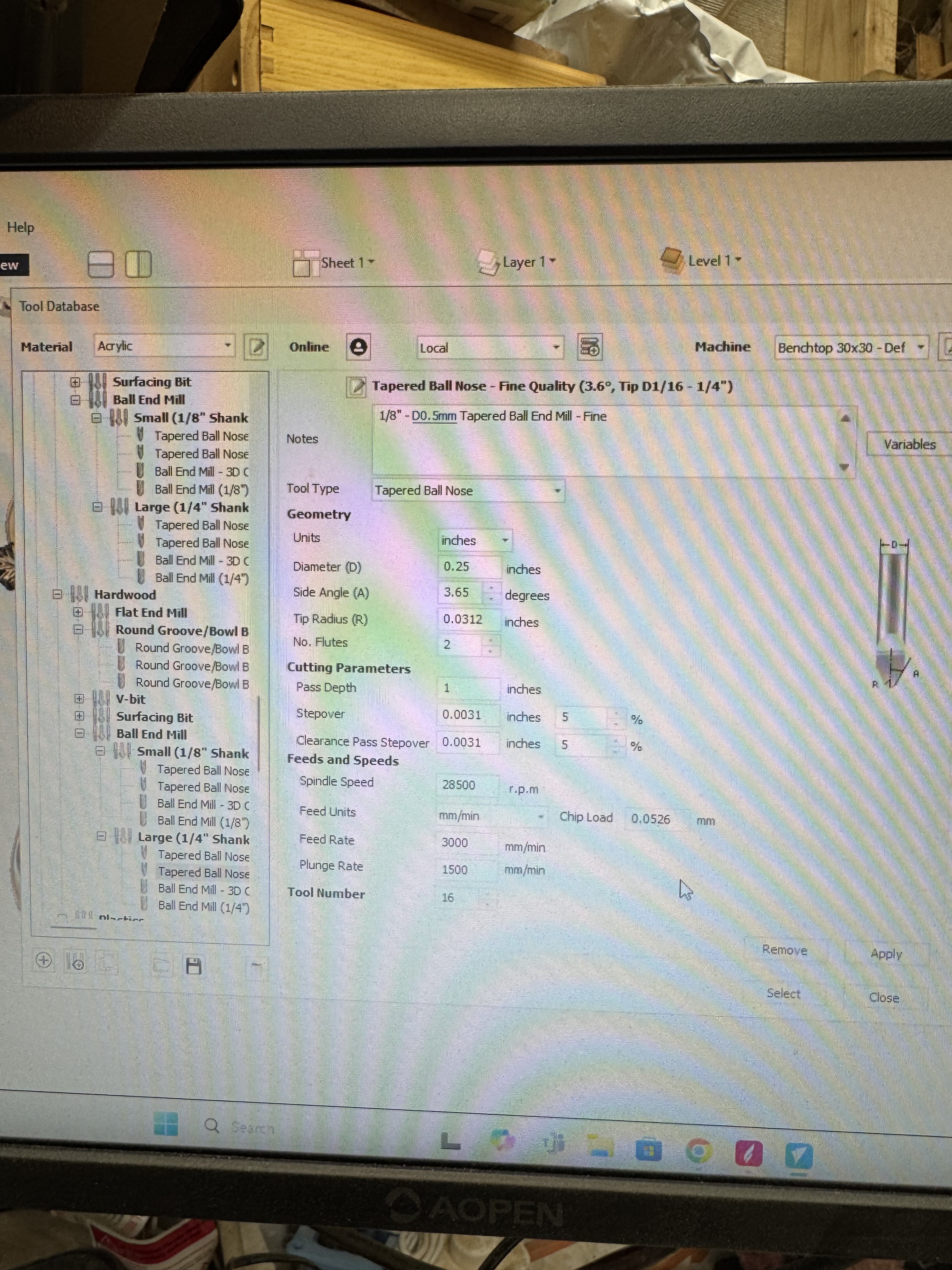
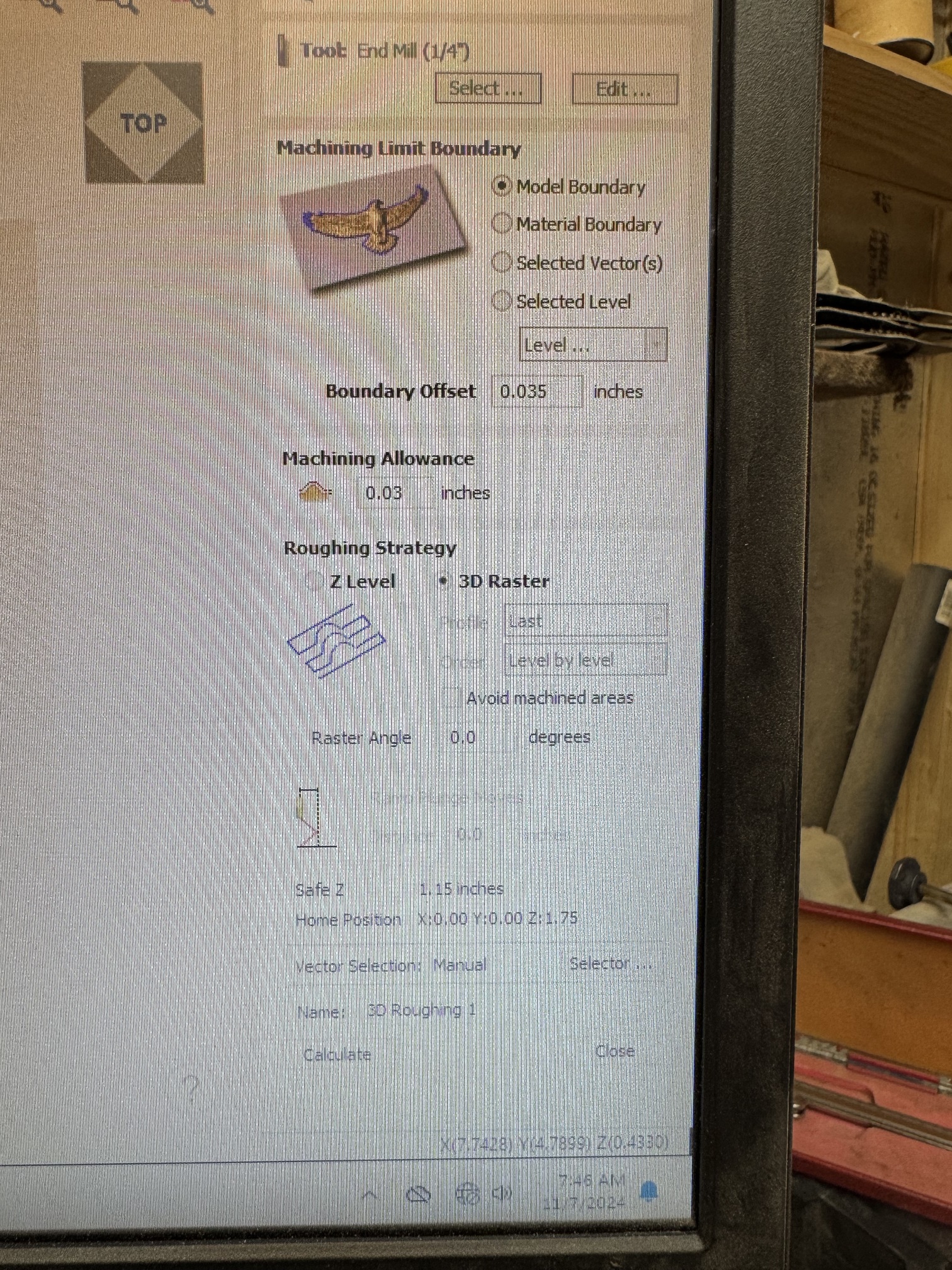
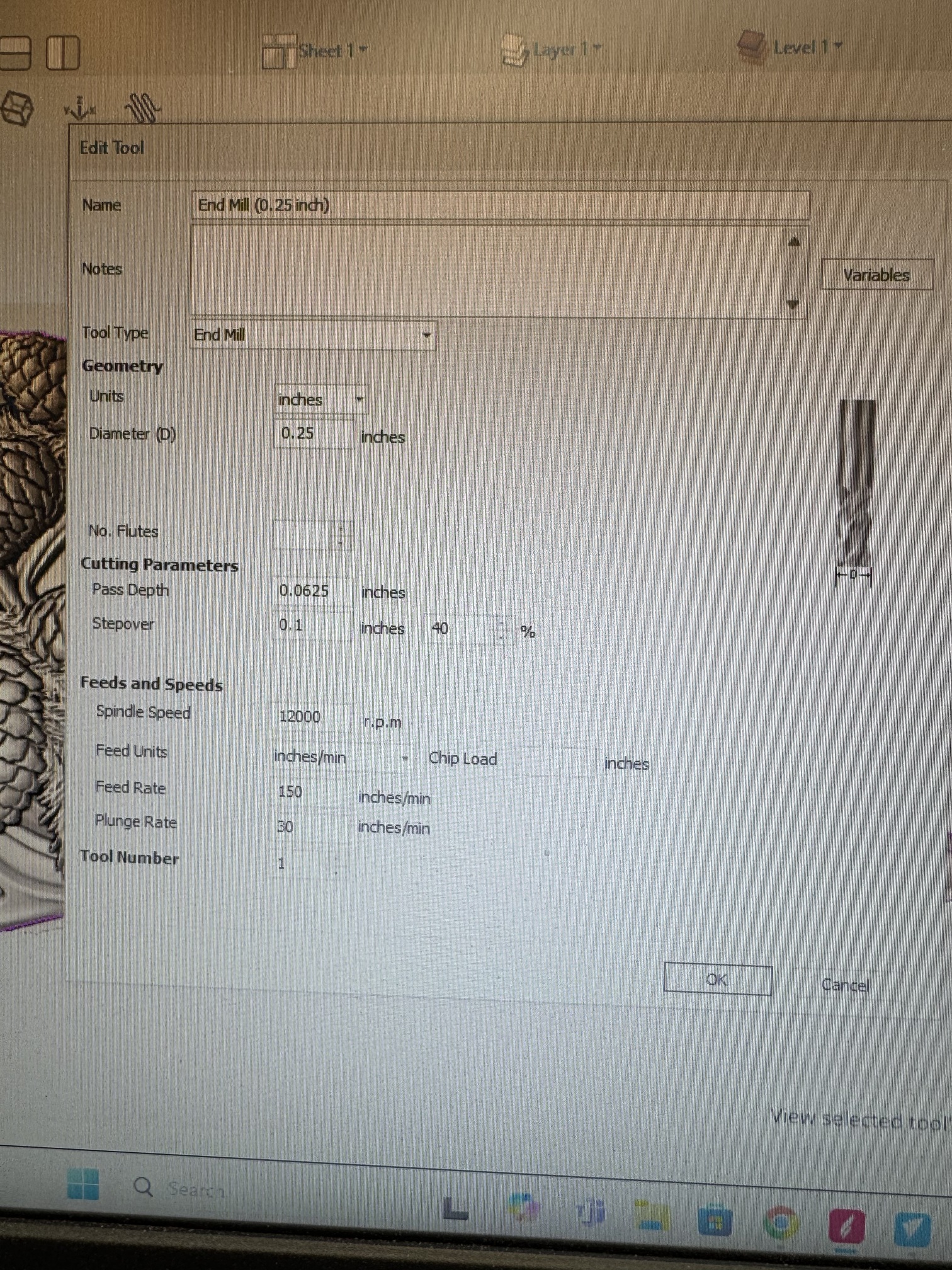
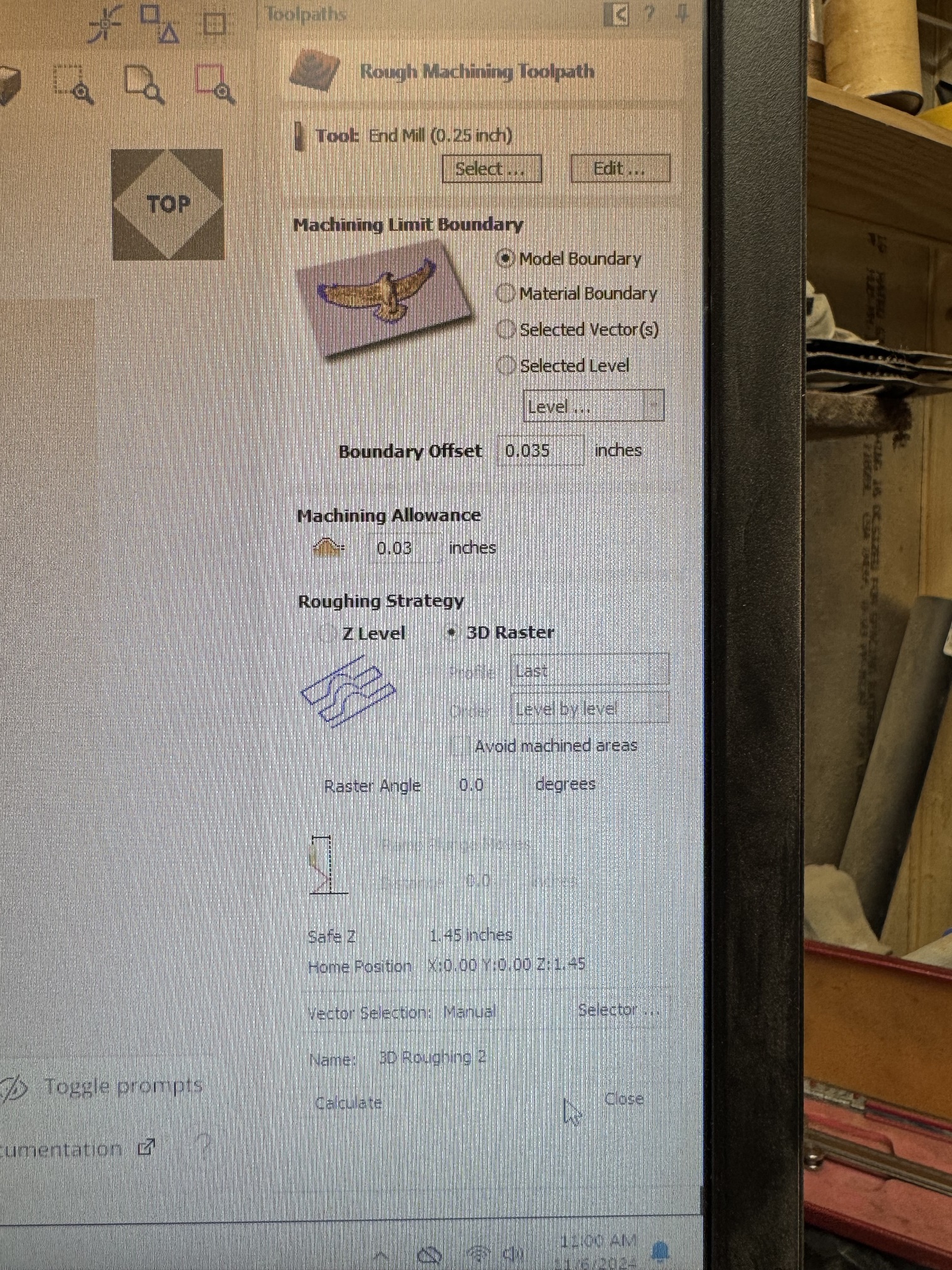
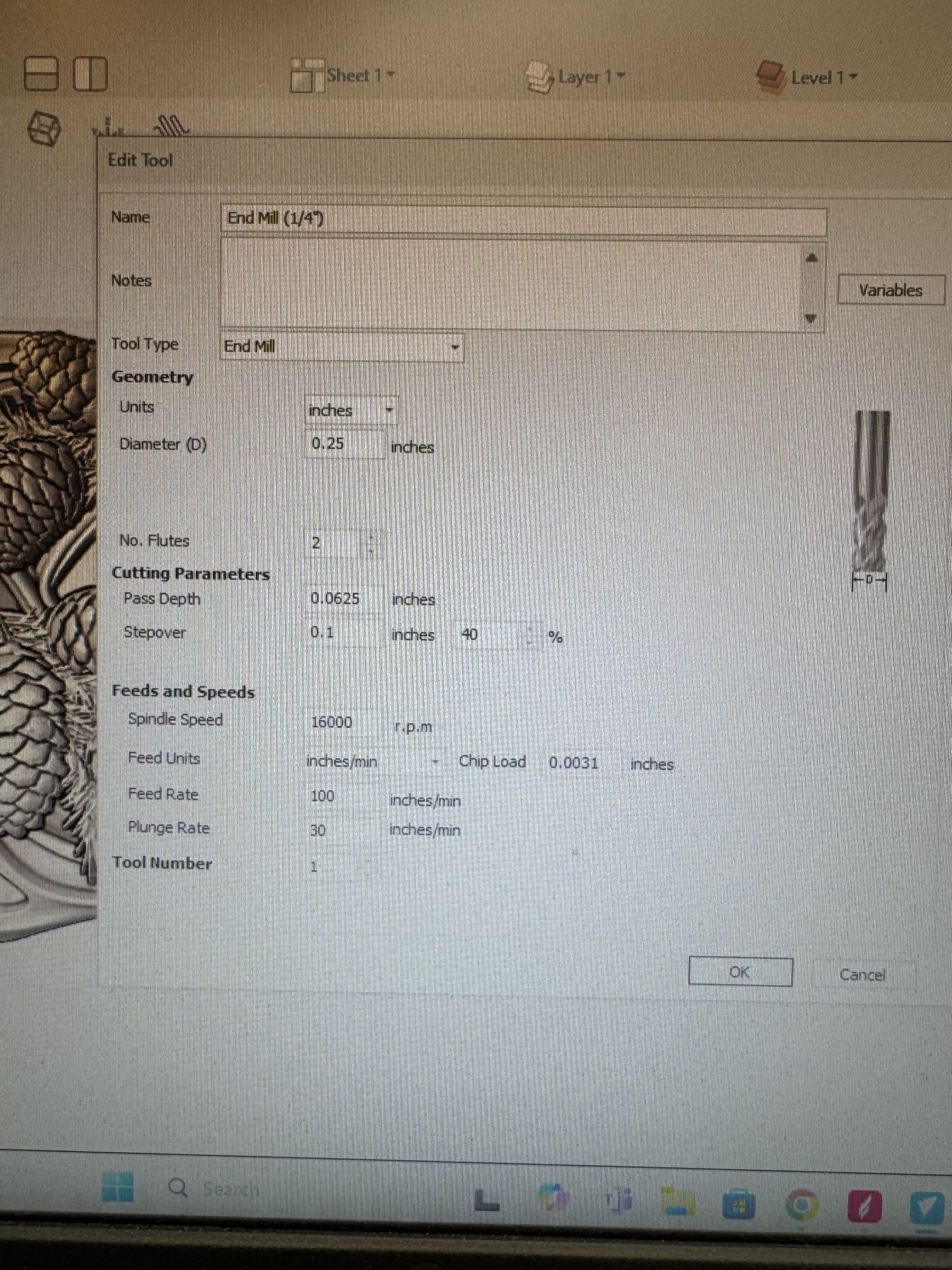
@Gerry1 The only spec that is out of line there is the pass depth on the tapered ball nose. You have it set to 1". With repect, that’s nuts! You have the pass depth on the 1/4" end mill set to .0625, which is very, very conservative. So, setting the pass depth on what is a finishing bit to 16 times that is strange.
Not being able to see the file, I can’t determine if the pass depth on the tbn is causing any problems. If the 1/4" can remove material everywhere so that the tbn is removing very little, the pass depth is pretty much irrelevant. However, if there are areas that the 1/4" can’t carve, and if they are deep, that large pass depth could be causing your problem.
All that said, as I said before, the finishing toolpath overrides the pass depth in your tool database. So, if the 1/4" is leaving deep areas, you should look to clearing them out before using the finishing pass.
I never even noticed that it was that deep on the finish tool definitely needs to be changed
@Gerry1 It does need to be changed, but not to beat a dead horse, remember that the pass depth is not in play for finishing toolpaths. So, to be clear, if you set the pass depth on your TBN to .125" say, but there is a part of the model that is 1" deep and the roughing bit didn’t get to, the TBN will plunge to 1" in one pass to get to it.
You may already know this, but the way to avoid that is to do more than one roughing pass. So, do one with the 1/4" bit and a second one with the TBN. With the roughing pass, the pass depth in your tool database governs how deep the TBN will do in each pass.
Is it the bit that is dropping or the whole carriage?
I reset the tool cutting depth to .3 on on the finish pass and it been working so far. Hopefully that fixed the problem