Add soft limit checks on X and Y when probing

Hey,

Has been working perfectly up until tonight, I zero off the corner of my waste board (lower left).

I set the plate in, set XYZ auto, and it touches off at Z then fails immediately as it trys to touch the left side.

Error 2.

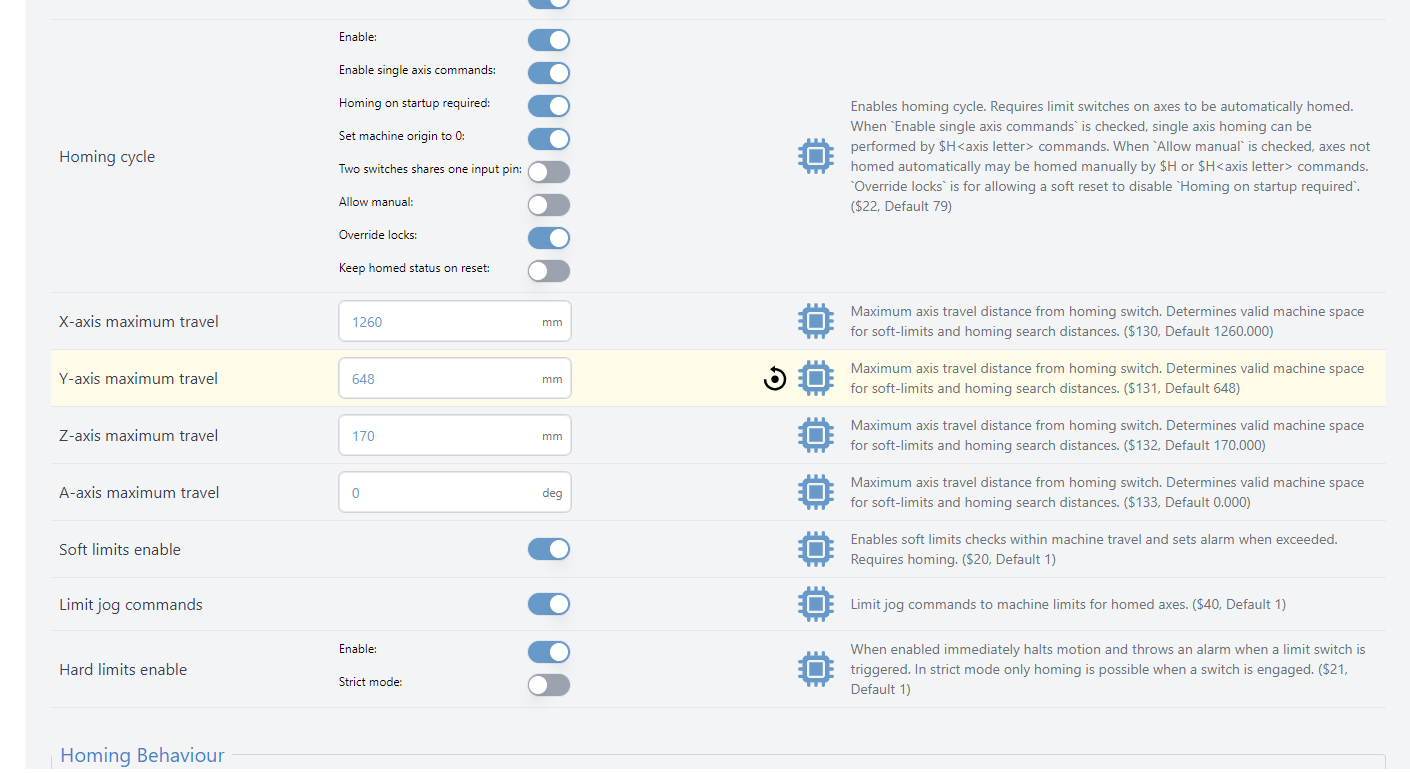
I’ve reset limits etc…

Any ideas?

-Rob

@reidcustoms Error 2 or Alarm 2 ?

Sorry that should’ve been Alarm 2

@reidcustoms Well, limits is what would have suggested but you looked at that already. I’d rehome and try again (assuming you have limit switches)

Yeah ive tried a bunch of times, reboots, etc… everything was working fine the other night. Sensors seems fine, it homes fine. But its tripping on the X for some reason.

@reidcustoms If you manually jog so that the x is roughly at the corner you want, what does the grey coordinate show? That would be the absolute machine coordinates.

@reidcustoms Is gSender set to use that corner?

1 Like

Been there done that :slight_smile: it is.

Homed the machine, zeroed.

Put it roughly to the corner i want and the machine shows 20 in the grey (also 20 in the blue because it’s coming from home zero).

There is lots of x travel left. I’ve zero’d off this corner dozens of times at this point.

1 Like

@reidcustoms Have you tried to just zero x? Or the others?

y works in auto

x does not

@reidcustoms last thing I would suggest is to try auto zeroing elsewhere closer to the center, really far from the left. I’m out of ideas otherwise. Some people have reported a broken wire inside the banana plug but since it’s zeroing y and z, it’s unlikely a mechanical issue.

X will zero when i set the bit to 3.175 (using a 1/4” bit). But it doesn’t try and touch off on the left hand side first. It touches off on the right.

yup. moved it onto a random piece of material about 10cm back from the corner on the X and it works perfectly….

@reidcustoms in Auto mode, it needs to touch both sides of the plate to determine the diameter. If you specify the diameter of the bit, it only needs to touch one side of the plate.

You say it touches on the right?

@reidcustoms did you set soft limits smaller than the machine limits? Sure looks like a limits issue.

when i specify the bit on the X and only do that, it touches off on the right yes.

i didn’t, and I went into config and reset them just to make sure when I first noticed this…

@reidcustoms sorry for asking the obvious, but you’re configured to use the AZTP?

1 Like

when I home it, which works fine. I zero everything.

Bring it over top of the touch plate and start the auto XYZ. It touches off on the Z no problem, then goes for the left side of the touch plate and immediately fails.

Over my touch plate middle the X is reading 40 (blue and grey).
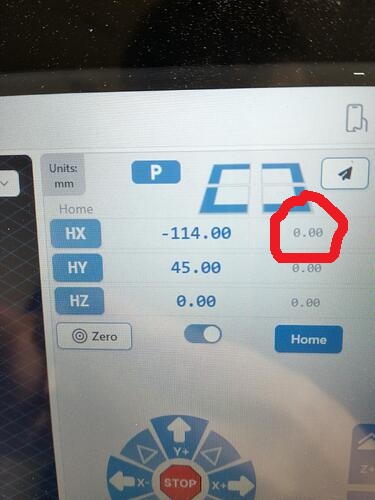
And when it throws the Alarm it’s reading 27/27