Any advice? - I am getting an alarm 2 after I had to stop a job and then pick up where I left off. I just updated my gSender software to its newest version and when I try to start from a specific line this happens. I disabled my soft limits and it did not help. I re-homed and tried again- nothing. I finally just restarted the whole job and it works. So, I would like to find out why I cant start jobs from specific lines anymore.
@Karver_One Just a WAG but is it possible that the safe retract is causing the error? When you run a job from the start, it uses the safe retract defined by your CAM software. When you restart of job mid way via gSender, it may use the safe retract in gSender to get to the “new” start location.
Could be Chucky, I wonder how to fix that. I remember somewhere someone said that gSender has trouble converting mm and inches. In my aspire software my safe height is 0.2 inches but when starting from a line in gSender it asks what line to start from and now with the update it also asks for a safe height in millimeters (I am in inches). This may be another BUG.
@Karver_One what safe height setting to you have in gSender? The default is 5mm. Not sure what it is in imperial but perhaps 0.25" ? Read the description for the safe height in gSender. For a machine with homing enabled, it’s a value below the max height of the spindle. That said, I don’t know if it even uses that value to restart a job. It’s used with the GoTo’s
Just thought for those who are visual like me would like a video of the problem. Still cannot start from lines in gSender. The quality of the vid is low due to Sienci’s 10Mb cap on uploads.
@Karver_One What is the Safe Height setting in gSender? Not in the resume job dialog box but in the Basics section of the Config.
I just tried a resume job on an old carve with 2000000 lines and it didn’t generate an error.
Thanks Chucky for looking at this with me, I’ll owe you one if we can solve the problem. I still don’t see an obvious problem in these settings but maybe you have something up your sleeve. Are these retract settings similar to yours?
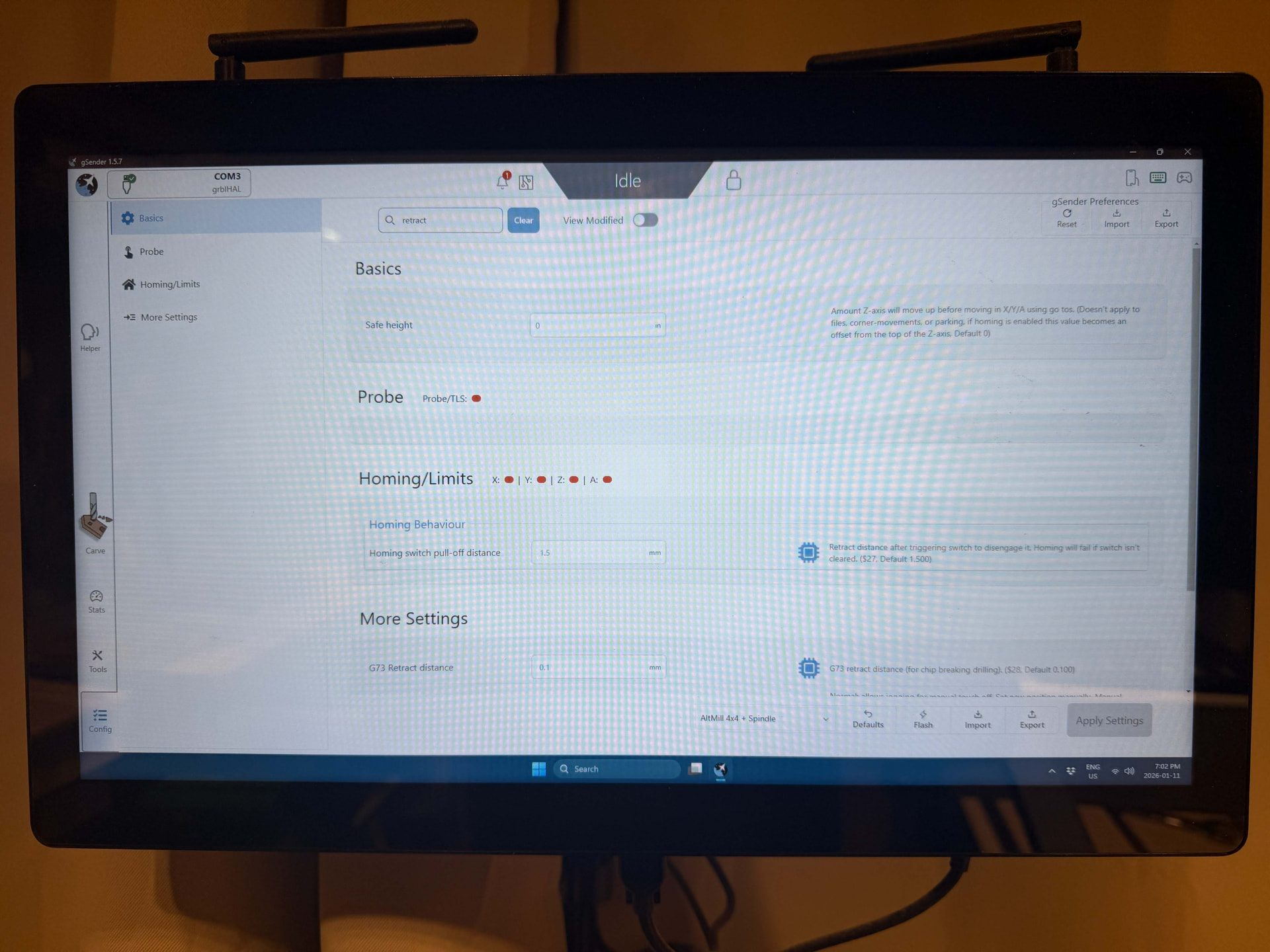
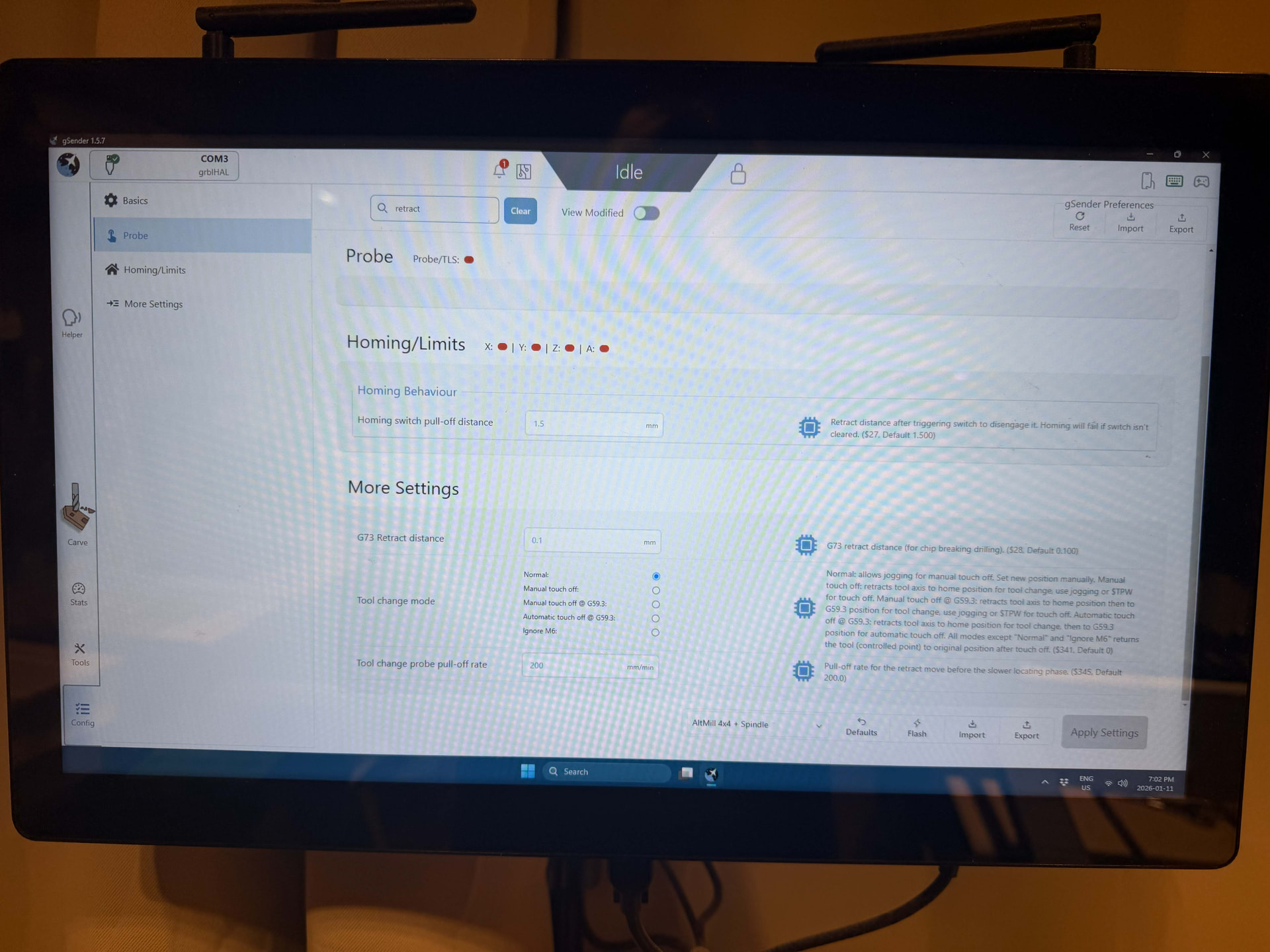
@Karver_One For Safe Height, I have 5mm, which would be about 0.25". You have it set to 0. With a value of zero, the spindle will not move up or down at all when using to Go To’s. With a value of 0.25", it will move 0.25" from its maximum height before doing a movement in the XY direction. Having too high of a value for the safe height can cause the alarms, But with a value of zero, it’s very unlikely to be the cause. Just the same, I’d put a low value to prevent issues using the GoTo’s in the future.
All I can offer at this point is what I said in my private message.
@Karver_One I ran your file and was able to start from line without issue.
What I notice on your video is that when you disable the soft limits and you run the job, the spindle moves all the way up. Not sure why that is unless it’s going to Z zero or using a safe retract. But I used the same zero as you (-1.861" and not the +1.861" you told me and which I assume is a typo).
I also notice that the safe height you have in the Start From dialog box is 10. I assume it’s always that? For me, it’s always 0.4 regardless of whether I display in metric or in. FWIW 0.4" is 10 mm. I don’t know where it gets that value from, There doesn’t appear to be a configurable setting in gSender and it doesn’t appear to be in the gCode.
Waiting for your Altmill settings to compare.
@Karver_One Check out this post: Start From Line safe height overide value being ignored
I think what is happening is that when you use Start From Line, the spindle tries to move up by 10" and generates error 2. It ignores whatever value you try to put in.
Also confusing is why your shows a default of 10 whereas mine shows a default of 04. Since 0.4" is the equivalent of 10mm, and I use metric whereas you use imperial, I would expect our defaults to be reversed: you should have 0.4 but I should have 10.
I am now able to replicate this issue now that my Safe Height is 10 instead of 0.4
When I tried it yesterday, I was switching between inches and mm without restarting gSender. As a result, the Safe Height in the Start From Line dialog always remained at 0.4.
After changing it to inches, I restarted gSender and the default is now 0.4.
Your default appears to be 10. If you restart gSender and take a look, does it change it to 0.4 ? You should not have any problems with the safe height of 0.4". Unfortunately, if you change it manually, it doesn’t appear to use whatever value you put in.
Eureka! You gave me the hint that fixed it. When you said that your height was configured at .4 and mine at 10, it dawned on me that whatever the problem is it must be there. One thing I never did after I updated my software was simply restart my computer. (I have been running jobs for days). So after I restarted the controller, the height popped up at 0.4. The start from line functioned normally after that. Who would have guessed. After a difficult few days you pulled me through, Chucky. I am particularly grateful that you really got into this with me. Great work and thank you so much.
Moral of the story: If you update to the new version it is imperative that you restart your computer. If not your spindle will try to go up 10 inches!
1 Like
@Karver_One Glad to be of help. Safe Height is the first thing I suggested in the first reply. It was just a matter of figuring out why it was happening.
There still appears to be a bug in that changing the value doesn’t work. So hopefully that will be fixed.