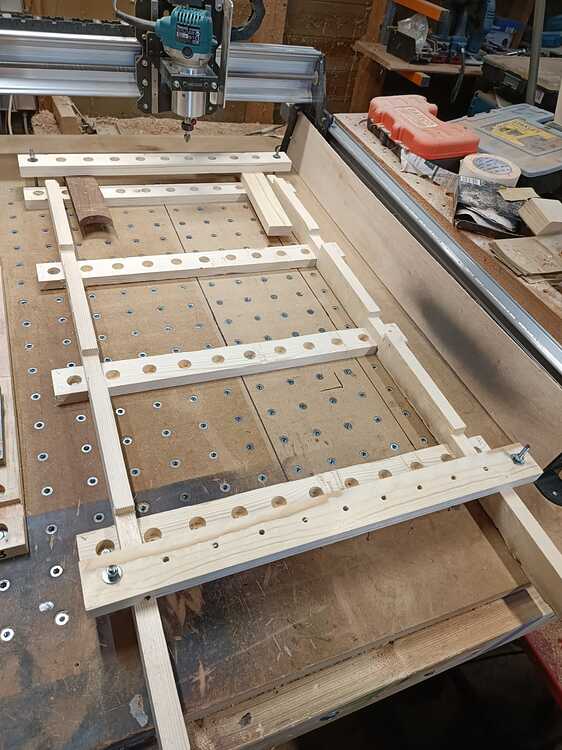
I received the rest of my order recently, put together the rest of it, installed the MDF top and spoilboard with the T-Tracks.
Then it was time for my first surfacing. I had the 1.5” surfacing bit from the starter kit from Sienci. I couldn’t find any info on this specific bit in terms of speeds and feeds, so I used what I found from the Sienci videos. I believe those videos mostly used the 22mm bit.
My setup was for 100 in/min at 17,000 RPM, taking off 0.02 in each pass for a total of 0.08 in.
The first couple of passes were ok as it was taking off high spots here and there. Then on the 3rd pass, it started to take off material for most of the top. This resulted in burning and smoke!
I terminated the run until I can figure out what to do. With the 1.5” bit with 4 flutes, am I running the RPMs too high and/or the feed rate too slow?
I can also say that I’m not impressed with the idea of running it without dust collection! Wow, that creates a huge mess in my shop! I need to put the dust shoe on and see if I can modify the extents to allow me to keep that on. Or create two gcode files, one that does around the edges without the dust shoe, and another one for the rest with the dust shoe attached.
Any advice from all you experienced users would be nice. Thanks.
@gabo IMHO, you should expect burning running a bit that big at those parameters. I would slow the rpm to about 12000, increase the feed rate to 125IPM and not take off any more than .01" at a time.
I want to emphasize, though, that this is just my opinion. I don’t have that bit and I have a Long Mill. However, keep in mind that the outside cutters on a bit that big are running at over 120KPH! If it’s not moving over the material very quickly, especially on MDF, it will fry the surface.
Yes, I agree I need to slow the bit down and increase the feed rate.
Checking the speeds and feeds notes. It looks like chip load should be 0.0375 (0.025 * 1.5)
Chip load = (feed rate) / router speed * #flutes
Maybe this formula doesn’t work right for a large surfacing bit. Even if I use the slowest speed possible of 7,500, I get a feed rate of 1,125!
I think this 1.5” bit is a new bit they recently added. The old “starter kit” had the normal 22mm bit, I didn’t realize until I got the kit that it now had a 1.5” bit. They clearly need to provide some instructions along with this bit.
Does it matter if it’s an Altmill or a Longmill. Seems like it’s a bit, material, and speed/feed issue.
@gabo The only reason that I raised that I don’t have an AltMill was because my LM cannot run as fast as your AltMill, so I need to compensate for that with slower rpm rates.
I just looked on line at feeds and speeds for spoilboard cutters. You can easily do the same. They all seem to say what I’ve said. You are spinning too fact, moving too slow and taking off too much each pas.
Thank you so much for the help. I’ll see if I can find some better info on a cutter this large, or do some trial and error work. You’ve confirmed what I thought, so I know what direction to go and will eventually get it sorted out.
With a 4 flute cutter you will not be able to reach the recommended chipload. Without knowing what machine/spindle you have, it’s a bit tricky making recommendations. I have an AltMill with a 2.2kw spindle. I use a 1.5” 4 flute surfacing bit cutting 0.008” DOC per pass at 10,000 rpm and 275 ipm. Even then, the chip load is roughly 20% of optimum. Since these spindles don’t reach peak torque until about 18,000, cutting .02” deep puts a load on the spindles. If you’re using a router, it’s worse.
I set my depth per pass to .008” and my overall depth of cut to .024” stopping it once the surface is flat.
Any time you get burning you need to either slow the rpm or increase the feed rate (assuming you can’t change to a bit with fewer flutes). Shallower passes at higher feedrates usually give you better results.
@mick_s Thanks for that. I have the Altmill with the 1.5kw spindle. That gives me some good ideas for starting points as I was clearly way off. I can slow my spindle to 7500, and use the 0.008 DOC per pass, and probably try 175 IPM or something for starters.
Hopefully I haven’t trashed my bit, although it’s a pretty cheap bit so it wouldn’t be the end of the world.
I too have a Longmill and opted to have my bed filled with inserts. Initially I went for a small mdf secondairy wasteboard and found it was indeed messy to keep resurfacing. I now use strips of pine that I can place around the machine to support projects. I (re)surface them untill needing replacement. Waaaay les messy and waaay quicker to do a surface job on.
MDF is, since replacing the sub-wasteboard with strips, a forbidden product on my machine.
Yea I have some ideas for the future. but thought I would do the traditional thing at first. I shouldn’t have even worried about surfacing it just yet. I have so much to learn, what little bit off it was to begin with isn’t going to make much difference at this stage of my development!
But I was much more successful at it today. I wound up using 10K RPM, and a feed rate of 225, and dropped my cut per pass down to 0.04. Funny, I just took the advice from the documentation that I couldn’t use my dust collector shoe. Turns out I could use it and that made things a lot better too. The standard top they describe, where you use one full piece of MDF, 48x51.75 for the bottom table, and strips 6 1/4 x 48 in between the T-tracks, produces a width of just under 48” for the spoilboard, that leaves a gap on both sides wide enough to accommodate the dust shoe. So after getting my speed rate and feed rate adjusted and using the dust collector, all went much better.