My Longmill just started homing to the wrong corner when using auto zero touch plate. I do not see anything in Gsender to change that. Does any have any idea how to fix this?
You combined homing with auto zero touch plate. Those two should not be in the same sentence. If however you mean that you run the probe routine and when done the mill goes to the wrong corner of the touch plate then the following is your answer:
The configuration you want is cleverly hidden in plain sight. I too have fallen victim to the issue.
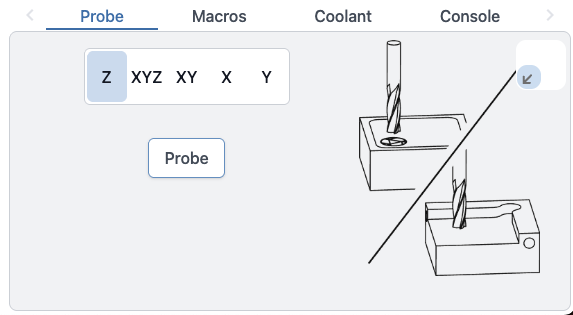
On the main screen, go to ‘probe’. You will see a depiction of your configured probe. In the probe window on the upper right corner is the choice … not labled … and no crystal ball included with the mill 
Anyway, it might be 4 little corners or, in the 1.5.x version it is slightly different (possibly arrows???). Anyway, choose the corner that you would like.
@billsfan433 It’s not a crystal ball, but you can read about probing in the corner of your choice here:
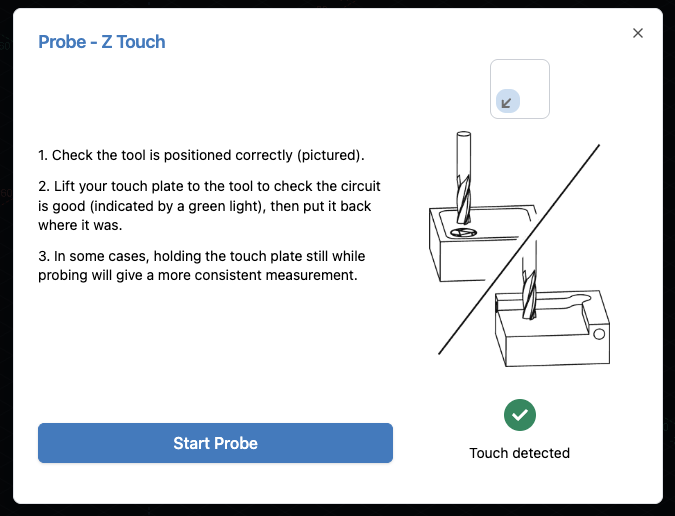
As Grant mentioned, you can select the corner to probe to in the probe drawer - the arrow box in the top right of the widget indicates which corner you want to probe.
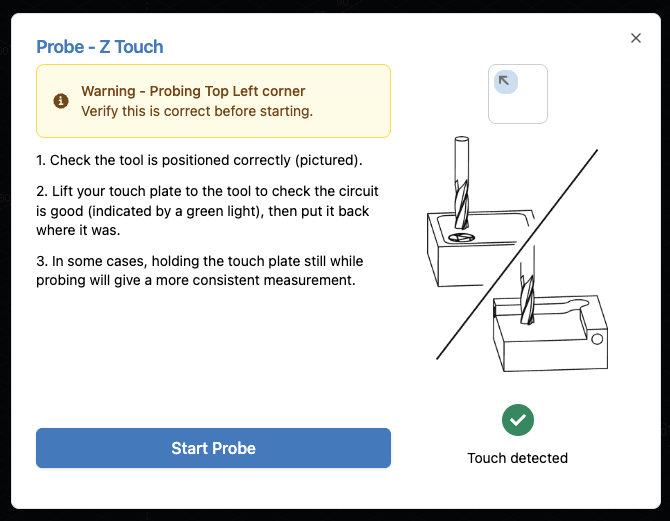
We are adding some warnings (and the ability to change the corner) in Edge-4 that will be part of Main shortly to warn users when they are not probing the default bottom-left corner to hopefully reduce situations such as this.