Hey @Ontariobud,
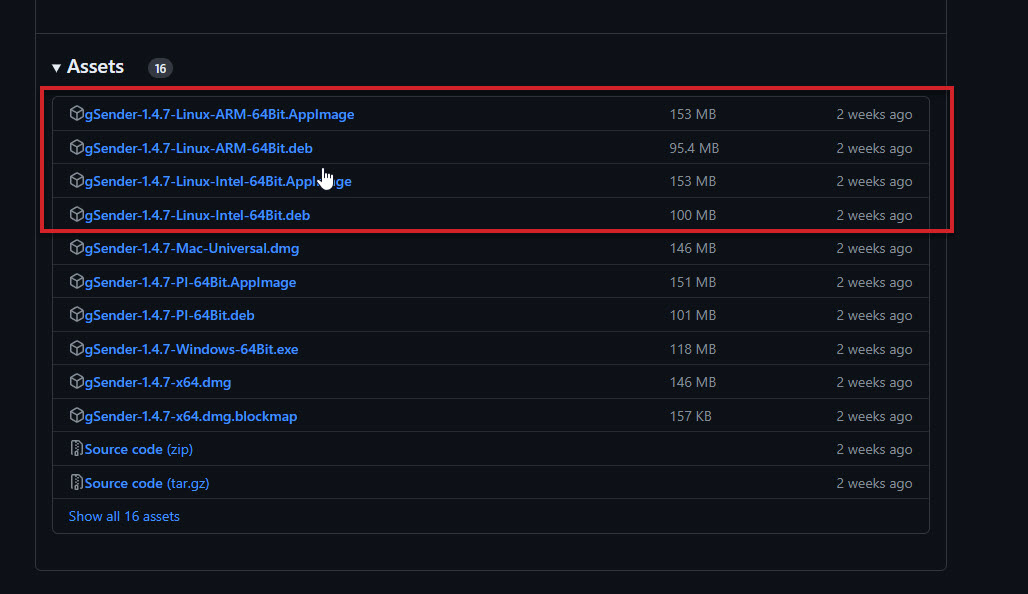
Welcome aboard! You can access several Linux versions of gSender HERE. Depending on if you are running Intel or Arm, there are a couple choices for you to match up to your system. You can give these a try, but they may not work for your setup, and Chromebook is not officially supported.
Check out this thread where @chrismakesstuff and Nick Nalbone chat about having success.
From our short section on Chromebook installs:
Chromebook
You can run gSender by using Linux inside of ChromeOS. Setup Linux on your Chromebook with these instructions. Download the .appimage file from the latest release of gSender and double click to launch. You will need to have the g-code files you want to carve in the same folder too.
Hope this helps!
Cheers,
Stephen