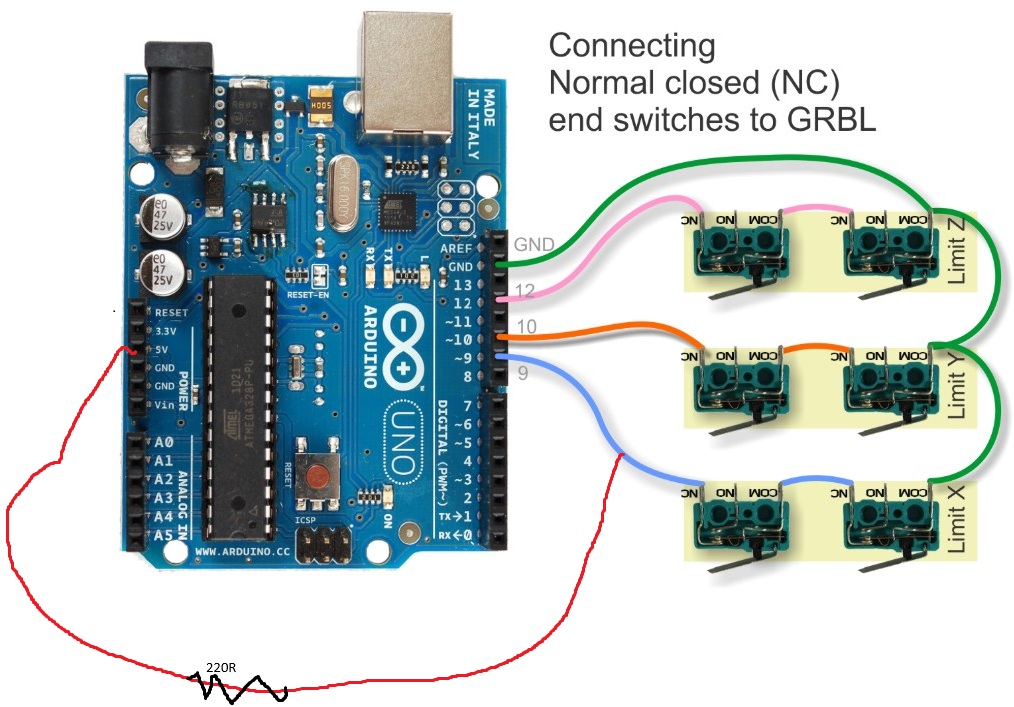
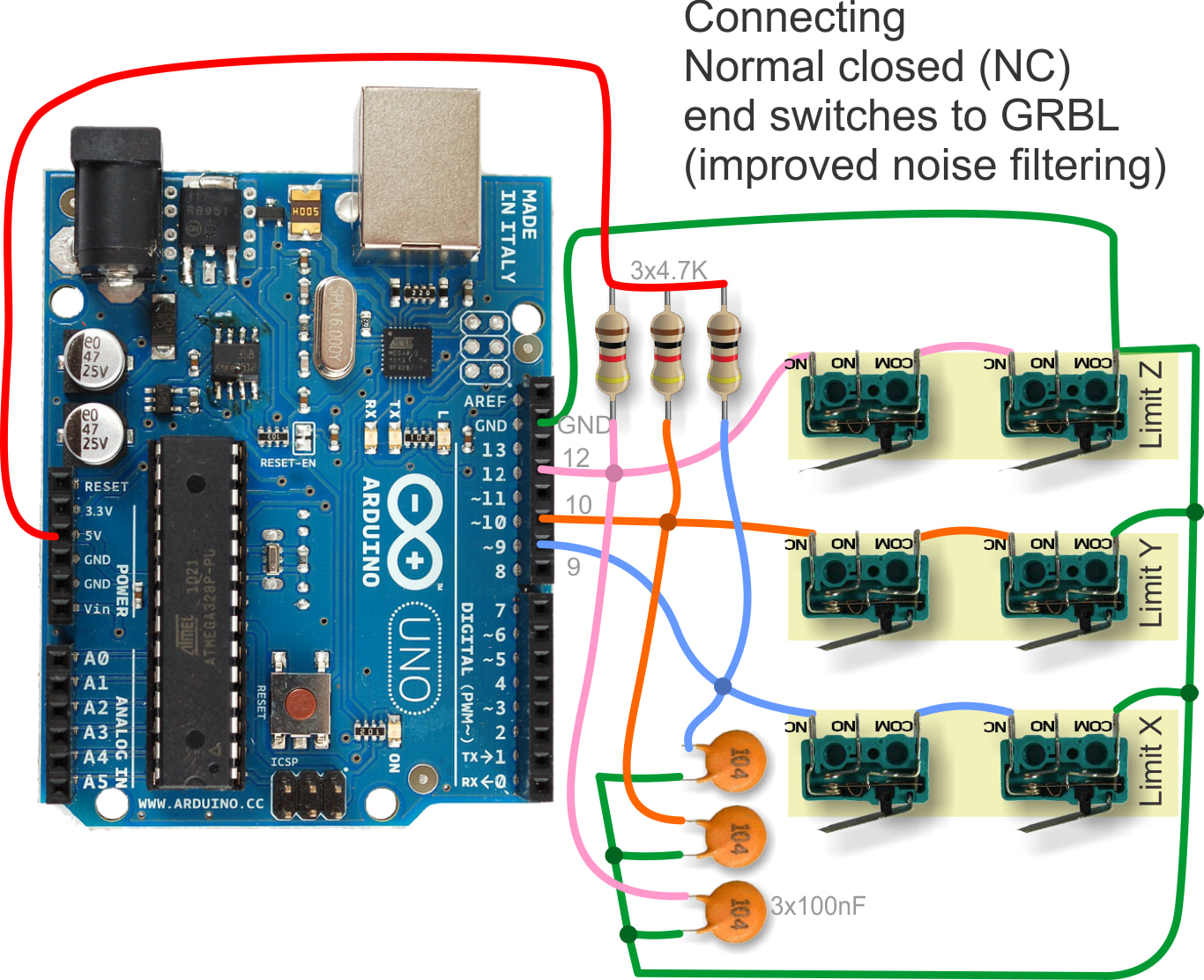
I am using Arduino Uno, grbl and gSender to build a CNC machine. The motors on all the axes are working fine. I started putting in the limit switches. I am using mechanical lever arm limit switches in the normally closed configuration. So far I have only put in the two limit switches for the X axis. I have wired them as in the image below. When I switch on the machine and connect to gSender it comes up with the alarm, which I expect. But I am unable to clear the alarm so that I can jog the motors. The alarm says that hard limit has been triggered. I have made sure that neither of the two limit switches are triggered. What am I missing here?
I’m not a grbl user, so this is a shot in the dark:
Check to see if gSender configured to use normally CLOSED or normally OPEN limit switches.
Check to see that your Arduino is configured to PULL UP pins 9, 10 and 12.
I like to add to jplochers commend that it might be wise to gnd wire the inputs you do not use. Leaving them hanging will give high risk off trigering them especially with a nc config.
As far as i know gsender activates all switch inputs, not just one.
I might be wrong for I am still running an ancient version and it might have evolved beyond my scope of knowledge.
@Leomane if you’re setting up the Uno for NC and have only wired the first two switches, the way grbl works is that you either configure all limit switches as NO or NC. This means that it’s now expecting the Y and Z axes limit switch inputs to be NC, so you’ll at the very least have to run a wire from them to ground to satisfy the NC condition for testing purposes
Hi. Sorry, for the delay in responding, but I was on vacation. I wired the limit switches for all the axes now and I still cannot clear the alarm in gSender and the machine is clear of all limit switches. I do not know what to try further and I am very close to discarding the limit switches for my machine.