Is it possible to have X and Y home one after the other instead of at the same time using GSender and a shapeoko 5?
Alternatively is a exclusion zone possible to put in so it avoids an area?
Is it possible to have X and Y home one after the other instead of at the same time using GSender and a shapeoko 5?
Alternatively is a exclusion zone possible to put in so it avoids an area?
@ganfan You can configure gSender to home one axis at a time. Just enable the toggle below the coordinates. That will change X0, Y0, and Z0 to HX, HY, and HZ. I assume it will work on Shapeoko.
Exclusion zones can be configured in vCarve. I don’t believe you can do it in gSender. I don’t know about other CAM software.
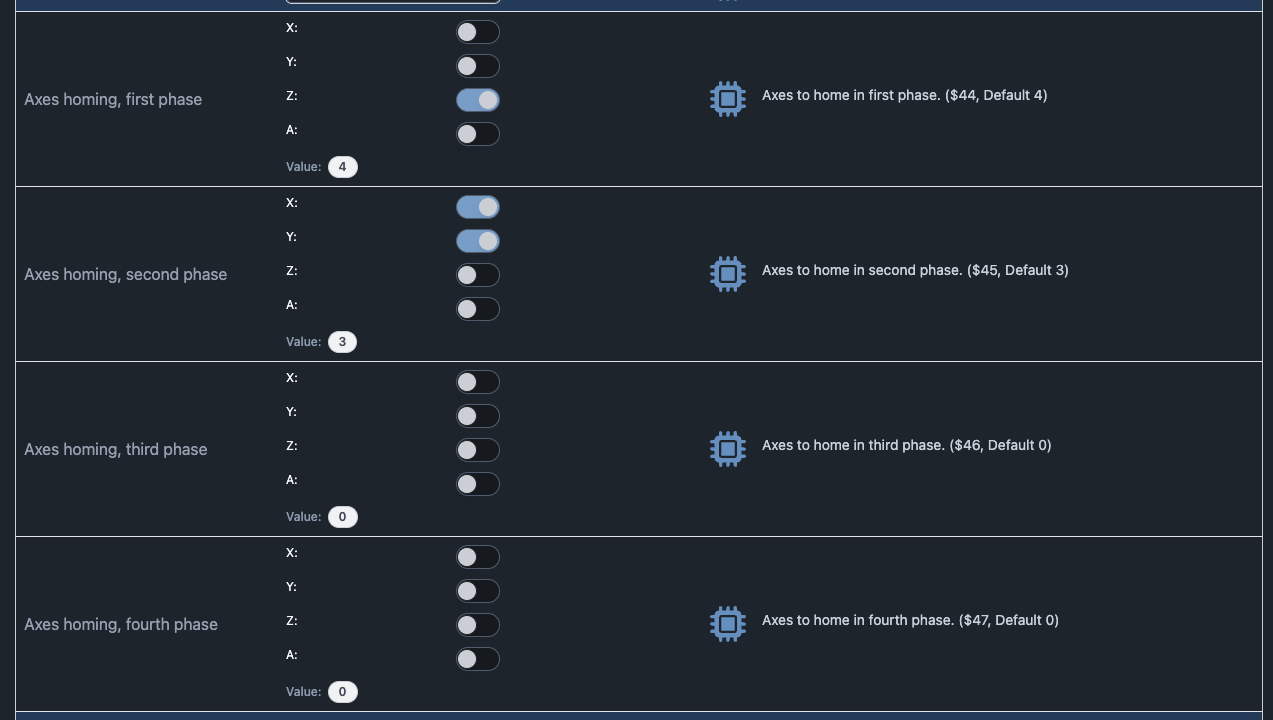
To be even more specific - for grblHAL machines you can configure the homing cycle within EEPROM:
For grbl machines, this is a compile time option in the firmware and is not configurable past that. If your Shapeoko is a grbl controller (which I suspect) you will not be able to configure this within gSender.