Found a reproducible bug in gSender Edge 1.6.0-Edge-4 on macOS arm64
with a Shapeoko 5 Pro running Grbl 1.1h.
STEPS TO REPRODUCE:
Set Tool Changing strategy to Fixed Tool Sensor
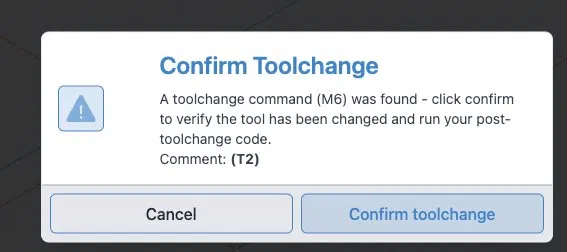
Load any single-tool file with M6 T[n] in the header
Hit Start
Fixed Tool Sensor wizard appears - Step 2 of 3
Scroll down to see “Probe Initial Tool” button - click it
Machine moves to bitsetter and probes successfully
Wizard stays on Step 2 - “Probe Changed Tool” button is greyed out
“Complete” button also greyed out
Hovering over Probe Changed Tool shows a prohibition icon
Only option is to cancel the wizard with the X button
EXPECTED BEHAVIOR:
After Probe Initial Tool completes successfully, either “Probe Changed
Tool” or “Complete” should become active so the job can proceed.
WORKAROUND:
Use Code strategy instead of Fixed Tool Sensor. The Code strategy
Before/After blocks handle probing correctly. See my community guide
post in Show Off for the complete Code strategy setup.
Machine: Shapeoko 5 Pro 4x4
Controller: Grbl 1.1h
gSender version: Edge 1.6.0-Edge-4
OS: macOS Apple Silicon (arm64)
Thank you — I just tested these items against Edge-5. I use AI to help keep notes so I can keep all of this straight, so please don’t judge me for the organized format — I’m a real person who really wants to stay away from Carbide Motion, and I suspect there are many others in the same boat.
Regarding 1.6.1 stable on Mac — the Intel-only build runs under Rosetta 2 on Apple Silicon (M4) which causes 10-15 second lag between operations and jog buffering that drives the endmill into the spoilboard. That’s why I’m on Edge arm64.
I tested all three issues against Edge-5 on the same machine (Shapeoko 5 Pro, Grbl 1.1h, macOS arm64). Here’s what I found:
Still present in Edge-5:
Fixed Tool Sensor “Probe Changed Tool” button still greyed out after initial probe completes
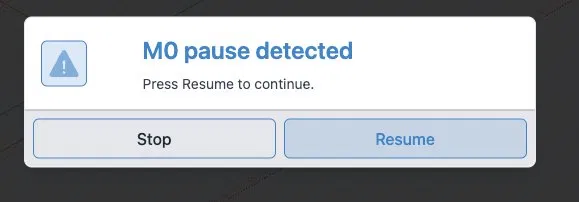
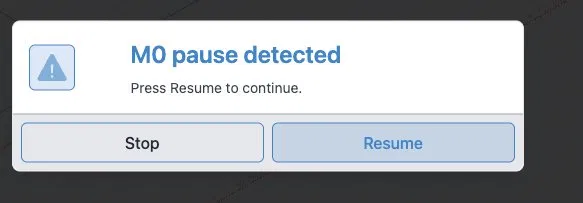
MSG comments in Code strategy M0 pauses still not displaying in the pause dialog — both pauses show generic “M0 pause detected”
Unprobed badge still not updating after successful probe via Code strategy
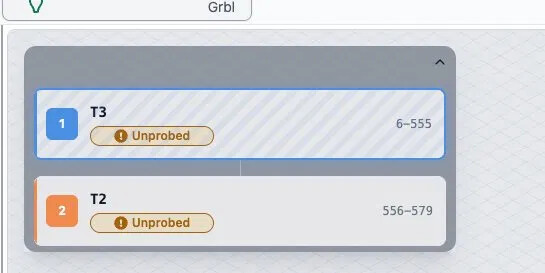
Positive improvement in Edge-5: The tool timeline showing both tools (T3 and T2) with line ranges is a really nice addition — much easier to see where you are in a multi-tool job.
I’ve attached screenshots for each issue. Thanks for all the work you’re putting into gSender — the Code strategy workaround is running reliably on my machine and the arm64 build is a huge improvement over running 1.6.1 under Rosetta. Happy to test any fixes when they’re ready.
K good to know, it’s interesting that it is auto installing the intel version on a m4 machine.
I’ll check it out.
thanks
edit **
One important note for Mac users that I hope the team will consider: the download labeled ‘Universal’ is currently Intel-only. On macOS, ‘Universal Binary’ has a specific technical meaning — it contains both Intel (x86_64) and Apple Silicon (arm64) code and runs natively on both. Apple introduced this standard with the M1 transition in 2020.
Because of this naming convention, Apple Silicon users (M1/M2/M3/M4) naturally assume ‘Universal’ means it will run natively on their machine. Instead they get the Intel build running under Rosetta 2, which on my M4 caused 10-15 second lag between operations and jog buffering that drove the endmill into the spoilboard.
The fix that worked was downloading the separate arm64 build — but I only found that after significant troubleshooting.
Suggested fix: either rename ‘Universal’ to ‘Intel’ to accurately describe what it contains, or build a true Universal Binary that includes both architectures. Either would prevent other Mac users from hitting the same dangerous situation I encountered.
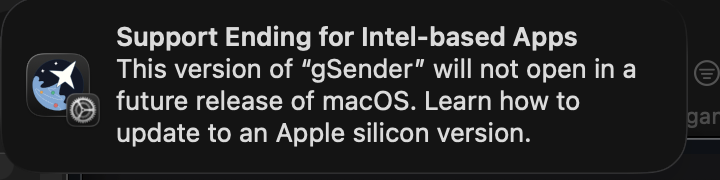
This is not the proper terminology for Macintosh applications (being a macOS developer myself) which is why this is causing problems. Universal means it has BOTH Intel and “Mac silicon” so that when a user downloads a universal app it automatically runs the proper architecture no matter which Mac you have. The “universal” that is currently there should be named “x64” or “intel” which it was before it was improperly changed 2 months ago.
I opened a support ticket to ask someone to fix this since this is wrong and causing issues for people who think they are downloading a “universal” app. On macOS 26.5 and newer you even get a warning now when you run the gSender “universal” app: