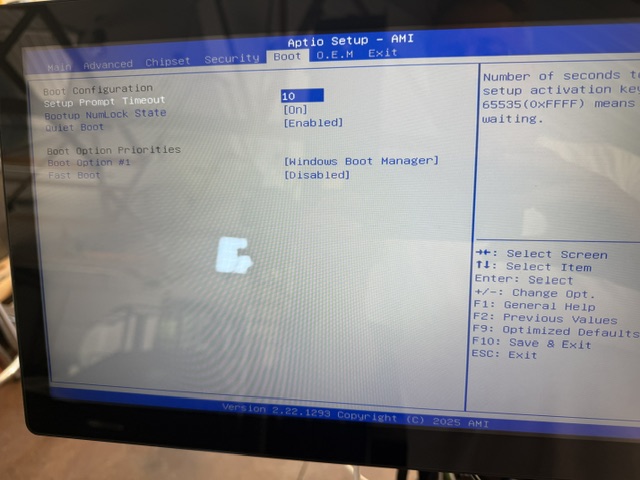
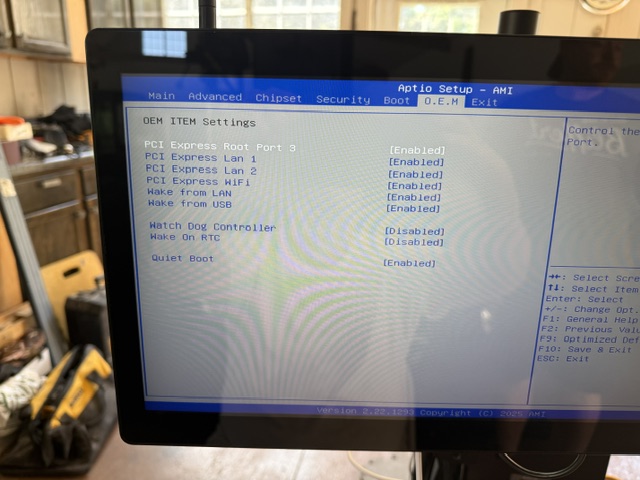
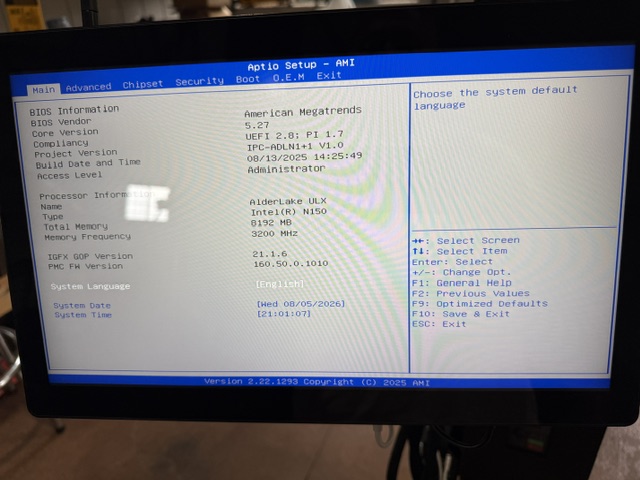
I received my gControl Panel Computer as part of my AltMill order and immediately ran into a problem. The unit boots to the AMI Aptio BIOS setup screen and will not boot into Windows. After investigating the BIOS thoroughly, here is what I found:
Boot Option #1 is set to Windows Boot Manager but the system loops back to BIOS regardless
Advanced → NVMe Configuration — No NVMe device found
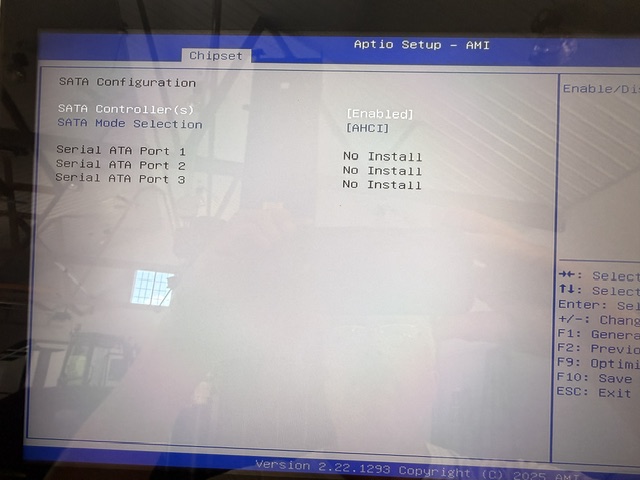
Chipset → SATA Configuration — Serial ATA Ports 1, 2, and 3 all show No Install
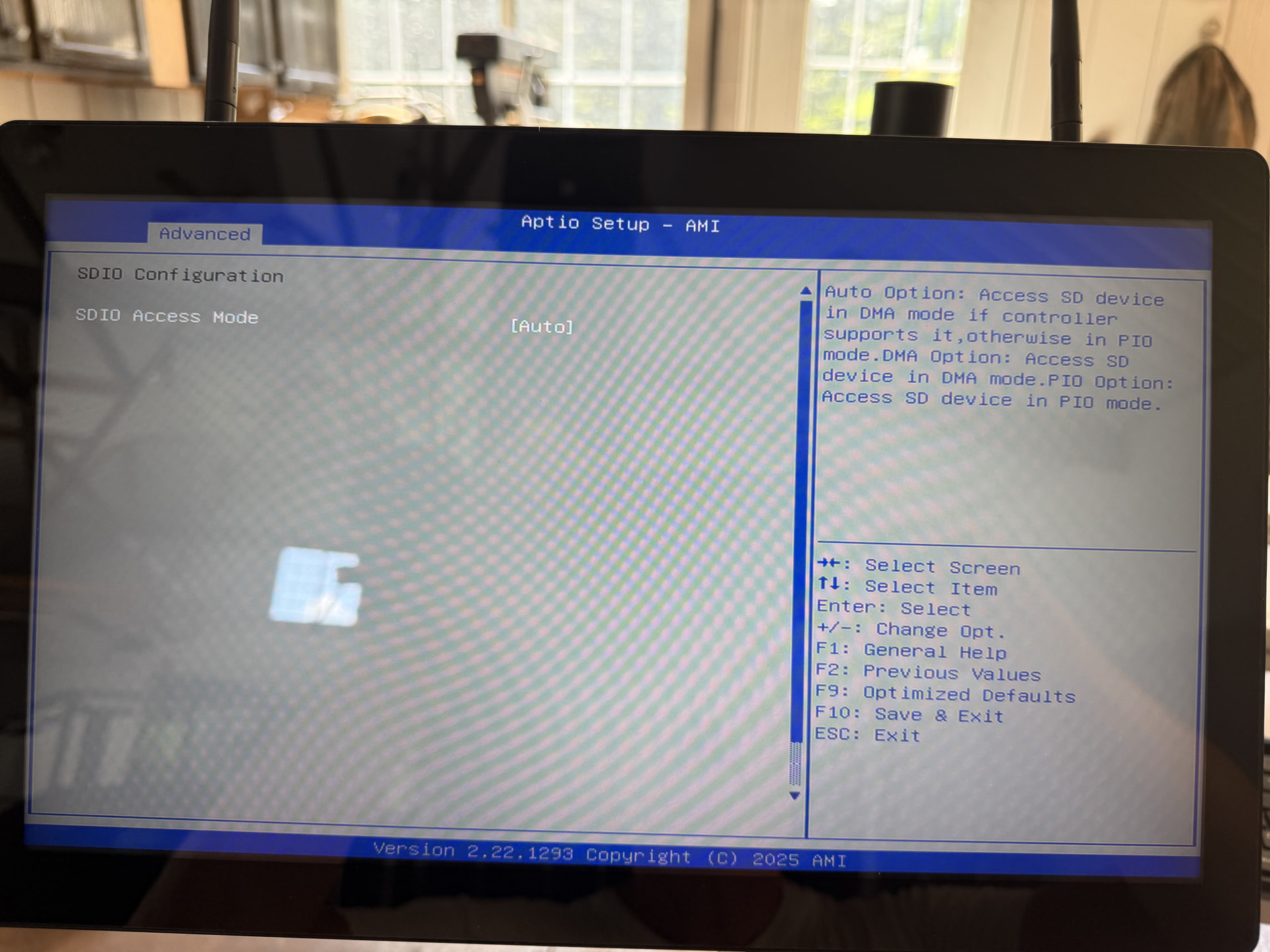
Advanced → SDIO Configuration — No SD device detected
SMBios Configuration — All fields show “Default string” suggesting the unit was not properly configured before shipping
No storage device of any kind is being detected in BIOS across NVMe, SATA, or SDIO interfaces.
I emailed Sienci support over the weekend and have not received a response, which is understandable
@Altmillal1114 Thanks for the reply. I certainly thought about doing that but I was concerend about voiding the warranty. I had hoped to hear from Sienci telling me to do that witout issue.
If you are in the USA that is actually illegal for a company to do (even though you see/or have seen devices with “warranty void if broken” stickers on them they have no legal standing).
That would be nice, though you did not bought it in usa,vrouw kot het usa law. I have declared many products void without caring about the laws in the country that bought the product.
Sienci gives what, a few months warranty, were my country needs two years warranty on local bought products. It does not apply on self importet stuff.
The terms and conditions issued by the company you buy from is leading.
I couldn’t find a match to your forum email in our support system, so wanted to respond here. (You may have used a different email for support and I just can’t find ya, all good.)
As @Altmillal1114 has adroitly pointed out, It looks like your SSD is not being recognized, as it should appear in the boot options.
The machines are tested up to the Windows setup screen (OOBE) before shipping, so the SSD may have become loose in the slot.
I’m sending a video showing how to open the machine and reinstall the SSD for testing. It’s a fairly simple process, just pull the hard drive chip out, then re-seat it and tighten the screw back down.
Thanks for testing that Brian, I’ll let the support team jump in for your next steps. Can you share the email you are using for support and I’ll connect the dots for the team.
Thanks for the support ticket number, I can see you have been chatting with Danial and Gilberto from the support team, and they seem to have a replacement on the way to you.
Thanks for your patience as we get you a new one, you’ll have chips flying soon!