I have a SainSmart 3018 prover v2. It came with a tool probe but I am not sure where to compensate for probe thickness. Would someone step me through this (if possible with pictures)? I think I know where it is, but just not sure.
Hello @jvs! Welcome to the group!
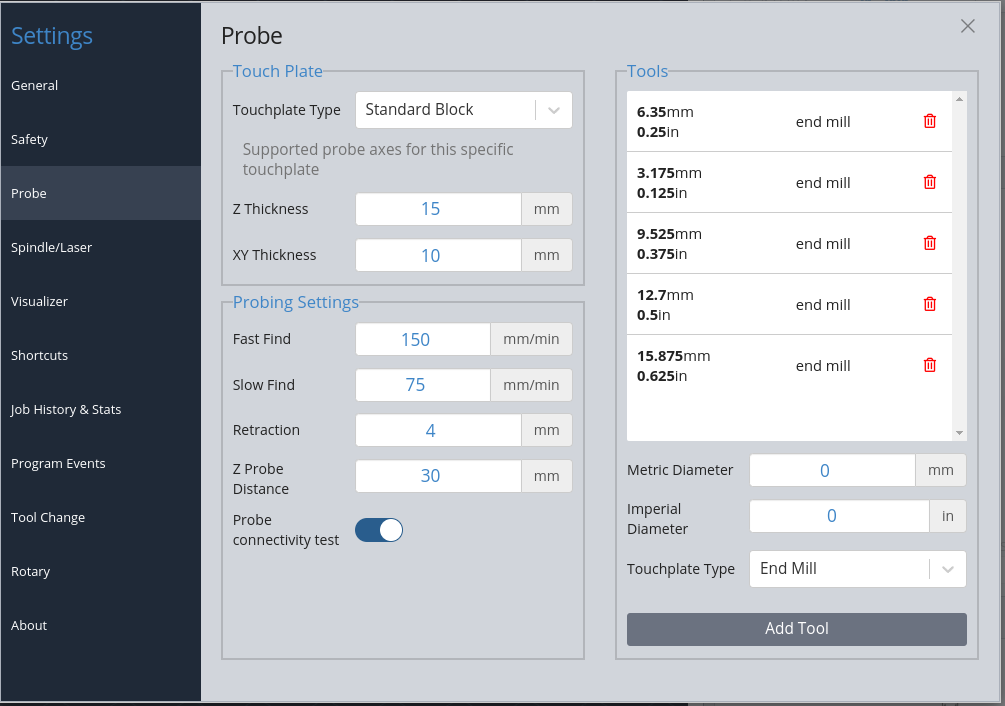
I had a SainSmart 3018 prover. It came with a Z only probe, cylindrical in shape. In any case you just need to set the type and dimensions for your probe in gSender’s settings. In the top left select the Touchplate Type and fill in any relevant dimensions.
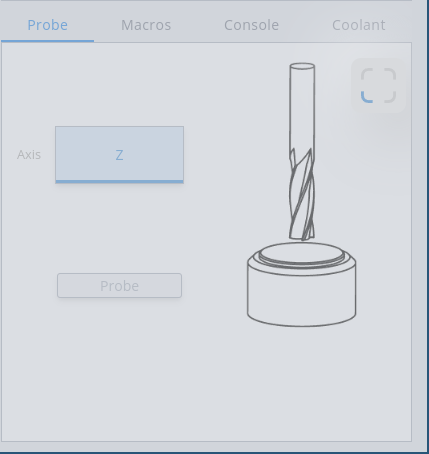
Then in the bottom right of gSender in the probe tab select the type of probe you have and the picture should change to something similar to your probe and offer just the applicable probe sequences.
If your probe is more than just Z only you’ll have to set up some bit diameters for doing XY probes.
I don’t remember if I told you thank you but your answer made it very simple