Hey, this is the first time I’ve seen this happen and hoping someone has some experience with this. Google wasn’t much assistance but it may have given a lead as to why. I’m trying to cut out a mountain scene on a piece of 1/4” ply to mount on the wall, and things were going well up until line 31186 out of 76k (roughly). As soon as it hits that line the machine stops and stalls in the profile cut. In the process of troubleshooting I have
Power cycled the machine
Restarted Gsender
Reloaded the file
Tried resuming from before/at/after Line 31186 (multiple times at that).
Googling the issue there was one post that mentioned they had a similar sounding problem, however the program would run in a different cam software program no problem. Vectric did throw some errors however they indicated that I was using too big of a bit to successfully machine all area’s which I’ve done in the past with no issues (past the lost detail due to geometry and pathing due to endmill design vs lasers). Looking at the G code and google there is a line indicating that Z height runs to 3000 which makes no sense in the context of cutting out a 1/4” plywood sheet, but would make a ton of sense in that machine has no where to go. The code as copied from G sender is at the bottom of the post. Where did I go wrong, how do I prevent this from happening in the future? and was I chasing the right dragon?
Thanks.
G2X814.854Y137.235I1.561J0.286
G1X814.254Y137.166
G1X812.469Y137.360
G1X809.026Y138.144
G1X808.930Y138.169
G1Z1.875F330.2
GrblHAL 1.1f [‘$’ or ‘$HELP’ for help]
ok
ok
ok
ok
0 - SLB_SPINDLE, enabled as spindle 0, DIV, current
1 - Huanyang v1
2 - Huanyang P2A
3 - Durapulse GS20
4 - Yalang YS620
5 - MODVFD, enabled as spindle 2, SDV
6 - H-100
7 - SLB_LASER, enabled as spindle 1, DIRV
ok
$J=G21G91 Z3000 F800.000
ok
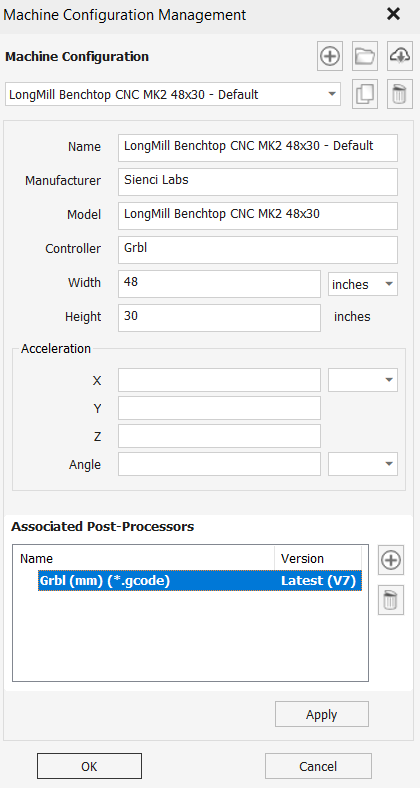
Using vectric v carve. I believe this is the info that you’re looking for but I could be wrong. I did recall seeing some issues related with inches post processor and it looks to me like I’ve got it set up for mm.
@Greener That is the correct PP for your machine.
I don’t see the line number of the line that stops the project. You can open the gcode in something like notepad++. It shows line numbers and you can extract a dozen lines or so surrounding the one that stops the machine.
I would not place any confidence at all in whatever a Google search told you, particularly since you are not “running the program in a different cam software”. You are running the gcode in gSender, which is not CAM software.
You can also run the gcode file in ncviewer.com. It is a visualizer. You can see if it stalls at the same line.
If you want to post your .crv file from vcarvepro, someone here may see what is causing this.
Certainly not trusting google’s response given that I could only find a singular mention of a vaguely similar problem lol. Could potentially try using carbide motion or millmage, or even vectric perhaps to run the machine perhaps and see if I still run into it but I would really rather not go through that hassle until it’s a last resort. Loading the G code into NCviewer, it doesn’t show any hiccups and runs past my choke point no issue. I copied and pasted the Console into notepad, there’s no indication of an error, and seems to run past the line stated in the progress marker briefly, although there is a jog command after that indicates z height 3000mm? . Console is posted below. Line marker 31186 is my own note based on ncviewer, but there seems to be some differences between what was displayed on console and what ncviewer is showing, odds are pretty good I’m lost in the code though lol.
I may also try skipping to line 31262 to see if I can just move past that point. Here is a link to the vectric file, Mountain forest landscape - Copy.crv I feel like I messed about the with the tool pathing after I exported to see if I could change some things or if I could get any notable differences between bit sizes/ and specific spetool bits vs using generic feeds and speeds but should be close to what I exported.
G1X807.729Y138.895 (31183)
G1Z0.500F330.2
G1X807.828Y138.612F1117.6
G1X808.520Y138.352
G3X808.521Y138.354I0.000J0.001 (31187)
G1X808.484Y138.381
G1X807.729Y138.895
G1Z0.000F330.2
G1X807.828Y138.612F1117.6
G1X808.520Y138.352
G3X808.521Y138.354I0.000J0.001
G1X808.484Y138.381
G1X807.729Y138.895
G0Z11.080
G0X808.930Y138.169
G1Z4.625F330.2
G1X813.410Y136.137F1117.6
G1X814.862Y135.453
G1X814.717Y136.247
G2X814.854Y137.235I1.561J0.286
G1X814.254Y137.166
G1X812.469Y137.360
G1X809.026Y138.144
G1X808.930Y138.169
G1Z3.250F330.2
G1X813.410Y136.137F1117.6
G1X814.862Y135.453
G1X814.717Y136.247
G2X814.854Y137.235I1.561J0.286
G1X814.254Y137.166
G1X812.469Y137.360
G1X809.026Y138.144
G1X808.930Y138.169
G1Z1.875F330.2
GrblHAL 1.1f [‘$’ or ‘$HELP’ for help]
ok
ok
ok
ok
0 - SLB_SPINDLE, enabled as spindle 0, DIV, current
1 - Huanyang v1
2 - Huanyang P2A
3 - Durapulse GS20
4 - Yalang YS620
5 - MODVFD, enabled as spindle 2, SDV
6 - H-100
7 - SLB_LASER, enabled as spindle 1, DIRV
ok
$J=G21G91 Z3000 F800.000
ok
I’m guessing you have three separate g-code files; one for each toolpath, right ? Which of the three is giving you a problem ?
That $J=G21G91 Z3000 F800.000 is a jog command which is probably not in your g-code. I certainly couldn’t find it. Was it from your g-code or copied from the gSender console. If from the console, it could just be the output from a manual jog you did and not related to your issue?
@Greener@Chucky_ott I have the same question question. Which of the 3 gcode files is causing the freeze? The $J command is not part of any of them.
Also, as an aside, you have many, many overlaps, intersections and zero length vectors in this file. Not necessarily a deal breaker, but it does make for a messy run
Finally, I can’t visualize what the end product is. Not that it’s any of my business. You are going to have a TON of small pieces flying around since all of your profile toolpaths cut all the way through the material and only one of the toolpaths has tabs.
I assume that you know all this and it’s all part of the design.
Anyway, if you can let us know which gcode file is hiccuping, we can look more.
@gwilki@Chucky_ott The profile 1-8in path is the one I ended up using. Decided the slower speed of the 1/16th bit wasn’t worth the tiny bit of extra detail I would get. It is possible that the job command was me, but I just hit the kill switch on the router and thought I copied the console before jogging, although to be honest I was in a rush, and copied the console multiple times after multiple attempts to get it running so forgive me if I’m wrong on that. I am aware that this was a messy piece to try and machine. Unfortunately I’m in a mad dash to prep my home for showing and decided that this would make a great art piece above the bed, bought a svg file off etsy, messed about with the toolpathing for a short while and went with ‘good enough for a trial run’. I was aware of the tiny pieces and would pause the program occasionally to fish out any chunks plugging up the dust collector/floating bits on the table. Was hoping to get it cut out quickly, get a coat of stain on it and get it hung this weekend for photos next week but that’s not looking promising lol. To give a sense of what you’re looking at I attached a photo from the etsy page.
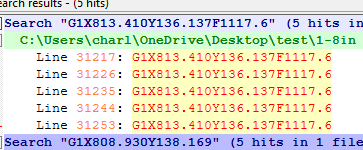
@Greener I can’t find G1Z1.875F330.2 in the 1/8" g-code file. The one just before that is found in multiple places. Can you upload the actual g-code file that you used? It might be more useful than the vCarve file.
FYI, Notepad++ is likely more useful than Notepad to analyze a text file.
I will check out notepad++, can’t say I’ve often had to really analyze text files all too often and if that’s in the cards it’s often outside my skill set and understanding lol. Attached the file that I used.
@Greener@Chucky_ott Tks for the pic. It makes sense now. I didn’t understand that you were not running all those toolpaths. I couldn’t figure out why you were not just doing it with the 1/8" mill.
I took your gcode and found in notepad++ that there are 537 instances of that line in the file. Why one of them would cause the file to stop is a question beyond my meagre knowledge base.
I’m sorry that I can’t be of any help.
It consistently stops at that line. I can’t rule out static electricity (especially with the wild temp swings and frigid cold we’ve had lately) however my multiple attempts to restart the cut, it always stalls at the same line/same place in the same tiny partial cutout, would lead me to think it’s something else. I have never had anything like this happen before. A couple weekends ago I did a 2.5d carving with a total of 14 hours of machining time with 0 issues. I did attempt to skip the line however I was blindly guessing as to which line would move past that point and didn’t have any luck. Looking at NCviewer though it looks like line 31262 moves onto the next section. I will try putting that in and see if I can just skip past that particular cut out. Past that I might try running the file in a different sender software
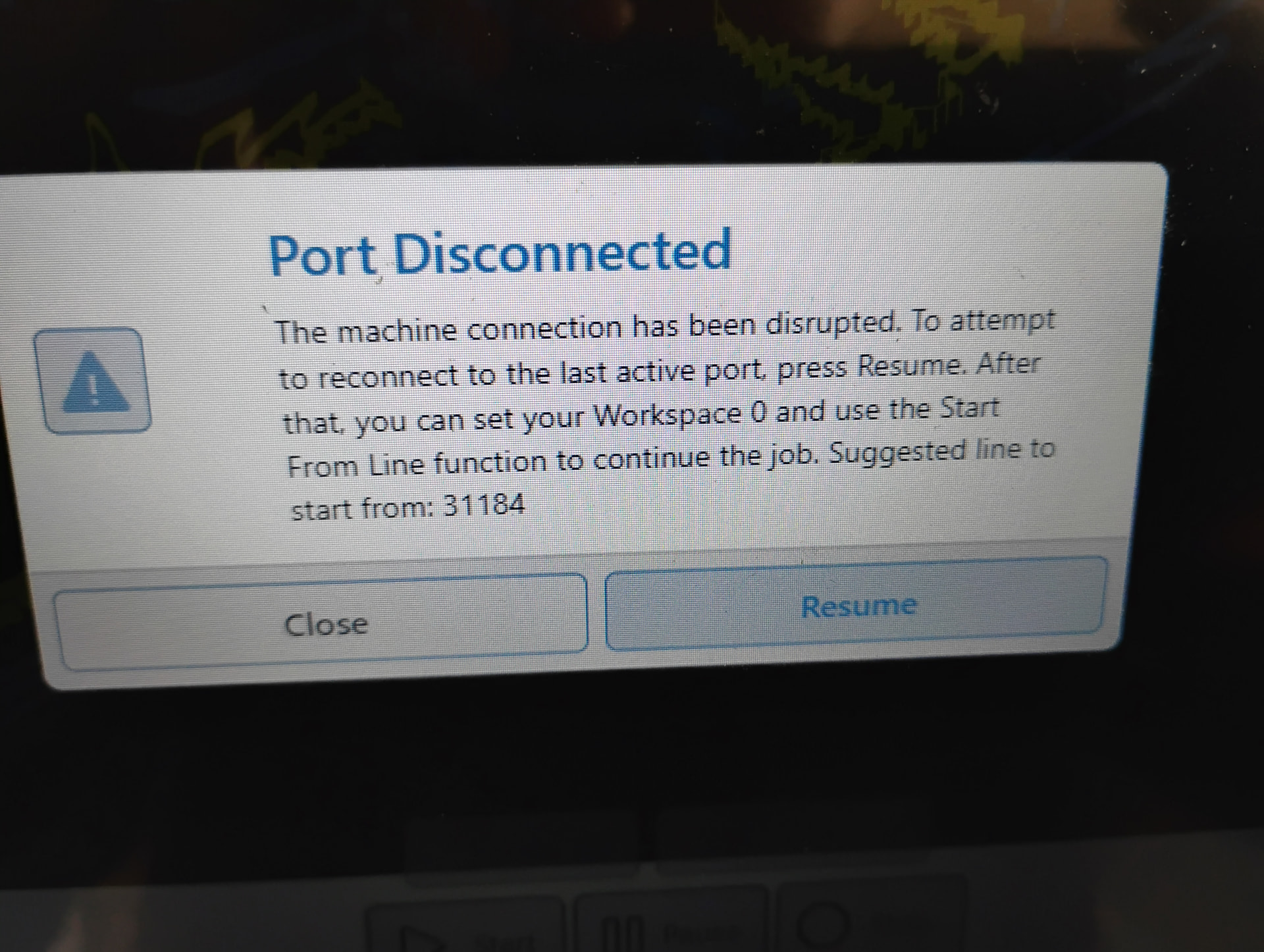
@Greener I just enabled that option on my Altmill. Seemed to run fine but then stalled. Finally got a " Port disconnected" error with a start from line 31184.
That is about the same place mine stalled out! but I never got an error code that I could see. In my travels through the interweb I saw the check file option mentioned, but also saw that it was removed and couldn’t find it in gsender, am I blind? lol. Certainly looks like there’s something weird with the code if it’s causing your machine to hiccup in the same place.