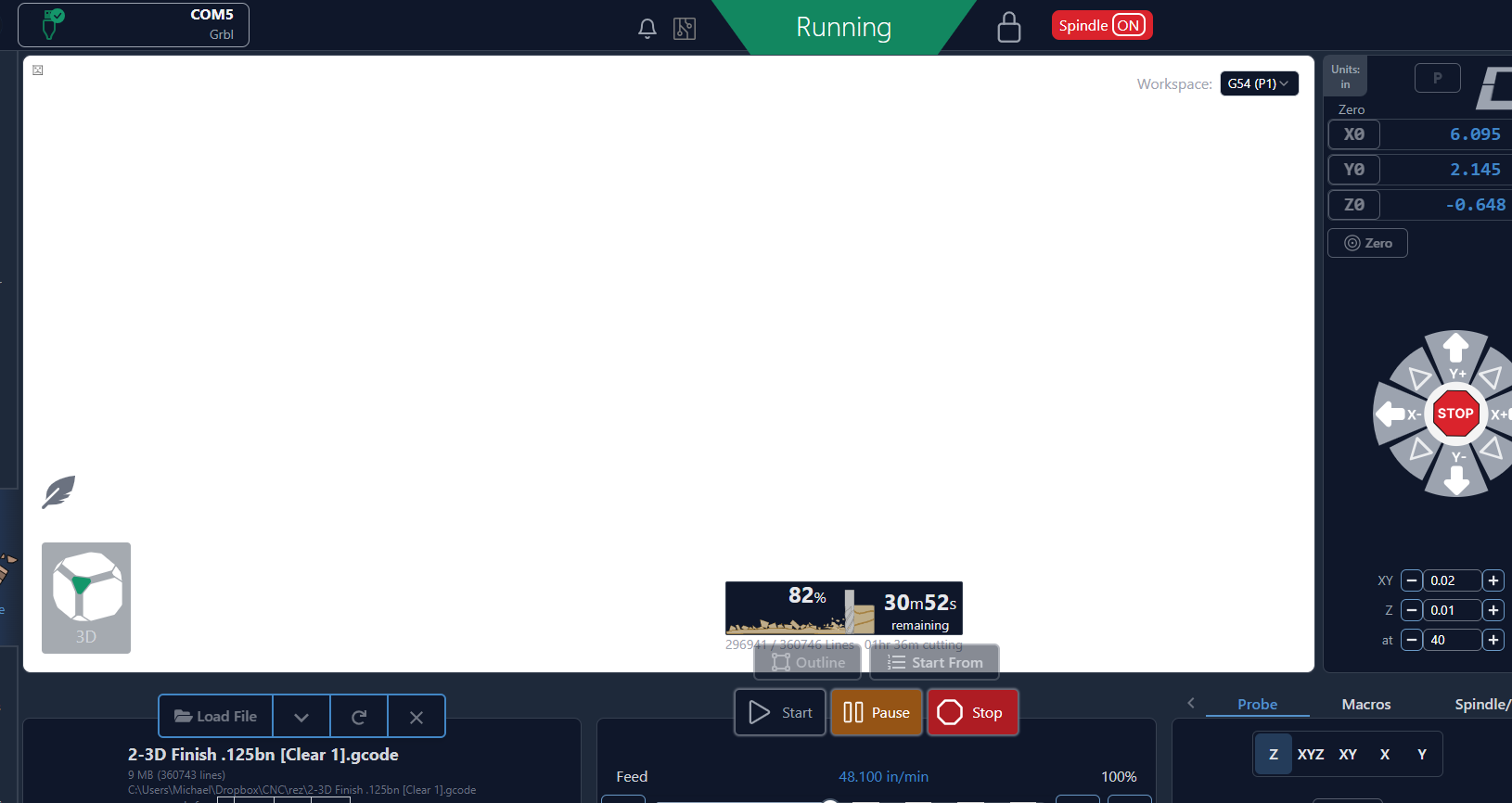
Doing a long job of a 3d relief and about an hour or so in the screen was white. I have to let the job complete, so I’m just leaving it. Attaching screenshot.
1 Like
I’m having the same issue with the screen turning white
@shreddoctor Longshot but have you tried changing the view direction by clicking the cube or even zooming in/out?
@shreddoctor @David131 It will help if you include what machine you are running and what version of gSender.
1 Like
Sorry about that. I’m using the latest as of 2 weeks ago. I think it is 1.5.7
@shreddoctor No worries, Michael. I saw in another topic that you are running grbl 1.1f, which was replaced by 1.1h some years ago. I want to emphasize that I have absolutely no idea if this could in any way be contributing to your issue, but if you open a support ticket with Sienci, you may want to mention it.
Please report back when Sienci solves this so that others can benefit.
1 Like
I have submitted a request to Sienci - 30549. I will report back any findings from them.
NOTE: I am running 1.1h on the controller at this time.
Thanks much,
Michael
2 Likes
I have had the same thing happen to me recently while doing a 3D relief. Hopefully you will get an answer soon =).
I received an update from Sienci support. Here is the response:
Make sure gSender is closed, open file explorer and go to this location
C:\Users\yourname\AppData\Roaming\gSender, Where yourname is the name of your computer
and rename this file to anything, such as gsender-0.5.6.json.old
I think what she meant was the yourname is your username not your computer name. Also, in my case the filename was exactly as she stated gsender-0.5.6.json - yours may be different depending on which version you have installed.
Anyhow, note any custom gSender settings that you will need before you do this. Although there is a backup (.old file) you are better off knowing ahead of time. I did notice the UI changed a bit after doing this but I wont know if this actually fixes the issue for me until I run another long 3d relief job.
One thing I did notice during reconfiguration: my Continuous Jog Delay had reverted to the default of 250 ms. While setting up, I jogged the Z axis upward with a single click and observed that the axis continued moving instead of stopping. After restoring the Continuous Jog Delay to 500 ms, I was no longer able to reproduce that behavior.
At this point I am continuing to test, but this setting appears to be worth checking for anyone experiencing similar jog behavior.
I’ll post this in the other thread as well.