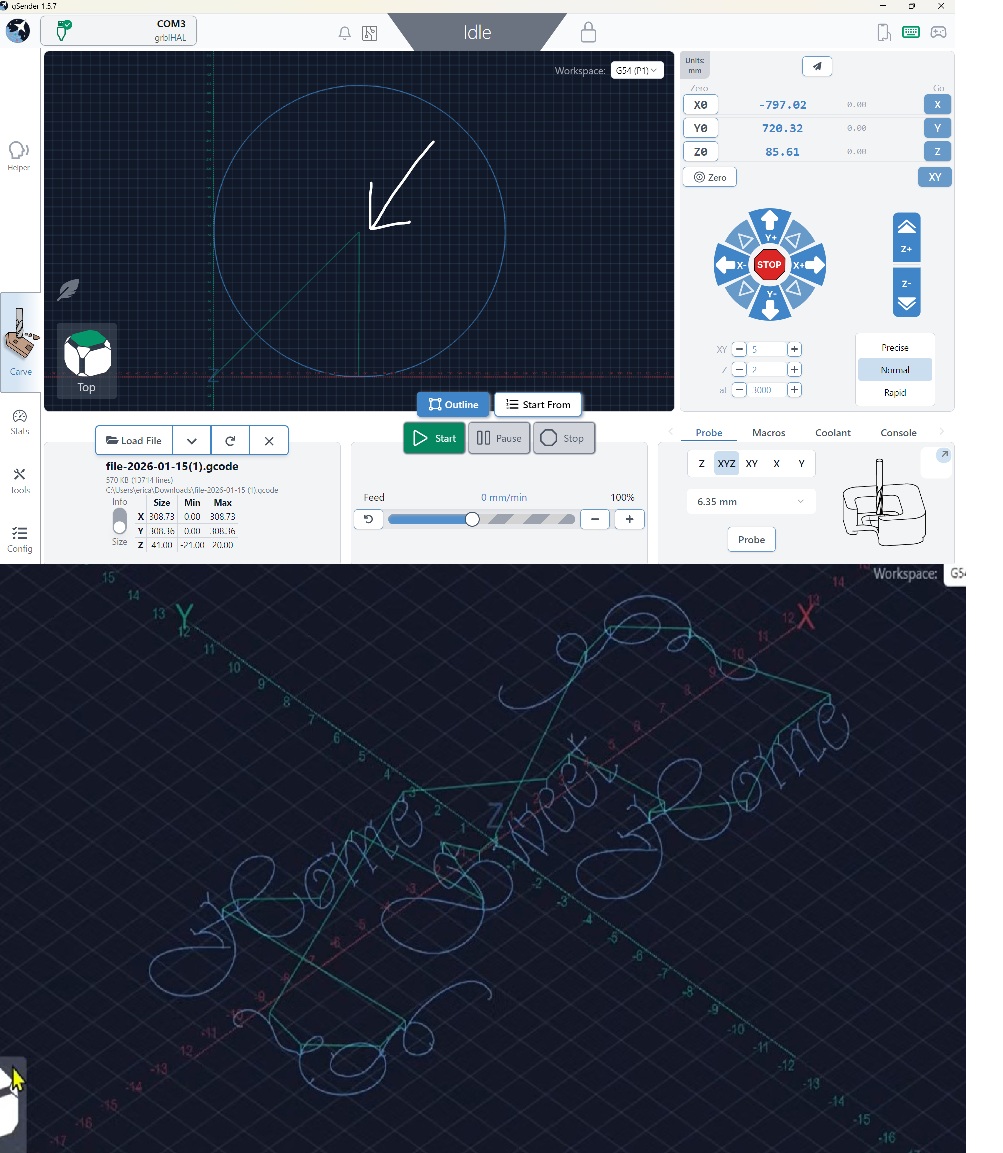
I’ve been using gSender for a few months and enjoy it. However, I’d like to ‘manually’ set the X and Y axis to the center of my workpiece and can’t seem to find the option to do so. There is an option to XY Zero but not the option for ‘center’.
My machine is the Longmill 48x30 with the superlongboard. Top photo is my current setup, lower photo is my goal.
What am I missing here??? Thanks!
Due to my new status, I can only reply after 23 hours. So I’m left updating this.
****Totally appreciate responses…. I’m left wondering if the gSender and/or my machine software doesn’t offer the abilty to zero in on the center of my project as I don’t see a ‘center’ option in the bottom left corner. After browsing some youtube videos, I can see others have that option where I do not. Is there something in my settings or configuration that I’m missing?****
@Commah To be clear, you want to set XY0 to the centre of your material, not the centre of your spoilboard, correct?
If, as you have said, you want to set XY0 to the centre of the material, that would pre-suppose that gSender “knows” where you placed the material on your bed.
Correct, I wish to set it to the center of the work. There is the option to set it bottom left, top left, bottom right and top right, is there not an option for center?
@Commah You can set it manually by marking the centre of the material, jogging to that position and setting XY0 there. There is no way to do it automatically because, as I’ve said, there is no way for gSender to know where you have physically placed the material on the spoil board.
For most of my projects, I set XY0 to the centre of the material. I use a crosshair laser to make it easier, but it can be done quite simply by eye.
I guess it could be done by using the auto touch probe, probing all four corners and have gSender calculate and set the centre automatically from the four set of corner coordinates.
@Chucky_ott Me, too. Even with square-cornered pieces, I can’t see me using the touchplate in each corner, remembering always to tell gSender which corner I am using. Then, placing the touchplate and jogging the machine to do the probing. Finally, hitting a GUI button to tell it that I’m done, it can calculate the centre and move to that location.
I’m simply not that patient. Drawing diagonal lines from corner to corner and setting XY0 at their intersection is quick and easy.
A benefit to having gSender do it would be if I lost XY0 somehow. gSender could get me back to the exact same location.
@Commah You mark the centre of the material. You jog in X and Y until the bit is over that mark, then you click on Zero XY. If you have a touchplate, you can then use it to set Z0. If you do not have a touchplate, you can use any method you want to set Z0. Many use the “paper method”.
I have mounted a crosshair laser on my Long Mill as I find it easier to get that crosshair precisely over the centre mark than it is to center an end mill. Others use a vbit as it is easier to hit the centre mark more precisely with it than it is with a straight end mill.
I too am a religious centrezero guy. I can use centre as zero in most of my work, being it squares, ovals, triangles or totale banged up slices of tree, the holy zero centre of the cnc-universe can handle it.
And my cnc bible clearly states, thou shallst always use the method that works in most cases, to reduce mistakes thou makest because thou havest not much active brain cells wrapped in thou old wrinkled skin.
That rule has a follow up: Thou shallst alway create a single reference dimple with a known offset on or outside the project to retrieve thou original centre zero after thou have bleepest things up again and need to rezero thou axis.
These however come from my cnc bible. Others have a totaly other workflow and more active brain cells left in maybe less wrinkled skin. There is no true religion. Just like in the real world, we must make our own.
Looking at what others believe to be the truth and cherry picking the things you like, helps you start your own religious cnc movement. For if we do things religiously, we tend to break less endmills.
Evil always temps us to take short cuts, and by the holy spindle, I am a easaly tempted.
grblhaleluja!
Ps: I am always sober when posting on this forum. True story!
Message to the chuckster below for I don’t want to spam up this topic (more than I have done allready) : I don’t drink.
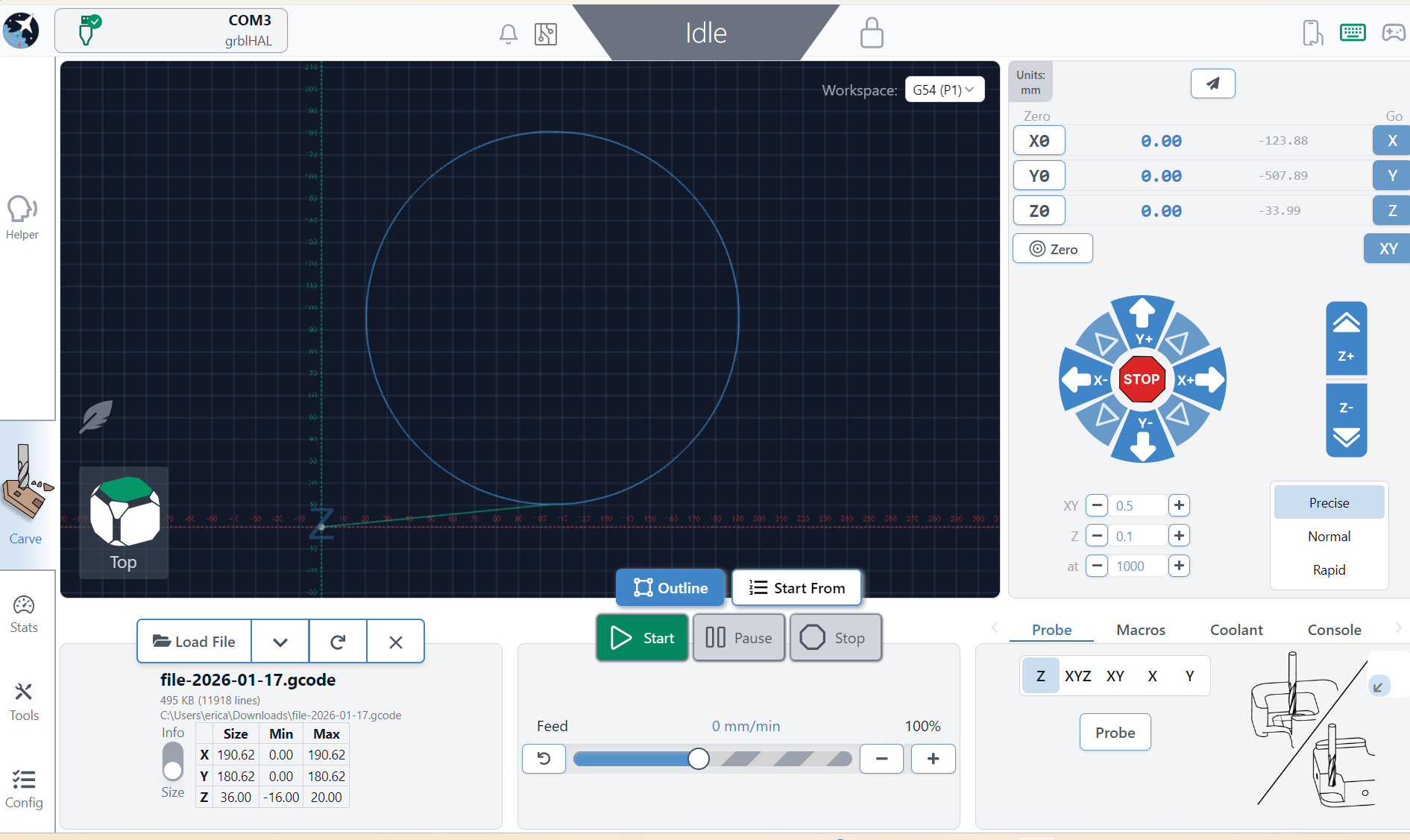
Maybe I’m asking the question incorrectly. I’m familiar with ‘zeroing’ the x and y.
My issue, perhaps, is loading the file so the the x and y fall directly in the center of the file. I assumed I could load the file, then find the center and zero it, but it places the bit in the bottom left corner rather then the center of the file…..does that make sense?
@Commah , I have a small machine, and not a lot of wiggle room. I I mark the center of my material with a push pin, or something with a very small, sharp point. I then use a V Carve bit and align the tip of the bit with the mark I made. Now, if the material you are using will be in the same location every time, you can set XY0 in your gSender config.