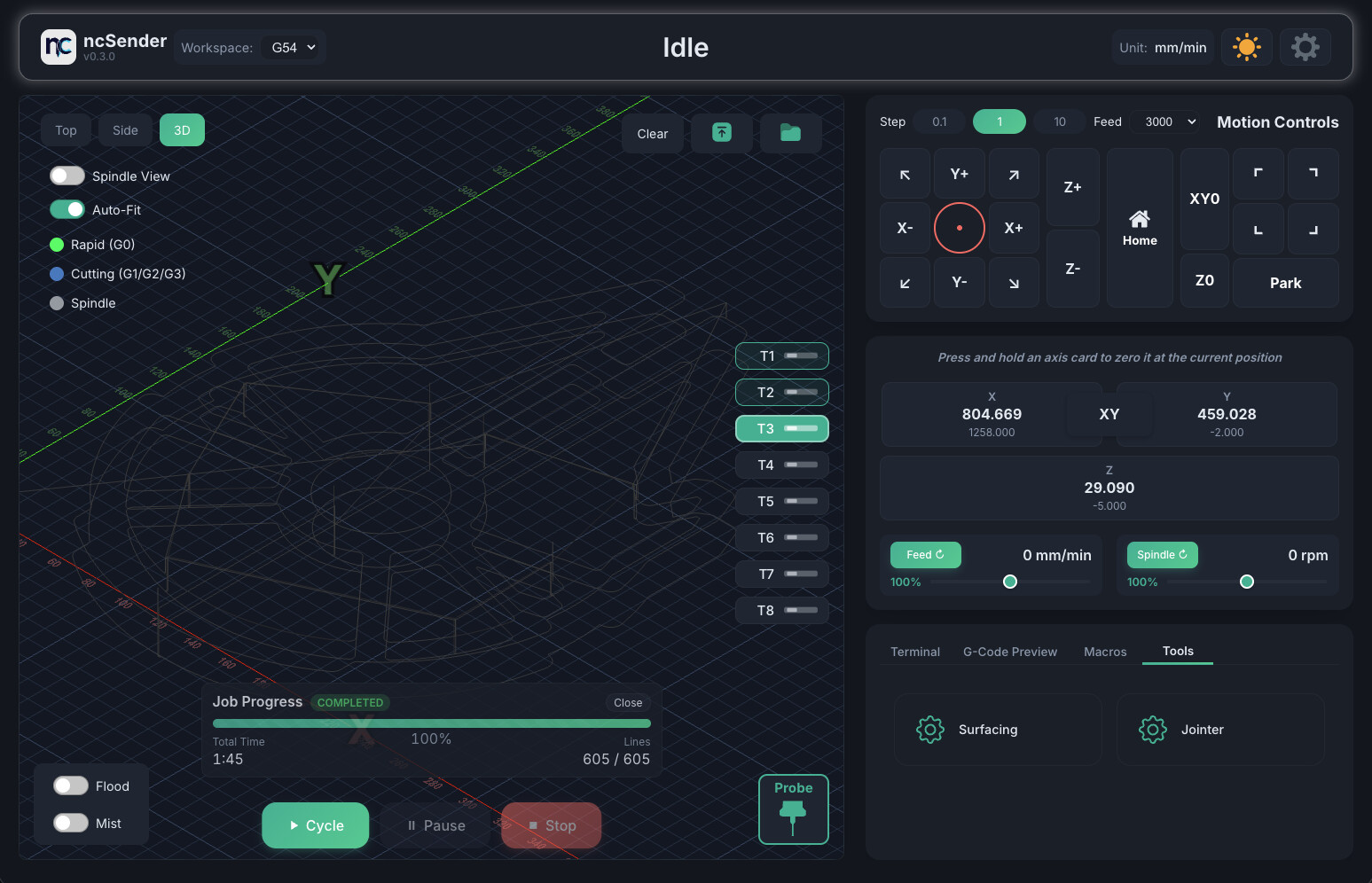
After a month of caffeine-fueled late nights and tag-teaming with Claude, Codex, and Gemini (with occasional frustration and yelling at the screen )… I finally did it. ncSender is now ready for public testing!
It’s built with simplicity, speed, and extensibility in mind — no more monolithic all-in-one beast. Here’s a quick look at what’s inside:
Key Features
Plugin architecture — Extend functionality instead of big code base core.
3D Touch Probe — Supported right out of the box.
Feature-packed G-Code virtualization — Includes multi-view options like Spindle View and Auto-Fit, plus Out-of-Bound indicators and on-screen warnings to keep your jobs in check.
Refined terminal — Cleaner and more powerful for advanced users.
G-Code Viewer — Displays crossed-out executed lines so you can track your job in real time.
Touchscreen optimized — Perfect for kiosks or tablet setups.
Safety first — Long-press required for critical commands to prevent “oops” moments.
Auto reconnect — No more connect/disconnect drama; ncSender silently retries in the background.
Improved G-Code Visualizer — Home indicator, real-size workspace, and cross-section view of your machine area.
Notes
I mainly use this myself and with a few guinea pigs, so expect some rough edges.
If you find bugs, please report them on GitHub — feedback helps a ton! Tested with my AltMill + SLB-EXT setup running the latest grblHAL firmware (not SienciHAL).
Current Plugins
ToolBench — Quick G-code generator for surfacing, cutting, jointer, and boring.
RapidChangeATC — The simplest way to set up a RapidChange ATC.
AutoDustBoot — Adds safety logic to minimize damage from mistakes.
Totally Awesome! Thank you for sharing all your work with the community.
I greatly appreciate all your time, efforts, professional work and commitment.
Bravo!
Very cool! I love the smart use of long press with clean/modern UI to help show what’s happening. The plugin architecture is a great idea too! The gcode view/editor are awesome too! And the flexible xyz probe block UI is cool!
It’s on his github page here for the Altmil or SLB-EXT controller https://github.com/siganberg/cnc-stuff/tree/main/AltMill/stable
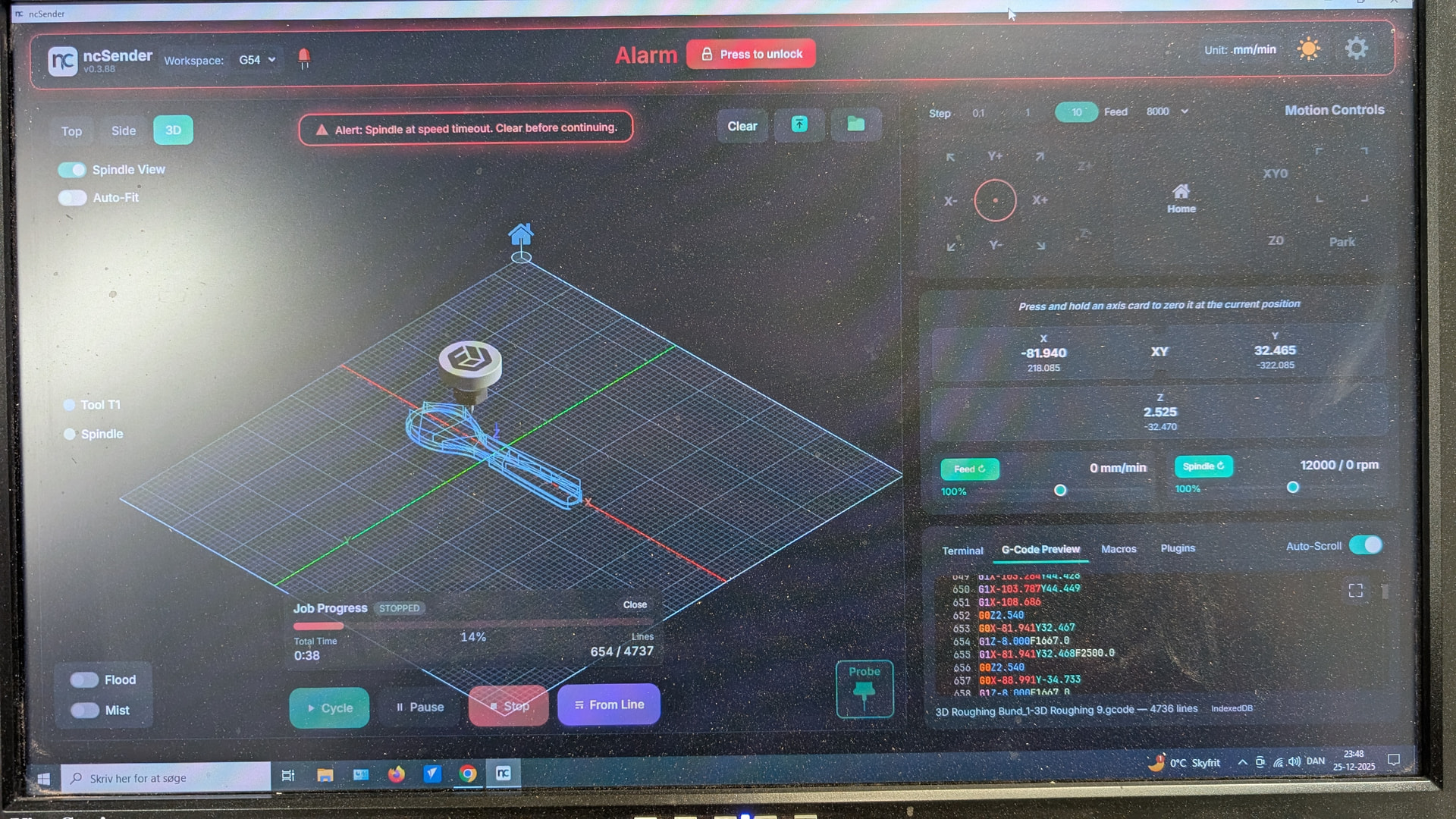
I had some Alarm 14 error on it, thought it was the grblhall, flashed back but the error is still there.
It’s the spindel timeout error that other has on the controller, using Modbus, don’t know if is’t a controller error yet, but it’s very annoing.
Not sure if it is a bug, but when you run a job and have to stop it, it stops down and require a homing and all control features is grayed out.
That means I have to start gsender up to get Z up over the job.
I think it should return to safe Z over the job.
I’m running it on Sienci Hall and it works very fine, I love the tiny features it has, like coloring in console when running a job. It easy to find a specific line to start from, if necessary. That’s just one of many nice festures.
You and Co did at good job.
I thought so, that it could be the SienciHall feature.
I could see that you stoped it in a job and that did’nt trigger a homing cmd.
So far everything works fine on old firmware, I had to switch back beause of Spindel timeout and a door open issue.
Still have that spindel timeout issue and had to shorten two door pins on the board, to get it to work, it was just locked in Ncsender and Gsender.
It can do a job tho, if I don’t mess with spindel rpms, while its running.
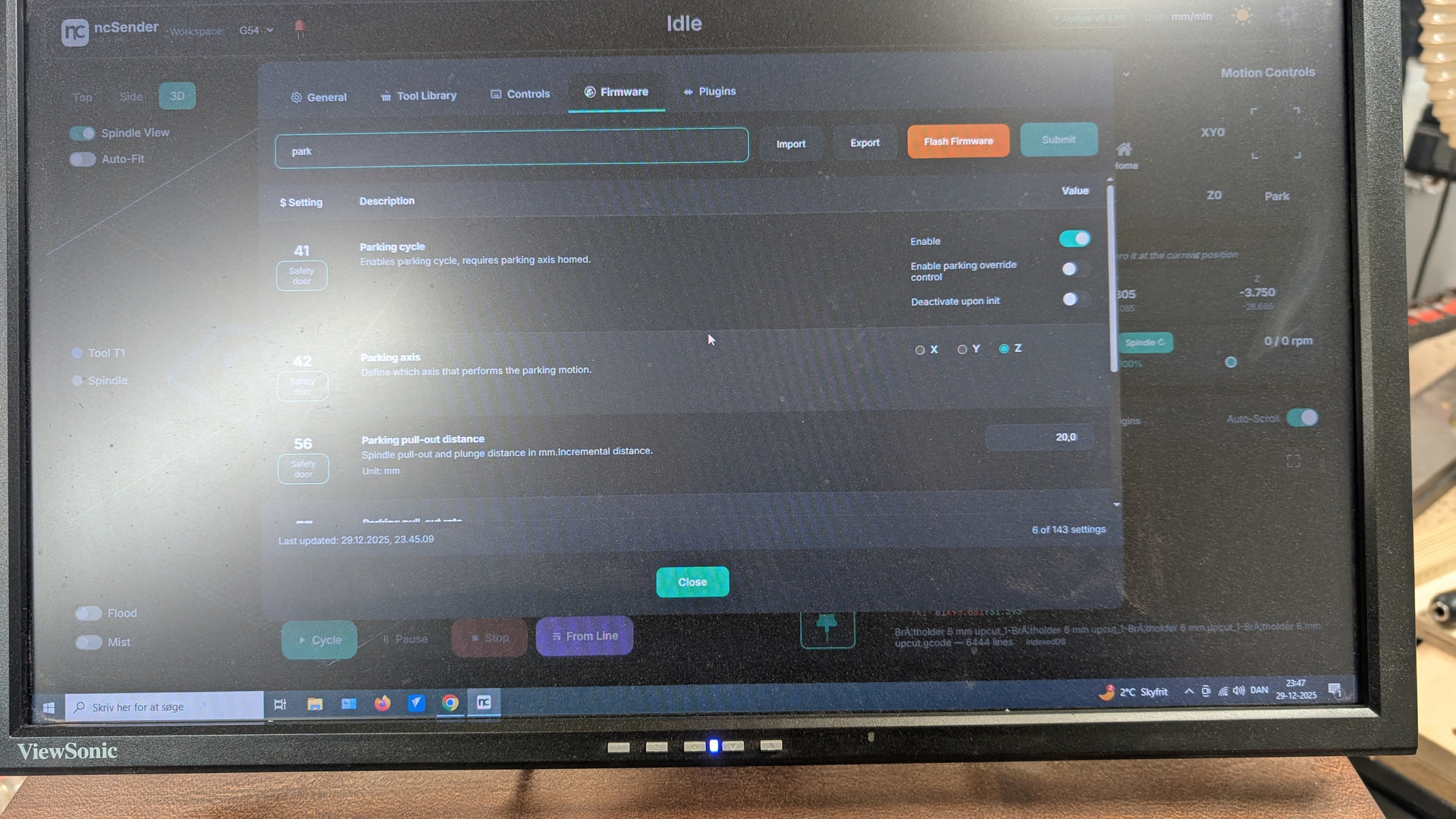
Basically, when this feature is ON and you pause a job, it stops the spindle and retracts. I find this very useful compared to gSender’s behavior, where it basically just stops XY movement while the spindle keeps spinning.
Also try the new version. The Stop should not send Door command anymore, instead it will send Pause command wait for 500 ms and then soft-reset by default.
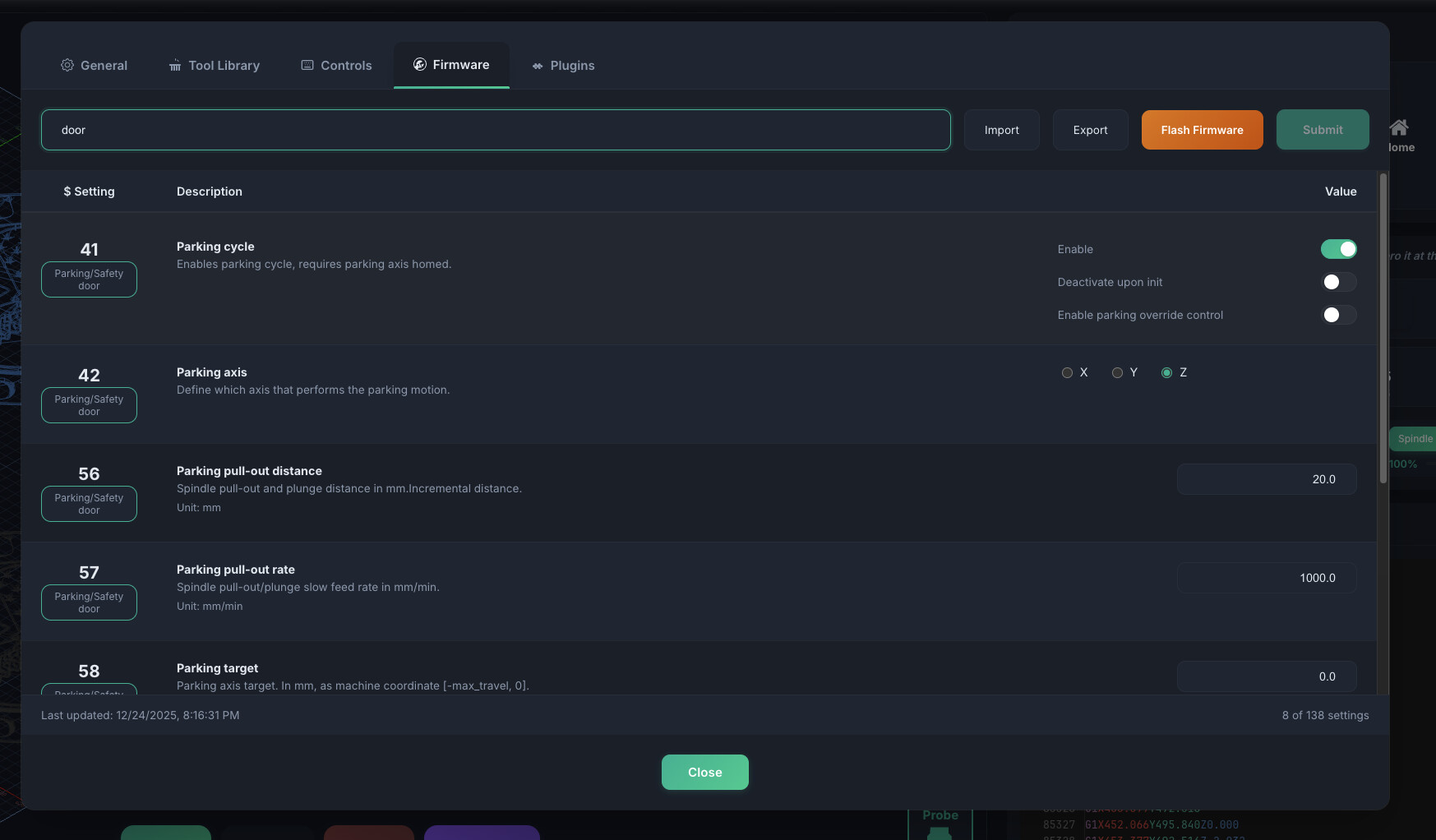
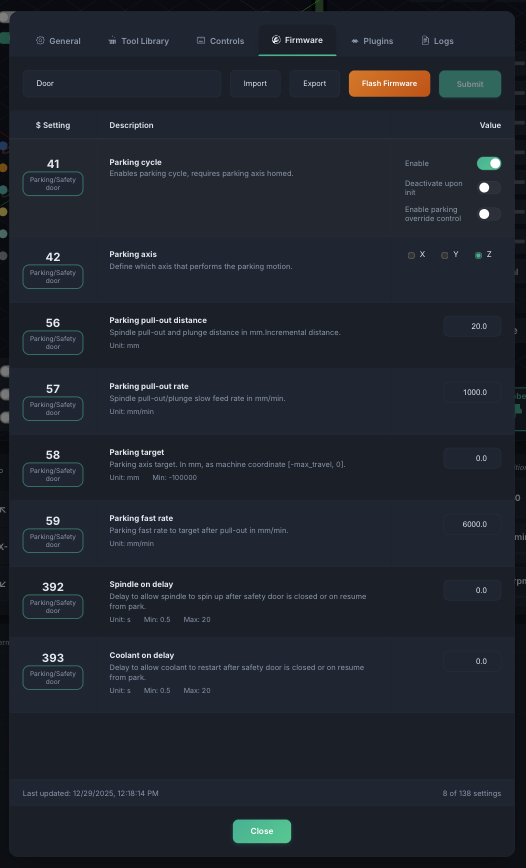
Door and Parking is off.
Sienci told me to short the two pins on the board, because it would not stop the Door error, it was off in settings.
There is somthing wrong with the board i think, I’ll write to support about it after the Holydays.
I’m on the latest NC, I’ll try the pause and stop feature tomorrow .
I have tried the pause feature it kind of works, but it does not retract on latest Fw. It set to 5mm.
The stop issue percist, it gives me a Alarm 14 (spindel timeout)as usual, but the spindel does not stop until I push it on the screen.
It’s the board not Nc.
Hi
I have set the same settings in parking as you, it pauses, but it won’t retract.
The pins on door switch on the board is closed, because of a sudden issue that I could not get rid of without shorten the two of the pins. Sienci told me to do that.
It’s a Hyanyang 2.2 kW, it’s a modbus/ controller issue like others has in here, I will contact Sienci when they are back.
Is this AltMill? If yes maybe you can use my backup firmware settings and just change the VFD settings and modbus address after you restore my backup firmware settings that you can find on my github cnc-stuff repository.
Also I don’t know why you need to shorten the door pin. I never done that on mine for 2 machines.
No, it’s a Ratrig with SLB-EXT controller and CLS motors.
I have fixed the pause problem, I did’nt ticked it in general settings, but now i have, - it’s working now.
Sienci told me to do the shorten of two pins, because the controller and software did’nt like each other, so that was the only posibility to get it running again. I did all i could in NC and Gsender and a re flash of firmware, but nothing helped, so i had to write Sienci and the rest of the story you know now.
Thats the other reason to contact them for a fix or a change of controller.
I’ll undo the shorten to see if it still is will lock the mashine up again.
I works fine overall, but the Alarm 14 is very annoying and randome, but i know what not to do, so i can live with for a while.
 )… I finally did it.
 Key Features
 Plugin architecture — Extend functionality instead of big code base core.
 3D Touch Probe — Supported right out of the box.
 Feature-packed G-Code virtualization — Includes multi-view options like Spindle View and Auto-Fit, plus Out-of-Bound indicators and on-screen warnings to keep your jobs in check.
 Refined terminal — Cleaner and more powerful for advanced users.
 G-Code Viewer — Displays crossed-out executed lines so you can track your job in real time.
 Touchscreen optimized — Perfect for kiosks or tablet setups.
 Safety first — Long-press required for critical commands to prevent “oops” moments.
 Auto reconnect — No more connect/disconnect drama; ncSender silently retries in the background.
 Improved G-Code Visualizer — Home indicator, real-size workspace, and cross-section view of your machine area.
 Notes
Notes , so expect some rough edges.
 Tested with my AltMill + SLB-EXT setup running the latest grblHAL firmware (not SienciHAL).
 Current Plugins
 Demo Playlist:
 Download / Source: