Every time I home my Altmill the speed on the normal is extremely slow when I go to jog it. I have to go into settings and reset it every time. Any solution to this problem?

Thanks for the reply. I’m using the latest version of gsender on an Altmill. Never had this happen with the older version.
It tends to reset the normal speed to which is 3000 inches to a very slow crawl. I’m wondering if it is converting the settings in normal to mm?
Just happy that I can readjust it before I start carving.
Thanks Stan
We rarely convert values to metric anymore; our new approach is to display everything that utilizes units in mm and then convert to inches when necessary.
Are you doing regular homing or single-axis homing?
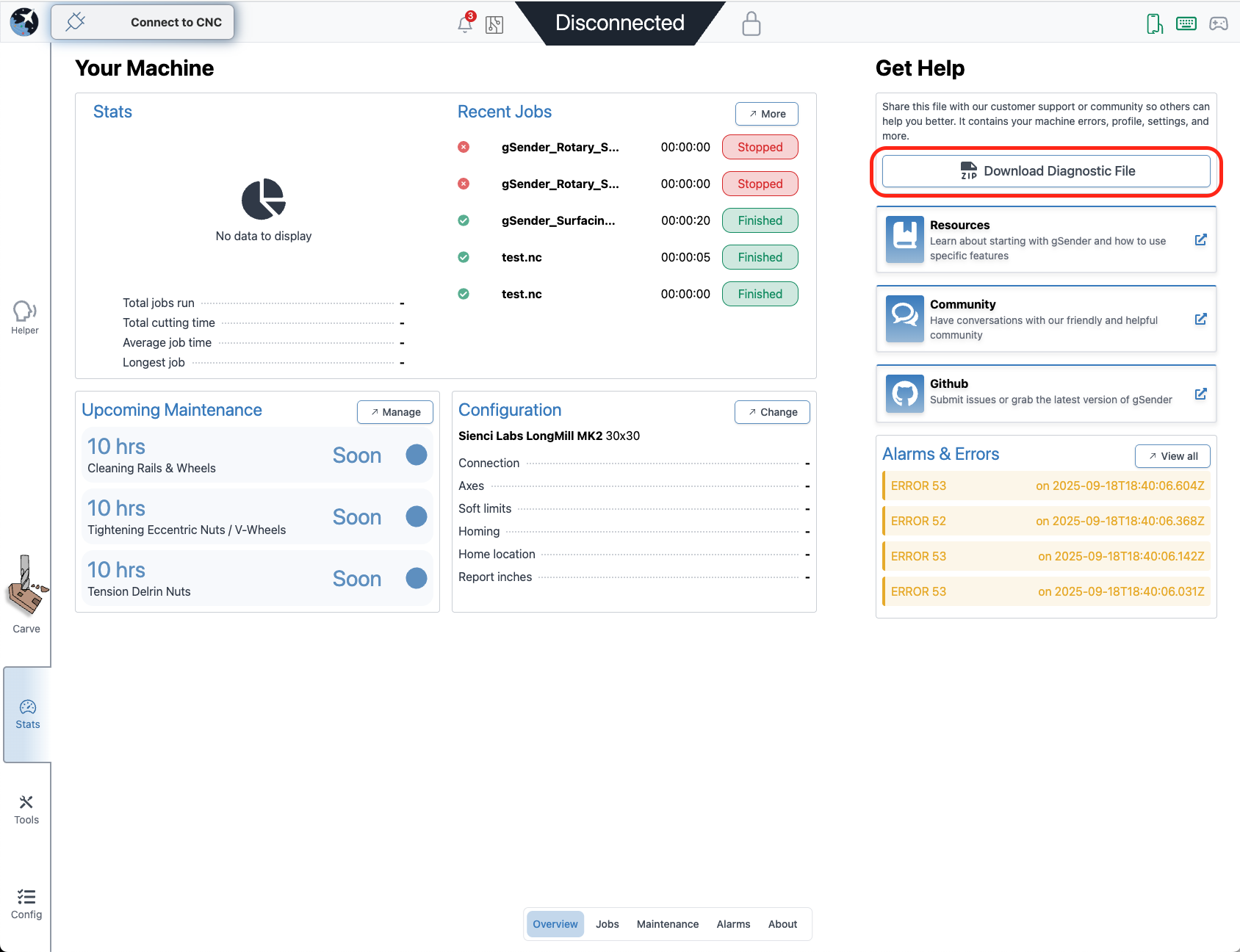
If you’d like, you could share your diagnostics file to help us debug the problem. You can download the diagnostics file from the stats page:
Thanks for getting back to me.
Unfortunately the overview screen is not functioning at all.
No job total no record of alarms and the download diagnostic file button is nonresponsive.
Should I download a fresh version of the program?
Thanks Stan
Just discovered that a few features were not working. Thought it would signal a new update like before but did not happen. So I uploaded the recent G Sender and although the normal speed was still wrong the diagnostic page was working. I have attached the file. Hope that it helps.
Also since I recieved the machine I have to start emergency stop twice to get my spindle speed to reach the target speed of 18000 in the spindle window.
Attached is the diagnostic file.
diagnostics_9-19-2025_20-11-13.zip (59.1 KB)
This thread seems to have gotten lost so I’ll tag @walid_kayhan so he can look at this once he’s back from vacation
@Strst not sure why @walid_kayhan didn’t follow-up on this, your issue sounds to me like one that we saw at one point in the earlier gSender 1.5.# versions where the settings for jogging in Config weren’t sticking. Have you tried updating to a more recent gSender version to see if it resolves your issue?
Hi Chris yes I have the latest version installed and it fixed the issues l had earlier but this problem persists. Even as today I have to hit the emergency stop the second time to reset and get the spindle up to speed. I always test it before I run a job. If I don’t it will spin up and time out the spindle before there is any movement.
Thanks Stan
Ah ok, are you saying that the original issue with the jog preset setting not sticking is fixed now? That’s a good step if so.
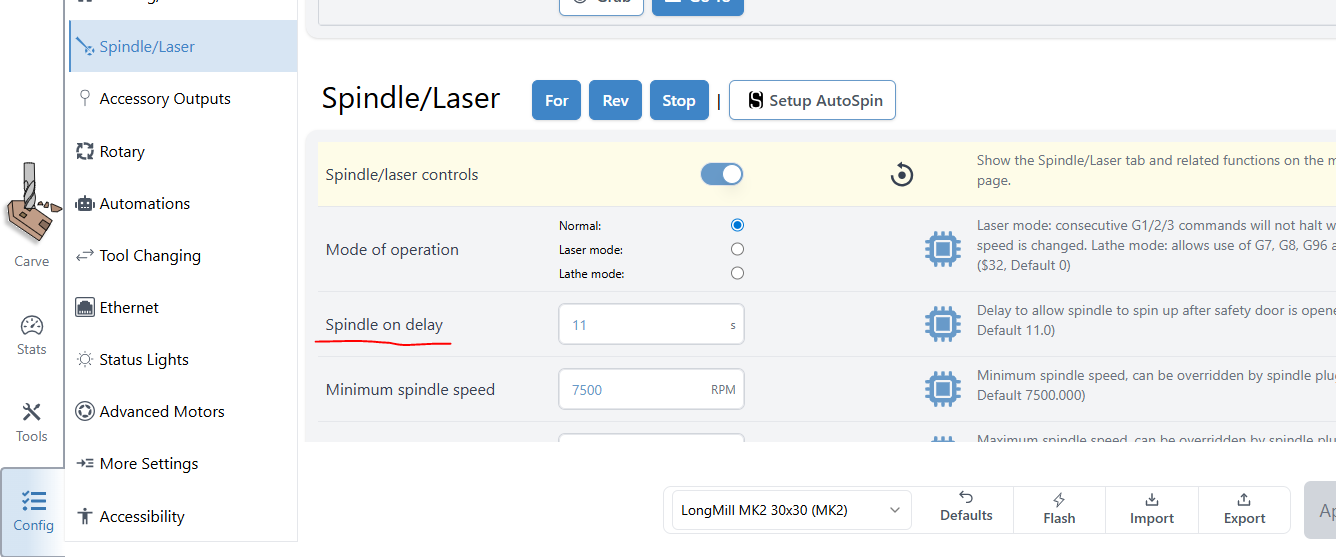
Regarding your other issue, can you give a bit more information? When you get the time out is it a message in gSender? If so then perhaps look at increasing your ‘Spindle on delay’ since that will make the machine wait a little bit longer for the spindle to spin up and then you shouldn’t see the alarm anymore
Thanks for the reply. Yes, the first issue is resolved with the latest update.
When I initially start my machine I first reset the emergency button then home my machine.
I have got into the habit of checking the spindle speed first because of the constant failures. I have it set to 18000 so I can hear it spin up to speed but 90 percent of the time it spins up to a much slower speed and cannot be adjusted. As well the stop feature adjacent to the spindle speed does not work and it only stops when it times out. Unless of course I hit the hard emergency stop button.
If I go through the proper procedure to start a job it will spin up but not reach the set speed and will time out and give a time out warning on the screen.
To fix this I will hit the emergency stop again and everything runs fine. Been running jobs this way for ages.
Appreciate any help.
Thanks.
@Strst I’ll be honest, I’d recommend either calling or emailing our support team since some of them have dealt much more extensively with spindle troubleshooting and they’ll probably have you fixed up much faster than me. You can copy/paste to them the same info you’ve sent here and that should give them enough info to start looking into it  sorry I can’t help more here, I mostly handle gSender stuff but it sounds like something up with your VFD or firmware or some other aspect of your setup and configuration
Thanks Chris. I’ll take your advice and contact customer support.
Used a Shark for three years. Your machine quality and function is amazing. Use it constantly and love it.
Stan May