Hello everyone, I’m being plagued with Run away jog issues. It’s happened in the X direction and also in the Z direction. Both times it was not pretty. I have a generic CNC that I built. Everything seems to be working fine except for this issue. I can get the issue to happen if I want to buy randomly clicking Z plus and minus jog direction at various speeds and times. After about a half a minute of doing this, it’ll take off continuously and I have to slam the emergency button. This will stop my machine, however if I look in the G Sender window, the Z axis is still traveling and seems to want to infinitely.
I know others have had similar issues with this. Has there been any definitive resolution on this issue?
@Dudeman555 I don’t have anything to offer except to suggest that you take a look at the console window to see if any commands are being sent to the controller.
i had a similar issue where i could see gsender counting, but not axis were moving. i had a chinese board. i never found a solution for it, but i changed to fluid nc and that issue seems to be gone.
there might be something in the controller board that does not deactivate on key release
i did tried right now on my machine and it seems to queue the keystrokes / movement commands in the console, try to look for it. or maybe try avoiding fast keystrokes / jog commands
also im curious, what board do you use ?
I am using a genuine Arduino Uno board. Stepper motors were purchased from a stepper online. I assigned the X and Y directions to the keyboard arrows, and currently I am using the mouse and G Sender interface for the Z direction. I can fairly easily get the Z direction to run away right now. I haven’t been able to get the X and/or Y to run away using the keyboard since I assigned them. Maybe there’s a difference between the keyboard and the mouse signal. I will test.
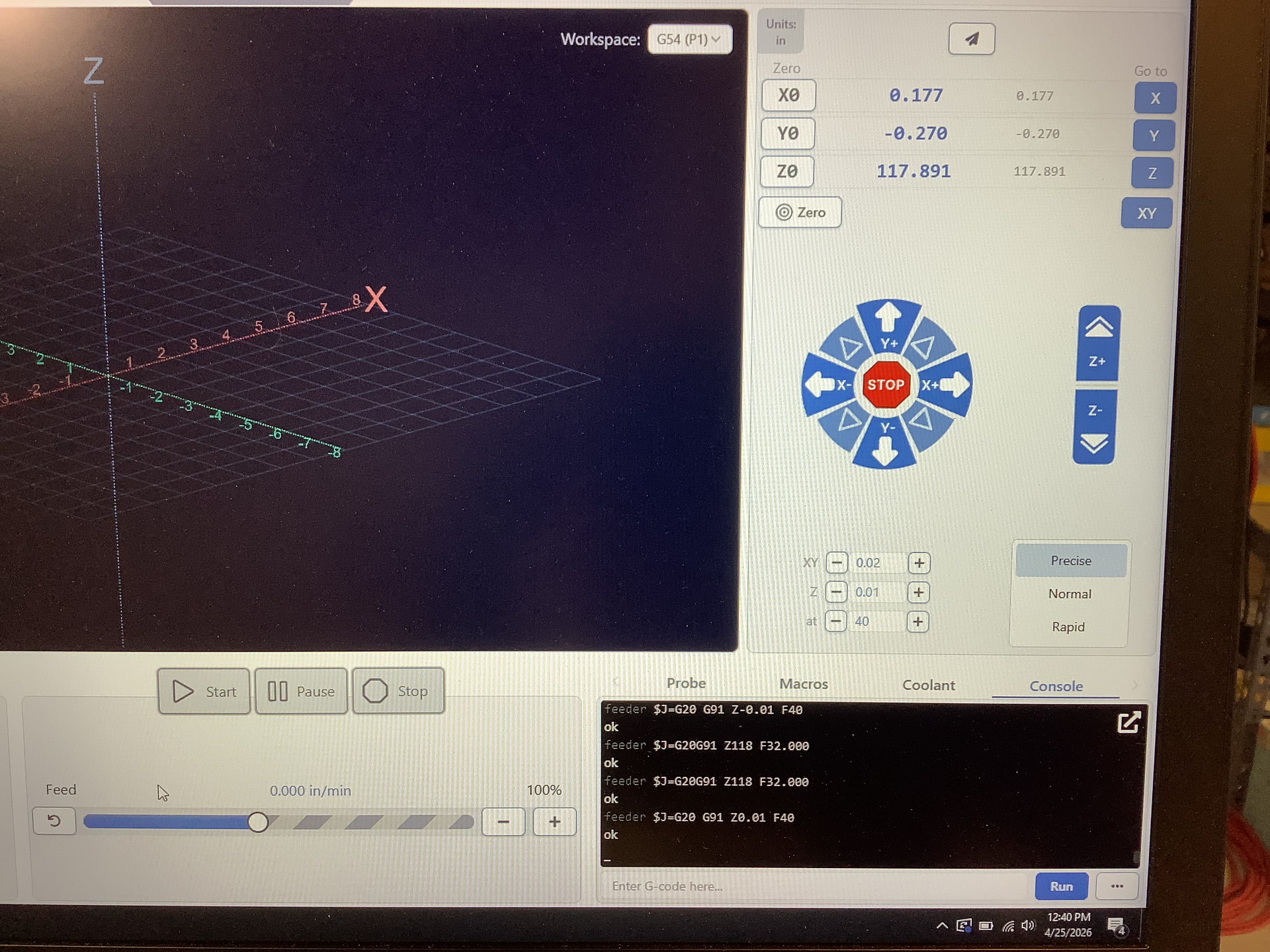
OK, here’s something I noticed. I was performing some precise single jogs in both the positive Z and negative Z. Then the runaway occurred. I am attaching a picture to show the last few commands in the console. Somehow a positive Z 118 was executed. I’m not sure where that came from but I looked further up the console and it showed up several other times as well. I let the Z axis continue to go in G Center after I hit the E stop on my machine. As you can see in the pic it finally stopped at about approximately 118 in the Z positive.
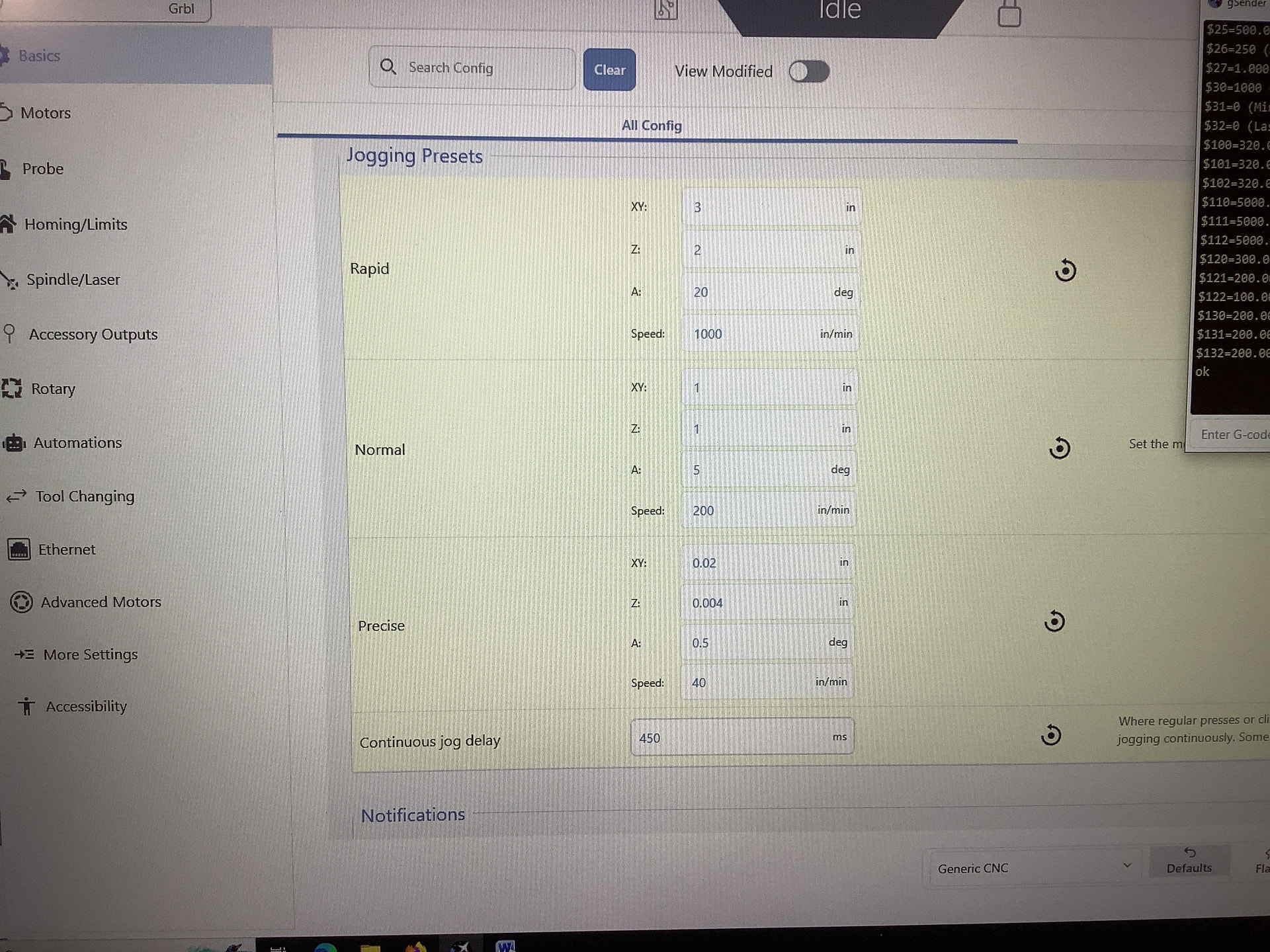
I figured out where the Z118 command is coming from. That is the command I get every time I hold the mouse down longer than the delay time I have in my settings(currently set at 450ms). Of course we know this action produces a continuous jog for sure, however, it doesn’t know to shut itself off when I release the mouse. Also, I’m trying to understand why it’s always 118 inches?
I’ve done some more testing and this is what I’ve observed.
The runway is not limited to any particular axis.
The runaway can occur in either the plus or minus direction.
So far, the runaway only occurs when I’m using the mouse as an input.
I have not been able to get it to run away while using the keyboard as an input.
Update - I was able to cause a runaway condition using the keyboard as an input. So it’s not limited to just the mouse.
I will continue to update this thread as I learn more. Hopefully others can contribute to this, and we can determine a solution.
In case, I haven’t mentioned it before, here are the basics for my machine.
2.8 Amp open loop stepper motors, shielded and grounded motor wires, GRBR 1.1h on genuine Arduino Uno, DM556 stepper drivers. 36v 16a power supply. Win 10 pro laptop.
I have not been able to get repeatability in any definitive way; however, I have found a way to make it happen with a fair amount of consistency. It involves varying the dwell between consecutive jog clicks. The mouse must be held down between clicks. Then slowly increasing the time. In other words, I hold the mouse down 1 sec. between 1st and 2nd click, 2 sec. between 2nd and 3rd, and so on. In this way, you are slowly reaching the point to where it will consider the action to be a constant jog command. My setting for constant jog is 450 ms delay.
It seems like there’s a point at which I approach the 450ms that it gets confused, and that’s when it happens. Anyways, I can get the most repeatability doing this.
I don’t know if it’s appropriate to say here but I haven’t had this issue while trying UGS platform.