Hello,
I am just getting started with an Altmill and Gsender. While running the surfacing operation, I noticed that I could adjust the feed rate via the overrides, however not the spindle speed, making any adjustment here would not update the speed from 100%, and of course the spindle speed remained unchanged.
Is there a setting somewhere I’ve missed to allow override of the spindle speed while a job is running? I’ve gone through the documentation in the resources section to enable the VFD/Spindle, and set the min and max speeds, everything otherwise appears to be operating normally.
@reet I don’t have a solution, but can you see if you can decrease the speed from 100%? I’m thinking that the issue is that gSender cannot go beyond what you have set the max speed to in the firmware.
Hi gwilki,
I tried again tonight. I can confirm, that moving the slider changes the value from 100%, but the RPM does not change, nor does the VFD change speed. I set up a surfacing job with 14000 RPM speed to test, so 1/2 of full speed for the Altmill spindle. I can also confirm that min and max speed are set correctly in the firmware, running a job at 24000 RPM or 7500 RPM will run just fine at either speed.
I have a Gcontrol on the way, just shipped so perhaps I’ll wait and revisit once that computer arrives.
I am not equiped to test any of the settings and see if I can reproduce your problem (no altmill, no spindle.) So I can only speculate wildly.
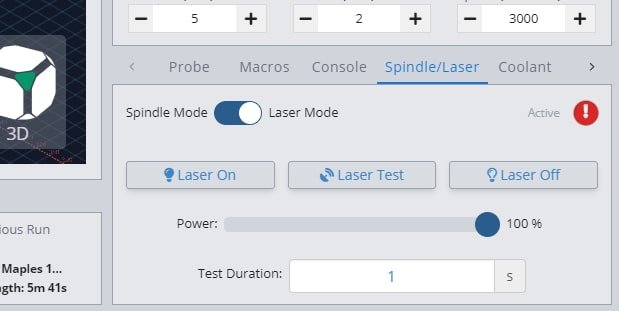
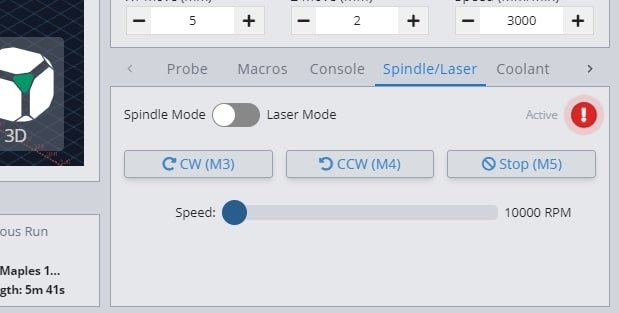
My mind wondered if you maybe selected laser in stead of spindle at the spindle/laser toggle. You mention not being able to change from 100% and on my old gsender I only get % selection when my laser is active. (Toggle = blue)
Answer from Sienci is that the override sliders currently don’t work on a touchscreen, so use the +/- buttons. Further, adjusting spindle speed doesn’t work at all for surfacing jobs.
@reet as of newer gSender versions like 1.5.3 this shouldn’t be an issue anymore and the sliders should work as expected. As far as the spindle override working during surfacing files, does the override work for other files and only doesn’t work for the surfacing files?