I have to reset the speeds for jogging each time I open gSender. Is there a fix for this? I am on the latest version of gSender.
I’m unsure of where you are setting the jog speeds. Absent any bugs the way it should work is that changing it in the jogging section of the main screen is temporary.
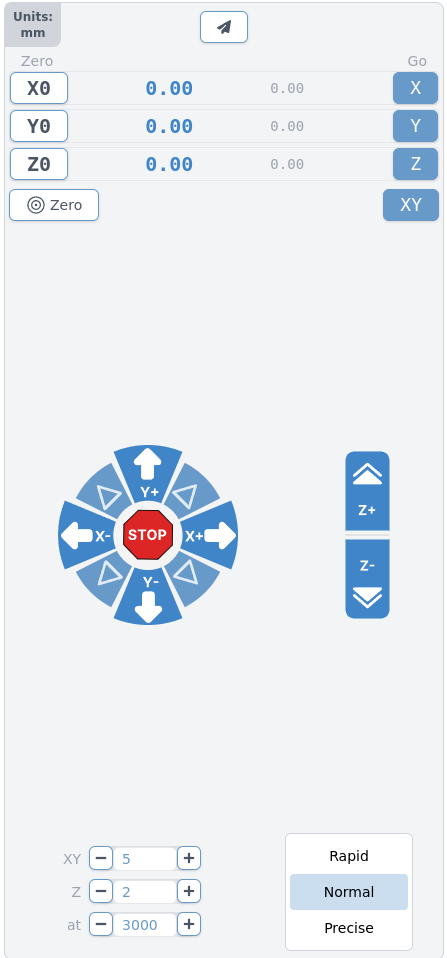
Setting it in the Config section should persist and be the new default which can then be overridden temporarily in the jogging section as per the first screenshot.
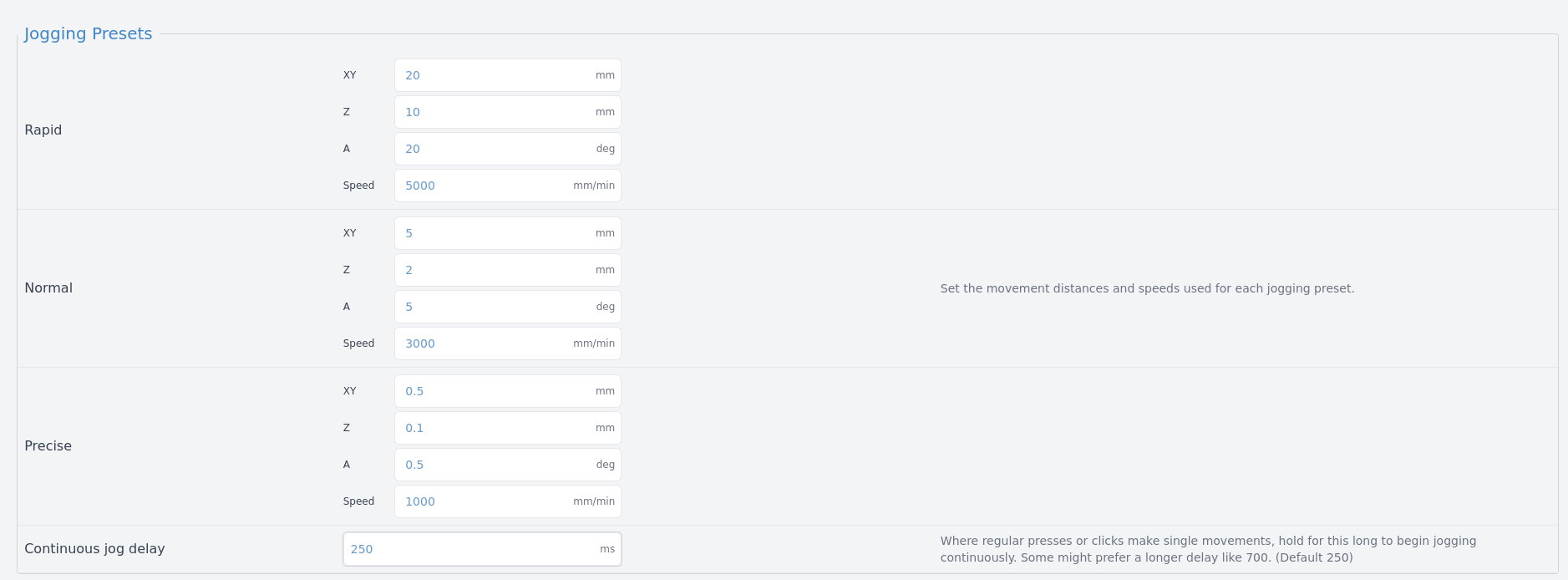
If that’s not the way it’s working then I believe it’s a bug in gSender. Let us know and I’m sure a moderator can move your post to the bug category.
1 Like
When I open up gSender, the jogging speed is set to the precise setting, but I have to go to Config and reset the jogging speeds. I have to do this each time I open Gsender. After I complete the reset, I open Carve, and I click one of the jogging resets, and that corrects the jogging speeds.
I just updated to gSender 1.5.6 to make sure I was on the latest version and I’m unable to duplicate your problem. When I open gSender it’s always on Normal in the carve section when I start even if it was on Precise or Rapid when closed.
Any changes I make in Config become the default as I described in my first response. I’m on Linux using the Intel 64 bit AppImage.
Just to rule it out. Did you remember to click the green Apply Settings button in Config?
I’ve also seen some problems with gSender that fixed themselves if gSender is forced to recreate some files and directories that it creates on first use. The locations are platform specific. On the off chance that you run Windows you might try renaming or moving to trash C:\Users<UserName>.sender_rc as well as any subdirectories of C:\Users<UserName>\AppData\ named gsender or sienci. Not sure of the exact naming. If it doesn’t fix anything you can move or name them back. You will lose settings that aren’t stored on the control board doing this.
I’m out of ideas, at least for now, if none of that helps.
I had the same problem before too. Everything was SUPER slow! Go to where Michael said to go. In the middle to the right of the Jog inputs, there will be a circling arrow with a center dot. Hit that for each button. That should fix the problem, at least it did for me.
Just to be thorough about how my gSender behaves.
Those buttons will return a setting to it’s default value. That persists without using the Apply Settings button. On the other hand if I set a value to something other than the default, hit enter or click outside the entry box, the Apply Settings button changes from grey to green meaning it needs to be hit to save the setting. After clicking the green Apply Settings it changes back to grey.
1 Like
I have several of the settings buttons that are yellow when I open gSender Config and I click on the button to update and hit the green apply button it goes back to default. Such as changing to metric when I use imperial. Did miss anything on the setup? Still having problem with jogging speeds. Still working on that due to time constraints.
A setting that is yellow has been changed from the default and will have the ‘dot surrounded by a curved arrow’ button to restore the default for that setting.
You mention hitting two buttons on a yellow setting. I understand what the ‘green apply’ is but what does ‘I click on the button to update’ mean. Is it because that particular setting was a toggle button or radio button vs a text field?
If you are just changing a setting, either button or text, and then hitting the green apply and nothing sticks then I’m back to ‘something is wrong with your installation’. And in that case I would rename the files I mentioned above and reinstall.