So, when I’m running a file, the z-axis is plunging way deeper than it should. I have the proper material thickness on the depth, it’s zeroed out properly before I run the file, and I’m using the latest version of gsender. I’ve run the file without the material on the table and it still loses depth, and fairly rapidly. Any help or tips would be greatly appreciated.
@Cats_Game Does it do this with all files? Have you ever had a successful run?
What CAD/CAM application are you running?
It didn’t do this with the first file I ran, and while I did have others problems, it was something of a success.
The first file was made on vcarve, but the project was too big, so I had split it into tiles. The file for T1 didn’t do this, but did on T2.
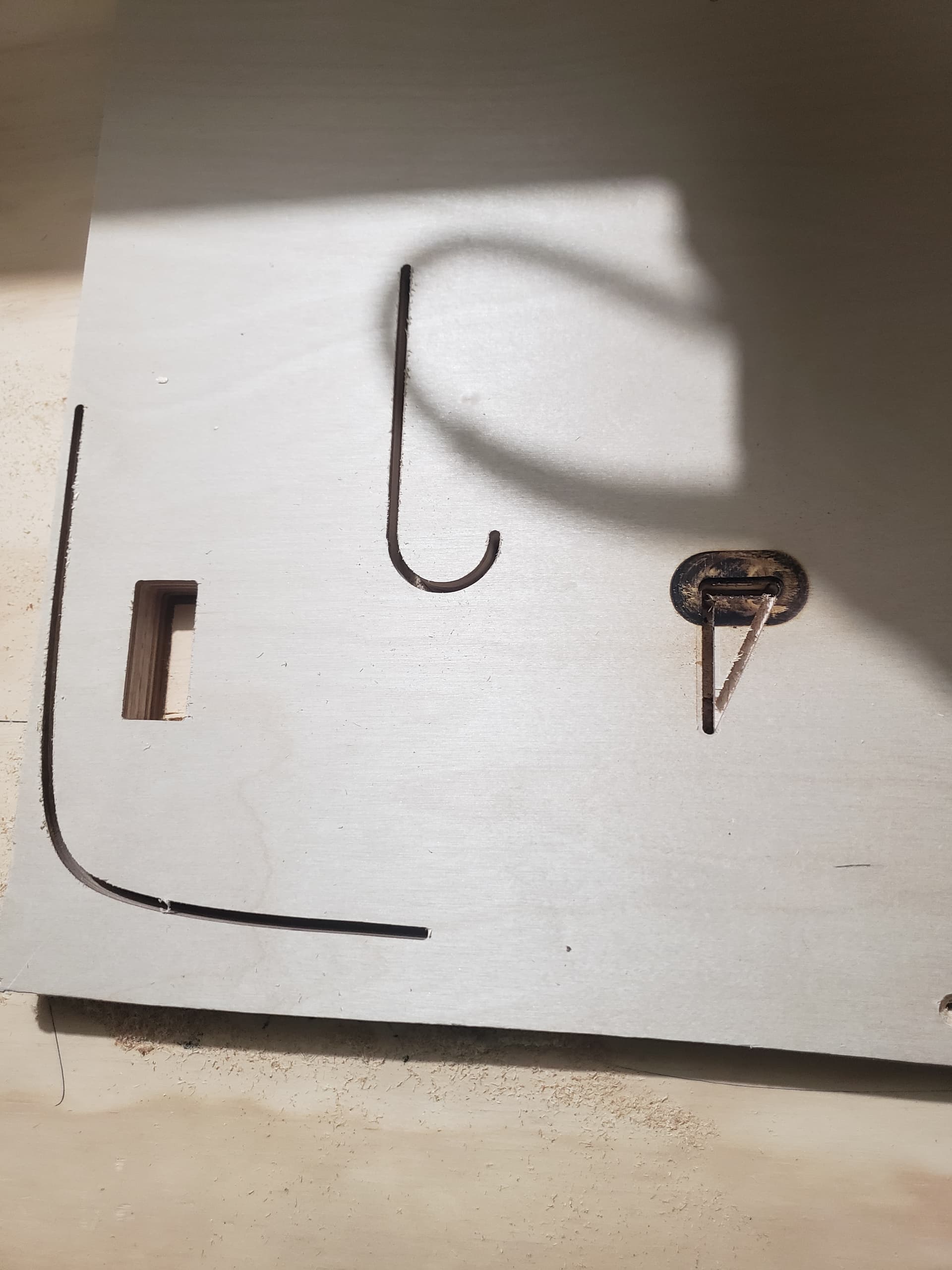
In response, I switched to vcarve pro, and ran a different file, the one pictured above, since I wasn’t the only one who worked on the first file, and to make things easier going forward, but the problem remained, so I figured that the issue was most likely with gsender.
Have you reviewed the generated gcode to see if the CNC is doing what it was told to do?
Ensure your bit is very tight in the collet - I am guessing, but you are using an up-cut bit, correct?
I had speculated about it in the past, then found it to be completely true - an up-cut bill will “screw” its way into the workpiece, pulling itself deeper into the material. The time I did it, the bit ended up so far out it was almost springy (it was a 1/8 bit).
Using down-cut bits, it pushes the other way - and may go to a lesser depth.
Additionally, are those toolpaths ramping into the work, or plunging? Given the narrowness, either way (ramp or plunge) the net force of an up-cut bit will pull the bit into the work.
How do I review the gcode?
Assuming you are generating a gcode file from whatever your toolpath generation software is, just open it with a text editor I use notepad++
This is what I assumed as well but I have had a situation where a down cut bit actually dropped down further from slipping in the collet.
@Jens that’s interesting - good to know. I know generally I try and make sure I have all bits very tight, but do prefer down cut for most of my workflow now.
If you are using a heavier spindle, you may need to set some holding current for the z-axis in your firmware. about 10% was adequate to hold my 2.2 kw from dropping on my old longmill. I find it is not needed for the alt-mil.
I am using an upcut bit, so I’llkeep that in mind, but I do keep it very tight. It’s also drifting on it’s own without drilling into material, so I don’t think that’s the problem, but I will switch to ramping instead of plunging as well.
I haven’t done that before, so what am I looking for when I do review the gcode?
Open the gcode file with a text editor. I use notepad++ because it displays line numbers an has the ability to list all on the search results and allows searching with a regular expression. If the z is diving, do a regex search for z-\d+ if you are zeroing on the top of the stock and find all in current document. This will give you every line that moves the z. Look for big movements from one line to another. If you know about what line gsender was on when the issue happened you can review lines around that line looking for anomalies.
@Cats_Game What CNC machine do you have? Are you using a spindle or a palm router?
I’m working with a longmill mark 2, and I’m using a palm router
@Cats_Game Me too. Here is my thinking.
- Since this happens when you are running in air, it has nothing to do with a loose collet and the bit slipping.
- I seriously doubt that it is gcode related, but that is easily sussed out by looking at the gcode. Post the gcode and others will be able to help with that. You could post the .crv file, too.
- If it were me, I would be leaning to it being a mechanical issue. So, check the Z motor coupler and check the Z leadscrew anti-backlash nut. It would be worth checking the V wheels on the X gantry too. If they are loose, the entire Z gantry can tilt and move up and down even if you are not cutting.
Well, i have a bunch of problems with my “z” axis plunging too deep and tried a bunch of suggestions but nothing worked. turns out the first problem “I” discovered was that the wires going into the Z connector attached to the stepper motor were breaking. the wire covers weren’t being support so the wire was breaking or barely hanging on where the cover-wire junction. the second problem i found was the connector jack on the stepper motor was bad. if you pushed on the connector while the Z axis motor was being driven, the Z motor would stop and start when you pushed or released the connector. mind you I was only pushing with my finger. Sienci sent another stepper motor for my Z axis, the problem was solved. I can tell you how many carvings were messed (I had a graveyard of ruined carvings). so basically what was happening is the motor was being commanded to move up but it wasn’t, so when it was supposed to be at the new x/y position, it was being command down and it was moving down (problem was it didn’t move up so was plunging down even more). i would imagine the same thing could be happening on other axis also. on the pine bowl (if you can see them) the diagonal cuts happened because Z didn’t lift the spindle so the diagonal cuts are rapid movement cuts.
hope this helps.
Mark
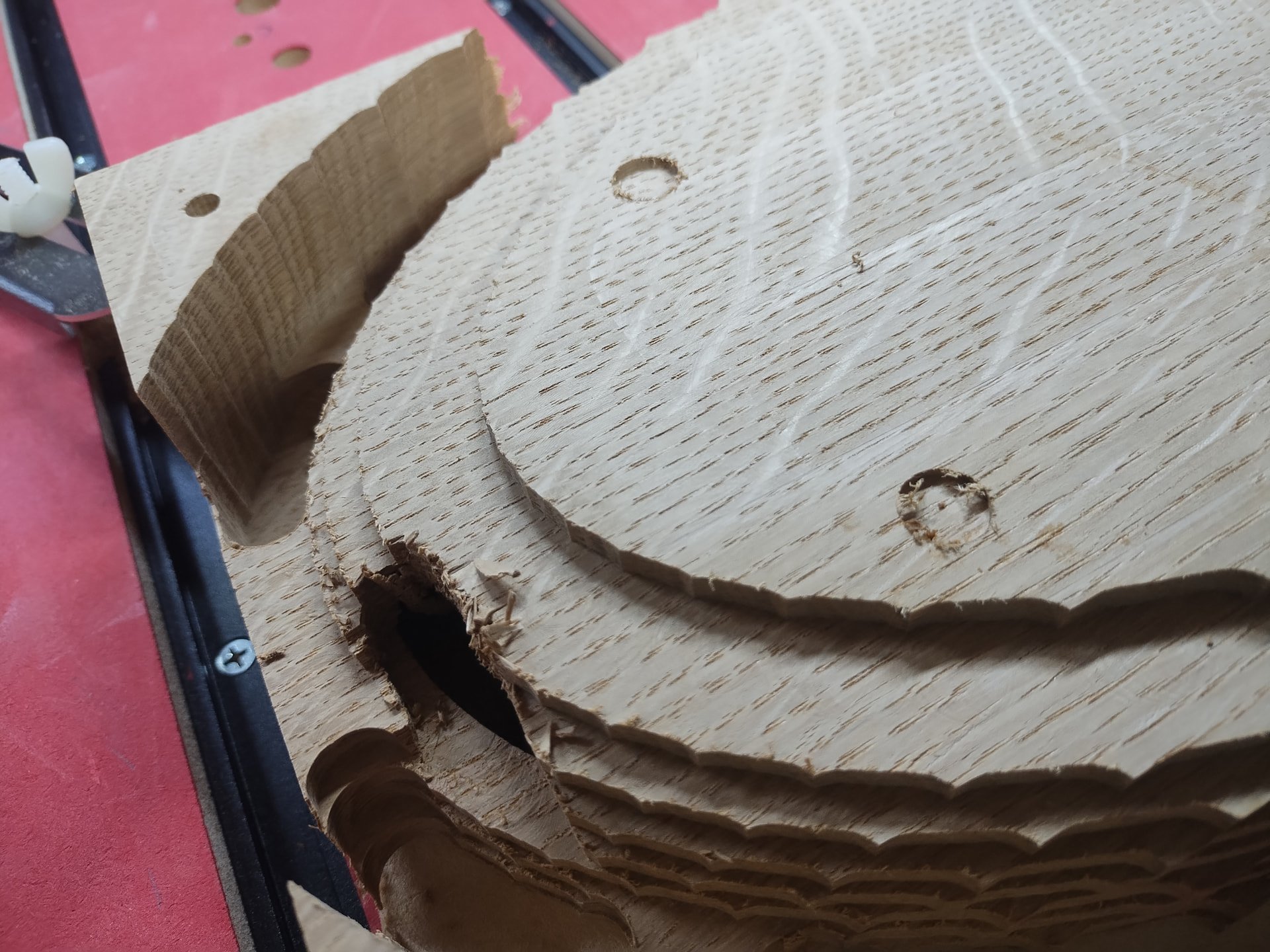
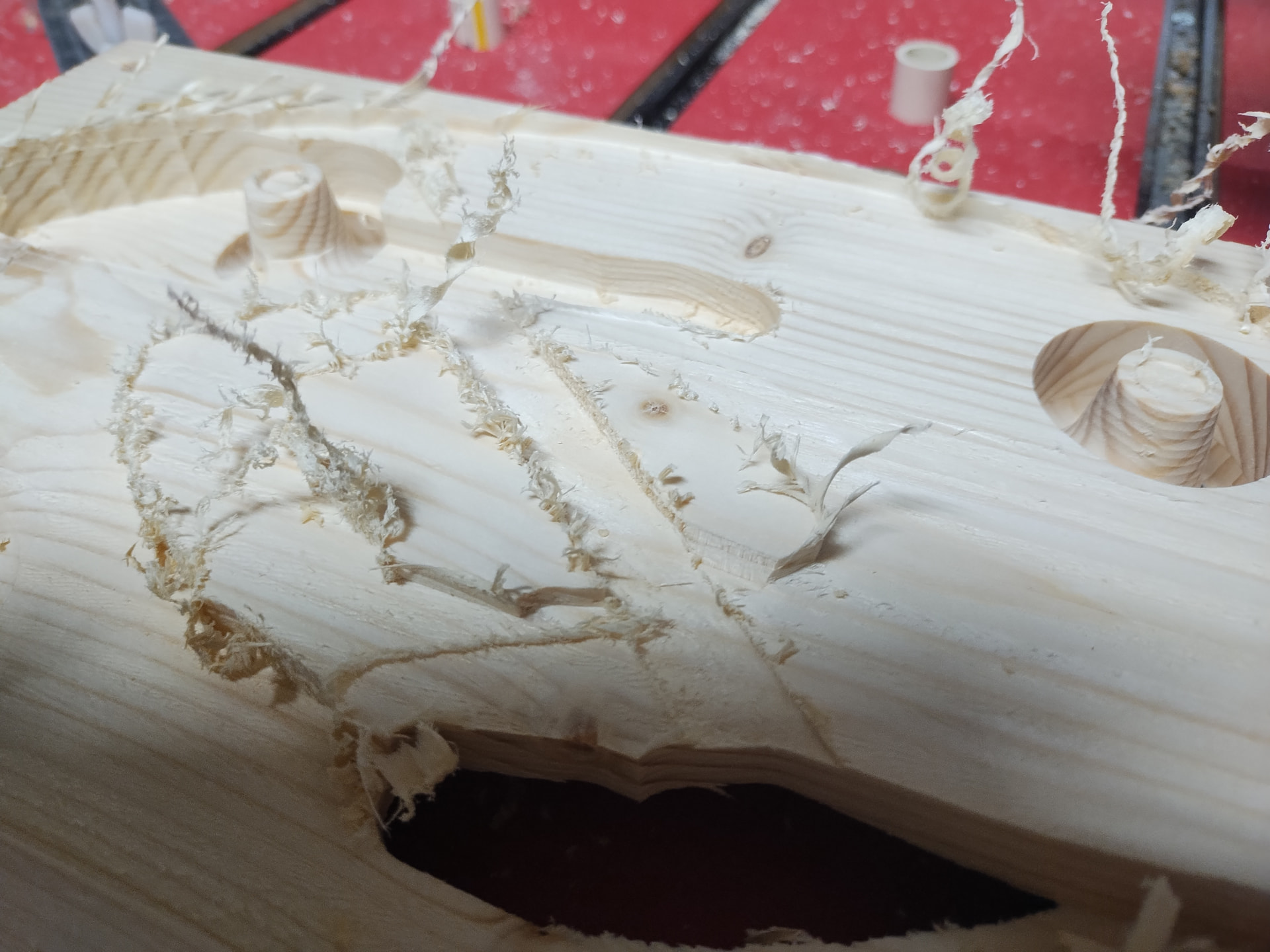
I had a similar problem with a different brand of CNC router this week. While troubleshooting I stuck a caliper under the spindle then would jog the z axis down. I moved 10 in software dial caliper showed 12.5mm. I’d move 20mm dial caliper shows 25mm. … you get the idea.
That led me into the hardware settings where I changes the steps per mm value. I could then make the hardware move the same distance the software was asking for.
There must be a similar value for z axis in gsender. There was for the x and y when I optimized my altmill.
Nic