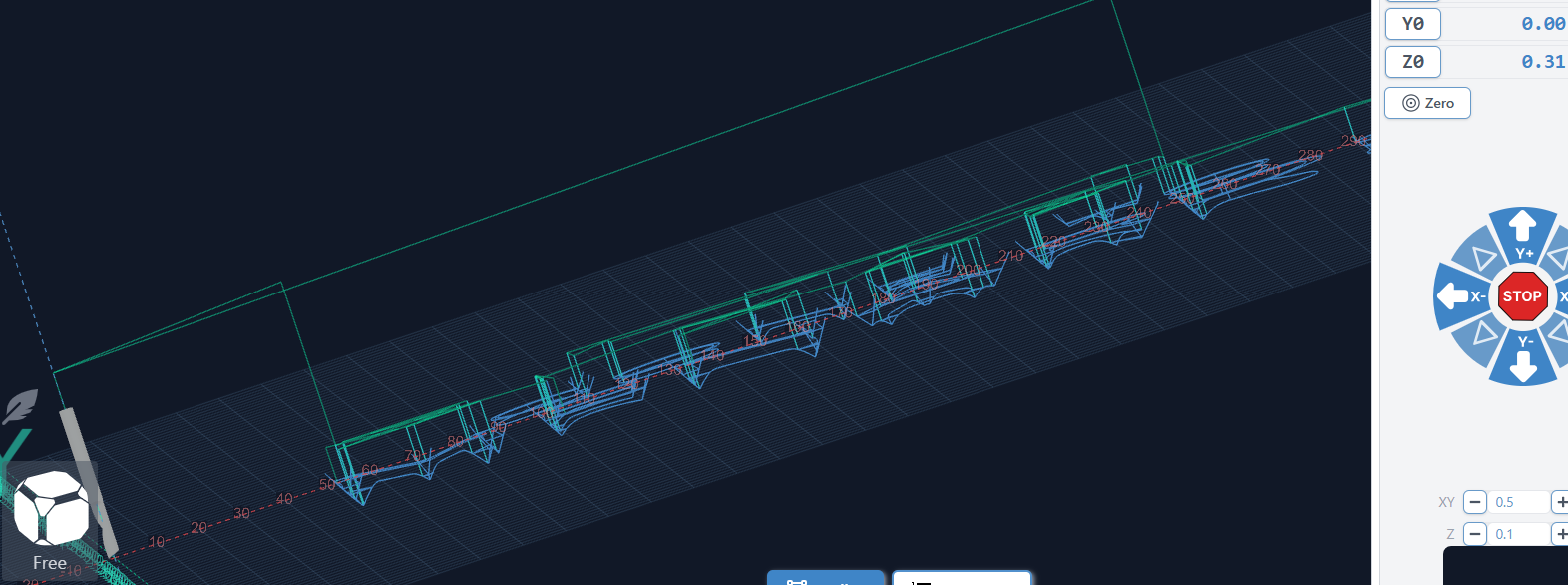
Once I click carve, the spindle goes so high it hits the limit switch. If I unlock and continue, it raises higher and goes through the toolpaths. But its about 4 inches above the piece. I zero in when the bit is touching the work piece. I have the Safe Height under Basics settings set to 0. Z axis under Homing is set to 22mm. Foxalien Vasto is the machine.
First of all Welcome! Usually everyone here needs a little more input on your setup to help. Such as which Cad software you are using, are you using gSender or something else? etc. But I did a quick AI search for you to get you started with the information I have from your post. It may not be the fix since there could be a number of problems in your CAD setup (such as you might have thought that you set the safe height to 4mm when actually it was set to 4 Inches. ) Just an example, not saying you did. But here is the AI response. Again welcome =)
AI says:
-
G28 or G30 Positions: Many CNC programs send a
G28orG30command at the start of a carve, which tells the machine to go to a pre-defined “safe” location. If these coordinates were set when the machine was at its maximum height, it will try to return there before carving, hitting your limit switch.- Fix: Clear or reset your G28/G30 positions in your console by typing
$RST=#or manually defining a new safe position closer to the bed.
- Fix: Clear or reset your G28/G30 positions in your console by typing
-
Safe Height / Clearance Settings: Even with “Safe Height” at 0 in basic settings, there is often a “Rapid Z Gap” or “Clearance” setting in the toolpath/CAM settings. If this is set to a large value (like 4 inches), the machine will move there first.
- Fix: Check your toolpath settings (not just global machine settings) for Clearance (Z1) or Plunge (Z2) heights and ensure they are set to a reasonable 5mm–10mm.
-
GRBL Homing Direction ($23): If the Z-axis moves up when it should move down (or vice versa), the machine might be confused about where “up” is.
- Fix: Verify your
$3(direction port invert) and$23(homing dir invert) settings match the FoxAlien Vasto default GRBL settings.
- Fix: Verify your
-
Z-Axis Steps Calibration: If your machine thinks it is moving 1 inch but actually moves 4 inches, your steps per mm ($102) are incorrect. This commonly happens if the wrong screw rod type is selected in setup.
Hope this at least get you moving in some sort of direction. CnC is never plug and play, its art.
Thanks for this info Karver_One. I validated these settings in Vectric Vcarve Desktop. Still wants to jump up. I ran teh $RST=# cmd. I verified the safe limit is in mm. Made sure the Rapid Z-Zero Gap is set to .2 inch. The Gap above piece setting is set to 0. The z plunge (z2) and Clearance (z1) are set to .2 inch. Before getting Vcarve, I used Easel and made a couple successful carves. Which indicates the machine is good. Under config changed the machine type to Generic CNC. Starting to thing gsender doesn’t like my setup. I just noticed the start and some other point, the z motor is hitting high. Below shows this. No idea why.