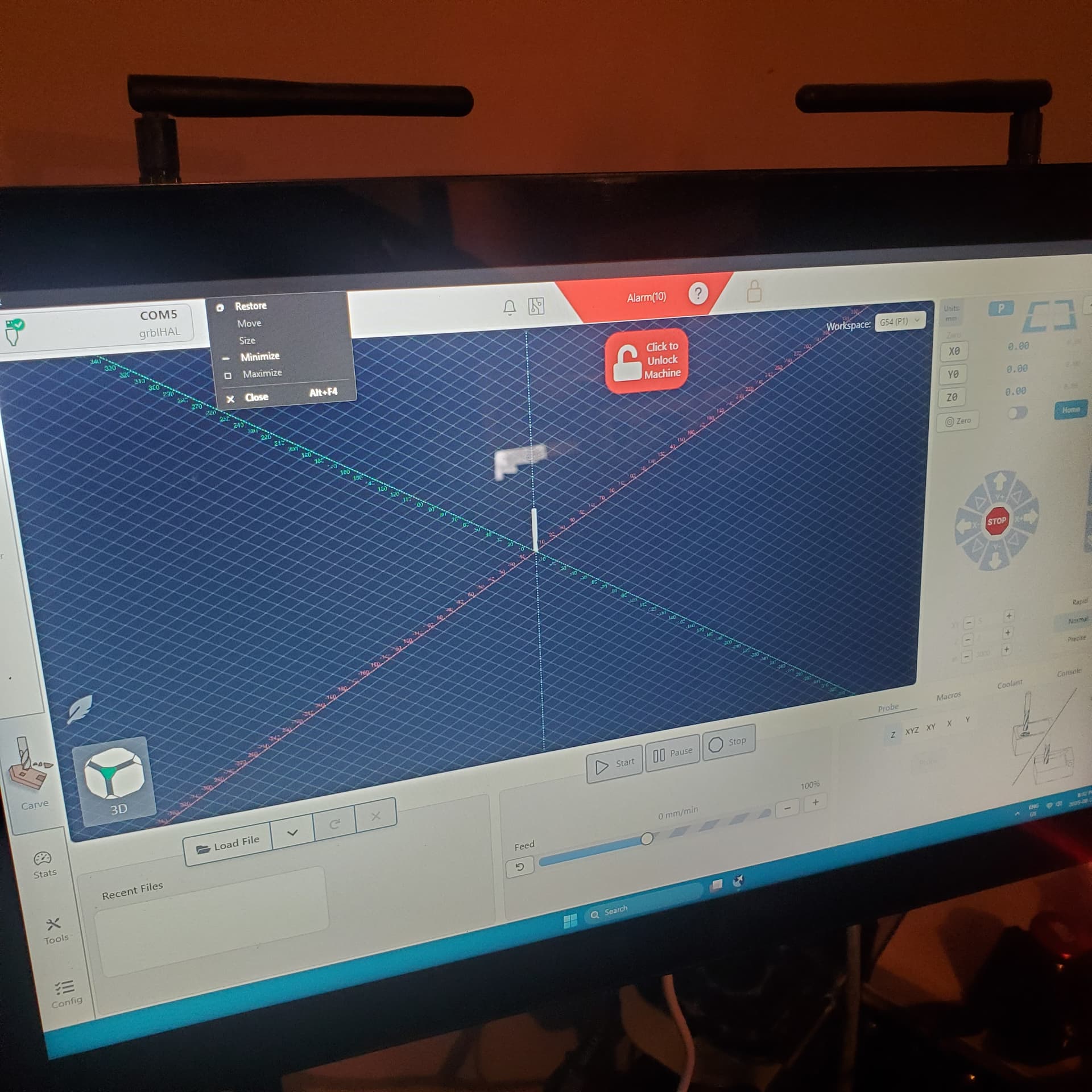
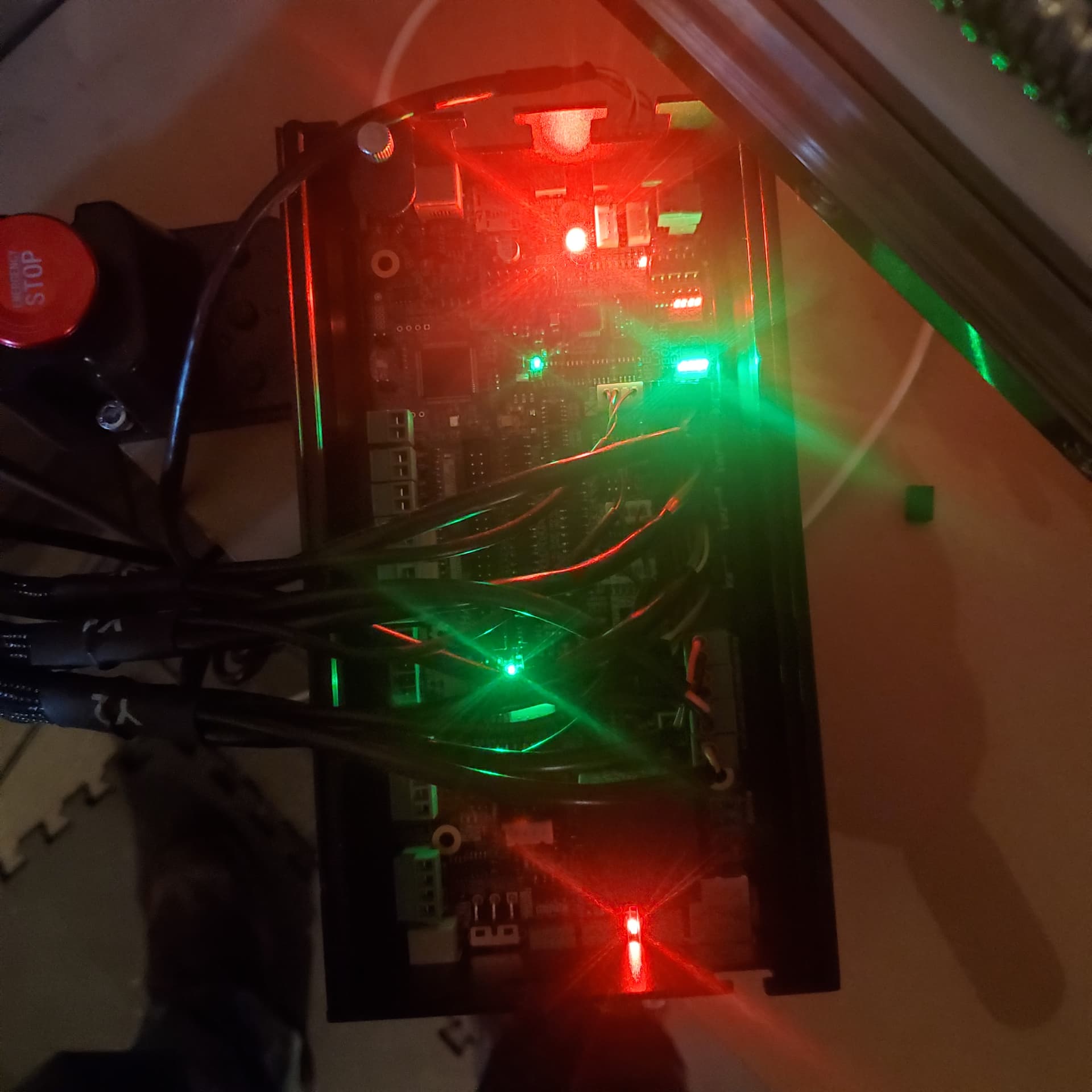
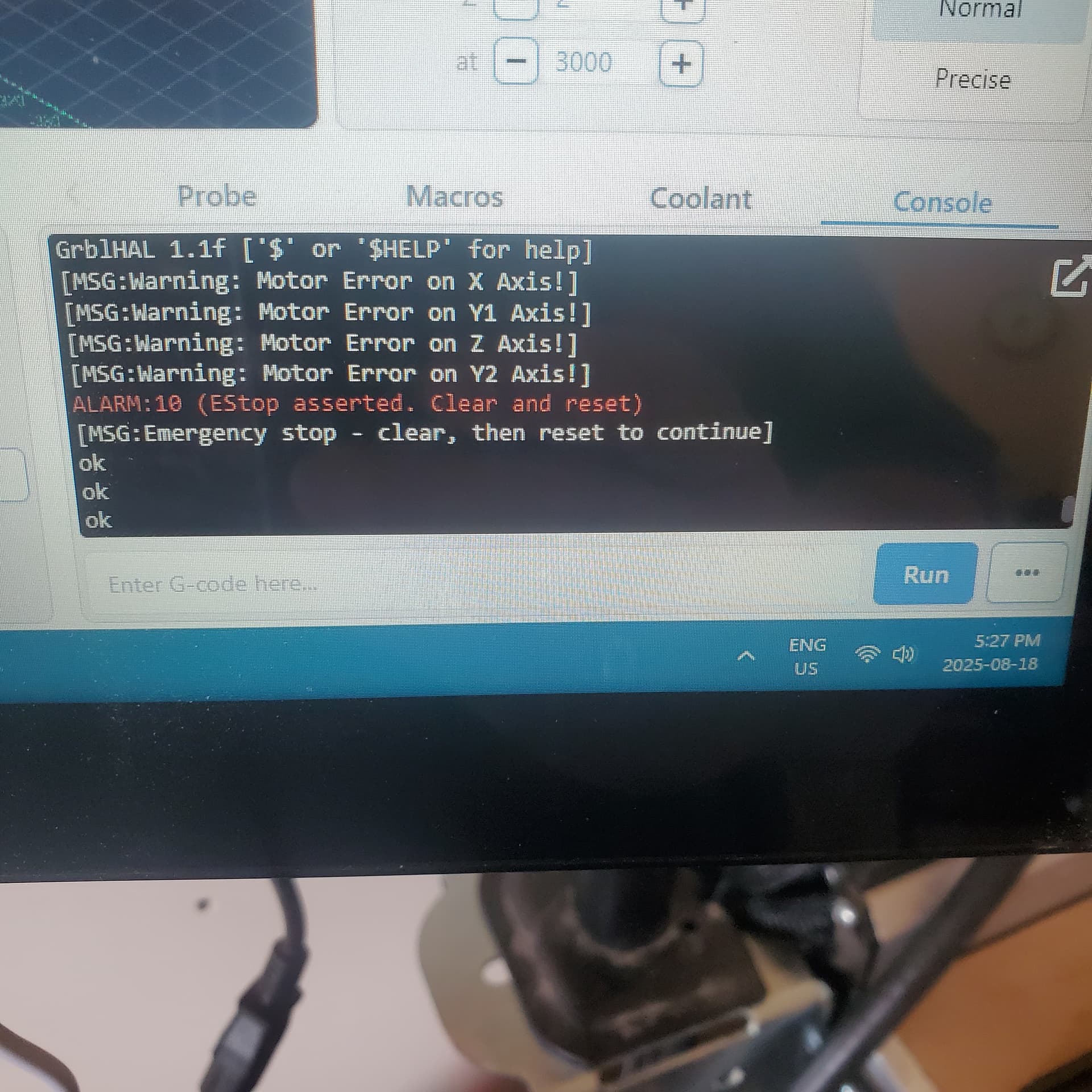
Any help with my issue would be greatly appreciated. My E-Stop button seems to function as it should. I followed several troubleshooting guides. I can use it to shut off the ‘halt’ indicator LED on the SLB.
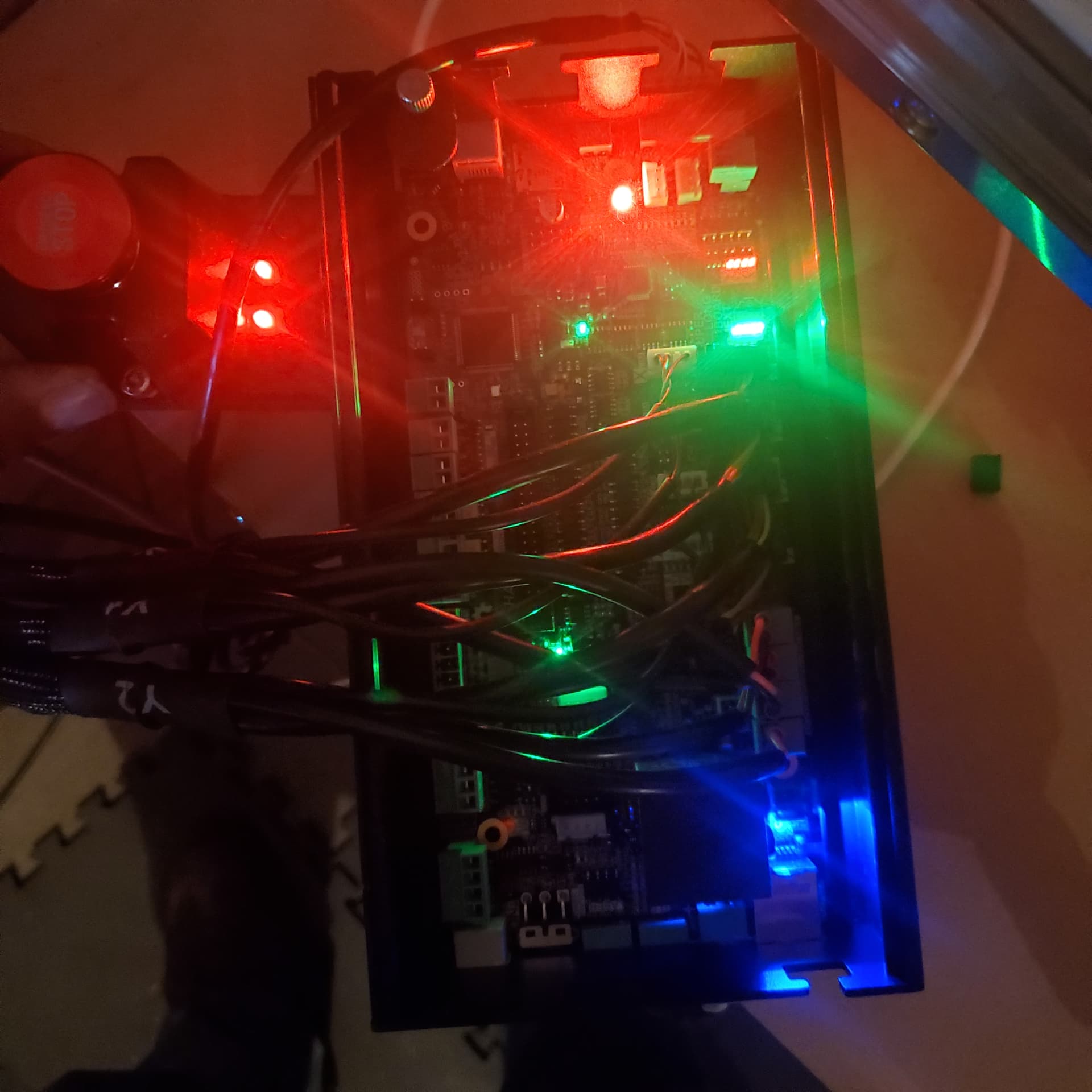
I can’t get gsender to clear the Alarm (10). When I click the ‘click to unlock the machine’ button the big Red machine status LED switches to blue for a fraction of a second.
Some additional information.
This is a new machine. I have never got past this point.
It appears I am using the correct grblHAL
My SLB doesn’t appear to have the two EStop bypass pins that are mentioned in the troubleshooting guide.
I don’t have the 3rd party spindle setup and connected to the SLB yet. I tried switching off PWM spindle control in config with no chance in this EStop problem.
So you got an estop alarm. This indicates that you pushed the big red panic button or there is an electronic fault someplace. If you pushed the red button, did you ‘clear’ the red button before you tried to unlock the machine? The red button latches in the ‘pushed’ state so if you didn’t ‘un-latch’ the button then the machine still thinks you are in estop mode.
Twist the red button a bit (don’t recall which direction), maybe half a turn, at which point the button will pop up and estop is no longer active. You then clear the error itself by clicking on the ‘unlock machine’ icon.
BTW, sorry if this is too basic and I don’t know if it is in the troubleshooting guide … it’s easy to overlook in the excitement of a new toy.
@NJacober Welcome to the forum. To add to what @Jens said, once you reset the e-stop, you need to resolve the underlying issue. Can you home the machine? If not, I would guess an issue with your inductive sensors, and probably the one for the z axis. The instructions state to have it recessed a bit from the front of the plate. For me, I needed to have it a bit proud.
Also, one of the pins for the z inductive sensor was bent. So the sensor wasn’t working. You can test if your sensors work by putting a metal object (screwdriver) near the blue tip. The tiny LED at the back of the sensor should light up and you should get an alarm.
Agreed (and that’s kinda what I said)…reset the estop as you stated and then fix the underlying issue.
I’d be interested to know if the Altmill @NJacober has received has the threaded hole for the sensor. Mine, and probably yours, just had a hole and you needed two nuts to hold the sensor in place
Thank you for such quick replies. I have never had the machine move. This is a brand new machine.
I have cycled the estop to check its function. In the run position( up) the red LEDs on the estop light and I see the ‘halt’ LED goes out on the SLB. Then I need to cycle the estop switch to make the ‘halt’ light go out again.
If I unplug the switch from the SLB. That halt light goes back on. I take this to mean the estop is connecting the first two wires the way its supposed to.
The programable buttons also light the LED like they are supposed to.
Another thing of note on the back of the board near the power switch I can’t find two pins to bypass the estop. Also my board had a large relay in that area that I don’t see on the diagrams. As I operate the estop that relay activates.
@NJacober I’m not clear on what’s happening exactly. After you cycle the e-stop button and clear the error in g-sender (if it’s not done automatically), what happens? If you press the homing button in g sender, does it start that process?
Sounds like one or more of the axes is activating a limit switch. With the E stop pushed in, try manually rotating the coupler on that axis to move the machine away from the limit switch, then release the E stop and clear the alarm in gSender.
I can’t clear the error in gsender. When I press the software clear button. The SLB board status LED flashes blue for a fraction of a second. Then back to Red.
I went around the machine and made sure each sensor was not tripped and that it would trip if I put metal in front of them.
Is there another way I could make sure they are working as they should. Maybe I should get someone else to trip them and see if there is an indicator LED on the SLB.
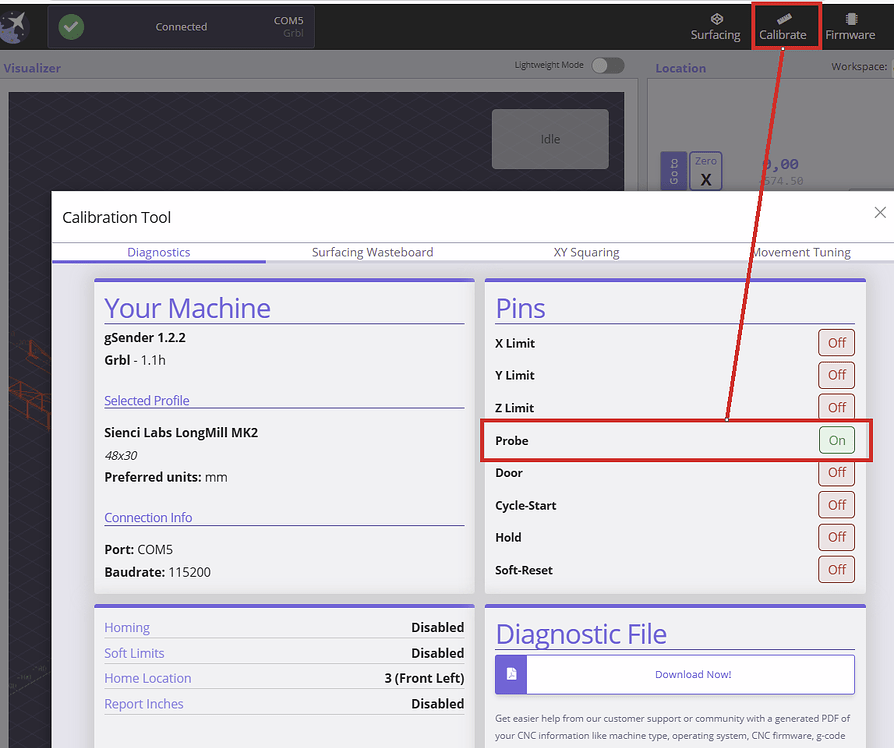
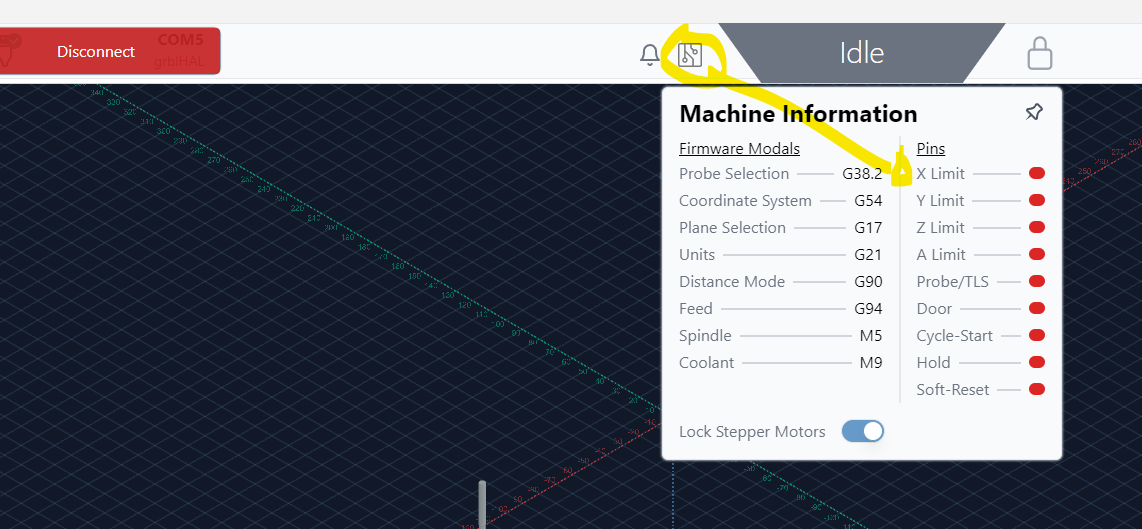
In the good ol’ days, we had a pin list in gsender - tab calibrate - where one could see if an input was triggered. Since I have never updated beyond 1.2.2, I am not sure where in the newer versions of gsender you can find this feature now. I however cannot imagine it has not been removed. It is a powerfull aid when trouble shooting.
@NJacober I agree with @Jens . If your xy gantries and your z assembly are nowhere near their limits, but you still get an error, a call to Sienci would help. I’m not familiar enough with my Altmill yet to provide any more advice.
If they are near their limit, perhaps manually moving them as @mick_s suggests would be worth a try.
Ah thanks Peter, I’ll bookmark your picture for future refferencing. My gsender is outdated but has all the capability I need. It has its drawbacks when trying to help out on this forum though. Thanks to you I now can stea.. borrow yours.
I received a new SLB ext and e-stop switch today. Unfortunately, the identical problem persists. Assuming the new board and estop are good. I looked at the limit switches again. They are all indicating not tripped. Then they show red LEDs when I put my screwdriver in front.
Also, all of the steppers are energized. I can’t push them around.
Is the below picture what you would expect for a machine in e-stop?