You can change the speed in gsender . Top right corner click on firmware .
@Gravesj1s how much is it moving up after doing the probe? It sounds like maybe between your bit stickout, the height of your TLS, and how high it’s moving up it’s maxxing out the Z-axis travel of your machine
1 Like
Ok , so let me just give a brief idea of how the TLS is setup and that may make better sense .
I got Tls properly wired up and set in position on my wasteboard . In gsender , I select the “fixed tool probe option . Jog over it , selecting “ grab current location “
Now I home machine , load new file that calls for 3 bit changes . I have x0y0 already set , so I go to . Using the probe block as a first probing , set the magnet , probe for z0 per wizard . All set .
Start file runs perfectly . As it finishes the spindle goes over pause over the TLS , per wizard , I touch off the tool before changing to the 2nd bit , it proves then I change the bit , proves that bit on the Tls , then I press resume .
And this is where the z triggers a soft alarm . Soft alarm disabled it will then just trigger hard stop, and if I disable hard stops as well , it will raise as high as it can triggering the estop .
What I think is happening is grbl is trying to raise the z height using inches instead of mm . I do have inches set in the firmware , but that doesnt seem to matter ,
A work around I found is with $13 in the firmware disabled the tls works perfectly . The results are repeatable going back and forth over and over .
I hope this helps clarify what I was seeing .
Thanks for replying back .
Chris ,
Sorry , I just noticed you commented her too. I just gave a detailed reply in the edge post , so I’ll skip it here .
The gist of it , for whatever reason in $13 seems it needs to be turned off in firmware and then the tls sensor works perfectly .
As I said the results are repeatable . Let me know if you see something different .
Thanks for reaching out
So does it seem then like your machine is moving up by 1 inch at the end of the tls routine and that’s causing the issue? If so then we can probably account for that
Chris,
Honestly I think it’s atleast an inch before triggering an alarm .
Not only that but if I were to press “ go to” z0 after the Tls probing , the bit would plunge past what should be z0 .I can visually see the value in z coordinate box by manually lowering to the wasteboard ( zero to stock bottom ) that it will go past the waste board .
I just got a chance to check this. This did, in fact seem to solve the problem for that issue. Thanks!!
2 Likes
@WaddabuxX Which of @Gravesj1s 's suggestions solved your issue? I would like to mark the solution for others going forward. Tks.
1 Like
@gwilki ,
In gsender , firmware $13 [ report in inches] needs to be turned off . It’s a work around for a bug in the firmware .
It might just be me but I have soft limits enabled and I have setup my M6 command with a fixed position tool probe.
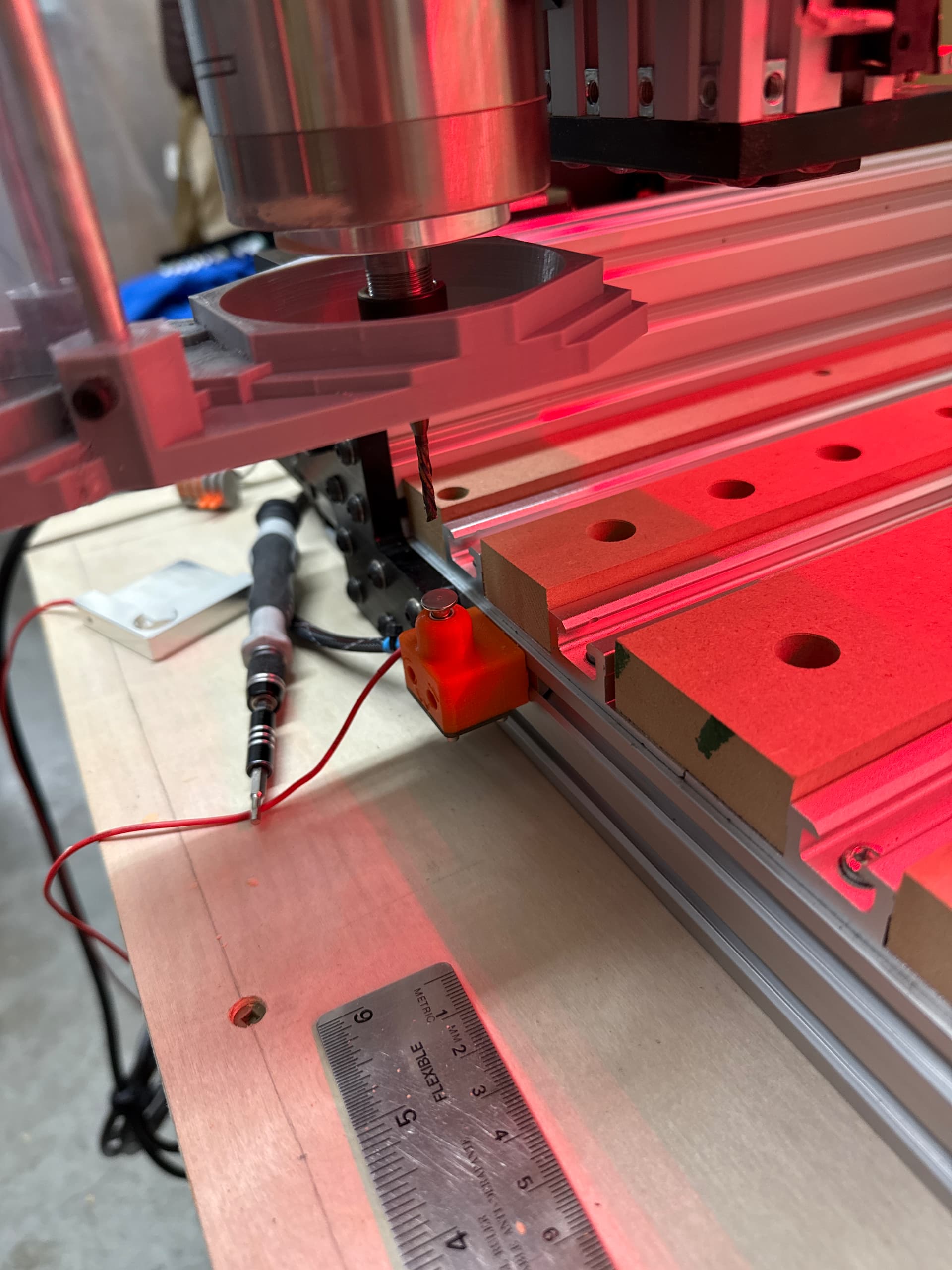
I zero Z with my touch probe and the job starts once it gets to the bit change it stops the spindle and moves to the Tool Length sensor position. I click the button to start the initial probe but the machine goes into Alarm after only moving the spindle down about 2/3 of the way to the sensor.
I confirmed that I can reach the sensor outside of the wizard so I am not sure what’s going on.
It was working before I enabled soft limits but found them useful in a lot of cases.
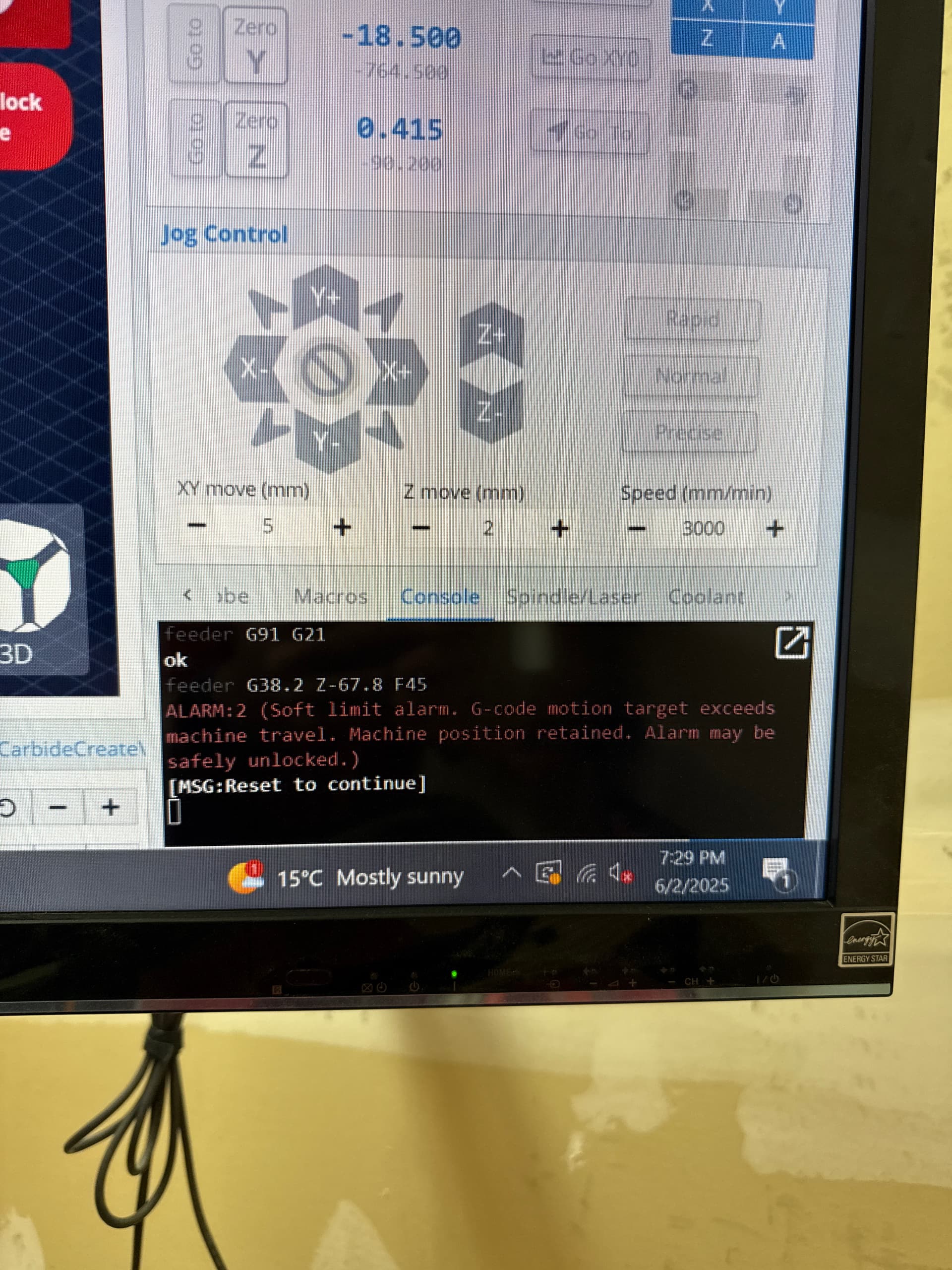
ok
feeder (Toolchange initiated)
ok
feeder G53 G0 Z-90.2
ok
feeder G91 G21
ok
feeder G38.2 Z-67.8 F45
ALARM:2 (Soft limit alarm. G-code motion target exceeds machine travel. Machine position retained. Alarm may be safely unlocked.)
[MSG:Reset to continue]
Okay so I did a little more testing and made some changes but still have the same issue.
What I found is that I have my Z axis max travel set to 143mm, the first step is to raise the Z to -10 and move over the probe.
Then it moves down to the probe location initial position mine is at -97.5, on the last step it seeks down -44.5 so if I add that all up I get 151 mm.
I know it won’t go -44 it will hit the probe within 10-20 mm.
But the -44.5 is below the soft limit of 143, is there a way to adjust the seek distance? So I can change the value to -20 or something within the soft limit?
2 Likes
I am having the same issue in 1.5 version gsender. This sucks and needs to be fixed please
@715workshop Welcome to the group, Tom.
As there is no version 1.5 of gSender, are you maybe using 1.50 - edge - 8? If so, you may want to try the lastest version of gSender, which is 1.4.12. Edge is the beta/test version and may have bugs while it is in development.
My fault. I’m using 1.4.12. I think I found the issue. Normally I have been running in inches. I switched $13 to 0 for metric. Then I had to set $132 to 220 mm for max z travel. Then it worked! Now I switch back to inches and I get the soft limit error again. G38.2 is telling z to move -189.28 in mm when probing for TLO on 1st tool. I don’t know how to change the G38.2 setting as it is not following any set parameters in firmware or preference. Trying to increase max z to avoid soft limit alarm. G38.2 needs to be changed somehow.
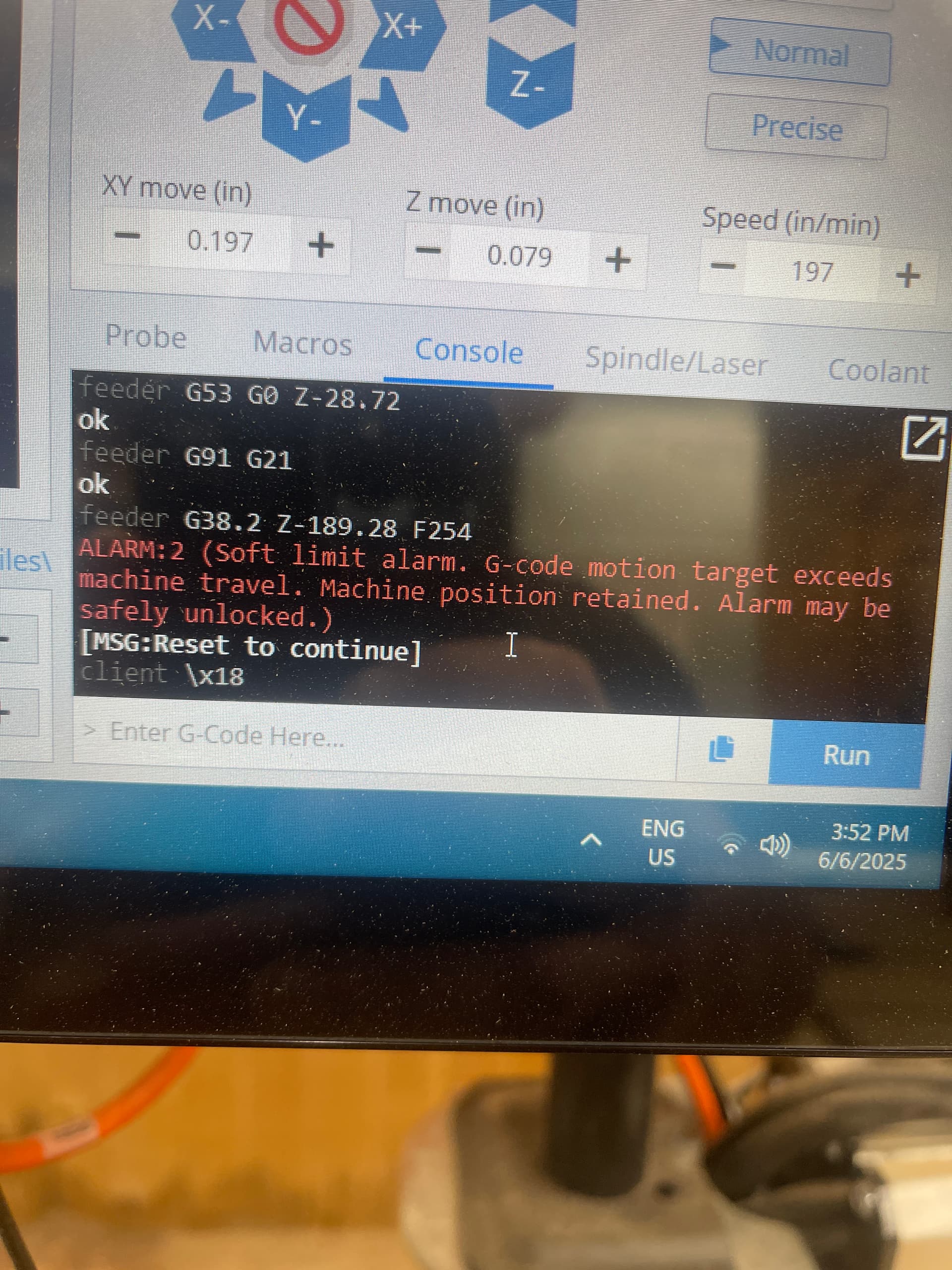
Update. When I switch back to inch I get soft limit alarm. I had to set $132 to 5080 mm to get it to probe since now it seems like G38.2 is using the 189.28 as inches but firmware takes the length in mm. Also now when TLO probing is complete the Z0 is way off. It is like 2 inches higher than my previous tool zero setting. I’m going back to mm to keep things moving.
Solution! After many painstaking hours learning code and macros lol I figured it out. Well at least to get my RapidChange ATC working. More testing needed with the gsender wizard. For me the solution was making sure to keep the “firmware” settings set to mm. If you want to see things in inches you can only change the setting to inches in preferences. There SHOULD be a major warning when changing firmware to inches, just sayin. All tool touch off and Probing seem to be calculating correctly now. Many thanks to Don G. At RapidChange spending hours testing with me. What a great crew over there. Those guys will bend over backwards to help customers.
3 Likes
I’m having an issue where I’m running the built in routine to change a tool using the built in Fixed TLS routine. The first tool finishes running, goes to the probe location, probes, I change tool, probe again, then when I click to resume the program it rapids to where it is supposed to go (above the first tool cut area), then it rapids to the x/y zero and does a tiny cut (cuts air, barely moves in the x/y, maybe half an inch if that) right above the material surface and ends. At the end, all the zeros check out. Maybe it is switching to metric and cutting something tiny in the X and Y, but even if that were the case wouldn’t it cut down into the Z even the tiniest bit? The visualizer shows the cuts being made where they are programmed to be, while the actual cutting is taking place near x/y zero.
I’m aware of the issue of changing the $13 to inches and mine is still set to the default setting.
I’ve tried this on multiple programs with the same issue arising.
Hello Steven, welcome to the group!
Depending on what CAD/CAM package you are using you might be able to design in inches and still post process in millimeters. Vectric’s products can do this for sure. I’m not sure about others, even the ones I’ve used, because I adopted millimeters for all my design work years ago.
Anyway if your able to do that you could try it and see if it is a unit problem.
1 Like
The program I’m running is cutting a 1" diameter pocket, and then putting a round over on the pocket. Just a short program to try to isolate the problem. The first operation runs as it should, and the g code itself doesn’t appear to have anything weird going on. So I don’t believe there is an issue with the output from vectric. Uploaded the gcode for reference.
tool change test 7-18-25.gcode (1009 Bytes)