It feels like you have a variation of the tiny visualisation problem some ha e reported.
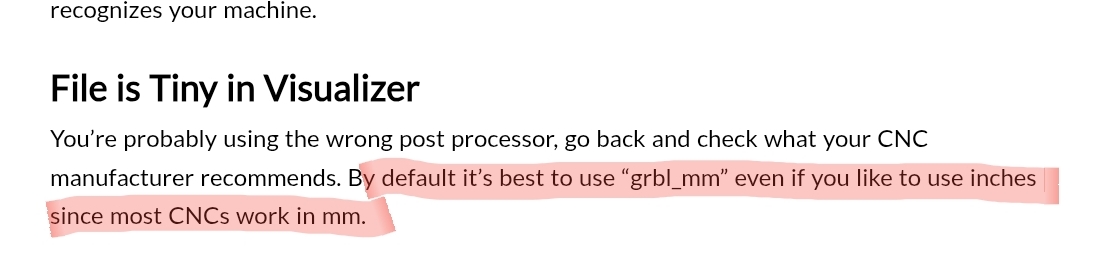
The solution to this has always been to use the grblmm post processor.
Since I don’t use inch nor tool changes, I have not encountered these problems, but it seems that grbl and converting to inches can create a multitude of weird behaviour that can be mitigated simply by using the gbrl(mm) post processor.
I see that your G-code is using inches and was made with Vectric. I suggest trying the grbl (mm) post processor in case it’s some kind of unit problem.
As far as I know you can design in inches, post process with mm, and still see inches in gSender with ‘Carve screen units’ set to inches in the configuration.
Using G-code in millimeters is more accurate because grbl only uses so many decimal places. I don’t know the number but in any case any fraction of a mm is 25.4 times smaller than the same fraction of an inch. I’ve heard that it can lead to problems with G-code that uses arcs. I don’t think the accuracy is part of your problem but it’s good info to know IMO.
I think inches are a second class citizen in the world of CNC so maybe, fingers crossed, using the mm PP will work.
I ran the program one more time and examined the code output in the terminal window. It seems like the tool change routine is mixing in some G21 (mm) codes and never goes back to G20 (inches).
It’s strange that I haven’t found anyone else having the same issue, I’m sure there must be other people in the US running inches and tool changers. Maybe I didn’t arrive at the right search terms to find them.
I agree that it looks like I’ll have to reprogram my brain to think in mm going forward.
Just bumping this since I think there’s still something trickey that might be hiding in the tool change procedure for $13=1 setups (though of course that can just be changed to $13=0 in the meantime)
What Cad/Cam software are you using and what post processor ? I’ was able to repeat your issue in vetric by drawing in imperial then saving / generating gcode in metric pp .
I believe this is a scaling issue not being converted correctly between mm / inches . In my experience [$ 13 =0 ] makes no difference with this particular issue .
There is code in the tool change routine that persistantly returns it to metric mode and I don’t know if there’s a work around. So I just changed my post processor to a metric version and it’s working now.
For what it’s worth, my $13 is on the default setting.
I’m using vcarve pro. As I said my reply to Chris, I resolved the issue by changing to a metric PP.
Doesn’t seem to matter if I draw in metric or imperial. The issue is in the tool change code reverting to metric repeatedly during its canned routine
Hi all, since we’re gearing up for a new gSender Main release I’m digging through older topics that fell through the cracks to see if the problems are now resolved on new gSender or gSender Edge versions, or if they still are occurring and if so then we’d like to fix them up promptly if we can.
If you can give any response in the next week or so it’d be greatly appreciated
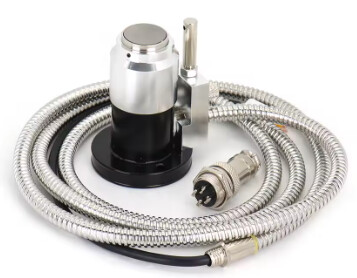
When I set my workpiece 0 and start the job, the initial tool probe wizard fires up and takes the machine back to above the setter, it rapids down to the seek position, and then throws Alarm 2 before probing.
I’m wondering if this is because the workpiece Z top is higher than the tool setter?
The code in the terminal shows all the positioning being machine coordinate (G53), but then the probing distance for Z is -122 which is a lot farther than the ‘max probing distance’ (I have default set):
(Toolchange initiated)
ok
G91 G21
ok
G53 G0 Z-10
ok
G53 G0 X0 Y0
ok
G53 G0 Z-50
ok
G38.2 Z-122 F150
ALARM:2 (Soft limit alarm. G-code motion target exceeds machine travel. Machine position retained. Alarm may be safely unlocked.)
[MSG:Reset to continue]
This sounds like it should cap the input parameter at the maximum possible, but I don’t even see the input parameter being used in the method. It looks to always return the max (machine travel - workspace tool change position [the z of the toolsetter in settings?] - 2). The ‘30mm’ of probe distance doesn’t seem to come into play in this method or where the value of it is consumed and put into the gcode.

 As far as I can tell, the probing distance is being computed here: