I have downloaded gsender 1.5 to my gcontrol panel which is connected to my MK 1 CNC. In the bottom, right hand corner of the screen the control section is covering the rapid/normal/precise buttons and the settings beside them. Everything appeared to be normal when I downloaded it to my laptop, which is not connected to the CNC. Any ideas for a solution?
The only thing that comes to mind is maybe the gControl’s resolution is set too low or screen scaling is on. I’ve had gSender look messed up because my monitor got set to 1366 x 768 instead of 1920 x 1080 somehow. Maybe a driver update changed it on me, I don’t know.
Thank you so much Michael! The resolution was correct but the scale was set at 150% and when I dropped it to 125% the problem was fixed.
The bottom 1/4” on the carve tab and the bottom inch and a half on the stats tab are cut off and require vertical scrolling up and down to see..
Given the touch screen and lack of a mouse to do this scrolling, this is a major pain
- the vert scroll bar isn’t finger friendly
- Pressing in the window and sliding up and down has a good chance or hitting some othercontrol
- And because the run … plus and minus buttons are also covered up by the windows task bar that likes to pop up when a finger is in that area…
Out of curiosity, what resolution are you using and do you have screen scaling on?
I’m just wondering because the gControl says it’s 1080p and I don’t have trouble with 1080p on my TV used as a monitor in that resolution without scaling. My problem is that the recommended resolution for my monitor is 1366x768 and fonts do look better in that resolution but gSender needs a vertical scroll bar which I can’t stand even with a mouse. The scroll bar is only needed for ~10% or so of the screen for me. It makes me sad 
Unfortunately our responsiveness with the new design was just a bit off what we were hoping. We’re still aiming to make tweaks to ensure that it fits the best across all screen sizes, but in some cases people will experience this in the meantime. The current best fix is to adjust your Windows or other OS zoom amount and that will get gSender fitting right on the screen. Here’s a link for more info:
Using a computer with max screen resolution of 1366 x 768 and can not see all info from each box, the motion command box does not show the “precise box” and only half of the “normal” box and the “z” box along side it. I cannot change the resolution to anything less that 100%. How do I adjust each box sizing to see everything in that box or does gSender only work with full HD?
I have the same issue, using gamepad to toggle the jogging speed, but I would like to have the app fit the screen.
There was a topic on this a few clicks back where this link was posted:
Does this help in any way?
Thank you for your input but that approach doesn’t help. My display is currently at 100% and it doesn’t permit going below that, only up. That is why I asked “does gSender only work with full HD?” There may be a solution via another way to adjust the box size or scale the whole page through some command in gSender.
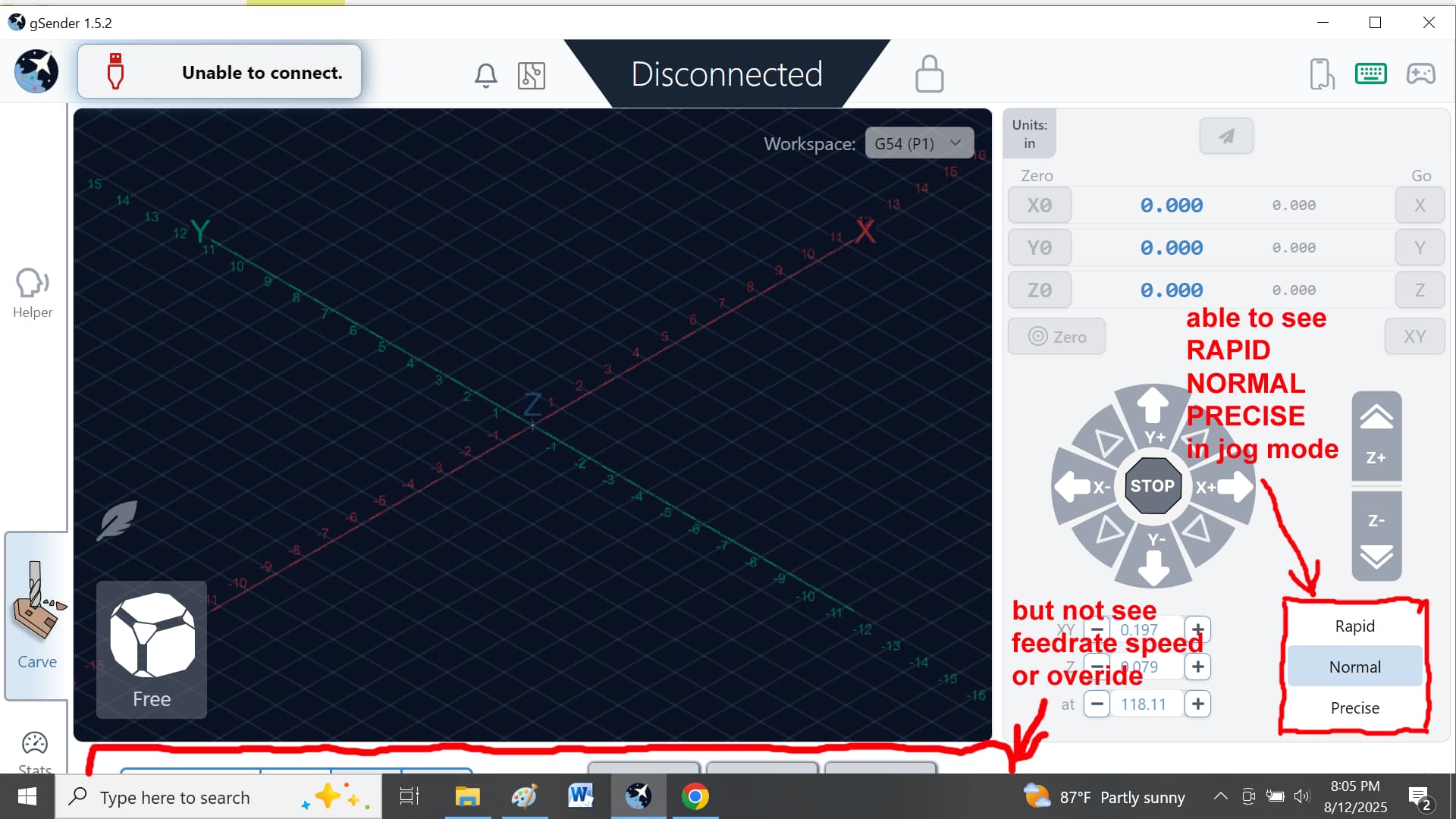
I am having a problem with the g-Sender display screen on my computer. When I have g-Sender in maximize the screen display cuts off the feedrate, feedrate override, start, pause, and stop buttons. But it displays all three buttons for jogging, (RAPID, NORMAL, and PRECISE).
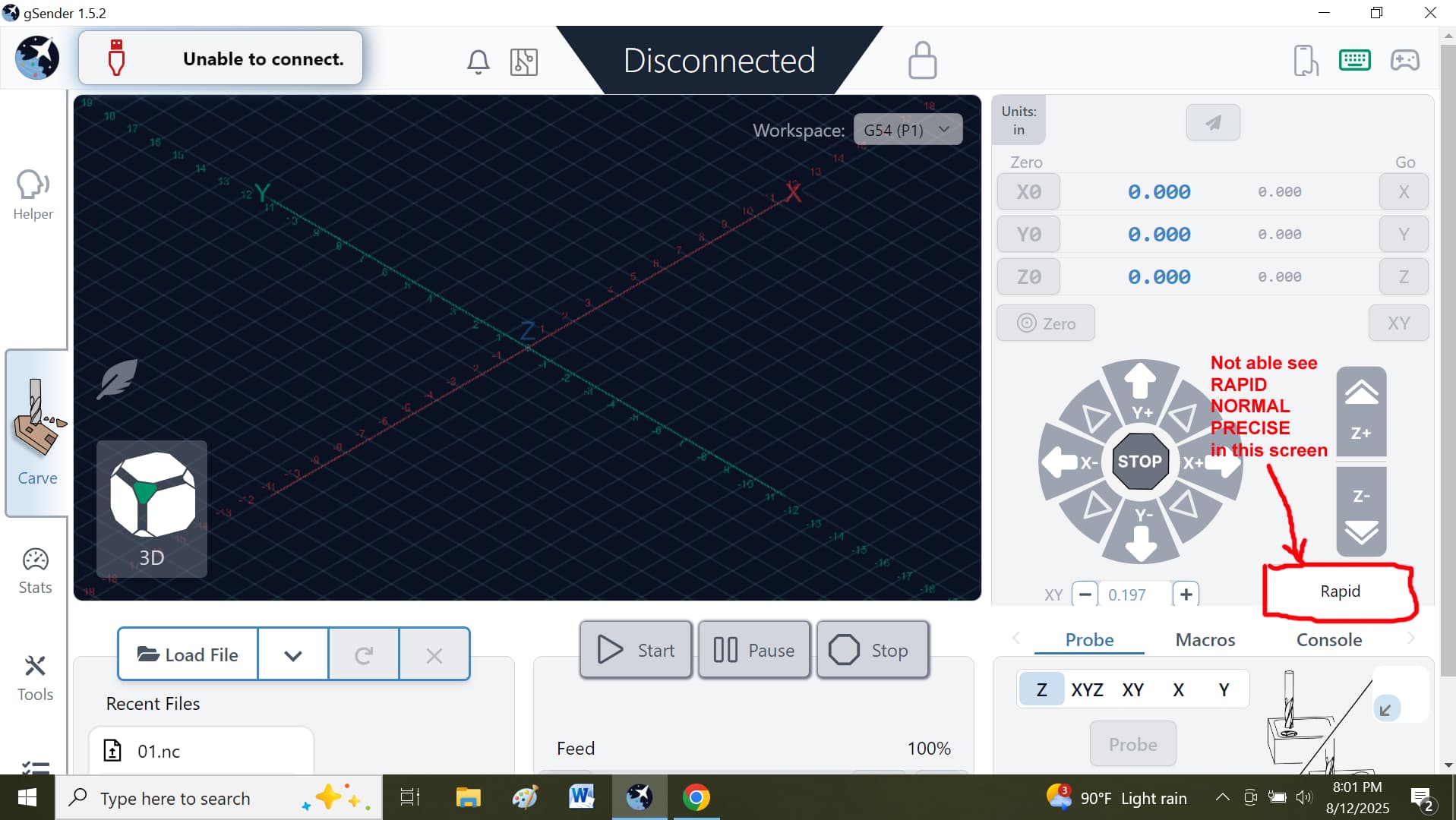
        When I use the down size screen display, it shows the feedrate, feedrate override, start, pause, and stop buttons, but it cuts off two of the three buttons for jogging, (RAPID, NORMAL, and PRECISE).

        Is the solution or fix for this? Please see attached photos.
@dhook You may want to look at the resolution settings for your monitor.
My computer display is set at 1920 X 1080, which is the highest setting and also the recommended setting.
Upgraded to 1.5.1 and the probe screen overlaps the speed settings. I also can’t see the bar graph IPM Adjustment. Where do you adjust the screen settings?
@Elbob I moved your question to the gSender category. It will get more attention here.
I updated to the latest version of GSender last night and although I like the new layout my screen is too small to access some pretty important function… for example the jogging speeds. They are covered by the bottom right pane. I tried adjusting my screen resolution but even with the highest resolution it doesn’t fix it.
Just to let you know I use a pretty small screen… 15.6.
Does anyone know of a way to adjust the layout in the app or do I need to:
A) Bit the bullet and get a bigger screen.
B) Go back to the previous version of GSender.
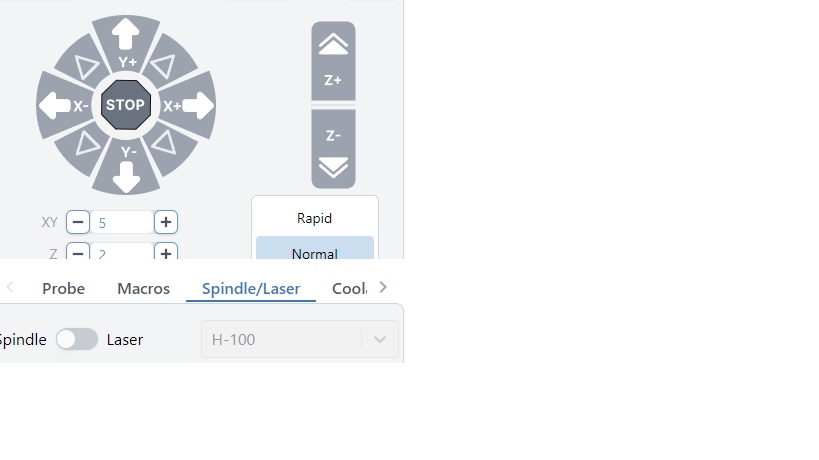
Hi guys, last week I installed the Fixed Tool Sensor option. It works perfect compliments to the team.
I use gSender on a laptop with the screen in landscape. gSender create a window what is not large enough to fit all buttons, so I get a scroll bar. I guess on your external screen in portrait mode it looks amazing, but in my configuration it’s not handy. Could it be an idea to just put one button at the time on the screen.
Example
Button change tool
—Clear button (screen)
Button start measuring tool length
—Clear button (screen)
Button resume job
—clear button (screen)
Thx in advance and for your time
I’m on 1.5.5 and sometimes it opens and looks like yours (squished and unable to see everything regardless of scrolling) and others I see everything but have to scroll.