I suddenly got a weird issue with my AutoZero touch plate and hope someone can help. I’m using gSender 1.5.7 with my Altmill. When I go to set “Z”, I place the touch plate on my stock, hit “Probe”, with it set to “Z” only. I have it set to check continuity but as soon as I touch the magnet connector to the spindle, it signals “Touch Detected” before the spindle touches the plate. In fact, if I touch any metal part of the CNC, it registers “Touch Detected”. Someplace the unit is connected to the signal line of the probe, but I have no idea where it could be or where to check. A few weeks ago, I added LED lights under the X-Rail, but I’ve used it after the addition without any problems.
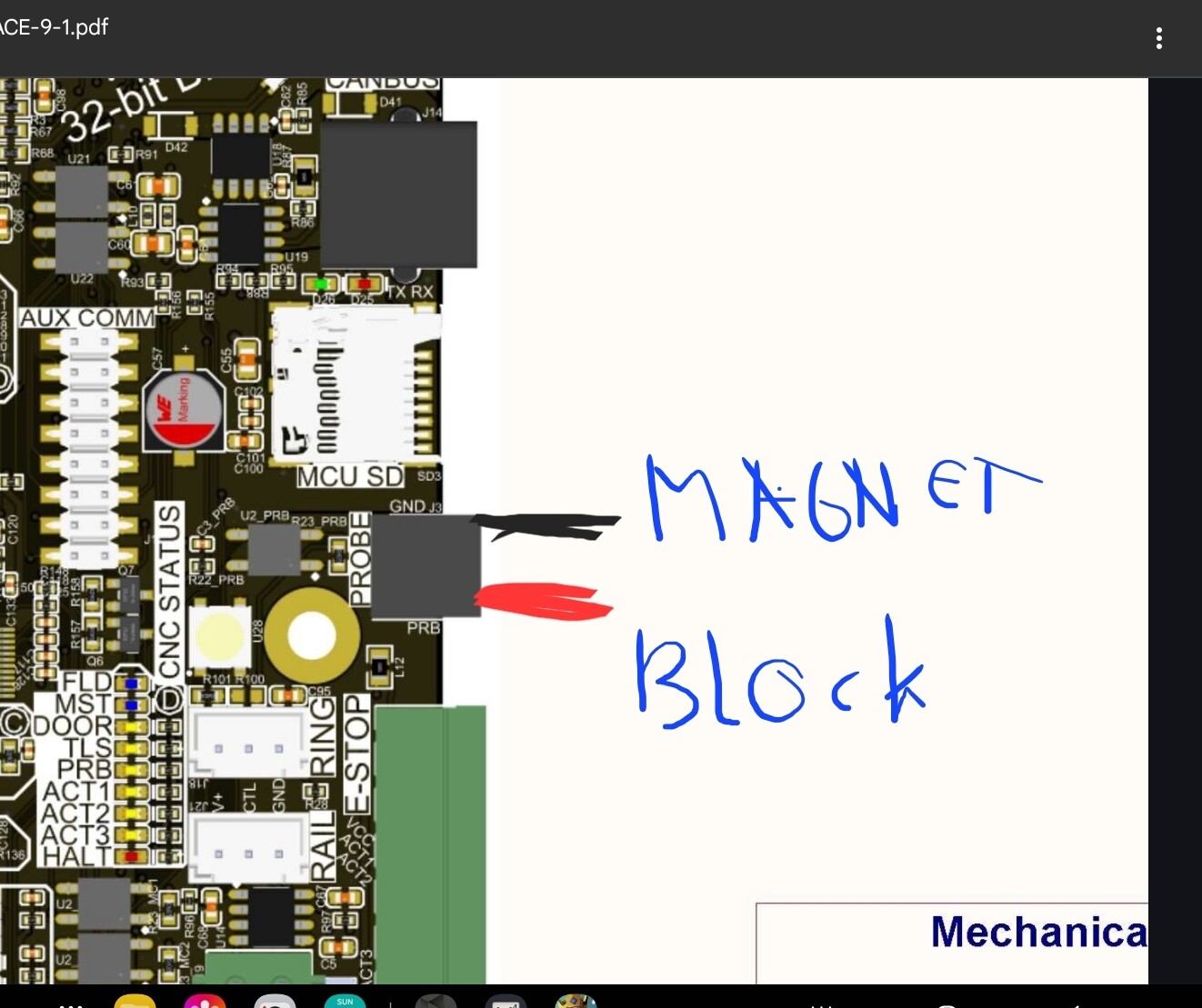
I disconnected the probe cable and checked to see if there is a short between the red plug and the black magnet using an Ohmmeter and there was no short. The issue is inside the Controller box, as best I can figure.
@Jimc137 The only other thing I can offer is to power cycle the SLB. Someone else with electronic knowledge will have to chime in. I believe both @whitewolf and @Spamming_Eddie do.
A WAG:
If you have the polarity reversed on the probe cable, I think this is what you will run into.
When I say ‘polarity reversed’, I mean that the magnet cable is hooked up to the terminal that normally should have the terminal block connected to it.
A quick check which may or may not verify this … reverse the connections on the terminal block of the probe where it plugs into the SLB. I don’t recall if it is possible to flip the connector by accident or if it is keyed in such a manner that it can’t possibly be reversed.
My thinking behind my WAG: some people have noted that the spindle can connect to the SLB ground for whatever reason and if the probe measures a sense line against ground and you have the wires flipped then you will likely get the result you are seeing.
To address the polarity question, I hadn’t changed anything, it had been working and now it doesn’t. It terms of the stock, it doesn’t matter. If I touch the magnet to any metal, i.e., a screw on the frame, it shows a connection. It is very strange. I have restarted the controller, unplugged and plugged in the sensor cable, and checked for loose wires in the controller but to no avail. I can use paper to set my Z height but it is annoying that it suddenly stopped working.
Just because you didn’t change anything doesn’t mean nothing has changed.
Flip the wires on the probe connector and see what happens.
As I said, this is a WAG so just for chuckles, change the wires. If it doesn’t fix anything I will do a Simpsons fade-out back into the hedge.
Jens is right here. Nothing has chanced is a statement that has no vallue when it comes to electronics suddenly working differently. Things have always changed.
The reason I asked to check the wiring on the probe connector is that the probe is prety much a ground detector. The slb does not care where the ground comes from, if the pulled up input is reading low, it’s a detection.
Now imagine, you have a conducting machine and you fit it with a led strip that runs on a vcc and (shockingly) a ground, and somehow this ground is in contact with the machine.
Now if your magnet has the red wire, you are simply connecting red to black when putting the magnet on the machine.
Testing this hypothesis is easy. Disconnect the ledstrip and see if the problem goes away.
If not, another test can be what Jens suggests, switch the wires of the probe and see if things become workable again.
@Jimc137 This is to be expected if the metal components have electrical continuity. Other than ensuring continuity, you don’t have to put the magnet on the spindle. If there’s an electrical path between the spindle and any other metal object, those objects would be suitable too.
My comment on the stock was essentially asking if it was aluminum or other conductive material instead of wood. If there’s an electrical path from the stock to the Altmill frame, you could get the behaviour you are getting.
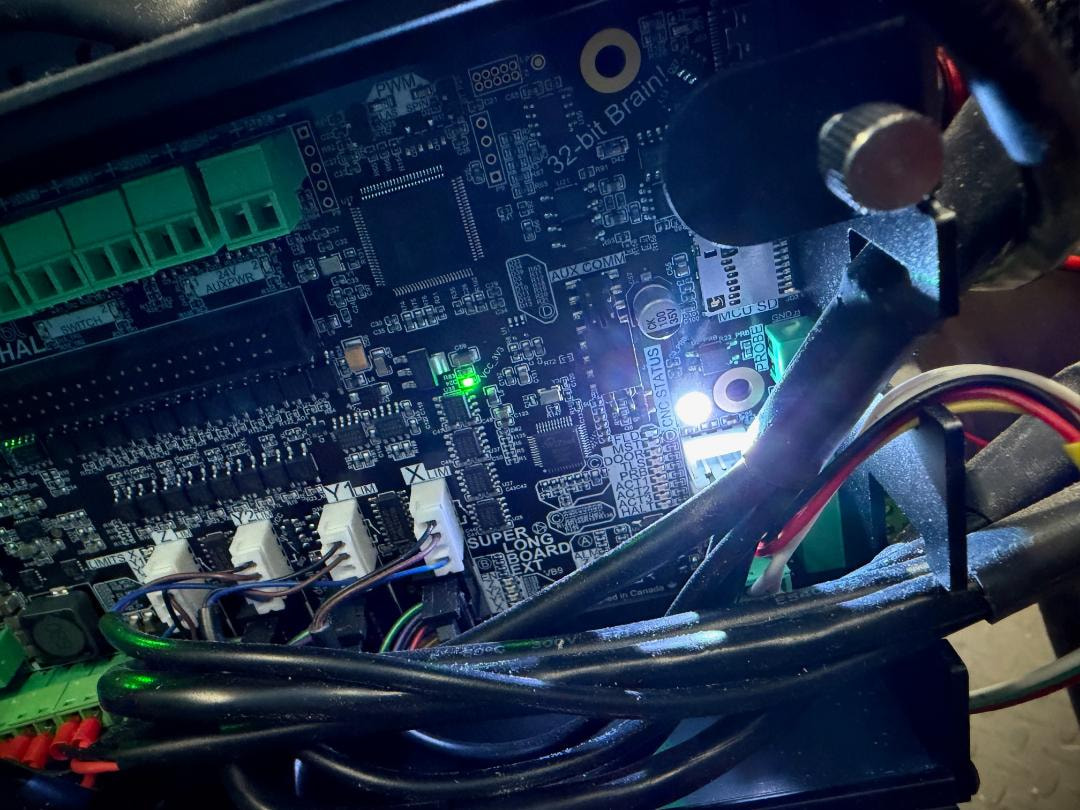
@Jimc137 seeing as in your picture the ‘PRB’ light is on, then definitely there’s some continuity happening through the input pin or some other cause. I was originally going to have you check if your probe input had become inverted in Config since this would cause the probe to register when you aren’t touching anything, but the light in the picture is showing that the board is detecting something.
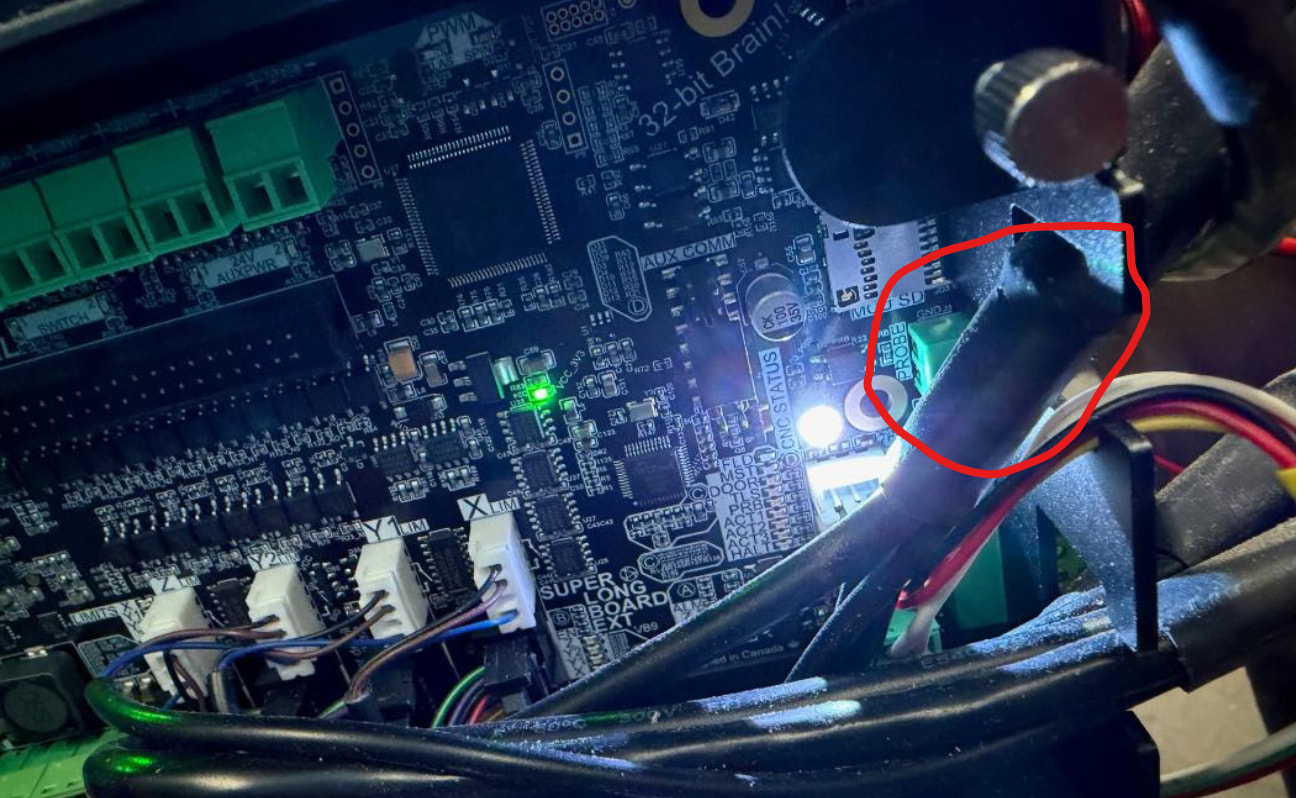
What I’d recommend is you try to unplug the green connector for the touch plate or otherwise play around with your wiring until the ‘PRB’ light turns off, then you’ll be able to use that information to inform what may have gone wrong here. I’ll also move this thread out of the gSender topic since if the board light is on then gSender is receiving the correct signal, so it’s not a gSender issue.
Thanks for all of your suggestions. My guess is it has something to do with the LED strip that is causing the short. I didn’t have an issue when I first installed it, but that doesn’t mean that isn’t the cause.
I won’t be able to check it for a couple of days but I will let you know what I find out. Hopefully if I solve the problem my answer will help someone else.
Funny, I just had the exact same thing happen yesterday. As soon as I hit probe it said it had detected the touch plate and to proceed. I’m now suspicious of the probe and am using the paper touch technique, which isn’t all that accurate!
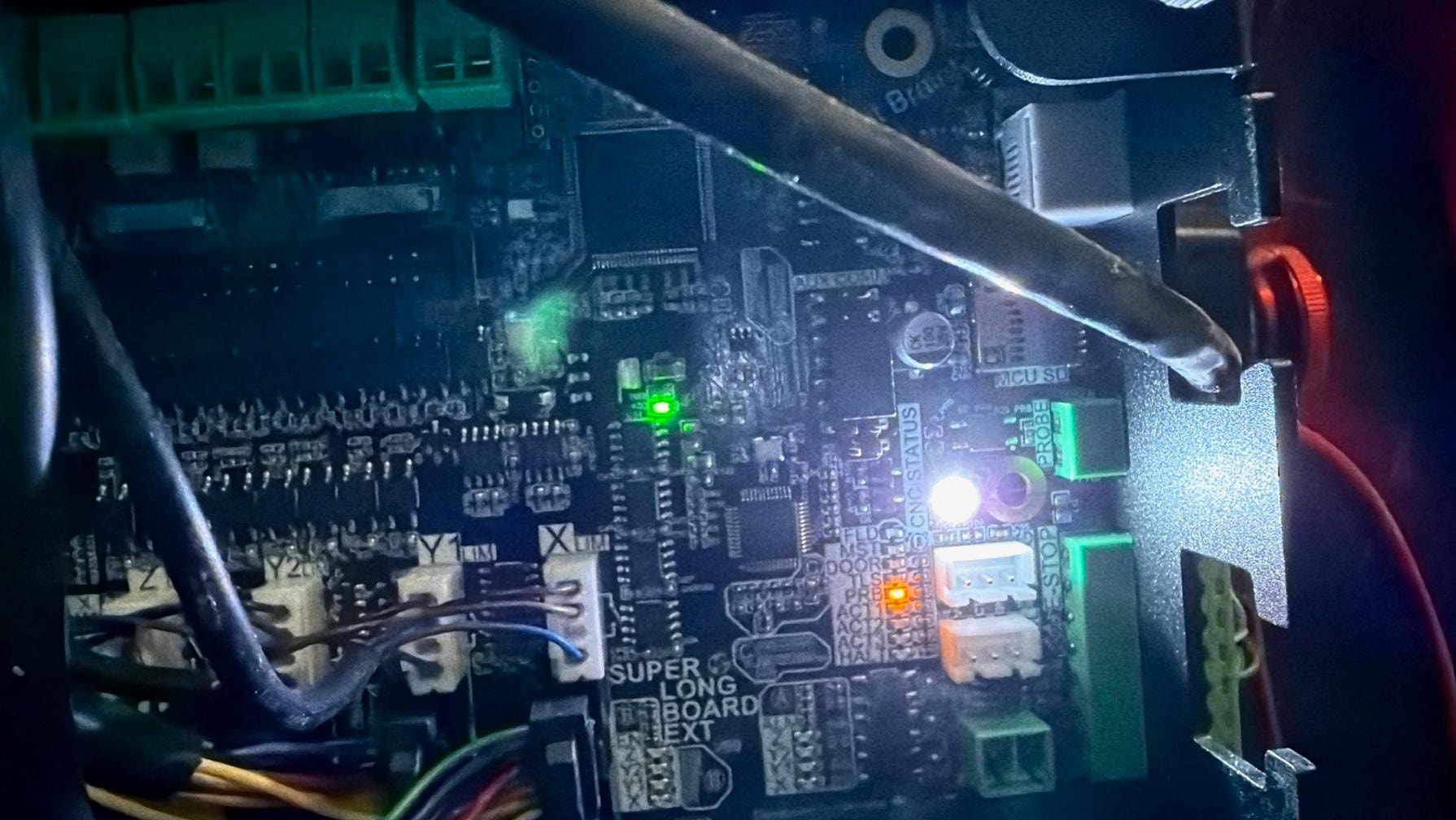
Well, I tried some of your suggestions and I still haven’t resolved the issue. If the white LED is an indicator of the issue, then I haven’t been able to make it turn off. I removed the green probe connecter, to no avail. Then I removed the LEDs strip I added as well as the additional power supply and the light remained on. After each time I removed something, I restarted the controller (powered it off than on) to ensure that the controller recognized the change. I checked to ensure all of the connections are plugged in, and everything appears to be working. I have no issues running the CNC, I just can’t use the probe.
As you can imagine, very frustrating, any other suggestions would be appreciated.