So Ive spent a fair amount of time trying but am stumped. I would like to stop the Z from changing while running the laser on my Altmill 2x4. It was working fine by now turning on laser until it hit zero but now that I updated the gSender it turns on while dropping causing the laser to burn. Comments appreciated.
Are you sure that gSender was in laser mode in the spindle/laser tab?
Copied this from some LaserGrbl docs I found.
When Laser Mode is enabled, Grbl will:
- Change laser power (spindle speed) without stopping motion
- Automatically disable the laser during G0 rapid moves
- Support dynamic power scaling based on current speed (with M4)
- Allow instantaneous power control with no delay/dwell
I’m wondering if #2 on that list could be the culprit.
You can confirm that the UI toggle is working with the console. Entering $32 should respond with 0 for spindle mode and 1 for laser mode.
EDIT: After reading Grant’s post I’ll say that I wasn’t answering the “Turn off Z jumps” question but trying to get back to
I’m assuming that ‘now’ was a typo and should have been ‘not’ in that quote. I’m also thinking the opening moves would be G0 rapids.
@Rmaustin I use a post processor with no Z moves. I’m not aware of anything in gSender that will turn off Z moves, in laser mode or spindle mode. If the gcode has Z moves in it, gSender is going to move.
However, if you have had it work before, others here may be able to tell us what has changed in gSender since it last worked for you.
Thanks for the ideas and yes, I’ve set up the laser as a second spindle and first flip to laser mode. It may have lost settings during the gsender update. Feeling like Apple updates now. I’ll go back through settings in the AM. It would be great if setting to laser would stop the Z change.
@Rmaustin FWIW, setting gSender to laser mode did not turn off Z moves for me. YMMV. Keep in mind that there are some laser projects where you want the Z axis to move, so you may not want laser mode to turn them off.
Please report back on how this works out for you. If you find a setting in gSender that causes it to ignore Z moves in the gcode, I would like to know what that setting is.
To be clear laser mode never turned off the Z for me either. It just didn’t fire during rapids and for my flat laser projects I think all of the Z moves are rapid.
As I alluded today in another thread I like having the option to ‘project onto 3D model’ so I can etch on curved surfaces. My laser has 20mm off Z clearance without my air assist so as long as the angles aren’t too steep I can etch on curves.
@Rmaustin Like Grant said let us know how you make out.
@_Michael That’s interesting. I just looked at one of my files created with the grbl mm post processor. Here is one line from the file:
G1X-22.182Y149.483Z-2.830
So, in this file, this particular Z move is a G1 move, so the laser would fire on the move.
You’re right, the laser wouldn’t fire on the up or down move if they are G0 moves. But, not all Z moves are G0 moves. Even for those that are, I guess the issue would be; does the Z return to 0 after each move? If it doesn’t, my laser would be out of focus. I prefer to use a post that has no Z moves. Then, there is no chance of out of focus etching.
I do have one that has Z moves. I need it when I am cutting. In that case, I want the laser to lower in Z so that the focus is retained at the bottom of the previous cut line. This is a bit simpler in Lightburn as it accommodates Z moves without messing with post processors.
I was mistaken, I just created a file with a couple of shapes and it has G1 Z moves but it turns off the laser before them.
Here is the start including a couple lines into the first shape.
(VECTRIC POST REVISION)
(2410E23C85915A17A0D6BB4BFA509A68)
T1
G17
G21
G90
G0Z23.320
G0X0.000Y0.000
G0X73.189Y177.456Z20.080
G1Z15.000F1200.0
S0M4
S500M4
G1X72.281Y177.886
G1X71.395Y178.367
And here is some where it’s doing some moves between cuts.
G1X75.068Y176.756
G1X74.119Y177.079
G1X73.189Y177.456
M5
G0Z20.080
G0X55.267Y216.152
G1Z15.000F1200.0
S0M4
S500M4
G1X111.267
G1Y284.152
G1X55.267
G1Y216.152
M5
G0Z20.080
G0X46.952Y165.037
G1Z15.000F1200.0
I have the laser module and am using the grbl(mm) PP without any changes to it. It has to be the laser module tool paths that insert those stop/starts.
I’ve never used the PP’s that were made for Vectric by a laser company I can’t remember the name of but I’m curious what some of that code looks like when it moves between cuts.
@_Michael Good call, M. I had forgotten about the Vectric laser module. I ran a trial of it when it first came out, but decided that, since I already had Lightburn and the good laser post processor for VCarve-created toolpaths, it didn’t add anything that I needed.
thanks for reminding me of it.
When the OP solves his issue, I hope that he reports back with the solution.
Thanks everyone for the help as I’ve lost production time trying to figure this out. Yes, its in laser mode yet I find two things odd, 1-The Laser offset function doesn’t do anything when trying to use offset to accommodate the laser head position and 2-Laser on Outline wont work either.
Heres my deal, the folks at JTech Photonics have been more help than Scienci who told me that it isn’t their product and I cant reach a human anyway. Lasers are a part of our businesses and I wish they’d make it more incorporated.
I’ll post the fix once I get it.
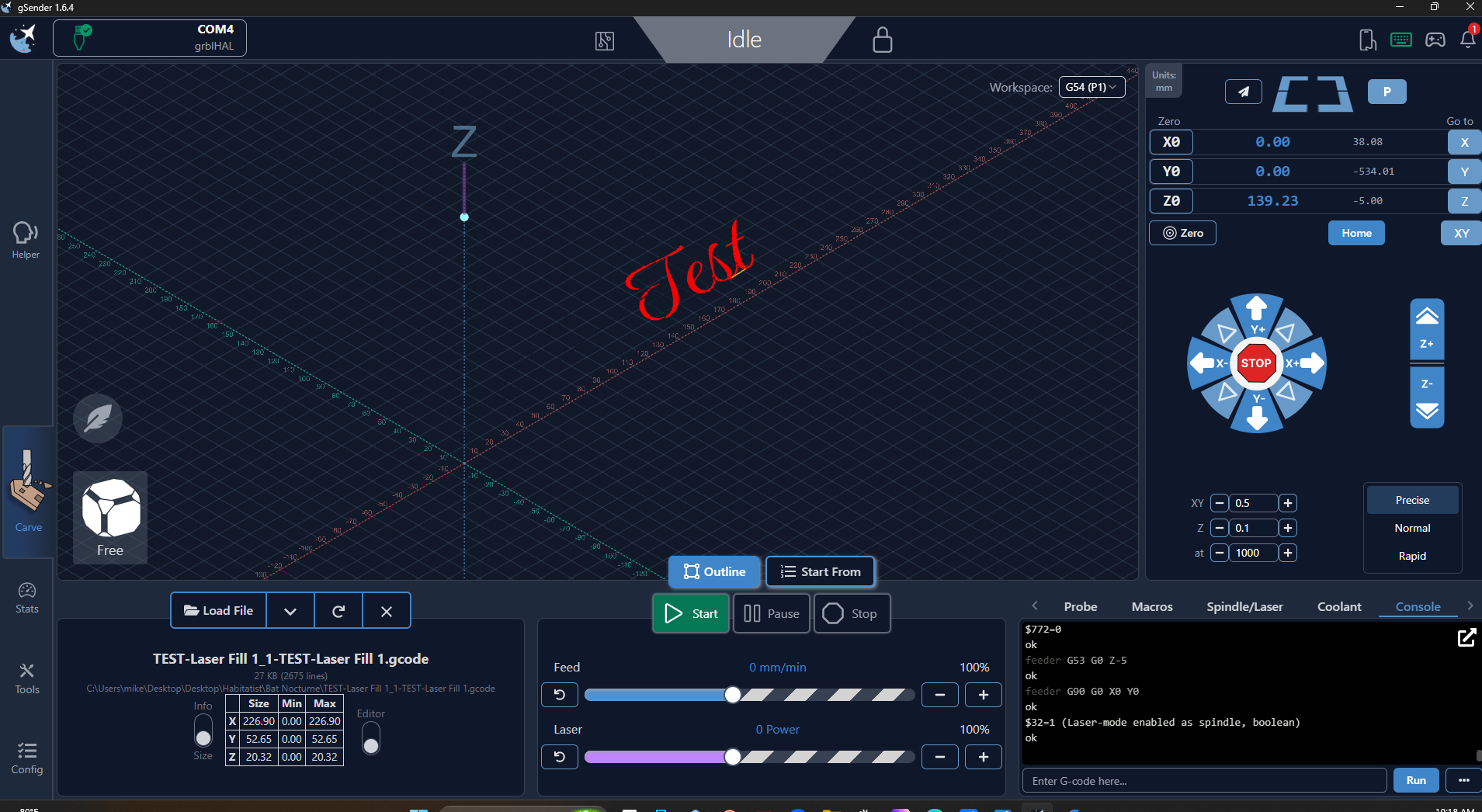
@Rmaustin FWIW, I use a slightly modified post processor from Jtech. It has worked well for me with my previous diode laser module and my current one.
I didn’t believe that gSender’s laser mode could cause gSender to ignore Z moves in the gcode, especially because there are times that we want them.
However, as you said that all worked well for you previously, I was and am curious as to what changed to cause your problems.
Thanks for keeping us up to date on your progress.
Is Vectric being used to create the tool paths? I’ve assumed it is but I don’t know for sure as maybe JTech made PP’s for other CAD programs. That may be besides the point but I was wondering if setting the safe heights in Vectric to 0 would help.
You could also try reverting to the version gSender that worked before if time is of the essence. Sometimes things change, like config versions, and rolling back is not as simple as uninstall new then install old.
Here is a post on reverting gSender in case you have problems with that. You can get older releases of gSender from it’s releases section on GitHub.
EDIT: Looking closer at the post I linked and it doesn’t mention the folders in yourUserDir/%AppData% on Windows. I think I’ve seen situations where renaming those helped but I’m not positive. I would only rename those, and there are different on other OS’s, if the way in the post didn’t work. In any case rename instead of delete so it’s easier to recover. Renaming some of those would require setting up gSender’s configuration again. The parts not stored on the control board at least.
Thanks to everyone for kind and helpful input, its refreshing to find others that understand what we go through. The good news is that I finally did figure it out and one of the issues was in assigning a seperate spindle to act in place of the laser and when it did it chose PWM vs PMW2. Seems that a dedication LASER option would make more sense. I was also able to change a number of variable based solely on that spindle option to get it to stop jumping Z so Im back to work and if anyone else needs to ask on variables feel free.
Mike